If i delete hardrive will I be able to re-install windows 7

russellhyldon

New member
Member
Local time
4:43 PM
Messages
33
Hi everyone,

Ive been having nightmare problems with my laptop its a presario CQ61 64 bit with intel celeron.
I am able to download off the internet, but then when it comes to verify the programe, publisher unknow pops up and I go to run the programe and "curupt file" comes up and then the file disapears.
I bought mcafee virus and that works fine (i booted it from cd), but I also bought malwaryebytes - ran the cd and everything was fine, the programe started to download updates, but then "MBAM_ERROR_LOAD_DATABASE(0, 0) popped up and then the programe wouldnt work and everytime I tried to open programe "curupt file" flashed up.

If I delete the harddrive (Im very nervouse about doing it as the tutorial on here sounds/very complex), and instal a fresh copy of windows 7 home premium (I have the coa sticker on the bottom of my pc) will it solve the issue.
I not able to download anything from the internet at present.
 

My Computer My Computer

At a glance

windows 7 64 bit
OS
windows 7 64 bit
Providing your copy of Windows is the same version as the pre-installed version you can use it to carry out a clean install using the COA product key attached to your computer.

This tutorial explains how: http://www.sevenforums.com/tutorials/174907-clean-install-factory-coa-activation-key.html

Backup any important data first and all being well Windows will provide you with a network adapter driver.

You will also have to reinstall any applications you need.

Just take your time, print the tutorial first and ask here if there's anything you are unsure of. :)
 

My Computer My Computer

At a glance

Windows 7 Ultimate SP1 64-BitIntel Core i7 870 @ 2.93GHz8Gb Dual-Channel DDR3 @ 664MHznVidia GeForce GTX 460 1024MB dedicated RAM
Computer Manufacturer/Model Number
HP Pavilion Elite 495UK
OS
Windows 7 Ultimate SP1 64-Bit
CPU
Intel Core i7 870 @ 2.93GHz
Motherboard
MSI 2A9C (CPU1)
Memory
8Gb Dual-Channel DDR3 @ 664MHz
Graphics Card(s)
nVidia GeForce GTX 460 1024MB dedicated RAM
Sound Card
Realtek HD Audio
Monitor(s) Displays
HP2310i
Screen Resolution
1920 x 1080
Hard Drives
1x1954GB Hitachi HDS22020ALA 330 (RAID), 1x1954GB Hitachi External for backup and storage
PSU
460W
Case
HP Elite
Cooling
Air cooled
Keyboard
Logitech K750 solar-powered keyboard
Mouse
Logitech Wireless M180 mouse
Internet Speed
2Mb
Other Info
Pure Avanti Flow Internet Radio with iPod Dock, 64Gb iPod, HP USB Speakers, Sony MDR-V500 Headphones, Sony Vaio F-Series Laptop
I would Check the hard drive with the manufacturer's diagnostic tools.
Hard Drive Diagnostics Tools and Utilities (Storage) - TACKtech Corp.
HD Diagnostic

   Information
We always assume you have made your Recovery Disks using the OEM manufacturer's Recovery Media Creator app the first day you had your new PC.
& made the Startup Repair CD.
startup repair disc-create


Did you make the OEM manufacturer's Recovery Disks?


How to use HP Recovery:
Recover Windows 7 Operating System Using HP Recovery - HP Customer Care (United States - English)
Performing an HP System Recovery in Windows 7 - HP Customer Care (United States - English)

How to make HP Recovery DVD disks:
Recover Windows Vista Operating System Using HP Recovery - HP Customer Care (United States - English)

How to make HP Recovery USB disk:
Creating a Recovery Disk on a USB Flash Disk HP Pavilion dv6700z CTO Entertainment Notebook PC - HP Customer Care (United States - English)

or
You can Order HP Recovery Disks from here:
Compaq Mini CQ10-500 PC series -  HP Notebook PCs - Order Recovery Discs for Windows 7, Vista, or XP - c00810334 - HP Business Support Center
 

My Computer My Computer

At a glance

ME/XP/Vista/Win7
OS
ME/XP/Vista/Win7
Thank you, also I have a a hp drivers, so i pursume i have to put that in after in re-install windows after I delete hardrive.
I also have recovery partition, do i delete that as well as c\drive (hard drive)

Thank you for you help and wish me luck, im going to do it tomorrow when i feel fresh as i am nervous about doing it.
 

My Computer My Computer

At a glance

windows 7 64 bit
OS
windows 7 64 bit
I would Check the hard drive with the manufacturer's diagnostic tools.
Hard Drive Diagnostics Tools and Utilities (Storage) - TACKtech Corp.
HD Diagnostic


   Information
We always assume you have made your Recovery Disks using the OEM manufacturer's Recovery Media Creator app the first day you had your new PC.​

& made the Startup Repair CD.
startup repair disc-create


Did you make the OEM manufacturer's Recovery Disks?


How to use HP Recovery:
Recover Windows 7 Operating System Using HP Recovery - HP Customer Care (United States - English)
Performing an HP System Recovery in Windows 7 - HP Customer Care (United States - English)

How to make HP Recovery DVD disks:
Recover Windows Vista Operating System Using HP Recovery - HP Customer Care (United States - English)

How to make HP Recovery USB disk:
Creating a Recovery Disk on a USB Flash Disk HP Pavilion dv6700z CTO Entertainment Notebook PC - HP Customer Care (United States - English)

or
You can Order HP Recovery Disks from here:
Compaq Mini CQ10-500 PC series*-* HP Notebook PCs - Order Recovery Discs for Windows 7, Vista, or XP - c00810334 - HP Business Support Center

yes I had to buy restore/recovery disks from hp the also sent me a drivers disk, can i reinstall with the recovery disks after deleting harddrive or should i use the iso cd that i burnt on my friends pc
 

My Computer My Computer

At a glance

windows 7 64 bit
OS
windows 7 64 bit
I would not delete the recovery partition. I would do a HP recovery. theog gave a link to the how to.
 

My Computer My Computer

At a glance

windows 7AMD8 gigs Kinkston hyper x9800 GTX
Computer Manufacturer/Model Number
self built
OS
windows 7
CPU
AMD
Motherboard
Gagabyte
Memory
8 gigs Kinkston hyper x
Graphics Card(s)
9800 GTX
Hard Drives
80 gig ssd
PSU
corsar
I tried before to restore using the hp recovery section and that didnt solve the problem, i also did a restore using the hp disks and still the same problem.
So Im guessing that just deleting the c\drive (harddrive) will be the right thing to do
 

My Computer My Computer

At a glance

windows 7 64 bit
OS
windows 7 64 bit
the hard drive I have is - Hard Drive(s) TOSHIBA MK2556GSY ATA Device (232.88 GB), im even more confused now
 

My Computer My Computer

At a glance

windows 7 64 bit
OS
windows 7 64 bit
Toshiba apparently does not provide its own hard disk utilities. You may be able to use generic disk utilities from another source.

If you use your recovery disks successfully, your laptop will be restore to the way it was when you got it.

However, if you use the ISO that you have and it is a valid ISO, it will instead give a fresh install of Windows 7, without all the extra stuff that may have been on your laptop when you got it. That may be preferable. You would have to burn that ISO to a DVD.

I would not delete the recovery partition unless you have recovery disks that are known to work.

That HP drivers disk is quite old. I would not use it if at all possible. A new Windows installation would likely have all the drivers you need. If not, go to the HP website and look for the drivers you need---rather than relying on your HP drivers disk.
 

My Computer My Computer

At a glance

Windows 7 Home Premium SP1, 64-bitIntel Skylake i5-6600K, not overclocked8 GB HyperX DDR4-2666 (2 x 4 GB)none; graphics are integrated on CPU
Computer type
PC/Desktop
Computer Manufacturer/Model Number
Ignatz Special; 4 speed manual gearbox; factory air conditioning; one of one
OS
Windows 7 Home Premium SP1, 64-bit
CPU
Intel Skylake i5-6600K, not overclocked
Motherboard
AsRock Z170M Extreme 4, micro ATX
Memory
8 GB HyperX DDR4-2666 (2 x 4 GB)
Graphics Card(s)
none; graphics are integrated on CPU
Sound Card
onboard: Realtek ALC1150; external: USB Behringer UF0-202
Monitor(s) Displays
Dell S2340M 23 inch IPS
Screen Resolution
1600 x 900
Hard Drives
System: Crucial MX100 series SSD, 128 GB;
Data: Samsung Spinpoint 103SJ, 1 TB;
Backup: WD Caviar Green WD30EZRX-00D8PB0, 3 TB
PSU
Rosewill SilentNight 500 watt fanless, semi-modular
Case
Antec Solo II
Cooling
Noctua NH-U12S; Noctua F12 intake, Noctua S12A exhaust
Keyboard
Microsoft 200 6JH-00001 USB
Mouse
Dell or Microsoft optical wired; USB
Antivirus
Microsoft Security Essentials and Malwarebytes Premium
Browser
Pale Moon
Other Info
All fans PWM; speeds at idle: CPU circa 500 rpm; intake circa 600 rpm; exhaust circa 600 rpm; CPU temps 27 idle and 47 C load in a warm room (27 C/81 F) when running Intel Extreme Tuning Utility stress test.
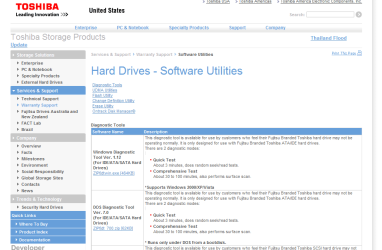
Toshiba HD Drive diagnostic tools

Software Utilities


Im even more confused as i cant find the tool for my hard drive

Also at the start of using deleting harddrive for windows re-installisation tutorial do i use the command prompt from the recovery programe
 

My Computer My Computer

At a glance

windows 7 64 bit
OS
windows 7 64 bit

My Computer My Computer

At a glance

Windows 7 Ultimate SP1 64-BitIntel Core i7 870 @ 2.93GHz8Gb Dual-Channel DDR3 @ 664MHznVidia GeForce GTX 460 1024MB dedicated RAM
Computer Manufacturer/Model Number
HP Pavilion Elite 495UK
OS
Windows 7 Ultimate SP1 64-Bit
CPU
Intel Core i7 870 @ 2.93GHz
Motherboard
MSI 2A9C (CPU1)
Memory
8Gb Dual-Channel DDR3 @ 664MHz
Graphics Card(s)
nVidia GeForce GTX 460 1024MB dedicated RAM
Sound Card
Realtek HD Audio
Monitor(s) Displays
HP2310i
Screen Resolution
1920 x 1080
Hard Drives
1x1954GB Hitachi HDS22020ALA 330 (RAID), 1x1954GB Hitachi External for backup and storage
PSU
460W
Case
HP Elite
Cooling
Air cooled
Keyboard
Logitech K750 solar-powered keyboard
Mouse
Logitech Wireless M180 mouse
Internet Speed
2Mb
Other Info
Pure Avanti Flow Internet Radio with iPod Dock, 64Gb iPod, HP USB Speakers, Sony MDR-V500 Headphones, Sony Vaio F-Series Laptop
Please look at this tutorial for a clean install of Windows 7.

http://www.sevenforums.com/tutorials/1649-clean-install-windows-7-a.html?ltr=C

Note also that you are not DELETING your hard drive, you are FORMATTING it.

Formatting a drive removes any existing partitions and hides any file placeholders before you carry out your clean install.


The thing I need to do is delete the hardrive as possible malware is in my pc, the reason doing this is because when installing malwarebytes it will only load the programe and any updates download, but then "curupt file" flashes up and then the programe is unable to work, this also happend everytime i try to download of the internet, for example i tried to download firefox (off there offical site) it downloaded the file and "publisher unknown " popped up and then I ran the file anyway and the "curupt file" flashed up.
I have tried with recovery partition and recovery disks to re-install windows7 (it also reformats the harddrive) and everthing works fine untill i try to download and open anything off the internet.
 

My Computer My Computer

At a glance

windows 7 64 bit
OS
windows 7 64 bit

My Computer My Computer

At a glance

ME/XP/Vista/Win7
OS
ME/XP/Vista/Win7
Also at the start of using deleting harddrive for windows re-installisation tutorial do i use the command prompt from the recovery programe

If you use a Windows installation disc (either purchased or from a burned ISO), you should not have to use a command prompt or get involved with the recovery program at all.

A reinstallation of Windows is a different process entirely than using the recovery program.

If the recovery program has failed to resolve your problems, you should look toward a reinstallation instead.

Go ahead and run the hard drive check that TheOG found. If you hard drive is OK and you have an installation disk, go with a new installation.
 

My Computer My Computer

At a glance

Windows 7 Home Premium SP1, 64-bitIntel Skylake i5-6600K, not overclocked8 GB HyperX DDR4-2666 (2 x 4 GB)none; graphics are integrated on CPU
Computer type
PC/Desktop
Computer Manufacturer/Model Number
Ignatz Special; 4 speed manual gearbox; factory air conditioning; one of one
OS
Windows 7 Home Premium SP1, 64-bit
CPU
Intel Skylake i5-6600K, not overclocked
Motherboard
AsRock Z170M Extreme 4, micro ATX
Memory
8 GB HyperX DDR4-2666 (2 x 4 GB)
Graphics Card(s)
none; graphics are integrated on CPU
Sound Card
onboard: Realtek ALC1150; external: USB Behringer UF0-202
Monitor(s) Displays
Dell S2340M 23 inch IPS
Screen Resolution
1600 x 900
Hard Drives
System: Crucial MX100 series SSD, 128 GB;
Data: Samsung Spinpoint 103SJ, 1 TB;
Backup: WD Caviar Green WD30EZRX-00D8PB0, 3 TB
PSU
Rosewill SilentNight 500 watt fanless, semi-modular
Case
Antec Solo II
Cooling
Noctua NH-U12S; Noctua F12 intake, Noctua S12A exhaust
Keyboard
Microsoft 200 6JH-00001 USB
Mouse
Dell or Microsoft optical wired; USB
Antivirus
Microsoft Security Essentials and Malwarebytes Premium
Browser
Pale Moon
Other Info
All fans PWM; speeds at idle: CPU circa 500 rpm; intake circa 600 rpm; exhaust circa 600 rpm; CPU temps 27 idle and 47 C load in a warm room (27 C/81 F) when running Intel Extreme Tuning Utility stress test.
Please look at this tutorial for a clean install of Windows 7.

http://www.sevenforums.com/tutorials/1649-clean-install-windows-7-a.html?ltr=C

Note also that you are not DELETING your hard drive, you are FORMATTING it.

Formatting a drive removes any existing partitions and hides any file placeholders before you carry out your clean install.


The thing I need to do is delete the hardrive as possible malware is in my pc, the reason doing this is because when installing malwarebytes it will only load the programe and any updates download, but then "curupt file" flashes up and then the programe is unable to work, this also happend everytime i try to download of the internet, for example i tried to download firefox (off there offical site) it downloaded the file and "publisher unknown " popped up and then I ran the file anyway and the "curupt file" flashed up.
I have tried with recovery partition and recovery disks to re-install windows7 (it also reformats the harddrive) and everthing works fine untill i try to download and open anything off the internet.

Using the recovery partition or the recovery disc should recover your system to its factory state and yes, you are correct, it does format your hard drive.

A clean install of Windows 7 enables you to delete your old partitions, create a new one for Windows, and then format it.

Which method you choose is up to you, but if done correctly should clean your computer of any malware or infection.
 

My Computer My Computer

At a glance

Windows 7 Ultimate SP1 64-BitIntel Core i7 870 @ 2.93GHz8Gb Dual-Channel DDR3 @ 664MHznVidia GeForce GTX 460 1024MB dedicated RAM
Computer Manufacturer/Model Number
HP Pavilion Elite 495UK
OS
Windows 7 Ultimate SP1 64-Bit
CPU
Intel Core i7 870 @ 2.93GHz
Motherboard
MSI 2A9C (CPU1)
Memory
8Gb Dual-Channel DDR3 @ 664MHz
Graphics Card(s)
nVidia GeForce GTX 460 1024MB dedicated RAM
Sound Card
Realtek HD Audio
Monitor(s) Displays
HP2310i
Screen Resolution
1920 x 1080
Hard Drives
1x1954GB Hitachi HDS22020ALA 330 (RAID), 1x1954GB Hitachi External for backup and storage
PSU
460W
Case
HP Elite
Cooling
Air cooled
Keyboard
Logitech K750 solar-powered keyboard
Mouse
Logitech Wireless M180 mouse
Internet Speed
2Mb
Other Info
Pure Avanti Flow Internet Radio with iPod Dock, 64Gb iPod, HP USB Speakers, Sony MDR-V500 Headphones, Sony Vaio F-Series Laptop
Note also that you are not DELETING your hard drive, you are FORMATTING it.

Formatting a drive removes any existing partitions and hides any file placeholders before you carry out your clean install.

*shudders* I hate to correct you here, and I never thought it would be necessary...but I'm a stickler for correct terminology.

So... :o Formatting is not removing partitions. That would be done by, well, deleting the partitions themselves or clearing the MBR partition table altogether, which is what DiskPart's clean does. (I believe it specificially zeroes out the first and last 2048 sectors of the entire disk, actually.)

Formatting applies to partitions and means creating a filesystem structure within a given partition - in the case of NTFS, creating basic MFT, reserved area, bitmap and other structures needed in order to read/write files.

A quick format does the above (and ignores any data already present on the partition - simply regarding it as unused clusters) - a full format does the above but first zeroes out the whole partition to truly clean it. This is similar to DiskPart's clean all, except that one of course wipes the entire disk and doesn't do anything else afterward.

Hope you're not offended :o :)
 

My Computer My Computer

At a glance

Windows 7 Professional SP1 32-bitIntel Core 2 Duo E6600 2.4GHz4GB DDR2-667 (4x1GB in dual-channel config)nVidia GeForce 9800 GT
Computer type
PC/Desktop
Computer Manufacturer/Model Number
Custom-built
OS
Windows 7 Professional SP1 32-bit
CPU
Intel Core 2 Duo E6600 2.4GHz
Motherboard
Asus PL5D2
Memory
4GB DDR2-667 (4x1GB in dual-channel config)
Graphics Card(s)
nVidia GeForce 9800 GT
Sound Card
Creative X-Fi XtremeMusic
Monitor(s) Displays
Acer P236H
Screen Resolution
1920x1200 (DVI)
Hard Drives
OCZ SSD Vertex Plus 60GB SATA (Firmware 3.55), 64MB cache
Hitachi HD321KJ SATA, 320GB, 7200rpm, 16MB cache
PSU
Antec TruePower 2.0
Case
Cooler Master Centurion
Cooling
Too many fans
Keyboard
Standard
Mouse
Microsoft wireless optical mouse
Internet Speed
AT&T U-verse (18mbit/sec)
Antivirus
Microsoft Security Essentials
Browser
Firefox
Other Info
Other devices:
Compaq CQ-60 laptop
Google Nexus 7 (2012) tablet
Nvidia SHIELD tablet (US/LTE)
Hardkernel ODROID-XU single-board computer (Samsung Exynos 5420)
If the same corruption remains after Factory Recovery I would consider MucAfee the prime suspect. It's the worst AV bloatware/crapware out there and constant source of problems we help solve here by replacing it. Uninstall and replace with Microsoft Security Essentials or Avast 6 which are recommended by most of us here.

HP Factory Recovery is still a heavy load on a lightweight OS. I'd consider finding a Win7 installer for your version to clean reinstall with the Product Key on COA sticker. Here's how to get it perfect: Reinstalling Windows 7
 
Note also that you are not DELETING your hard drive, you are FORMATTING it.

Formatting a drive removes any existing partitions and hides any file placeholders before you carry out your clean install.

*shudders* I hate to correct you here, and I never thought it would be necessary...but I'm a stickler for correct terminology.

So... :o Formatting is not removing partitions. That would be done by, well, deleting the partitions themselves or clearing the MBR partition table altogether, which is what DiskPart's clean does. (I believe it specificially zeroes out the first and last 2048 sectors of the entire disk, actually.)

Formatting applies to partitions and means creating a filesystem structure within a given partition - in the case of NTFS, creating basic MFT, reserved area, bitmap and other structures needed in order to read/write files.

A quick format does the above (and ignores any data already present on the partition - simply regarding it as unused clusters) - a full format does the above but first zeroes out the whole partition to truly clean it. This is similar to DiskPart's clean all, except that one of course wipes the entire disk and doesn't do anything else afterward.

Hope you're not offended :o :)

Oh dear, a senior moment. I am mortified. :o

A few missing words that on their own don't mean a lot, but taken in context do. My statement should have read "Formatting a drive removes any reference to data from existing partitions..................."

Thanks for correcting my mistake and there is no offence taken.
 

My Computer My Computer

At a glance

Windows 7 Ultimate SP1 64-BitIntel Core i7 870 @ 2.93GHz8Gb Dual-Channel DDR3 @ 664MHznVidia GeForce GTX 460 1024MB dedicated RAM
Computer Manufacturer/Model Number
HP Pavilion Elite 495UK
OS
Windows 7 Ultimate SP1 64-Bit
CPU
Intel Core i7 870 @ 2.93GHz
Motherboard
MSI 2A9C (CPU1)
Memory
8Gb Dual-Channel DDR3 @ 664MHz
Graphics Card(s)
nVidia GeForce GTX 460 1024MB dedicated RAM
Sound Card
Realtek HD Audio
Monitor(s) Displays
HP2310i
Screen Resolution
1920 x 1080
Hard Drives
1x1954GB Hitachi HDS22020ALA 330 (RAID), 1x1954GB Hitachi External for backup and storage
PSU
460W
Case
HP Elite
Cooling
Air cooled
Keyboard
Logitech K750 solar-powered keyboard
Mouse
Logitech Wireless M180 mouse
Internet Speed
2Mb
Other Info
Pure Avanti Flow Internet Radio with iPod Dock, 64Gb iPod, HP USB Speakers, Sony MDR-V500 Headphones, Sony Vaio F-Series Laptop
Back
Top