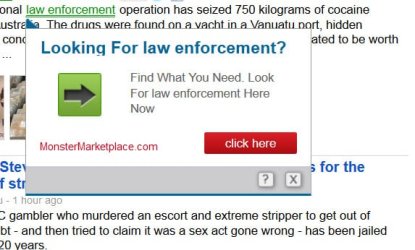
Hello
AaLF,
Those underlined words are
not normal adds, they are
adware. I do not know what caused it to happen (sometimes malware, sometimes toolbars and sometimes malicious addons), but I do know how to get rid of them

First, are you using any toolbars? If yes, which one(s)?
Second, please provide us with a screenshot of your "
about:addons" page.
Also please delete your cookies by following the
Delete All Cookies option of
this tutorial.
After that please run a free online scan with the
ESET Online Scanner
Note: You will need to use Internet Explorer for this scan.
- Tick the box next to YES, I accept the Terms of Use.
- Click Start.
- When asked, allow the ActiveX control to install.
- Click Start.
- Make sure that the options Remove found threats and the option Scan unwanted applications is checked.
- Click Scan (This scan can take several hours, so please be patient).
- Once the scan is completed, you may close the window.
- Use Notepad to open the logfile located at C:\Program Files\EsetOnlineScanner\log.txt
- Copy and paste that log between [code] [/code] tags.
I find that ESET is very good in dealing with PUP's (potentially unwanted programs) and sketchy toolbars.
Is there a FF add-on to protect me in the future?
Yes, there are a few. But due to forum rules I am unable to tell you how to block adds or mention any addblocking addons. I am, however, able to mention addons that make it unable for adds to
track you
Here are two great ones;
The first one is
Better Privacy (
Link).
Remove or manage a new and uncommon kind of cookies, better known as LSO's. The BetterPrivacy safeguard offers various ways to handle Flash-cookies set by Google, YouTube, Ebay and others..
The second one is
TACO - Targeted Advertising Cookie Opt Out (
Link).
TACO automatically blocks 100's of web beacons, bugs, and other tracking technologies that advertisers and others use to track you. Protect your privacy by stopping secret tracking of your web browsing.
In your next reply I would like to see;
1. A list of toolbars you use.
2. A screenshot of your addons page.
3. The log.txt created by ESET.
Good luck and keep us posted,
Nommy