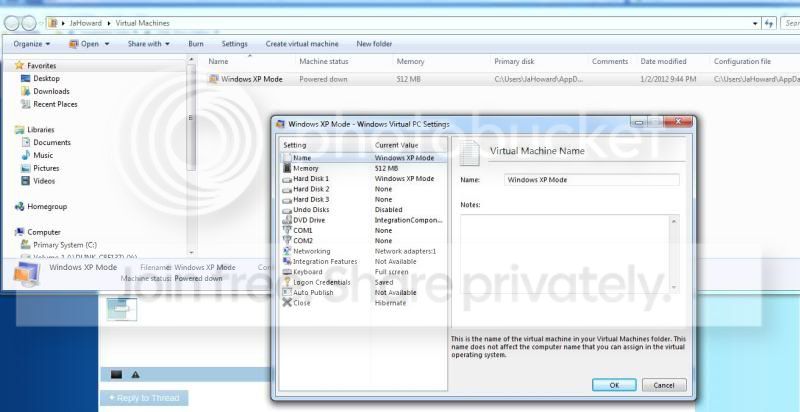
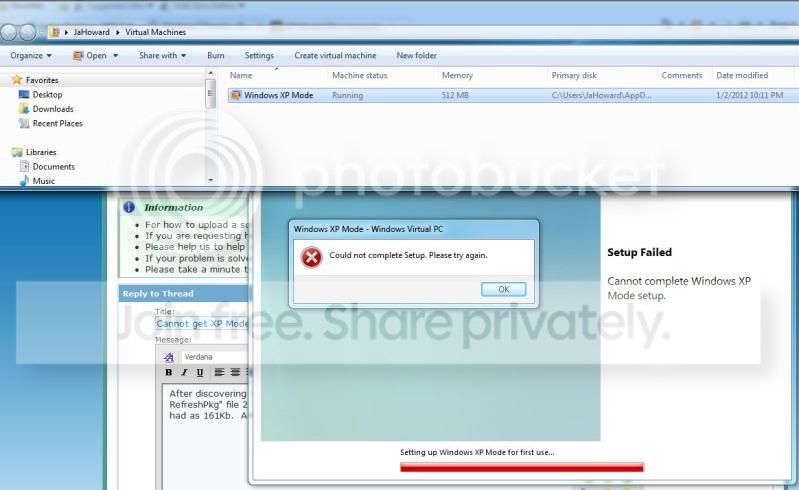
I have spent two days on the web reading everything I can find on this subject and have tried many of the suggestions but simply cannot get this update to install. I even went to restore back to before downloading the two XP mode files. Virtual Machine is enabled in BIOS and the MS tool verifies that.
The event viewer has many red errors and some of them say ....
Windows update could not be installed because of error 2147942413 "The data is invalid." (Command line: ""C:\Windows\system32\wusa.exe" "C:\Windows6.1-KB958559-x64-RefreshPkg.msu" ")
I am running Win 7 Pro 64 bit with SP1 and all updates since 1-1-11. The Mobo is ASUS M5A88-M with AMD FX-4100 and 8Gb RAM. So far this is the only problem I have been having with software and the PC was put together last weekend. Any help or suggestions will be greatly appreciated.
The event viewer has many red errors and some of them say ....
Windows update could not be installed because of error 2147942413 "The data is invalid." (Command line: ""C:\Windows\system32\wusa.exe" "C:\Windows6.1-KB958559-x64-RefreshPkg.msu" ")
I am running Win 7 Pro 64 bit with SP1 and all updates since 1-1-11. The Mobo is ASUS M5A88-M with AMD FX-4100 and 8Gb RAM. So far this is the only problem I have been having with software and the PC was put together last weekend. Any help or suggestions will be greatly appreciated.
My Computer
- Computer Manufacturer/Model Number
- me/na
- OS
- Windows 7 Ultimate x64
- CPU
- i7-2600
- Motherboard
- Asus P8P67eluxe_i7-2600
- Memory
- 8Gb
- Graphics Card(s)
- BFGgts250
- Sound Card
- mobo
- Monitor(s) Displays
- Acer P236H
- Hard Drives
- 500Gb system Hitachi
1000Gb video Seagate 6.0 Gp/s SATA
1000Gb special project Seagate 3.0Gb/s SATA
- PSU
- thermaltake_600w
- Case
- Antec_900
- Cooling
- fans