Solved Installation error from USB: No device drivers were found

SpecialOne

New member
Local time
9:19 PM
Messages
15
I am having problem with installation Windows 7 on my new Lenovo G50-80. I downloaded legit ISO and created bootable USB.

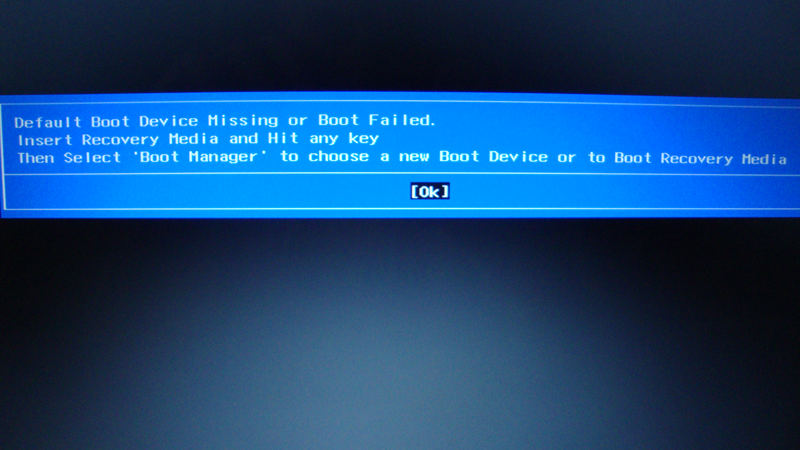
The error I am getting is this: Installation error from USB: No device drivers were found

Tried different methods from Rufus, Microsoft USB tool, Ultra ISO etc. Different copies of Windows 7 - Ultimate and Home Premium.

Tried to boot same USB from my desktop PC and it works fine.

How could I resolve my problem and finally install Windows 7?

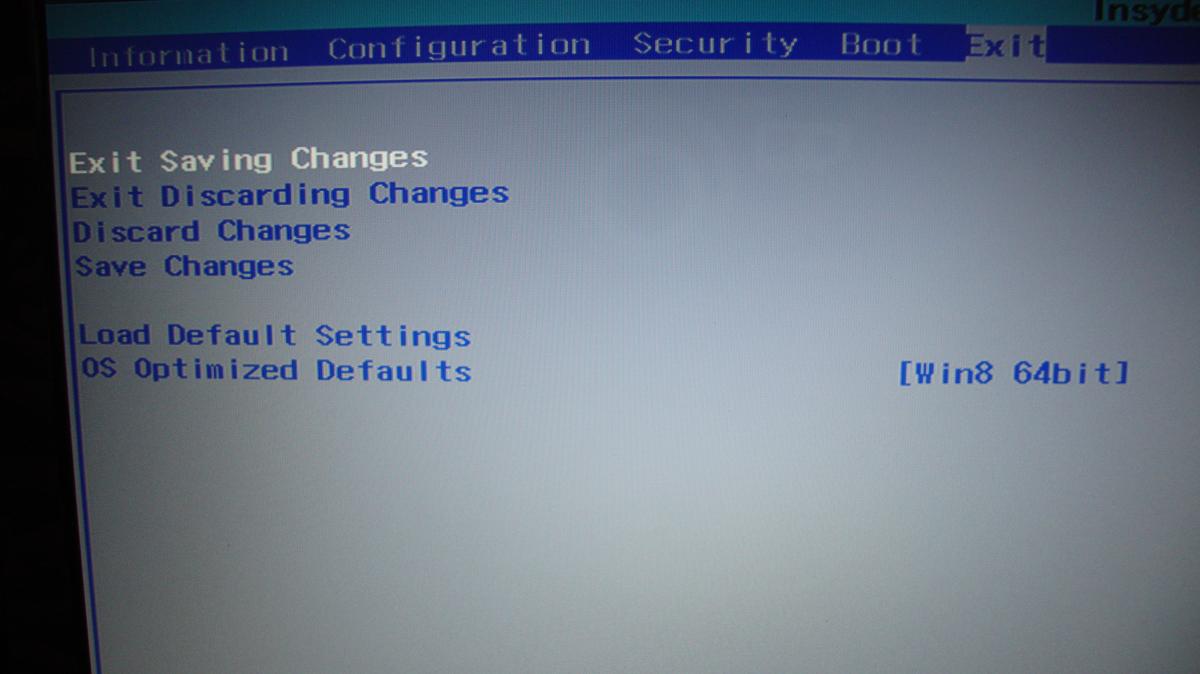
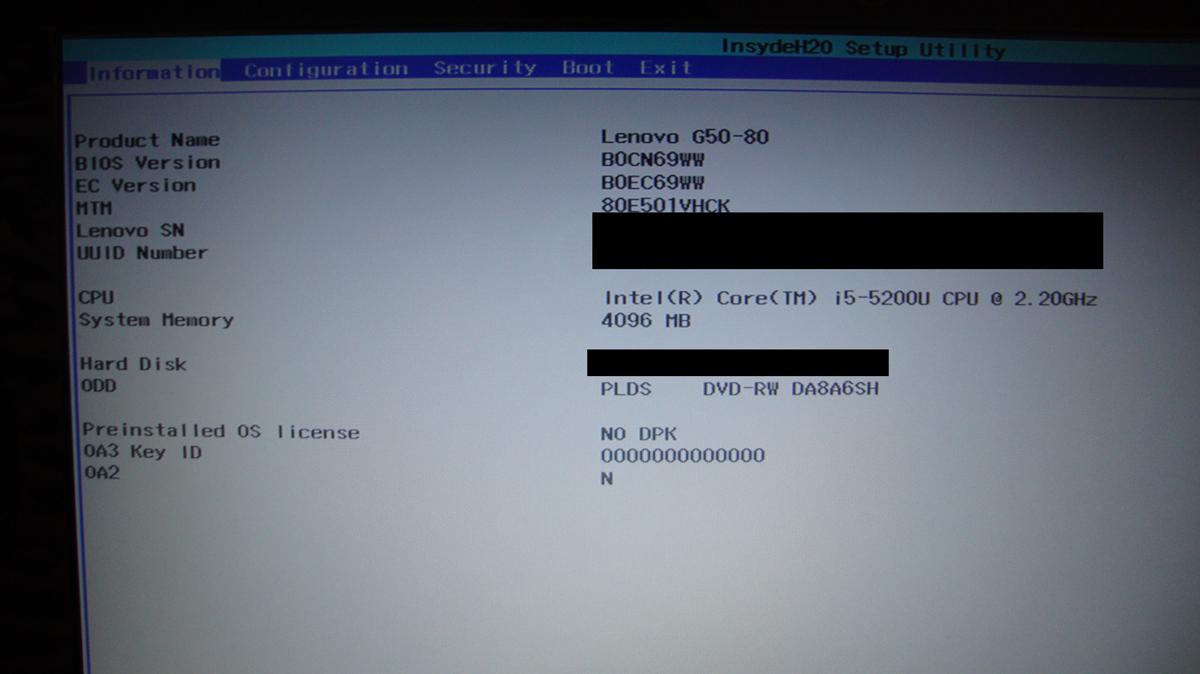
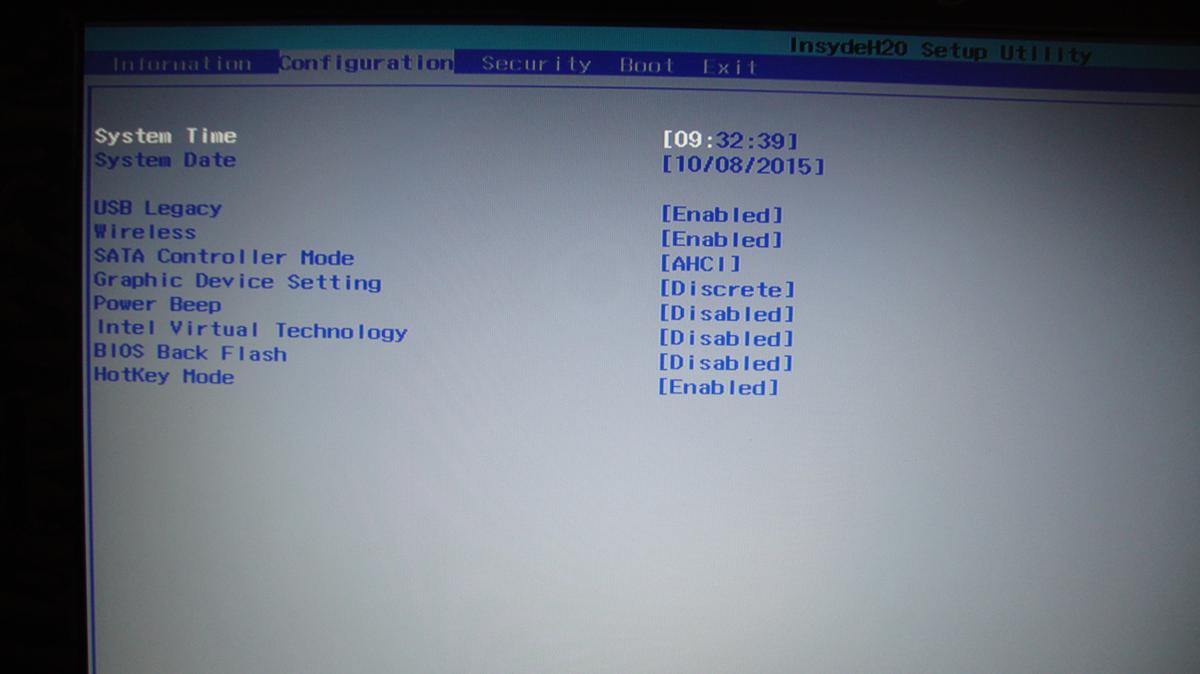
Here is the Bios settings (I tried to change from Windows 8 to Other OS in BIOS, but still no success):
yX2FknE.jpg

ZvROZal.jpg

V2gryuf.jpg

8yvydjU.jpg

gw1YxfO.jpg
 

My Computer

Computer type
PC/Desktop
OS
Windows 7 Ultimate x64

My Computer

Computer type
PC/Desktop
Computer Manufacturer/Model Number
Custom assembled by me :}
OS
Win-7-Pro64bit 7-H-Prem-64bit
CPU
i7-5930K 2nd i9-9940x both water blocked VRM's too
Motherboard
ASUS SABERTOOTH X99 2nd ASUS x299 Apex
Memory
Trident-z 3200C14 2nd Trident-z 3600C16
Graphics Card(s)
EVGA 1080ti ftw3 2nd Titan Xp both water blocked
Sound Card
Built-in Realtek
Monitor(s) Displays
1-AOC G2460PG 24"G-Sync 144Hz/ 2nd 1-ASUS VG248QE 24" 144Hz
Screen Resolution
1920 x 1080 144Hz
Hard Drives
2-Samsung M.2 Evo & Evo Plus
2-Samsung 850 EVO 500GB SSD's/ 3-2.5 W.D. Black 1tb-&3-1tb/3-3.5 WD Black 1tb hdd's
PSU
EVGA SuperNOVA 1000-P2 2nd 1200-P2
Case
2-Corsair Obsidian Series 450D Black ATX Mid Tower
Cooling
Custom water loops
Keyboard
Logitech G710+/ 2nd Logitech G910
Mouse
2-RedDragon M901 Perdition 16400 dpi Gaming mouse = wired
Internet Speed
Comcast Ping 19ms 89.31mbps download speed 6.12mbps upload
Antivirus
Malwarebytes Pro/ Superantispyware Pro
Browser
FireFox & Pale moon
Other Info
2nd ASUS X299 Apex/Intel i9-9940x with Custom water loop/7H-Prem-x64/Corsair 450D case/Ram Trident-z 3600C16 4x8gb / Samsung970Evo plus 500gb SSD/Dual ssd EZ swap evo/PSU EVGA SuperNova 1200w-P2 80+Platinum/GPU Titan Xp /8-ML-140 on push-pull on 2-280GTX rads
Hi and welcome to SevenForums,
Have you seen this ?
Downgrade Windows 8 to Windows 7

Is 8 still on the drive ?

Let me tell you this. I had problem even before Windows 8 was installed on this laptop and when I had FREE DOS as my OS. First I tried to install Windows 7 Ultimate and got this "No device drivers were found" error. Then I installed Windows 8 from USB. As my last step I tried once again to install Windows 7 and got same problem. Like I said I tried different things from Rufus, UltraISO, different Windows 7 versions. Tested my USB on my desktop PC and it works. Don't know where is the problem when I use same USB on laptop I get this error, but on desktop it works...

Maybe there is some BIOS settings I have to change?
 

My Computer

Computer type
PC/Desktop
OS
Windows 7 Ultimate x64
Last edited:

My Computer

Computer type
PC/Desktop
Computer Manufacturer/Model Number
Custom assembled by me :}
OS
Win-7-Pro64bit 7-H-Prem-64bit
CPU
i7-5930K 2nd i9-9940x both water blocked VRM's too
Motherboard
ASUS SABERTOOTH X99 2nd ASUS x299 Apex
Memory
Trident-z 3200C14 2nd Trident-z 3600C16
Graphics Card(s)
EVGA 1080ti ftw3 2nd Titan Xp both water blocked
Sound Card
Built-in Realtek
Monitor(s) Displays
1-AOC G2460PG 24"G-Sync 144Hz/ 2nd 1-ASUS VG248QE 24" 144Hz
Screen Resolution
1920 x 1080 144Hz
Hard Drives
2-Samsung M.2 Evo & Evo Plus
2-Samsung 850 EVO 500GB SSD's/ 3-2.5 W.D. Black 1tb-&3-1tb/3-3.5 WD Black 1tb hdd's
PSU
EVGA SuperNOVA 1000-P2 2nd 1200-P2
Case
2-Corsair Obsidian Series 450D Black ATX Mid Tower
Cooling
Custom water loops
Keyboard
Logitech G710+/ 2nd Logitech G910
Mouse
2-RedDragon M901 Perdition 16400 dpi Gaming mouse = wired
Internet Speed
Comcast Ping 19ms 89.31mbps download speed 6.12mbps upload
Antivirus
Malwarebytes Pro/ Superantispyware Pro
Browser
FireFox & Pale moon
Other Info
2nd ASUS X299 Apex/Intel i9-9940x with Custom water loop/7H-Prem-x64/Corsair 450D case/Ram Trident-z 3600C16 4x8gb / Samsung970Evo plus 500gb SSD/Dual ssd EZ swap evo/PSU EVGA SuperNova 1200w-P2 80+Platinum/GPU Titan Xp /8-ML-140 on push-pull on 2-280GTX rads
Hi,
Yep with this I might see why = Optimized for win-8 :(
View attachment 373377

If the prior link didn't help some manufactures locked out win-7 I believe from being installed,
http://www.sevenforums.com/tutorial...e-firmware-interface-install-windows-7-a.html

You can also follow up on the Eightforums tutorial :/

It is possible the issue is with the flash drive ?

Flash drive should be OK since I tried on my desktop PC and it boots just fine. Also I used same USB to install Windows 8 on this Lenovo. Here I created a thread where I am getting weird error "This tool can only be run on systems booted using PC/AT BIOS" when I am trying to create bootable USB. Maybe this is my main problem?

Don't think Lenovo G50-80 is locked from installing Windows 7. I can select "Other OS" instead of Windows 8 in BIOS.

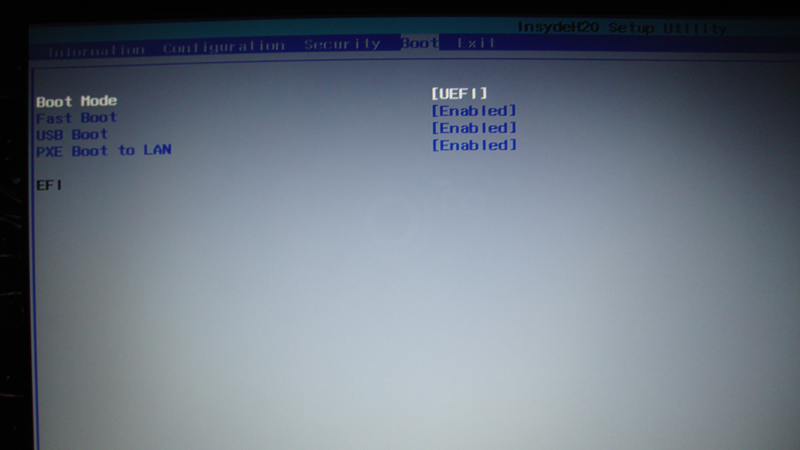
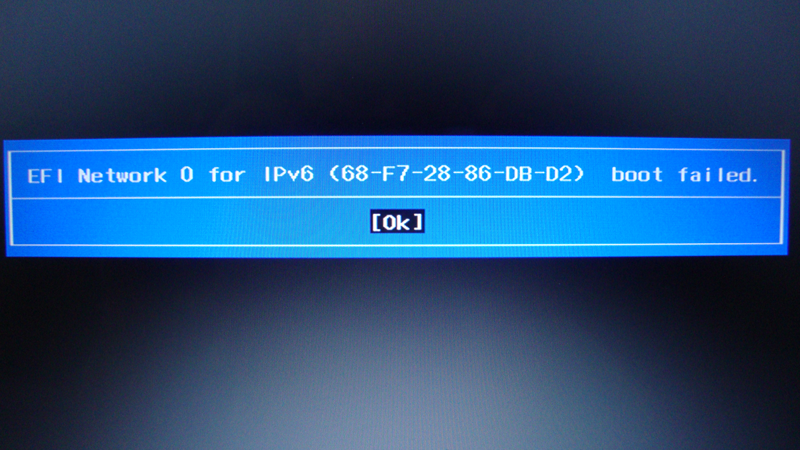
When I use UEFI I am getting this error:

CSUEskx.png

AyIvBG8.png

3tPI591.png

sYUXxc9.png

uRRFFTL.png

zxalx8D.png
 
Last edited:

My Computer

Computer type
PC/Desktop
OS
Windows 7 Ultimate x64
Hi,
Disable Fast boot and try again.
Leave everything else at default.
 

My Computer

Computer type
PC/Desktop
Computer Manufacturer/Model Number
Custom assembled by me :}
OS
Win-7-Pro64bit 7-H-Prem-64bit
CPU
i7-5930K 2nd i9-9940x both water blocked VRM's too
Motherboard
ASUS SABERTOOTH X99 2nd ASUS x299 Apex
Memory
Trident-z 3200C14 2nd Trident-z 3600C16
Graphics Card(s)
EVGA 1080ti ftw3 2nd Titan Xp both water blocked
Sound Card
Built-in Realtek
Monitor(s) Displays
1-AOC G2460PG 24"G-Sync 144Hz/ 2nd 1-ASUS VG248QE 24" 144Hz
Screen Resolution
1920 x 1080 144Hz
Hard Drives
2-Samsung M.2 Evo & Evo Plus
2-Samsung 850 EVO 500GB SSD's/ 3-2.5 W.D. Black 1tb-&3-1tb/3-3.5 WD Black 1tb hdd's
PSU
EVGA SuperNOVA 1000-P2 2nd 1200-P2
Case
2-Corsair Obsidian Series 450D Black ATX Mid Tower
Cooling
Custom water loops
Keyboard
Logitech G710+/ 2nd Logitech G910
Mouse
2-RedDragon M901 Perdition 16400 dpi Gaming mouse = wired
Internet Speed
Comcast Ping 19ms 89.31mbps download speed 6.12mbps upload
Antivirus
Malwarebytes Pro/ Superantispyware Pro
Browser
FireFox & Pale moon
Other Info
2nd ASUS X299 Apex/Intel i9-9940x with Custom water loop/7H-Prem-x64/Corsair 450D case/Ram Trident-z 3600C16 4x8gb / Samsung970Evo plus 500gb SSD/Dual ssd EZ swap evo/PSU EVGA SuperNova 1200w-P2 80+Platinum/GPU Titan Xp /8-ML-140 on push-pull on 2-280GTX rads
Hi,
Disable Fast boot and try again.
Leave everything else at default.

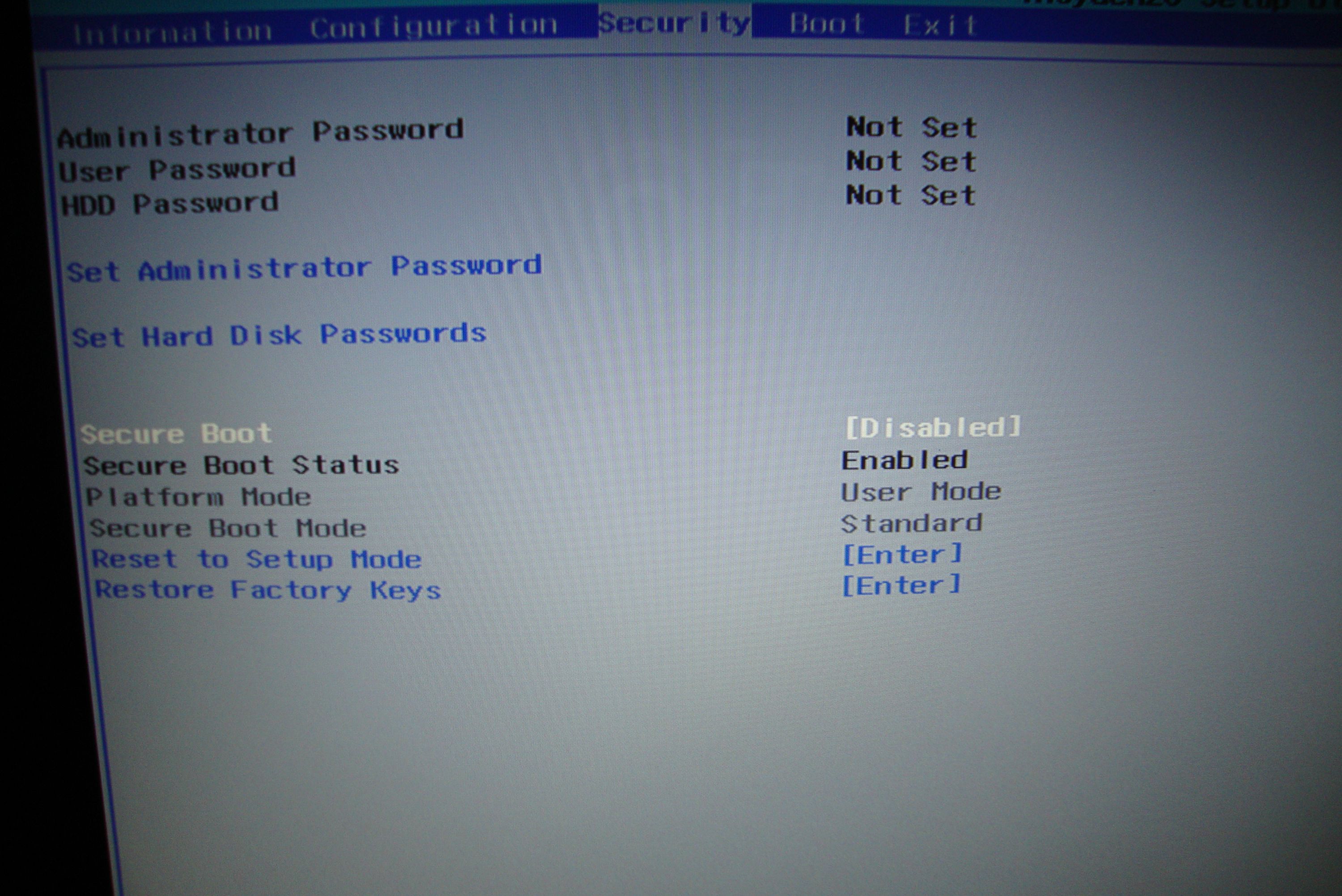
I think your suggestion resolved my issue. As you can see changing Boot Mode from Legacy to UEFI I got this in Security tab:

Secure Boot: Disabled but Secure Boot Status: Enabled

Xg0H72q.jpg


When I disabled "Fast boot" like you suggested and restarted, went into BIOS again Secure Boot Status was changed Disabled. Probably this caused the problem.

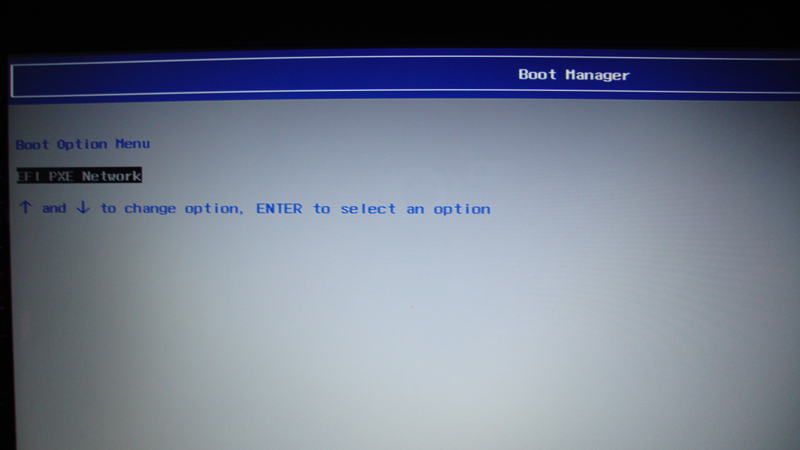
Then I went to Exit tab and selected "Load Default Settings" my settings were back to Legacy and booted again. Pressed F + F12 and in boot manager selected USB. It worked and I was able to install Windows 7! Thx for help! Will mark this thread as solved!

Step by step:

1) First change boot mode from Legacy to UEFI
2) Restart and press FN + F2 to enter BIOS again
3) In Security tab you will see this "Secure Boot: Disabled" but "Secure Boot Status: Enabled" http://i.imgur.com/Xg0H72q.jpg
4) Go to Boot tab and disable "Fast boot" http://i.imgur.com/CSUEskx.png this will change Secure Boot Status to Disabled
5) Restart and press FN + F2 to enter BIOS again
6) Go to Exit tab and select "Load Default Settings". It will return settings back to Legacy from UEFI. Save and exit.
7) While booting press FN + F12 to enter boot manager and select USB from option to boot
8) Now you should be able to install Windows 7
 
Last edited:

My Computer

Computer type
PC/Desktop
OS
Windows 7 Ultimate x64
:thumbsup:
 

My Computer

Computer type
PC/Desktop
Computer Manufacturer/Model Number
Custom assembled by me :}
OS
Win-7-Pro64bit 7-H-Prem-64bit
CPU
i7-5930K 2nd i9-9940x both water blocked VRM's too
Motherboard
ASUS SABERTOOTH X99 2nd ASUS x299 Apex
Memory
Trident-z 3200C14 2nd Trident-z 3600C16
Graphics Card(s)
EVGA 1080ti ftw3 2nd Titan Xp both water blocked
Sound Card
Built-in Realtek
Monitor(s) Displays
1-AOC G2460PG 24"G-Sync 144Hz/ 2nd 1-ASUS VG248QE 24" 144Hz
Screen Resolution
1920 x 1080 144Hz
Hard Drives
2-Samsung M.2 Evo & Evo Plus
2-Samsung 850 EVO 500GB SSD's/ 3-2.5 W.D. Black 1tb-&3-1tb/3-3.5 WD Black 1tb hdd's
PSU
EVGA SuperNOVA 1000-P2 2nd 1200-P2
Case
2-Corsair Obsidian Series 450D Black ATX Mid Tower
Cooling
Custom water loops
Keyboard
Logitech G710+/ 2nd Logitech G910
Mouse
2-RedDragon M901 Perdition 16400 dpi Gaming mouse = wired
Internet Speed
Comcast Ping 19ms 89.31mbps download speed 6.12mbps upload
Antivirus
Malwarebytes Pro/ Superantispyware Pro
Browser
FireFox & Pale moon
Other Info
2nd ASUS X299 Apex/Intel i9-9940x with Custom water loop/7H-Prem-x64/Corsair 450D case/Ram Trident-z 3600C16 4x8gb / Samsung970Evo plus 500gb SSD/Dual ssd EZ swap evo/PSU EVGA SuperNova 1200w-P2 80+Platinum/GPU Titan Xp /8-ML-140 on push-pull on 2-280GTX rads
I have the solution! Lenovo G50-80

1. You have to put all options from uefi to legacy (USB legay : enable , boot mode: legacy support, boot priority: legacy first)
2. In the boot section - Legacy , put the USB HDD in the top of the list, in the second place put your hdd.
3. In the exit section you have to change the OS Optimized defaults to Disabled...
4. (OPTIONAL) : There is an option called slown boot that you have to enable, but that option doesnt appear if you do not activate the UEFI options first before change it into legacy..

You know that you have success, if you see that the load screen of windows 7 takes a little more time than before.. You will see the load screen with the bar of older vista, after that when you put tha language setting at the begining you will see the acept terms of contracts, thats how you know that it works....

Sorry for my bad english!!

So.. be happy my friends, you welcome....:party:
 

My Computer

Computer type
PC/Desktop
Computer Manufacturer/Model Number
Lenovo g50-80
OS
Windows 7 x64
Back
Top