Intenso HDD not initialized windows7

eli

New member
Local time
10:04 PM
Messages
2
Hi everyone, i wonder if someone could help me, i have an external HDD intenso 500 Go, i don't see it anymore on my computer, if i go to device manager, it appears, i tried updating the drivers, but still not working.
under Administration i see the disk, but it appears not initialized.
anyone has any idea how i can solve this problem?

thank you
 

My Computer

Computer type
Laptop
Computer Manufacturer/Model Number
lenovo
OS
windows 7 64 bit
Hello eli!

Do you have information on that external drive? Has something happened the last you used it, like a power surge, an error, unplugging the drive unsafely etc?

A hard drive showing as Not Initialized, perhaps it even says Unallocated, means that it doesn't have a file system or partitions on it.

Could you post a screen shot here of your Disk Management and Device Manager.

CK_WD
 

My Computer

Computer type
PC/Desktop
OS
Windows 7 Home Premium x64
Hi,

Thank you for the reply.

it happened when I was trying to save an excel file. I noticed also that the HDD is not making a noise as it used to, so it could be that is hardware problem

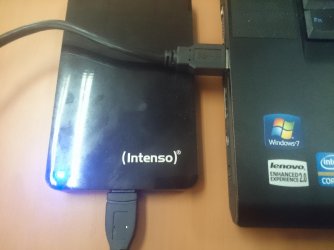
when i connect the disk to the laptop, it is detected as usual, green and afterward blue light

DSC_0041.jpg
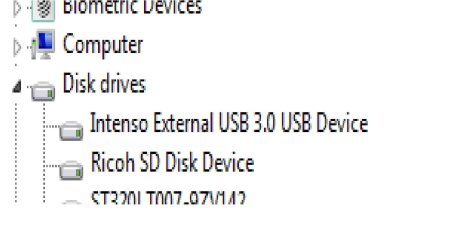
I can see it on the device manager; i tried updating the drivers, and uninstall, the same problem.

device.manager.jpg
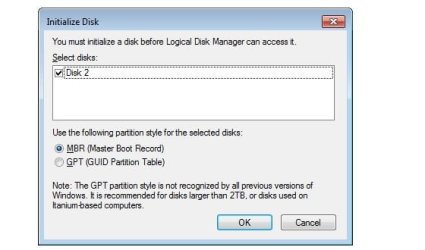
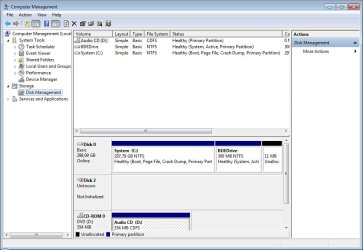
Under administrations the Disk appears as not initialized
init.disk.jpg
disk.not.init.jpg
 

My Computer

Computer type
Laptop
Computer Manufacturer/Model Number
lenovo
OS
windows 7 64 bit
I understand what the situation is.

It is either that your MBR is corrupted or some files on the drive are corrupted.

You can Initialize the drive and have it back, but that would delete your information to an unknown recoverable level.

If you need the information from the drive, then all I can advise is either use a Data Recovery company, or try and analyze it yourself.

Look in the lower right of Disk Management at the Partition on the drive. Look for the file system, if it says RAW, like most probably, search for ways to fix a RAW Format and recover your files.

Best of luck!

CK_WD
 

My Computer

Computer type
PC/Desktop
OS
Windows 7 Home Premium x64
Back
Top