- Local time
- 4:39 AM
- Messages
- 759
Quote from my friends problem
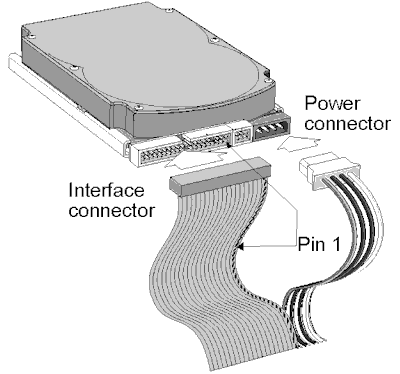
recently removed my computer drives - master and slave- when i went on holiday. I put the system back in order and recently noticed my slave drive has not shown up in "My Computer" list. I tried swapping the ribbon cables with no changes. So i swapped the position of both drives in case it was the power cable. Both are SATA so they use the same power cable. But still no changes. I removed the slave drive (F Drive) and placed it into an external caddie and booted up. It started to install driver for it and is running fine from there.
So after that, i re installed it into the PC and still no change. It simply does not exist. I have run the boot set up on startup and it is not listed there. It is simply a ghost to the PC.
Any ideas what it could be or how i could sort this issue out?
Also, in hardware profiles under show hidden drives, it is listed and clicking this states it is not connected.
Is there any solution that would help my friend solve his problem
N.B: please take that internal hard drive, instead of slave ...
recently removed my computer drives - master and slave- when i went on holiday. I put the system back in order and recently noticed my slave drive has not shown up in "My Computer" list. I tried swapping the ribbon cables with no changes. So i swapped the position of both drives in case it was the power cable. Both are SATA so they use the same power cable. But still no changes. I removed the slave drive (F Drive) and placed it into an external caddie and booted up. It started to install driver for it and is running fine from there.
So after that, i re installed it into the PC and still no change. It simply does not exist. I have run the boot set up on startup and it is not listed there. It is simply a ghost to the PC.
Any ideas what it could be or how i could sort this issue out?
Also, in hardware profiles under show hidden drives, it is listed and clicking this states it is not connected.
Is there any solution that would help my friend solve his problem
N.B: please take that internal hard drive, instead of slave ...
My Computer
At a glance
Microsoft Windows 7 Ultimate 64-bit 7601 Mult...Intel(R) Core(TM)2 Duo CPU E7200 @ 2.53GHz4.00 GBNVIDIA GeForce 210
- Computer type
- PC/Desktop
- Computer Manufacturer/Model Number
- custom build
- OS
- Microsoft Windows 7 Ultimate 64-bit 7601 Multiprocessor Free Service Pack 1
- CPU
- Intel(R) Core(TM)2 Duo CPU E7200 @ 2.53GHz
- Motherboard
- To be filled by O.E.M. To be filled by O.E.M.
- Memory
- 4.00 GB
- Graphics Card(s)
- NVIDIA GeForce 210
- Sound Card
- (1) NVIDIA High Definition Audio (2) Realtek High Definiti
- Screen Resolution
- 1920 x 1080 x 32 bits (4294967296 colors) @ 60 Hz
- Hard Drives
- ST3500312CS ATA Device