Is it possible to run a preexisting copy of xp throug

Thanks Huisinro, got the link.

Kari

btw related info.. I posted a question on Macrium Reflect forum and was told they have a beta tool to create VHDs from Macrium images. There's a download link and a blog how to use it with VirtualBox here:

Macrium Reflect - Blogs and News


1poissonrouge.gif
 

My Computer My Computer

At a glance

Windows 7 32 bitAMD 5200+ dual core2 GBNVidia GeForce 6150SE 128 MB
Computer Manufacturer/Model Number
HP Media Center
OS
Windows 7 32 bit
CPU
AMD 5200+ dual core
Memory
2 GB
Graphics Card(s)
NVidia GeForce 6150SE 128 MB
Monitor(s) Displays
CRT
Screen Resolution
1280x1024
Hard Drives
500 GB Sata internal :

SIIG USB 3.0 docking stations w/WD Caviar Black 6 Gb/s drives
Keyboard
PS/2
Mouse
PS/2 Wheel Mouse
Other Info
SIIG USB 3.0 PCIexpress card.
Thanks Huisinro, got the link.

Kari

btw related info.. I posted a question on Macrium Reflect forum and was told they have a beta tool to create VHDs from Macrium images. There's a download link and a blog how to use it with VirtualBox here:

Macrium Reflect - Blogs and News


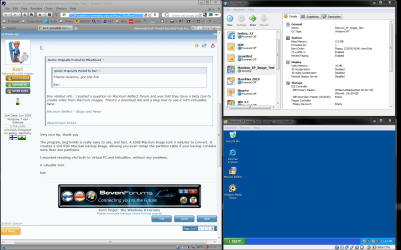
View attachment 61616

Very nice tip, thank you.

The program, ImgToVHD is really easy to use, and fast. A 10GB Macrium image took 5 minutes to convert. It creates a vhd from Macrium backup image, allowing you even remap the partition table if your backup contains more than one partitions.

I mounted resulting vhd both to Virtual PC and VirtualBox, without any problems.

A valuable tool.

Kari
 

Attachments

  • Macrium_Test.png
    Macrium_Test.png
    118.6 KB · Views: 14

My Computer My Computer

At a glance

Windows 10 Pro x64 EN-GB1.6 GHz Intel Core i7-720QM Processor6 GBATI Mobility Radeon HD 5850 Graphics
Computer type
Laptop
Computer Manufacturer/Model Number
HP ENVY 17-1150eg
OS
Windows 10 Pro x64 EN-GB
CPU
1.6 GHz Intel Core i7-720QM Processor
Memory
6 GB
Graphics Card(s)
ATI Mobility Radeon HD 5850 Graphics
Sound Card
Beats sound system with integrated subwoofer
Monitor(s) Displays
17" laptop display, 22" LED and 32" Full HD TV through HDMI
Screen Resolution
1600*900 (1), 1920*1080 (2&3)
Hard Drives
Internal: 2 x 500 GB SATA Hard Disk Drive 7200 rpm
External: 2TB for backups, 3TB USB3 network drive for media
Cooling
As Envy runs a bit warm, I have it on a Cooler Master pad
Keyboard
Logitech diNovo Media Desktop Laser (bluetooth)
Mouse
Logitech Performance Mouse MX
Internet Speed
50/10 Mbps VDSL
Antivirus
Windows Defender 4.3.9431.0
Browser
Maxthon 3.5.2., IE11
Where'd you get the image from? Was the source a single partition drive?

So far I tried 2 images and boot failure. I have a fake Raid controller in this thing. The only way that's worked so far is to install XP from the install CD.
But I don't feel like spending a week install programs onto it only to have it blow up later.

Seems to be no really convenient way to package up a virtual system yet. I think people messing with vLite were doing stuff with WAIK and install scripts but it's just not smooth. That's why I say a disk should have a unique identifier and the user should be allowed to choose an alias for it. You should be able to just paste the entire OS with applications into a partition and it should boot, run, toot and ring the bell, not squawk.
 

My Computer My Computer

At a glance

Windows 7 32 bitAMD 5200+ dual core2 GBNVidia GeForce 6150SE 128 MB
Computer Manufacturer/Model Number
HP Media Center
OS
Windows 7 32 bit
CPU
AMD 5200+ dual core
Memory
2 GB
Graphics Card(s)
NVidia GeForce 6150SE 128 MB
Monitor(s) Displays
CRT
Screen Resolution
1280x1024
Hard Drives
500 GB Sata internal :

SIIG USB 3.0 docking stations w/WD Caviar Black 6 Gb/s drives
Keyboard
PS/2
Mouse
PS/2 Wheel Mouse
Other Info
SIIG USB 3.0 PCIexpress card.
I'm lost here. I used hd to vhd and created a vhd file out of the XP partition of the computer I'm dual booting with win 7 ultimate x64. How do I boot that OS in Virtual PC inside of Windows 7?
 

My Computer My Computer

At a glance

7600x64 ultimate, not SP1i7 93012gb ddr3 1600 triple channel Corsair XMS3Radeon 5850 1gb OC edition
OS
7600x64 ultimate, not SP1
CPU
i7 930
Motherboard
Gigabye X58A-ud5
Memory
12gb ddr3 1600 triple channel Corsair XMS3
Graphics Card(s)
Radeon 5850 1gb OC edition
Sound Card
Asus Xonar Essence STX
Monitor(s) Displays
Acer 24'', Dell 23'' display port
Screen Resolution
1920x1200, 1920x1080
Hard Drives
3x64GB Microcenter SSDs RAID0
1tb spinpoint f3 (system)
1tb spinpoint f3 (media)
1tb spinpoint f3 OSX
1x2TB WD green images
1tb 7200.12 (time machine)
2x 500gb western digital green drives for archiving,keeping install files.
PSU
700 modular
Case
Antec 1200
Cooling
Promlimatech Megahalems
Keyboard
logitech 2.4ghz wireless wave something
Mouse
logitech laser wireless mouse.
Internet Speed
50/10
Other Info
4 systems currently:
1. sig rig
2. 930 i7 x64 ultimate (backup, media center PC)
3. c314 2gb ram tablet 7600 ultimate
4. athlon 6000+ home server (still in progress)
5. ipad for on the go
Jorpe, if you already have the vhd , just create a new vm choosing Use an existing virtual hard disk, and mount your vhd.

Kari

VPC_use_existing_vhd.png
 

My Computer My Computer

At a glance

Windows 10 Pro x64 EN-GB1.6 GHz Intel Core i7-720QM Processor6 GBATI Mobility Radeon HD 5850 Graphics
Computer type
Laptop
Computer Manufacturer/Model Number
HP ENVY 17-1150eg
OS
Windows 10 Pro x64 EN-GB
CPU
1.6 GHz Intel Core i7-720QM Processor
Memory
6 GB
Graphics Card(s)
ATI Mobility Radeon HD 5850 Graphics
Sound Card
Beats sound system with integrated subwoofer
Monitor(s) Displays
17" laptop display, 22" LED and 32" Full HD TV through HDMI
Screen Resolution
1600*900 (1), 1920*1080 (2&3)
Hard Drives
Internal: 2 x 500 GB SATA Hard Disk Drive 7200 rpm
External: 2TB for backups, 3TB USB3 network drive for media
Cooling
As Envy runs a bit warm, I have it on a Cooler Master pad
Keyboard
Logitech diNovo Media Desktop Laser (bluetooth)
Mouse
Logitech Performance Mouse MX
Internet Speed
50/10 Mbps VDSL
Antivirus
Windows Defender 4.3.9431.0
Browser
Maxthon 3.5.2., IE11
Thanks Kari, I just did that but I forgot to edit the bcd before I created the vhd so when I try to boot the vhd it brings up the bootloader screen and neither system will boot.
 

My Computer My Computer

At a glance

7600x64 ultimate, not SP1i7 93012gb ddr3 1600 triple channel Corsair XMS3Radeon 5850 1gb OC edition
OS
7600x64 ultimate, not SP1
CPU
i7 930
Motherboard
Gigabye X58A-ud5
Memory
12gb ddr3 1600 triple channel Corsair XMS3
Graphics Card(s)
Radeon 5850 1gb OC edition
Sound Card
Asus Xonar Essence STX
Monitor(s) Displays
Acer 24'', Dell 23'' display port
Screen Resolution
1920x1200, 1920x1080
Hard Drives
3x64GB Microcenter SSDs RAID0
1tb spinpoint f3 (system)
1tb spinpoint f3 (media)
1tb spinpoint f3 OSX
1x2TB WD green images
1tb 7200.12 (time machine)
2x 500gb western digital green drives for archiving,keeping install files.
PSU
700 modular
Case
Antec 1200
Cooling
Promlimatech Megahalems
Keyboard
logitech 2.4ghz wireless wave something
Mouse
logitech laser wireless mouse.
Internet Speed
50/10
Other Info
4 systems currently:
1. sig rig
2. 930 i7 x64 ultimate (backup, media center PC)
3. c314 2gb ram tablet 7600 ultimate
4. athlon 6000+ home server (still in progress)
5. ipad for on the go
I think there's not much you can do then, apart from creating vhd one more time, this time first editing bcd.
 

My Computer My Computer

At a glance

Windows 10 Pro x64 EN-GB1.6 GHz Intel Core i7-720QM Processor6 GBATI Mobility Radeon HD 5850 Graphics
Computer type
Laptop
Computer Manufacturer/Model Number
HP ENVY 17-1150eg
OS
Windows 10 Pro x64 EN-GB
CPU
1.6 GHz Intel Core i7-720QM Processor
Memory
6 GB
Graphics Card(s)
ATI Mobility Radeon HD 5850 Graphics
Sound Card
Beats sound system with integrated subwoofer
Monitor(s) Displays
17" laptop display, 22" LED and 32" Full HD TV through HDMI
Screen Resolution
1600*900 (1), 1920*1080 (2&3)
Hard Drives
Internal: 2 x 500 GB SATA Hard Disk Drive 7200 rpm
External: 2TB for backups, 3TB USB3 network drive for media
Cooling
As Envy runs a bit warm, I have it on a Cooler Master pad
Keyboard
Logitech diNovo Media Desktop Laser (bluetooth)
Mouse
Logitech Performance Mouse MX
Internet Speed
50/10 Mbps VDSL
Antivirus
Windows Defender 4.3.9431.0
Browser
Maxthon 3.5.2., IE11
Hi there

Another trick you can use is if you have ACRONIS with the universal restore option

1) Create an acronis backup of your REAL XP system

Just the OS itself or partition C is sufficient as other partitions are just "Data" which you can copy to your Windows 7 system.

2) Now create the bootable media restore CD

3) on VBOX (or vmware) create a Virtual machine but don't install an OS on it -- in other words don't use the Create Virtual Machine Wizard to create your VM automatically>


4) Power on the VM setting it to boot from the bootable acronis cd media you created in step1.

You will need the VM you created to have access to a disk with your backup image on it. Acronis should find the disk Ok. When you created the Virtual machine a USB device is the easiest way to get the XP image in to the acronis program for restore.

After finishing just boot the restored image -- it will mess around with "new hardware found" for a while and then you are fit to go.

Just remove old drivers and apps that aren't Virtual machine compatable such as DVD playing or TV viewing apps.


Cheers
jimbo
 

My Computer My Computer

At a glance

Linux CENTOS 7 / various Windows OS'es and se...Intel i7 Intel i58GB, 16GBOn Motherboard
Computer type
PC/Desktop
Computer Manufacturer/Model Number
Custom built, several laptops HP/ASUS
OS
Linux CENTOS 7 / various Windows OS'es and servers
CPU
Intel i7 Intel i5
Memory
8GB, 16GB
Graphics Card(s)
On Motherboard
Sound Card
Realtek HD audio
Monitor(s) Displays
Apple Cinema display, Samsung LCD
Screen Resolution
1920 X 1080
Hard Drives
4 X 1TB SATA
Mouse
Toshiba wireless laser
Internet Speed
> 20MB up
Back
Top