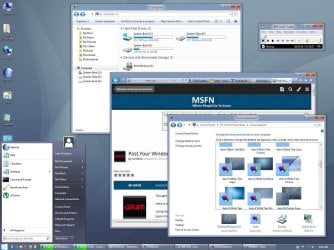
Is window 11 similar to windows 7?

Dynentan

New member
Member
VIP
Local time
4:10 PM
Messages
329
Just curious. I tried windows 10 but i didn't really like it, so i went back to windows 7 again. If im going to upgrade to a newer version of windows, its probably going to be windows 11. Is it similar to windows 7?
 

My Computer My Computer

Computer type
PC/Desktop
OS
Windows 7 home premium
CPU
Intel core i5 4440
Motherboard
Asus h81m-k
Memory
Samsung 8gb ddr3
Graphics Card(s)
Asus gtx 1050
Monitor(s) Displays
Lg 27ea33
Hard Drives
Teamgroup gx2 512gb
PSU
Lenovo 400 watt
Case
Bitfenix nova
Browser
Microsoft edge
Just curious. I tried windows 10 but i didn't really like it, so i went back to windows 7 again. If im going to upgrade to a newer version of windows, its probably going to be windows 11. Is it similar to windows 7?
No, windows 11 is much like Windows 10 but with a redesigned start menu and the taskbar icons centred rather than starting from the left.
If you want Windows 11 to look like more Windows 7 then you'd need to use one of the 3rd-party solutions like Open Shell, ExplorerPatcher, or purchase StartAllBack.
 

My Computers My Computers

System One System Two

  • Computer type
    Laptop
    Computer Manufacturer/Model Number
    Toshiba satellite C650D
    OS
    Windows 7 Home Premium x64
    CPU
    AMD V120
    Memory
    4GB
    Internet Speed
    150 Mbps
    Antivirus
    MSE
    Browser
    IE11, Edge, Firefox
    Other Info
    I also have W7 Pro on my System Two, and several W7 Hyper-V VMs. My other machines run Windows 10/11. Their specs are in my Ten Forums & Eleven Forum profiles.
  • Computer type
    Laptop
    System Manufacturer/Model Number
    Lenovo Thinkpad T430
    OS
    Windows 7 Pro x64
    CPU
    Intel i5-3320M
    Memory
    8 GB
    Hard Drives
    250GB Samsung SSD 860 EVO
    Antivirus
    MSE
I already use classic shell.
 

My Computer My Computer

Computer type
PC/Desktop
OS
Windows 7 home premium
CPU
Intel core i5 4440
Motherboard
Asus h81m-k
Memory
Samsung 8gb ddr3
Graphics Card(s)
Asus gtx 1050
Monitor(s) Displays
Lg 27ea33
Hard Drives
Teamgroup gx2 512gb
PSU
Lenovo 400 watt
Case
Bitfenix nova
Browser
Microsoft edge
Dynentan:
You did not provide a description of your computer and what hardware it has.
Depending on its age and what generation it is, it may not support the use of Windows 11.
 

My Computer My Computer

Computer type
PC/Desktop
Computer Manufacturer/Model Number
Dell OptiPlex 9020
OS
Windows 7 Professional SP1 64-bit
CPU
Intel Core i7-4790 3.60 GHz
Memory
32 GB DDR3-1600 MHz
Graphics Card(s)
Integrated Intel HD Graphics 4600
Monitor(s) Displays
Viewsonic 32" LCD
Hard Drives
Kingston SATA 3 240 GB SSD
Internet Speed
Spectrum Internet 1000 Mbps
When I installed Windows 8 on a computer I immediately installed Classic Shell because Windows 8's GUI was pathetic. That computer now has been updated to Windows 10. I didn't put Classic Shell on it this because it wasn't needed.

Now all my computers that had Windows 7 on them were updated to Windows 10. Since I had extra licenses for Windows 7 I used them to dual boot with Windows 10 on two of them.

Sure it wasn't easy to transition from Windows 7 to Windows 10. Just like it wasn't easy to transition from Windows 3.11 to 95, 98 to XP, or XP to 7. Like it has been said...resistance is futile.

I eventually accepted the inevitable and learned to live with Windows 10 without any training wheels. I have a desktop that has Windows 10 and updated it to Windows 11 for a short time. I didn't like it so I reverted it to Windows 10. Note this computer fully meets the Windows 11 requirements.

I just bought a new laptop with Windows 11. I could install something like Open Shell on it but have decided not to. I am determined to learn how to use Windows 11. I think when I am confident enough I am going to go back and upgrade that desktop to Windows 11 again.

To answer the original question "Is window 11 similar to windows 7?" I say no but I also say it doesn't matter. If you want to use a interface modifier like Open Shell I say that is your choice. However, I think it is better to just take the plunge and learn the new interface. You will thank yourself in the end.
 

My Computers My Computers

System One System Two

  • Computer type
    PC/Desktop
    Computer Manufacturer/Model Number
    Custom build
    OS
    Windows 7 Home Premium 64-bits
    CPU
    AMD FX-8350
    Motherboard
    Gigabyte GA-990FXA-UD3 (AM3+)
    Memory
    GSKILL Ripjaw-X PC3 12800 8GB (2x4GB)
    Graphics Card(s)
    ASUS ROG STRIX GTX 1060 6GB
    Sound Card
    Integrated
    Monitor(s) Displays
    Asus VE228H (21.5-in)
    Screen Resolution
    1920x1080 60Hz
    Hard Drives
    SAMSUNG 870 EVO 2.5 Inch SATA SSD (1TB)
    SAMSUNG 870 EVO 2.5 Inch SATA SSD (1TB)
    SAMSUNG 870 EVO 2.5 Inch SATA SSD (1TB)
    PSU
    Corsair RM750x (750 watts)
    Case
    Corsair Carbide Series 200R
    Cooling
    Corsair Hydro Series H60 (CWCH60)
    Keyboard
    Logitech Elite
    Mouse
    Logitech M510 Wireless Mouse
    Internet Speed
    Comcast Gigabit Extra (1200Mbps down / 35Mbps up)
    Antivirus
    Malwarebytes
    Browser
    Firefox, Edge, Chrome
    Other Info
    ASUS DRW-24B1ST DVD-RW (24X) optical drive
    Seagate Expansion Desk (5TB) external SATA/USB HDD
    Comcast XB8 Internet Gateway
  • Computer type
    PC/Desktop
    System Manufacturer/Model Number
    Custom
    OS
    Windows 7 Pro (64-bit)
    CPU
    AMD Phenom II 960T X4
    Motherboard
    ASUS M4N82 Deluxe
    Memory
    Corsair XMS2 DDR2-800 8GB (4x2GB)
    Graphics Card(s)
    ASUS ENGTX560 DCII OC/2DI/1GD5 1GB
    Monitor(s) Displays
    Samsung 930B 19-inch LCD
    Screen Resolution
    1280x1024
    Hard Drives
    Samsung SSD 870 EVO 1000 GB (Windows 10)
    Seagate ST1000DM003 1000 GB (Windows 7)
    PSU
    Antec TruePower (new) TP-650
    Case
    Antec Three Hundred
    Cooling
    AMD stock cooler from FX8350
    Mouse
    Logitech M100
    Internet Speed
    Xfinity Gigabit Extra 1200/35 Mbps
If im going to upgrade to a newer version of windows, its probably going to be windows 11. Is it similar to windows 7?

absolutely NOT

win11 is most likely similar to win10 just with a different UI, so in some cases win11 might be worse than win10 & win7 for some people
 

My Computer My Computer

Computer type
PC/Desktop
Computer Manufacturer/Model Number
Dell Inspiron 620
OS
Windows 7 SP1 Home Premium 64bit [x64]
CPU
Intel(R) Core(TM) i5-2310 CPU @ 2.90GHz
Memory
6 GB
Graphics Card(s)
Intel HD Graphics 2000
Sound Card
Conexant CX20641 HD Audio
Hard Drives
Western Digital 1TB (1024GB) WD10EALX-759BA1
Internet Speed
Spectrum Cable Internet up to 100Mbps
no,
completely different.

there have been many discussions on the difference.

here are my experiences. because of huge securities setup changes, many apps on Windows 7 cannot work well on Windows 11 any more. when my MSFT Office/excel macros run on Windows 11. often got pop up, such as below one.
image.png
If debugging, nothing wrong. but the breaking point stops macro running.
hence, I have left these macros on Windows 7. my computers run 7-11. i.e. Windows 7, or 11 (if apps run no any problems on Windows 11).
to reduce maintenance burden, no Windows 8/8.1 10 anyway.
 

My Computers My Computers

System One System Two

  • Computer type
    PC/Desktop
    Computer Manufacturer/Model Number
    HP Elite 800 G5
    OS
    Windows 7 Pro 64-bit
    CPU
    I7-9700
    Memory
    32 GB
  • Computer type
    Laptop
    System Manufacturer/Model Number
    ASUS UX305C
    OS
    Windows 7 Pro 64-bit
no,
completely different.

there have been many discussions on the difference.

here are my experiences. because of huge securities setup changes, many apps on Windows 7 cannot work well on Windows 11 any more. when my MSFT Office/excel macros run on Windows 11. often got pop up, such as below one.
View attachment 422444
If debugging, nothing wrong. but the breaking point stops macro running.
hence, I have left these macros on Windows 7. my computers run 7-11. i.e. Windows 7, or 11 (if apps run no any problems on Windows 11).
to reduce maintenance burden, no Windows 8/8.1 10 anyway.
I haven't worked with Excel macros in a long time but can sympathize with the problem of trying to run these macros on a different version of Windows. When a macro didn't work I had to try to figure out what changes had to be made to make the macros work again. I was usually successful but sometimes it took a lot of effort.
 

My Computers My Computers

System One System Two

  • Computer type
    PC/Desktop
    Computer Manufacturer/Model Number
    Custom build
    OS
    Windows 7 Home Premium 64-bits
    CPU
    AMD FX-8350
    Motherboard
    Gigabyte GA-990FXA-UD3 (AM3+)
    Memory
    GSKILL Ripjaw-X PC3 12800 8GB (2x4GB)
    Graphics Card(s)
    ASUS ROG STRIX GTX 1060 6GB
    Sound Card
    Integrated
    Monitor(s) Displays
    Asus VE228H (21.5-in)
    Screen Resolution
    1920x1080 60Hz
    Hard Drives
    SAMSUNG 870 EVO 2.5 Inch SATA SSD (1TB)
    SAMSUNG 870 EVO 2.5 Inch SATA SSD (1TB)
    SAMSUNG 870 EVO 2.5 Inch SATA SSD (1TB)
    PSU
    Corsair RM750x (750 watts)
    Case
    Corsair Carbide Series 200R
    Cooling
    Corsair Hydro Series H60 (CWCH60)
    Keyboard
    Logitech Elite
    Mouse
    Logitech M510 Wireless Mouse
    Internet Speed
    Comcast Gigabit Extra (1200Mbps down / 35Mbps up)
    Antivirus
    Malwarebytes
    Browser
    Firefox, Edge, Chrome
    Other Info
    ASUS DRW-24B1ST DVD-RW (24X) optical drive
    Seagate Expansion Desk (5TB) external SATA/USB HDD
    Comcast XB8 Internet Gateway
  • Computer type
    PC/Desktop
    System Manufacturer/Model Number
    Custom
    OS
    Windows 7 Pro (64-bit)
    CPU
    AMD Phenom II 960T X4
    Motherboard
    ASUS M4N82 Deluxe
    Memory
    Corsair XMS2 DDR2-800 8GB (4x2GB)
    Graphics Card(s)
    ASUS ENGTX560 DCII OC/2DI/1GD5 1GB
    Monitor(s) Displays
    Samsung 930B 19-inch LCD
    Screen Resolution
    1280x1024
    Hard Drives
    Samsung SSD 870 EVO 1000 GB (Windows 10)
    Seagate ST1000DM003 1000 GB (Windows 7)
    PSU
    Antec TruePower (new) TP-650
    Case
    Antec Three Hundred
    Cooling
    AMD stock cooler from FX8350
    Mouse
    Logitech M100
    Internet Speed
    Xfinity Gigabit Extra 1200/35 Mbps
I did install Windows 11 on a VM and no, I don't think this has much to do with "learning" or not "learning" but rather that there are changes, especially in terms of the Start menu and context menus that are annoying since they require extra clicks. The "Settings" is an improvement over Windows 10, however.

It is possible to even run Classic Shell 4.3.1 on Windows 11 after running ExplorerPatcher and it works well enough but I have simply reached the conclusion that I get things done faster in Windows 7 and/or 10 or Linux than in 11 even if the latter does become pretty OK after tweaking. What is not OK is all the "glitchiness" I have noticed including downright crashing in comparison with W7 and W10 LTSC 2019 and 2021.

Another major issue is all those problematic updates being pushed out - I very much prefer Patch Tuesday updates only, thank you very much Microsoft.

So I decided to give Windows 7 another go since almost every application I use can run there without issues and my only conclusion is that I will start to run a W7 Ultimate VM as a daily driver with Windows 10 LTSC 2021 as a "backend" and simply wait for further development on the side of Windows 11, which can live in a VM as well for testing.

I never had any "issues" with OS upgrades for many years including Mac OS 7.x to 8.x (new Platinum interface), Mac OS 9.x to X (new interface) or the huge change with "Explorer" in Windows 95. The "issues" started with Windows 8.x because that was a change too far and every time I see Server 2012 in action, I kind of cringe. Windows 10 was a major improvement but not as good as 7 (can be made pleasant, though) and 11 is perfectly good on a tablet/2-in-1 but far behind 7 on a desktop with mouse and keyboard.

So I have decided to embrace virtual machines and simply use the operating systems and applications that allow me to be efficient. I have been living with Windows 10 for a long time and even if it is perfectly fine, I very much prefer 7 Ultimate. It looks and works beautifully on my 32" monitor.

Edit: I am running Classic Shell on Windows 7 too since I very much prefer the customization it offers and it runs perfectly well.

It is also pretty ironic that this system from 2009 feels "next gen" compared to 10 and 11 (before WindowBlinds) kind of remind me of GEM of the 80s or very old versions of Macintosh System (6.x) in terms of being "simple" and "plain".
 

My Computers My Computers

System One System Two

  • Computer type
    Laptop
    Computer Manufacturer/Model Number
    HP Omen 16
    OS
    Windows 7 Ultimate x64
    CPU
    AMD Ryzen 7 5800H
    Graphics Card(s)
    GeForce RTX 3070
    Hard Drives
    Samsung 970 Pro
    Antivirus
    Kaspersky
    Browser
    Brave
  • Computer type
    PC/Desktop
I did install Windows 11 on a VM and no, I don't think this has much to do with "learning" or not "learning" but rather that there are changes, especially in terms of the Start menu and context menus that are annoying since they require extra clicks. The "Settings" is an improvement over Windows 10, however.
With Windows 7 you mainly did your setting using the Control Panel. Windows 10 dumbed down settings with the introduction of their new Settings. The problem was you couldn't do everything in Settings and had to occasionally call up the Control Panel. Windows 11 dumbed down the Settings even more. You really needed the Control Panel but for some reason Microsoft did their best to hide it.

In older versions of Windows you could get help directly even if you didn't always understand the help. I was perplexed when Windows starting telling you to go to Start and search for some setting. To me they were saying that was easier than telling you what menu to pull up to get that setting. Has Windows settings become too complicated or they just hiding most of the setting from us?
t is also pretty ironic that this system from 2009 feels "next gen" compared to 10 and 11 (before WindowBlinds) kind of remind me of GEM of the 80s or very old versions of Macintosh System (6.x) in terms of being "simple" and "plain".
GEM brings back memories of two computers I had in the late 80's and early 90's.
  • Atari 1040ST
  • Atari Mega STE
They both ran Atari TOS which Atari developed from GEM.

Apple sued Digital Research the original developer of GEM because Apple claimed GEM was too much like Macintosh. It is ironic that Apple ignored Atari's Atari TOS because maybe they didn't consider them serious competition.
 

My Computers My Computers

System One System Two

  • Computer type
    PC/Desktop
    Computer Manufacturer/Model Number
    Custom build
    OS
    Windows 7 Home Premium 64-bits
    CPU
    AMD FX-8350
    Motherboard
    Gigabyte GA-990FXA-UD3 (AM3+)
    Memory
    GSKILL Ripjaw-X PC3 12800 8GB (2x4GB)
    Graphics Card(s)
    ASUS ROG STRIX GTX 1060 6GB
    Sound Card
    Integrated
    Monitor(s) Displays
    Asus VE228H (21.5-in)
    Screen Resolution
    1920x1080 60Hz
    Hard Drives
    SAMSUNG 870 EVO 2.5 Inch SATA SSD (1TB)
    SAMSUNG 870 EVO 2.5 Inch SATA SSD (1TB)
    SAMSUNG 870 EVO 2.5 Inch SATA SSD (1TB)
    PSU
    Corsair RM750x (750 watts)
    Case
    Corsair Carbide Series 200R
    Cooling
    Corsair Hydro Series H60 (CWCH60)
    Keyboard
    Logitech Elite
    Mouse
    Logitech M510 Wireless Mouse
    Internet Speed
    Comcast Gigabit Extra (1200Mbps down / 35Mbps up)
    Antivirus
    Malwarebytes
    Browser
    Firefox, Edge, Chrome
    Other Info
    ASUS DRW-24B1ST DVD-RW (24X) optical drive
    Seagate Expansion Desk (5TB) external SATA/USB HDD
    Comcast XB8 Internet Gateway
  • Computer type
    PC/Desktop
    System Manufacturer/Model Number
    Custom
    OS
    Windows 7 Pro (64-bit)
    CPU
    AMD Phenom II 960T X4
    Motherboard
    ASUS M4N82 Deluxe
    Memory
    Corsair XMS2 DDR2-800 8GB (4x2GB)
    Graphics Card(s)
    ASUS ENGTX560 DCII OC/2DI/1GD5 1GB
    Monitor(s) Displays
    Samsung 930B 19-inch LCD
    Screen Resolution
    1280x1024
    Hard Drives
    Samsung SSD 870 EVO 1000 GB (Windows 10)
    Seagate ST1000DM003 1000 GB (Windows 7)
    PSU
    Antec TruePower (new) TP-650
    Case
    Antec Three Hundred
    Cooling
    AMD stock cooler from FX8350
    Mouse
    Logitech M100
    Internet Speed
    Xfinity Gigabit Extra 1200/35 Mbps
When I installed Windows 8 on a computer I immediately installed Classic Shell because Windows 8's GUI was pathetic. That computer now has been updated to Windows 10. I didn't put Classic Shell on it this because it wasn't needed..

How on earth did you find Windows 10's Start Menu MORE like Windows 7? Windows 8 with a Classic Shell looks like a modern, flatter Windows 7. I don't understand how people see Windows 10 and 7 as being similar. Windows 10's Start Menu is like the native Windows 8 Start Screen with tiles, just miniaturized.

Here is my Windows 8 desktop with a Vista look-a-like visual style:

Windows 8 Vista.jpg
And Now with an optimized flatter, modern look:
Windows 8 Aero White.jpg
 

My Computer My Computer

Computer type
PC/Desktop
Computer Manufacturer/Model Number
HP xw8600 Workstation
OS
Windows 8 Pro x64
CPU
Two Xeon Core2 Quad 3.2 GHz Processors
Motherboard
Proprietary
Memory
16 GB DDR2 800 MHz
Graphics Card(s)
nVidia Quadro FX 3800 PCI
Sound Card
Realtek HD Audio
Monitor(s) Displays
Samsung SyncMaster 213T 21" 4x3 Flat Screen
Screen Resolution
1600x1200
Hard Drives
Two Seagate Cheetah 300 GB SAS Disks
PSU
Proprietary
Case
HP xw8600 Workstation Case
Cooling
Two CPU Fans and a Larger Case Fan
Keyboard
PS/2 Keyboard
Mouse
Microsoft USB Optical Mouse
Internet Speed
7 mbps
Antivirus
Windows Defender
Browser
Firefox ESR 102
Other Info
Two LSI 3000 SAS Adapters
I have three (3) laptop PC's in a small home-based network. My 1st choice of OS was Win7 Pro, which is remarkably stable by now. This website (sevenforums) has an enormous amount of useful information. BUT - the push & nudge from various browser developers, changing hardware with no drivers for Win7, and now the encroaching threat from critical websites such as banks to use new browser technology (only available in Win10/11 updates) has finally caused push to come to shove ...

I've now rebuilt one of the three machines using Win11, with the other two still on Win7. After some persistent hacking (mostly gleaned from freeware Winaero Tweak and the elevenforums site), I've sorted Win11 to look and act more or less like the previous Win7 installation. Heresy, I suppose, but it seems to work ok. All the devices have properly functioning drivers, the desktop is "carbon copied", almost all of the accumulated programmes work perfectly - which was a pleasant surprise, as the built-up data libraries are still maintained - and there is a definite increase in the speed of programme load flow.

Win11 issues for those interested ? No full aero (ok, it has a heavy overhead but it is a very useful attribute in Win7 for many reasons), it has an annoying habit of losing some settings on each reboot, and the out-of-box "security" is extremely annoying. Persistent hacks reduce this to tolerable and with patience most of the intrusive spyware can be disabled - actually there's quite a lot of that. Even after 6 years of development, Win11 still has stability problems that Win7 does not. It can be made to work ok though, and it has some powerful additions that Win7 lacks.
 

My Computer My Computer

Computer type
Laptop
Computer Manufacturer/Model Number
HP 250 G7
OS
Windows 7 Pro x64
CPU
Intel i5-8265U
Motherboard
Intel Coffee Lake
Memory
8gb
Graphics Card(s)
Intel Iris Plus 655
Sound Card
Realtek HDA
Monitor(s) Displays
Generic
Screen Resolution
1366 x 768
Hard Drives
Crucial P5 NVMe 1Tb internal
WD's 4Tb, 3Tb, 2 x 2Tb external
Mouse
Logi wireless
Internet Speed
45 Mbps
Antivirus
AVG
Browser
Firefox 88, Pale Moon 29, Brave 129
Other Info
Combination of i5-8265U with Crucial P5 achieves Crystal Bench scores > 5000

Iris Plus GPU (Whiskey Lake) driver from BioStar

HP 250 G7 is a budget machine
How on earth did you find Windows 10's Start Menu MORE like Windows 7? Windows 8 with a Classic Shell looks like a modern, flatter Windows 7. I don't understand how people see Windows 10 and 7 as being similar. Windows 10's Start Menu is like the native Windows 8 Start Screen with tiles, just miniaturized.

Here is my Windows 8 desktop with a Vista look-a-like visual style:

And Now with an optimized flatter, modern look:
I didn't say "I found Windows 10's Start Menu MORE like Windows 7" at all. I actually said that when I went to Windows 10 I didn't need the bandaid I put on Windows 8 to make it useable. I made no comparison between the Windows 7 and Windows 10 GUIs. Since you insist on bringing it up I will now.

After I used Windows 10 for a period of time I got used to it. I still have a couple computers with Window 7 that I need to use from time to time. After using Windows 10 I find the Windows 7 GUI quaint and old fashioned. Why would I want to cripple Windows 10 by making it look like Windows 7?

My new laptop has Windows 11 on it. I will use it as is. I have no intentions on putting something like Open Shell on it making it look like something it is not.

BTW, I have several computers. They have the following operating systems on them: DOS 6.22, Windows FWG 3.11, Windows XP, Windows 7, Windows 10, and Windows 11. I deal with each operating system in their native environment.
 

My Computers My Computers

System One System Two

  • Computer type
    PC/Desktop
    Computer Manufacturer/Model Number
    Custom build
    OS
    Windows 7 Home Premium 64-bits
    CPU
    AMD FX-8350
    Motherboard
    Gigabyte GA-990FXA-UD3 (AM3+)
    Memory
    GSKILL Ripjaw-X PC3 12800 8GB (2x4GB)
    Graphics Card(s)
    ASUS ROG STRIX GTX 1060 6GB
    Sound Card
    Integrated
    Monitor(s) Displays
    Asus VE228H (21.5-in)
    Screen Resolution
    1920x1080 60Hz
    Hard Drives
    SAMSUNG 870 EVO 2.5 Inch SATA SSD (1TB)
    SAMSUNG 870 EVO 2.5 Inch SATA SSD (1TB)
    SAMSUNG 870 EVO 2.5 Inch SATA SSD (1TB)
    PSU
    Corsair RM750x (750 watts)
    Case
    Corsair Carbide Series 200R
    Cooling
    Corsair Hydro Series H60 (CWCH60)
    Keyboard
    Logitech Elite
    Mouse
    Logitech M510 Wireless Mouse
    Internet Speed
    Comcast Gigabit Extra (1200Mbps down / 35Mbps up)
    Antivirus
    Malwarebytes
    Browser
    Firefox, Edge, Chrome
    Other Info
    ASUS DRW-24B1ST DVD-RW (24X) optical drive
    Seagate Expansion Desk (5TB) external SATA/USB HDD
    Comcast XB8 Internet Gateway
  • Computer type
    PC/Desktop
    System Manufacturer/Model Number
    Custom
    OS
    Windows 7 Pro (64-bit)
    CPU
    AMD Phenom II 960T X4
    Motherboard
    ASUS M4N82 Deluxe
    Memory
    Corsair XMS2 DDR2-800 8GB (4x2GB)
    Graphics Card(s)
    ASUS ENGTX560 DCII OC/2DI/1GD5 1GB
    Monitor(s) Displays
    Samsung 930B 19-inch LCD
    Screen Resolution
    1280x1024
    Hard Drives
    Samsung SSD 870 EVO 1000 GB (Windows 10)
    Seagate ST1000DM003 1000 GB (Windows 7)
    PSU
    Antec TruePower (new) TP-650
    Case
    Antec Three Hundred
    Cooling
    AMD stock cooler from FX8350
    Mouse
    Logitech M100
    Internet Speed
    Xfinity Gigabit Extra 1200/35 Mbps
Well, I did specify those who are interested. One of the guaranteed aspects of open sites is that some people will not read the full text that they choose to reply to. Straw men abound.

I've built a Win 11 installation honed to my work flows and aesthetics. Uncrippled and very fast, even on a budget PC with sufficient specs. That this may upset some people for unknown reasons is really not my problem, I think.

For those interested, moving from Win 7 to Win 11 without large ugly changes is ok if initially one has a bit of patience. Particularly if maintaining technical libraries such as mapping, operations scheduling etc (built over many years) with purchased programmes is a requirement. It can be made to work with the end result being a familiar environment, both technically and aesthetically, and upgraded with suitable hardware drivers.

Win11 is still somewhat buggy but has compensations - especially ensuring access to critical websites as these move to browser aspects that require Win10/11. Win11 is also more civilised about enforcing updates than Win10, although it has been said that MS can change that if it wishes.
 

My Computer My Computer

Computer type
Laptop
Computer Manufacturer/Model Number
HP 250 G7
OS
Windows 7 Pro x64
CPU
Intel i5-8265U
Motherboard
Intel Coffee Lake
Memory
8gb
Graphics Card(s)
Intel Iris Plus 655
Sound Card
Realtek HDA
Monitor(s) Displays
Generic
Screen Resolution
1366 x 768
Hard Drives
Crucial P5 NVMe 1Tb internal
WD's 4Tb, 3Tb, 2 x 2Tb external
Mouse
Logi wireless
Internet Speed
45 Mbps
Antivirus
AVG
Browser
Firefox 88, Pale Moon 29, Brave 129
Other Info
Combination of i5-8265U with Crucial P5 achieves Crystal Bench scores > 5000

Iris Plus GPU (Whiskey Lake) driver from BioStar

HP 250 G7 is a budget machine
Back
Top