- Local time
- 4:06 PM
- Messages
- 8,608
RSIT by random/random.
Please download from HERE and save to the desktop.
Please download from HERE and save to the desktop.
- Right click on RSIT.exe > Run as Administrator to run the tool.
- Click Continue at the disclaimer screen.
- Once it finishes, two logs will open.
- log.txt will be opened maximized
- info.txt will be opened minimized
- Please post the contents of both logs in your next post.
My Computer
- Computer type
- PC/Desktop
- Computer Manufacturer/Model Number
- Bruce ... somewhere in his 40's
- OS
- Windows 7 Ultimate 32bit SP1
- CPU
- Intel(R) Core(TM)2 Quad CPU @ 2.40GHz, 2400 MHz
- Motherboard
- INTEL/D975XBX2
- Memory
- 4 GB
- Graphics Card(s)
- ATI Radeon HD 2600 Pro
- Monitor(s) Displays
- Samsung SyncMaster 914v
- Screen Resolution
- 1280 x 1024
- Hard Drives
- 2/500GB each ... ST3500630AS ATA Device.
One is not connected
- PSU
- Rocketfish 700 W
- Case
- G.Skill Gigabyte Chassis
- Keyboard
- Standard PS/2 Keyboard
- Mouse
- Microsoft PS/2 Mouse
- Internet Speed
- DSL
- Antivirus
- Avira Internet Security
- Browser
- IE 11
- Other Info
- ATI HDMI Audio

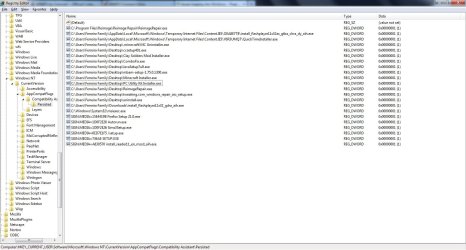
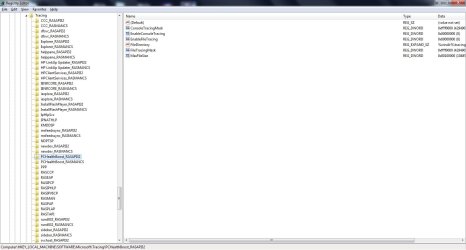
 rb: button type REGEDIT inside Search programs and files box . When REGEDIT comes up under Programs (1) right-click on REGEDIT and choose Run as administrator . Click on the Yes button on the User Access Control window . Inside the registry click on COMPUTER click on Edit choose Find and type in either PC Utility Kit or PCHealthBoost and click on Find Now button if anything is located can you take a screen prnt and upload the image ?