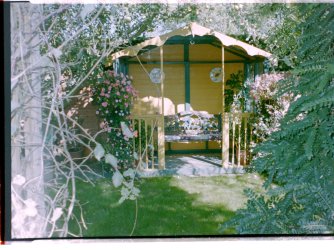
JPG files cross windows 7 to XP platform

davemnet

New member
Local time
11:57 AM
Messages
5
I am working on a family project to build a photo archive. I recently moved the film scanner and associated software onto a Windows 7 laptop. Everything runs fine until I want to use the jpg files produced on my XP machine. Is there a compatibility issue of the way Windows 7 creates JPG files. I have found other threads using google saying it had something to do with transferring files. But in my case I share directories across my local network. On the XP machine the photo software can see all the JPG files on the WIndows 7 machine OK, but Windows Office Picture Manager and Windows Picture and Fax Viewer have a problem. Out of a batch of 114 photos they can only view about half succesfully, the remainder they display nothing. In Windows Office Picture Manager viewing thumbnails it just displays a small black box with a red cross.
 

My Computer My Computer

At a glance

Windows 7 Home Premium
OS
Windows 7 Home Premium
Hi and welcome to the forum
The Windows operating system does not create a jpeg file. When you scan a picture it is your scanning software that saves to the file format of your choice.
It might be that you have too many files in one folder. Can you try splitting a big folder in two to see if that helps. Is you network wired or wireless?
There is no reason at all why you should not be able to open any jpeg file wherever it was created. If you go onto the web and download a jpeg, it will open but you have no idea when and where it was originally created.
 

My Computer My Computer

At a glance

Microsoft Windows 7 Home Premium 64-bit 7601 ...Intel(R) Core(TM) i7-3770 CPU @ 3.40GHz8.00 GBIntel(R) HD Graphics 4000
Computer type
PC/Desktop
OS
Microsoft Windows 7 Home Premium 64-bit 7601 Multiprocessor Free Service Pack 1
CPU
Intel(R) Core(TM) i7-3770 CPU @ 3.40GHz
Motherboard
ASUSTeK COMPUTER INC. P8H77-M
Memory
8.00 GB
Graphics Card(s)
Intel(R) HD Graphics 4000
Sound Card
On Board
Monitor(s) Displays
Dell 24"
Screen Resolution
1920 x 1080
Hard Drives
(1) INTEL SSDSC2CT180A3 ATA Device (2) ST500DM002-1BD142 ATA Device (3) WDC WD3200AAKS-75L9A0 ATA Device (4) Generic- Compact Flash USB Device (5) Generic- MS/MS-Pro USB Device (6) Generic- SD/MMC USB Device (7) Generic- SM/xD-Picture USB
PSU
500w Corsair
Case
Cooler Master
Cooling
3 Fans
Keyboard
Logitech MK300
Mouse
Logitech WOM
Internet Speed
75Mb
Antivirus
Norton 360
Browser
Firefox, Opera, IE
It makes no difference what files are in a directory. I have moved one of the problem files to its own directory and problem still occurs.
As requested the network is working as Windows 7 machine on Wireless and the XP machine is wired
I have created hundreds of file using the film scanner and Arcsoft Photoimpressions software with complete success on the XP machine. The thing that does not make sense is that for my latest batch of 114 done on the Windows 7 machine 56 of the files will not display with the windows XP tools but will display with the Arcsoft software. They also will display on the Windows 7 Photo viewer.
I have uploaded two files , the file ending 103 is one that displays OK, the file ending 110 will not display in the XP Windows Office Picture Manager and the XP Windows Picture and Fax Viewer. These fiel were created by Arcsoft Photoimpressions with Film Scanner on the Windows 7 machine.
In XP Explorer you can set view thumbnails, it will not generate a thumbnail for the problem files.
XP machine Internet Explorer will display the problem files, tried resaving from here and they still remain a problem file.
 

Attachments

  • 2-8-2011_103.JPG
    2-8-2011_103.JPG
    589.9 KB · Views: 10
  • 2-8-2011_110.JPG
    2-8-2011_110.JPG
    653.5 KB · Views: 14
Last edited:

My Computer My Computer

At a glance

Windows 7 Home Premium
OS
Windows 7 Home Premium
I think I am beginning to see the light here, I think. Is it possible to temporarily wire both machines so hat you are not using a wireless connection at all? What size are the files Usually when you scan transparencies they create fairly big files. I think you might be having transfer problems due to your wireless connection but try my suggestion to find out!
 

My Computer My Computer

At a glance

Microsoft Windows 7 Home Premium 64-bit 7601 ...Intel(R) Core(TM) i7-3770 CPU @ 3.40GHz8.00 GBIntel(R) HD Graphics 4000
Computer type
PC/Desktop
OS
Microsoft Windows 7 Home Premium 64-bit 7601 Multiprocessor Free Service Pack 1
CPU
Intel(R) Core(TM) i7-3770 CPU @ 3.40GHz
Motherboard
ASUSTeK COMPUTER INC. P8H77-M
Memory
8.00 GB
Graphics Card(s)
Intel(R) HD Graphics 4000
Sound Card
On Board
Monitor(s) Displays
Dell 24"
Screen Resolution
1920 x 1080
Hard Drives
(1) INTEL SSDSC2CT180A3 ATA Device (2) ST500DM002-1BD142 ATA Device (3) WDC WD3200AAKS-75L9A0 ATA Device (4) Generic- Compact Flash USB Device (5) Generic- MS/MS-Pro USB Device (6) Generic- SD/MMC USB Device (7) Generic- SM/xD-Picture USB
PSU
500w Corsair
Case
Cooler Master
Cooling
3 Fans
Keyboard
Logitech MK300
Mouse
Logitech WOM
Internet Speed
75Mb
Antivirus
Norton 360
Browser
Firefox, Opera, IE
Mitchell
Thanks for your interest. I do not think this has anyrthing to do with filesize, they are all circa 5-600Kb. I have tried moving these files via a USB stick, I have tried copying the files from the Windows 7 to XP machine via the network and also using the files directly across the newtork, all with the exactly the same result 58 files work OK and 56 do not. It is odd that some software on tne XP machine can still interpret the files correctly and others not. Internet explorer wil load teh picture whereas Windows explorer cannot interpret.
 

My Computer My Computer

At a glance

Windows 7 Home Premium
OS
Windows 7 Home Premium
On your Window's 7 computer, have you tried opening one of the problem jpegs in MSPaint and saving it as a jpeg with a slightly altered name? Transfer that new jpeg to your XP machine, does it preview properly or not?

You mentioned all the various ways you have tried to transfer them, but perhaps the software creating said jpegs is the thing at fault. Maybe you should try using something other than Arcsoft Photoimpressions or look for an update for it?

P.S. Were those attached jpegs from your "problem" batch? As they previewed fine on my old XP computer (explorer thumbnails, IE, office photo viewer etc etc.) Perhaps your XP machine has an underlying issue that needs resolved.

Mitchell
Thanks for your interest. I do not think this has anyrthing to do with filesize, they are all circa 5-600Kb. I have tried moving these files via a USB stick, I have tried copying the files from the Windows 7 to XP machine via the network and also using the files directly across the newtork, all with the exactly the same result 58 files work OK and 56 do not. It is odd that some software on tne XP machine can still interpret the files correctly and others not. Internet explorer wil load teh picture whereas Windows explorer cannot interpret.
 

My Computer My Computer

At a glance

Windows 7 Professional 64 Bit SP1INTEL DUAL CORE 2.1Ghz4GB DDR3INTEL
Computer Manufacturer/Model Number
HP DV6 1330sa
OS
Windows 7 Professional 64 Bit SP1
CPU
INTEL DUAL CORE 2.1Ghz
Motherboard
N/A
Memory
4GB DDR3
Graphics Card(s)
INTEL
Sound Card
LAPTOP
Monitor(s) Displays
2
Screen Resolution
3200x1080
Hard Drives
250GB
PSU
LAPTOP
Case
LAPTOP
Cooling
LAPTOP
Keyboard
SOLID YEAR 260U
Mouse
USB
Internet Speed
20 MB/S
Lost Colonist
Have tried resaving with different name on the WIn7 machine to no avail. Obviously saving file as a Tiff for example works fine.
The software I am using is bundled and linked to the film scanner and it clearly operates OK within the Win7 environment, there are no updates available.
The attached files to the posting were one working file and one problem file but as previously mentioned Internet explorer handles the files correctly. Surely as everbody keeps telling me a jpeg file is a jpeg file. If there was something wrong in the XP environment then why the inconsistency of handling all file in XP OK and handling some of the files from Win7 OK but not others. It seems like it cannot process the information in tne file to identify the size of the picture as it shows properties of picture size 0 x 0
If I save the small picture showing in te posting thsi is handled correctly but this is only a 328x328 file not the original file uploaded.
 
Last edited:

My Computer My Computer

At a glance

Windows 7 Home Premium
OS
Windows 7 Home Premium
If you are using Arcsoft Photo Impressions 4 then this might be the problem. Although it was bundled with your scanner originally it is not "linked" to it. Your scanner will work with other software.
Try Scan an image with Windows Fax and scan and take it into Paint. Save it there and see if that opens in XP. Worth a try I'm sure as your existing software is a bit old, I think!
 

My Computer My Computer

At a glance

Microsoft Windows 7 Home Premium 64-bit 7601 ...Intel(R) Core(TM) i7-3770 CPU @ 3.40GHz8.00 GBIntel(R) HD Graphics 4000
Computer type
PC/Desktop
OS
Microsoft Windows 7 Home Premium 64-bit 7601 Multiprocessor Free Service Pack 1
CPU
Intel(R) Core(TM) i7-3770 CPU @ 3.40GHz
Motherboard
ASUSTeK COMPUTER INC. P8H77-M
Memory
8.00 GB
Graphics Card(s)
Intel(R) HD Graphics 4000
Sound Card
On Board
Monitor(s) Displays
Dell 24"
Screen Resolution
1920 x 1080
Hard Drives
(1) INTEL SSDSC2CT180A3 ATA Device (2) ST500DM002-1BD142 ATA Device (3) WDC WD3200AAKS-75L9A0 ATA Device (4) Generic- Compact Flash USB Device (5) Generic- MS/MS-Pro USB Device (6) Generic- SD/MMC USB Device (7) Generic- SM/xD-Picture USB
PSU
500w Corsair
Case
Cooler Master
Cooling
3 Fans
Keyboard
Logitech MK300
Mouse
Logitech WOM
Internet Speed
75Mb
Antivirus
Norton 360
Browser
Firefox, Opera, IE
It is out of date, according to the website the latest version is 6.5. Besides doing what you suggested, he could also try to run his version of Arcosft under XP SP2 compatibility. Either way, it is during the scanning to saving process his files are becoming corrupted and not during the file transfer process.

Edit: It might also be worth while making sure that the scanner has its latest driver software :)

If you are using Arcsoft Photo Impressions 4 then this might be the problem. Although it was bundled with your scanner originally it is not "linked" to it. Your scanner will work with other software.
Try Scan an image with Windows Fax and scan and take it into Paint. Save it there and see if that opens in XP. Worth a try I'm sure as your existing software is a bit old, I think!
 
Last edited:

My Computer My Computer

At a glance

Windows 7 Professional 64 Bit SP1INTEL DUAL CORE 2.1Ghz4GB DDR3INTEL
Computer Manufacturer/Model Number
HP DV6 1330sa
OS
Windows 7 Professional 64 Bit SP1
CPU
INTEL DUAL CORE 2.1Ghz
Motherboard
N/A
Memory
4GB DDR3
Graphics Card(s)
INTEL
Sound Card
LAPTOP
Monitor(s) Displays
2
Screen Resolution
3200x1080
Hard Drives
250GB
PSU
LAPTOP
Case
LAPTOP
Cooling
LAPTOP
Keyboard
SOLID YEAR 260U
Mouse
USB
Internet Speed
20 MB/S
I agree. I think he may have an Epson scanner. this being the case when you "Scan to Creativity" you automatically utilise the Arcsoft program He could choose "Scan to file" Then you have the option of the format to save to without using Arcsoft al all. Indeed if he uninstalled that software from the Win 7 PC then he could only use the Scan to file feature, The Scan to creativity option would not show! This really looks like a compatibility issue to me!
 

My Computer My Computer

At a glance

Microsoft Windows 7 Home Premium 64-bit 7601 ...Intel(R) Core(TM) i7-3770 CPU @ 3.40GHz8.00 GBIntel(R) HD Graphics 4000
Computer type
PC/Desktop
OS
Microsoft Windows 7 Home Premium 64-bit 7601 Multiprocessor Free Service Pack 1
CPU
Intel(R) Core(TM) i7-3770 CPU @ 3.40GHz
Motherboard
ASUSTeK COMPUTER INC. P8H77-M
Memory
8.00 GB
Graphics Card(s)
Intel(R) HD Graphics 4000
Sound Card
On Board
Monitor(s) Displays
Dell 24"
Screen Resolution
1920 x 1080
Hard Drives
(1) INTEL SSDSC2CT180A3 ATA Device (2) ST500DM002-1BD142 ATA Device (3) WDC WD3200AAKS-75L9A0 ATA Device (4) Generic- Compact Flash USB Device (5) Generic- MS/MS-Pro USB Device (6) Generic- SD/MMC USB Device (7) Generic- SM/xD-Picture USB
PSU
500w Corsair
Case
Cooler Master
Cooling
3 Fans
Keyboard
Logitech MK300
Mouse
Logitech WOM
Internet Speed
75Mb
Antivirus
Norton 360
Browser
Firefox, Opera, IE
As a side note, try using a third party viewer such as Infranview, I've used it for years, at least since Windows 95.

The title on the home page reads, " ...one of the most popular viewers worldwide!"
and for a good reason.
 

My Computer My Computer

At a glance

Win 7 32bit HPIntel Core 2 Duo 66002 GB DDR2Zotac GeForce GTX 550 Ti
Computer type
PC/Desktop
Computer Manufacturer/Model Number
Me, as in myself
OS
Win 7 32bit HP
CPU
Intel Core 2 Duo 6600
Motherboard
Gigabyte 965P-DQ6
Memory
2 GB DDR2
Graphics Card(s)
Zotac GeForce GTX 550 Ti
Sound Card
Realtek on board
Monitor(s) Displays
Philips 32" LED-LCD 1080p
Screen Resolution
1920 x 1080
Internet Speed
cable 15mbs
Obviously still none the wiser of what is going wrong but have now tried Irfanview, loaded one of the problem pictures and just resaved it has cleared the problem so at least I have now have a way of repairing but what caused the problem I may never solve.

Anyway thanks to all of you for your clues and assitance

fyi the film scanner is a Veho and it is certainly good enough for my needs. main problem being taht teher are not film holders for old 126 type film.
 

My Computer My Computer

At a glance

Windows 7 Home Premium
OS
Windows 7 Home Premium
Well its good to hear the problem is resolved. I still think it was a problem with the Arcsoft software and think scanning using different software would prove this. You can use Irfanview for this. Just open the prog. click File
click "Select Twain Source". Select your scanner. Click file and then Aquire/Batch Scanning. That will open your scanning interface as normal and not use Arcsoft!
 

My Computer My Computer

At a glance

Microsoft Windows 7 Home Premium 64-bit 7601 ...Intel(R) Core(TM) i7-3770 CPU @ 3.40GHz8.00 GBIntel(R) HD Graphics 4000
Computer type
PC/Desktop
OS
Microsoft Windows 7 Home Premium 64-bit 7601 Multiprocessor Free Service Pack 1
CPU
Intel(R) Core(TM) i7-3770 CPU @ 3.40GHz
Motherboard
ASUSTeK COMPUTER INC. P8H77-M
Memory
8.00 GB
Graphics Card(s)
Intel(R) HD Graphics 4000
Sound Card
On Board
Monitor(s) Displays
Dell 24"
Screen Resolution
1920 x 1080
Hard Drives
(1) INTEL SSDSC2CT180A3 ATA Device (2) ST500DM002-1BD142 ATA Device (3) WDC WD3200AAKS-75L9A0 ATA Device (4) Generic- Compact Flash USB Device (5) Generic- MS/MS-Pro USB Device (6) Generic- SD/MMC USB Device (7) Generic- SM/xD-Picture USB
PSU
500w Corsair
Case
Cooler Master
Cooling
3 Fans
Keyboard
Logitech MK300
Mouse
Logitech WOM
Internet Speed
75Mb
Antivirus
Norton 360
Browser
Firefox, Opera, IE
Obviously still none the wiser of what is going wrong but have now tried Irfanview, loaded one of the problem pictures and just resaved it has cleared the problem so at least I have now have a way of repairing but what caused the problem I may never solve.

Anyway thanks to all of you for your clues and assitance

fyi the film scanner is a Veho and it is certainly good enough for my needs. main problem being taht teher are not film holders for old 126 type film.
You can also use Infranview to do batch processing, so you don't have to resave your files one at a time. The wesite has a FAQ and forums to help if you need that.
 

My Computer My Computer

At a glance

Win 7 32bit HPIntel Core 2 Duo 66002 GB DDR2Zotac GeForce GTX 550 Ti
Computer type
PC/Desktop
Computer Manufacturer/Model Number
Me, as in myself
OS
Win 7 32bit HP
CPU
Intel Core 2 Duo 6600
Motherboard
Gigabyte 965P-DQ6
Memory
2 GB DDR2
Graphics Card(s)
Zotac GeForce GTX 550 Ti
Sound Card
Realtek on board
Monitor(s) Displays
Philips 32" LED-LCD 1080p
Screen Resolution
1920 x 1080
Internet Speed
cable 15mbs
Back
Top