Solved KB4345590 Will Not Install

bigreid

New member
Local time
11:54 AM
Messages
16
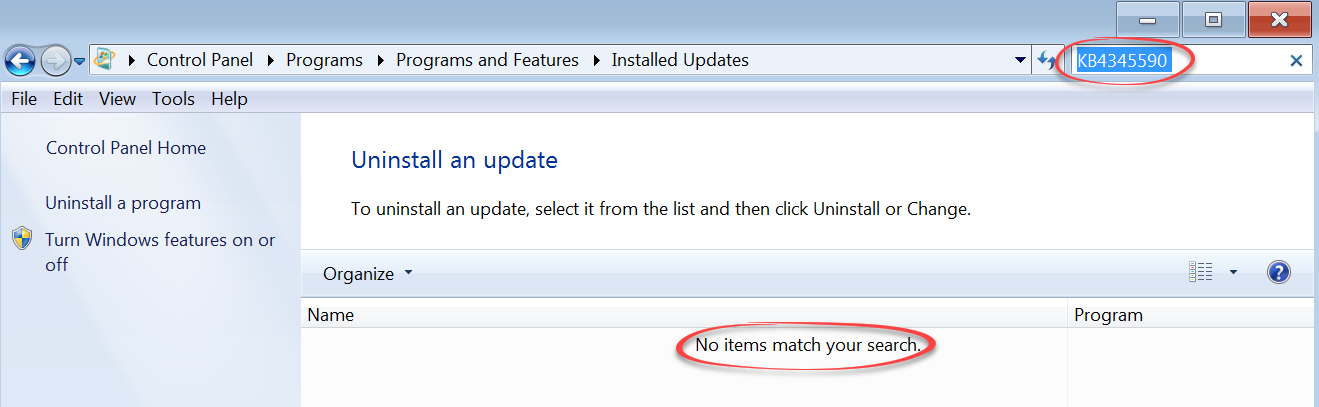
Every other update is installing fine, but not KB4345590.


UBf6Twp.png


So, I went to:


Microsoft Update Catalog


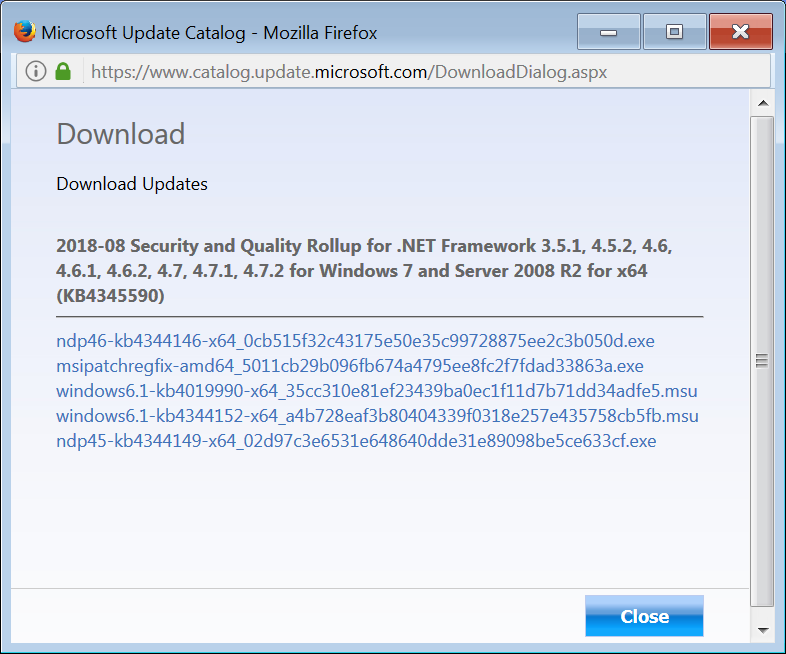
To try and download the update manually, and try it that way, but when I get there, it only
gets more confusing by offering me a number of downloads.

5BL3stk.png


Any help?
 

My Computer

Computer type
PC/Desktop
Computer Manufacturer/Model Number
Custom Build
OS
Microsoft Windows 7 Ultimate x64 / 6.1.7601 Service Pack 1 Build 7601
CPU
Intel(R) Core(TM)2 Extreme CPU X9650
Motherboard
Asus P5K Deluxe
Memory
8 GB
Graphics Card(s)
EVGA Nvidia GeForce GTX 580 (3842) 3GB GF110
Hard Drives
Western Digital WDC WD1001FALS-00J7B1 1TB SATA
Antivirus
Kaspersky Anti Virus v14.0.0.4651(a)
Browser
Internet Explorer / Firefox
Hi bigreid,

Every other update is installing fine, but not KB4345590.

UBf6Twp.png
Did you click Restart now as it suggested, and then try again?

It might have been because the updates that were actually installed, needed to be installed BEFORE the update KB4345590 could be installed, especially considering it is a .NET Framework update!
If the update KB4345590 had installed, it would have installed those 5 updates anyway.
Did you eventually manage to install each of the 5 updates?

I hope this helps!
 

My Computer

Computer type
Laptop
Computer Manufacturer/Model Number
Fujitsu LIFEBOOK
OS
Win 7 HP SP1 64-bit Vista HB SP2 32-bit Linux Mint 18.3
CPU
Intel(R) Pentium(R) CPU P6200 @ 2.13GHz
Motherboard
FUJITSU FJNBB06
Memory
4.00 GB
Graphics Card(s)
Intel(R) Graphics Media Accelerator HD
Sound Card
[1] Realtek High Definition Audio [2] Intel(R) Display Audio
Screen Resolution
1366 x 768 x 32 bits (4294967296 colors) @ 59 Hz
Hard Drives
TOSHIBA MK5076GSX
Antivirus
AVG FREE
Did you click Restart now as it suggested, and then try again?


Oh yes, always, but, trouble is, that specific update that wont install, has been there, for, dare i say, weeks.

I keep receiving all other updates around that one, and that one continues to not install.

I have even tried downloading and running those, "Fix And Repair Windows Update Problems" type
utilities from Microsoft, it finds problems, and then fixes the problems, but that one same
update continues to fail to install, while all others install fine.
 

My Computer

Computer type
PC/Desktop
Computer Manufacturer/Model Number
Custom Build
OS
Microsoft Windows 7 Ultimate x64 / 6.1.7601 Service Pack 1 Build 7601
CPU
Intel(R) Core(TM)2 Extreme CPU X9650
Motherboard
Asus P5K Deluxe
Memory
8 GB
Graphics Card(s)
EVGA Nvidia GeForce GTX 580 (3842) 3GB GF110
Hard Drives
Western Digital WDC WD1001FALS-00J7B1 1TB SATA
Antivirus
Kaspersky Anti Virus v14.0.0.4651(a)
Browser
Internet Explorer / Firefox
Hi bigreid,

Does the KB4345590 update show up in the Programs and Features Control Panel?

It is strange because it says:
2018-08 Security and Quality Rollup for .NET Framework 3.5.1, 4.5.2, 4.6, 4.6.1, 4.6.2, 4.7, 4.7.1, 4.7.2 for Windows 7 (KB4345590).

It also says that this update replaces the following updates:
2018-06 Preview of Quality Rollup for .NET Framework 3.5.1, 4.5.2, 4.6, 4.6.1, 4.6.2, 4.7, 4.7.1 on Windows 7 (KB4291493)

2018-07 Security and Quality Rollup for .NET Framework 3.5.1, 4.5.2, 4.6, 4.6.1, 4.6.2, 4.7, 4.7.1, 4.7.2 for Windows 7 (KB4340556)

I hope this helps!
 

My Computer

Computer type
Laptop
Computer Manufacturer/Model Number
Fujitsu LIFEBOOK
OS
Win 7 HP SP1 64-bit Vista HB SP2 32-bit Linux Mint 18.3
CPU
Intel(R) Pentium(R) CPU P6200 @ 2.13GHz
Motherboard
FUJITSU FJNBB06
Memory
4.00 GB
Graphics Card(s)
Intel(R) Graphics Media Accelerator HD
Sound Card
[1] Realtek High Definition Audio [2] Intel(R) Display Audio
Screen Resolution
1366 x 768 x 32 bits (4294967296 colors) @ 59 Hz
Hard Drives
TOSHIBA MK5076GSX
Antivirus
AVG FREE

My Computer

Computer type
PC/Desktop
Computer Manufacturer/Model Number
Custom Build
OS
Microsoft Windows 7 Ultimate x64 / 6.1.7601 Service Pack 1 Build 7601
CPU
Intel(R) Core(TM)2 Extreme CPU X9650
Motherboard
Asus P5K Deluxe
Memory
8 GB
Graphics Card(s)
EVGA Nvidia GeForce GTX 580 (3842) 3GB GF110
Hard Drives
Western Digital WDC WD1001FALS-00J7B1 1TB SATA
Antivirus
Kaspersky Anti Virus v14.0.0.4651(a)
Browser
Internet Explorer / Firefox
Try resetting your Win Update History with Option #1 from this page Windows Update - Reset

If that doesn't work run SURT tool and post CheckSUR.log please. Log is temporary in that location after you run SURT tool.

Log location: C:\Windows\Logs\CBS

System Update Readiness Tool

Nic
 

My Computer

Computer type
PC/Desktop
Computer Manufacturer/Model Number
HP Desktop & Compaq Laptop
OS
Win 10 x64, Linux Lite, Win 7 x64, BlackArch, & Kali
Hard Drives
Samsung 850 Pro 256Gb,
Hitachi HDD 1Tb,
Crucial MX SSD 250Gb
Segate 3Tb USB 3.0 Ext. Backup HDD
Internet Speed
150Mbps dn, 20Mbps up
Antivirus
Avast Free, Malwarebytes Anti-Exploit & Anti-Ransomware
Browser
Firefox, Chrome, Opera, & VPN
After further research, and being aware that the, "problem update" dealt with the .NET Framework, I finally
found the solution.

I used the, "Microsoft .NET Framework Repair Tool", and that did the trick. The update in question went right in.

Thanks to all for the help.
 

My Computer

Computer type
PC/Desktop
Computer Manufacturer/Model Number
Custom Build
OS
Microsoft Windows 7 Ultimate x64 / 6.1.7601 Service Pack 1 Build 7601
CPU
Intel(R) Core(TM)2 Extreme CPU X9650
Motherboard
Asus P5K Deluxe
Memory
8 GB
Graphics Card(s)
EVGA Nvidia GeForce GTX 580 (3842) 3GB GF110
Hard Drives
Western Digital WDC WD1001FALS-00J7B1 1TB SATA
Antivirus
Kaspersky Anti Virus v14.0.0.4651(a)
Browser
Internet Explorer / Firefox
Hi bigreid, I am glad that you were able to resolve it. Happy computing! :-)
 

My Computer

Computer type
Laptop
Computer Manufacturer/Model Number
Fujitsu LIFEBOOK
OS
Win 7 HP SP1 64-bit Vista HB SP2 32-bit Linux Mint 18.3
CPU
Intel(R) Pentium(R) CPU P6200 @ 2.13GHz
Motherboard
FUJITSU FJNBB06
Memory
4.00 GB
Graphics Card(s)
Intel(R) Graphics Media Accelerator HD
Sound Card
[1] Realtek High Definition Audio [2] Intel(R) Display Audio
Screen Resolution
1366 x 768 x 32 bits (4294967296 colors) @ 59 Hz
Hard Drives
TOSHIBA MK5076GSX
Antivirus
AVG FREE
Back
Top