
I am using a 5 years old HP laptop and using the not original HP battery. The problem has started last 2-3 months before when i replace the battery charger, right now the laptop is charging because i can see the light on my laptop beside the hdd light but the light is not showing in charging point and in windows status. You can check the screenshot below:
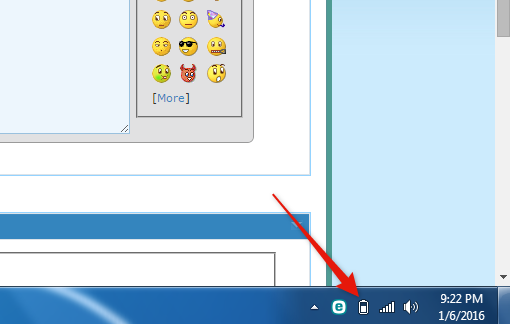
It is currently charging but not even showing in windows. I tried in different OS like 10, 8 but still the same problem.
Please let me know why this problem is happening all the time. :huh:
It is currently charging but not even showing in windows. I tried in different OS like 10, 8 but still the same problem.
Please let me know why this problem is happening all the time. :huh:
My Computer
At a glance
Windows 7 Enterprise x64
- Computer type
- PC/Desktop
- OS
- Windows 7 Enterprise x64


