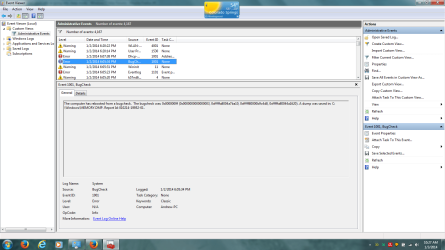
I've had this problem now for about a month. Occasionally, when I leave my computer idle for several minutes (like over 20), it freezes. The fans stay on, the lights on the keyboard are lit, but the screen is blank, and I have to force restart it. My power settings are on power saver, so it dims the screen after 2 minutes, turns the screen of after 5, and goes to sleep after 15. In addition, I have the maximum CPU processor state set at 20% to keep it running cool. If I try and recreate the problem setting each setting to 1,2, and 3 minutes, it dims the display and goes to sleep just fine. In addition, it goes to sleep fine when I press the power button or close the laptop lid.
Things I've done to try and rectify the problem:
1) Updated the bios
2) Reset the power configuration settings using the command prompt
powercfg -restoredefaultschemes
3) Scanned for malware using Avira, Kaspersky, Malwarebytes, SAS, and the system is clean
Last night I left my laptop idle and it apparently crashed and BSODed, according to the event log. I see a lot of events in the log regarding DNS servers. I can post the event log. I've also seen some advice online to update the graphics card driver. I've found what I think is the most recent graphics card driver on gateways website but I'm reluctant to install it because I don't know whether it's correct. I also found a VGA driver on their website. Perhaps someone could help me through that process.
I'd really appreciate any help! I'll post logs, screen shots of settings/hardware etc. as best I can to get this fixed.
Thanks very much.
Things I've done to try and rectify the problem:
1) Updated the bios
2) Reset the power configuration settings using the command prompt
powercfg -restoredefaultschemes
3) Scanned for malware using Avira, Kaspersky, Malwarebytes, SAS, and the system is clean
Last night I left my laptop idle and it apparently crashed and BSODed, according to the event log. I see a lot of events in the log regarding DNS servers. I can post the event log. I've also seen some advice online to update the graphics card driver. I've found what I think is the most recent graphics card driver on gateways website but I'm reluctant to install it because I don't know whether it's correct. I also found a VGA driver on their website. Perhaps someone could help me through that process.
I'd really appreciate any help! I'll post logs, screen shots of settings/hardware etc. as best I can to get this fixed.
Thanks very much.
My Computer
At a glance
Microsoft Windows 7 Home Premium 64-bit 7601 ...Intel(R) Core(TM)2 Duo CPU T6600 @ 2.20GHz4.00 GB(1) Mobile Intel(R) 4 Series Express Chipset ...
- Computer type
- Laptop
- Computer Manufacturer/Model Number
- Gateway NV78
- OS
- Microsoft Windows 7 Home Premium 64-bit 7601 Multiprocessor Free Service Pack 1
- CPU
- Intel(R) Core(TM)2 Duo CPU T6600 @ 2.20GHz
- Motherboard
- Gateway NV78
- Memory
- 4.00 GB
- Graphics Card(s)
- (1) Mobile Intel(R) 4 Series Express Chipset Family (2) Mo
- Sound Card
- (1) High Definition Audio Device (2) High Definition Audio
- Screen Resolution
- 1600 x 900 x 32 bits (4294967296 colors) @ 59 Hz
- Hard Drives
- WDC WD5000LPVX-22V0TT0 ATA Device
- Antivirus
- Bitdefender Free
- Browser
- Firefox