CCEnhancer makes Ccleaner sluggish
CCEnhancer makes Ccleaner sluggish. It adds a lot of additional cleaners some of which you'll never use. For an explanation of how to trim the winapp2.ini file that Ccleaner uses see:
How to Install and Use Winapp2.ini - Winapp2.com
Downloads - Winapp2.com - see the help file.
CCEnhancer can trim the winapp2.ini file automatically.
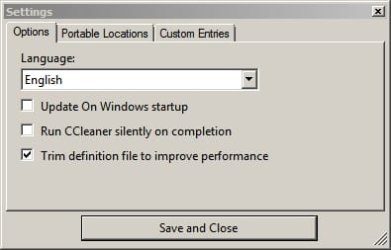
Ccleaner performance will improve with the winapp2.ini file trimmed.
Note
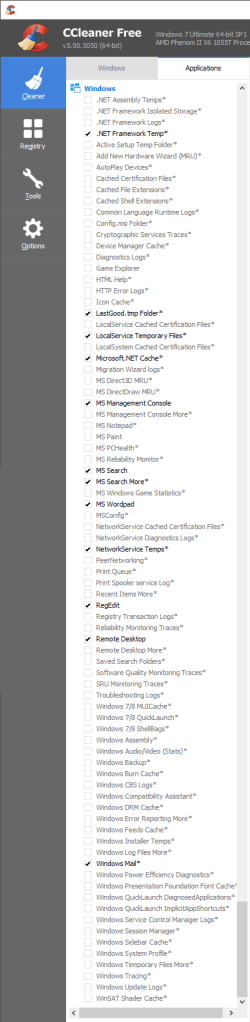
Open CCleaner and check out the new options in the Applications Tab. Remember, some entries can be volatile, so be sure to take caution when selecting the new entries!
If you need to know a little more - navigate to the winapp2.ini file and open it with your text editor.
Example ADWcleaner entries:
[AdwCleaner 3 Backup*]
LangSecRef=3024
Warning=
You will not be able to undo your changes after running this.
Detect=HKLM\Software\AdwCleaner
Default=False
FileKey1=%SystemDrive%\AdwCleaner\backup|*.*|RECURSE
[AdwCleaner 3 Quarantine*]
LangSecRef=3024
Warning=You will not be able to undo your changes after running this.
Detect=HKLM\Software\AdwCleaner
Default=False
FileKey1=%SystemDrive%\AdwCleaner\Quarantine|*.*|RECURSE
[AdwCleaner*]
LangSecRef=3024
Detect=HKLM\Software\AdwCleaner
Default=False
FileKey1=%SystemDrive%|AdwCleaner*.txt
FileKey2=%SystemDrive%\AdwCleaner|*.txt
RegKey1=HKLM\Software\AdwCleaner|DeleteCount
RegKey2=HKLM\Software\AdwCleaner|SearchCount
RegKey3=HKLM\Software\Wow6432node\AdwCleaner|DeleteCount
RegKey4=HKLM\Software\Wow6432node\AdwCleaner|SearchCount
You can see what will be deleted. The golden rule is that if you don't understand what you've selected then don't use that rule.
One entry that many users have problems with:
[Windows 7/8 ShellBags*]
DetectOS=6.1|
LangSecRef=3025
Detect=HKCU\Software\Classes\Local Settings\Software\Microsoft\Windows\Shell
Default=False
Warning=
This will delete window size, window position and view setting of all folders.
RegKey1=HKCU\Software\Classes\Local Settings\Software\Microsoft\Windows\Shell\Bags
RegKey2=HKCU\Software\Classes\Local Settings\Software\Microsoft\Windows\Shell\BagMRU
A lot of the additional entries deal with stuff like deleting history of recently played videos or recently viewed items in commonly used applications.