

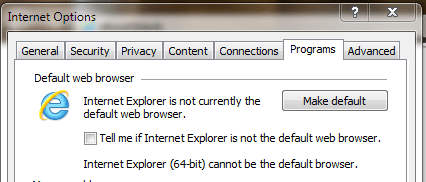
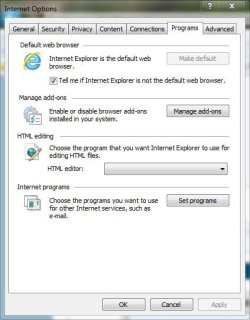
@yowanvista Mine is as shown above "greyed out". Might want to go to help > about and see if you aren't in the x86 version. Windows 7 x64 has both the x86 and x64 versions of IE 8. Installing the x64 beta for IE 9 also installs both versions. The taskbar and start menu shortcuts open the x86 version. you have to go to all programs to see the Internet Explorer (64 bit) Icon.
My Computer
- Computer type
- PC/Desktop
- Computer Manufacturer/Model Number
- Home Built
- OS
- Windows 10 Education 64 bit
- CPU
- AMD Phenom II X4 980 Black Edition Deneb 3.7GHz
- Motherboard
- Asus M4N68T-M V2 µATX Motherboard
- Memory
- 8GB 4GBx2 Kingston PC10600 DDR3 1333 Memory
- Graphics Card(s)
- Zotac NVIDIA Geforce GT640 2 Gig DDR3 PCIe
- Sound Card
- VIA VT1708s High Definition Audio 8-channel Onboard
- Monitor(s) Displays
- 22" LG E2242 1080p and 2 19" I-INC AG191D
- Screen Resolution
- 1280x1024 - 1920x1080 - 1280x1024
- Hard Drives
- Crucial M100 256 GB SSD and 500 GB WD Blue SATA
- PSU
- Thermaltake TR 620
- Case
- Power Up Black ATX Mid-Tower Case
- Cooling
- Stock heatsink and fan
- Keyboard
- Logitech Wireless K350 Wave
- Mouse
- Logitech Wireless M570 Trackman Wheel
- Internet Speed
- 80 Mbps Down 30 Mbps Up
- Antivirus
- Windows Defender
- Browser
- Internet Explorer 11
- Other Info
- HP DVD1040e Lightscribe - External USB2

 . I'm running dual monitors so I like being able to drag a tab onto my second monitor and have it open as a new window. Any body figure out how to make IE x64 the default browser? I've pinned it to my taskbar and start menu but if I click a link in an e-mail or some other program it opens in IE 9 x86. Make Default is greyed out in the Internet options menu.


 :roflmao:


