Not sure about your card, but I noticed in your screen shot that it doesn't show Line In...
Violetblood, just to give a little bit more information on Deanos' post above - By default, the line-in is required only if you are sending sound into your PVR. For example, I plugged my old Play Station 2, so I could play the odd game and the line-in was configured to receive the sound from the PS2. My line-out was my realtek high definition speakers so that I could hear the sound. The picture that you show with the windows 'Recording tab' opened s for input (line-in). Are you plugging any input devices into your card?
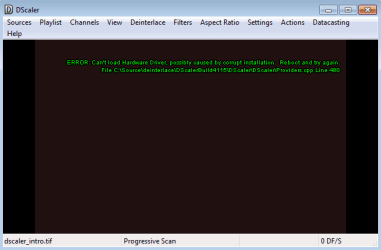
If not, then could you please show us a picture of the 'playback tab' (line-out) and another of the PVR screen without the drop down box.
On the playback tab, open the device and ensure that it is enabled and that when something is played the green lighted activity bar lights up.
Post back and we'll take it from there.
and good luck!

My Computer
- Computer Manufacturer/Model Number
- Custom Hack job
- OS
- Windows 7 Ultimate 64 bit
- CPU
- Intel(R) Core(TM)2 Quad CPU Q8200 @ 2.33GHz
- Motherboard
- GigaByte EP45-UD3
- Memory
- 8 GB Kingston
- Graphics Card(s)
- Nvidia GeForce 9600GT
- Sound Card
- Soundblaster Audigy
- Monitor(s) Displays
- AOC x2 22"
- Hard Drives
- 2 x Samsung 500GB (RAID)
2 x Samsung 2TB
1 x WD Green 2TB
1 x Seagate 1TB
1 x Samsung 500GB
- PSU
- Thermaltake QFan 750W
- Case
- CM Scout Gaming
- Cooling
- Coolermaster V10
- Keyboard
- Microsoft Wireless Keyboard 1000
- Mouse
- Microsoft Wireless Optical 2000
- Internet Speed
- 320
- Other Info
- Winfast PVR2000CP
LG DVD-RAM DVD/RW/DL Super Multi
Linksys WMP300Nx2 Wireless Adapter