- Local time
- 12:12 AM
- Messages
- 12,011
Well, I went ahead with the install of Mint 17.2 in a dual boot configuration on my existing Win 7 drive, and want to report the results, as promised: a success!
Adams:
My new SSD won't arrive till Monday, so I'll be a few days behind you.
I did not have the nerve to put another OS on the same drive as Windows.
Do you intend to generate data files on Mint and save them on the Mint partitions? I'm wondering about file and data management on 2 platforms. Offhand, I think a person would want to save all files to one location for ease of management. In a dual boot situation, that one location would presumably be on a Windows partition. Who would want to have "Picture of my cat.jpg" in 2 locations---one for each OS?
Lehnerus2000:
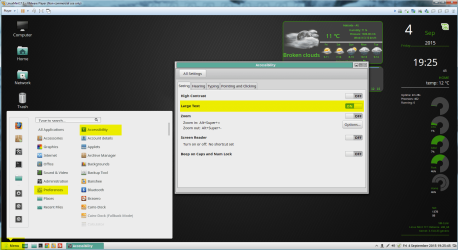
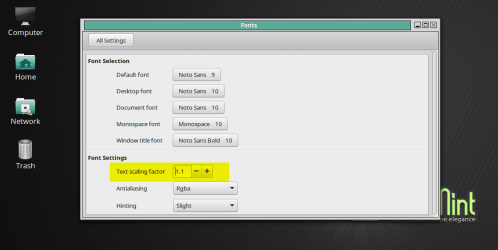
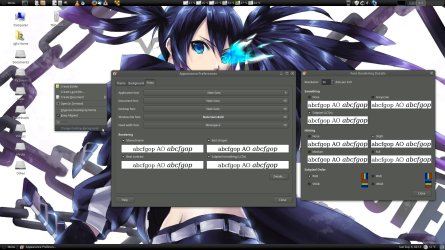
In Mate, do you know the secret to enlarging text and icons throughout the interface---taskbar, menus, etc, on a high resolution largish monitor? My default text is no more than half the size I need. I might prefer Mate to Cinnamon if I can get around this issue. There's a clutzy way to do it in Cinnamon.
I have a 23 inch Dell, native resolution 1920 x 1080, kept at 6 inches beyond arm's length. In Windows, I set it to 1600 x 900 and use custom text size of 165% via right click on desktop, personalize, display. The 100% setting is much too small in Windows for my aging eyes. I can change to lower resolutions in Mate, but none of the other choices have a 16 x 9 aspect ratio, so they deform everything and I don't see a way to scale stuff otherwise. Maybe there is a custom app for that purpose, but my Googling doesn't find one.
My Computer
- Computer type
- PC/Desktop
- Computer Manufacturer/Model Number
- Ignatz Special; 4 speed manual gearbox; factory air conditioning; one of one
- OS
- Windows 7 Home Premium SP1, 64-bit
- CPU
- Intel Skylake i5-6600K, not overclocked
- Motherboard
- AsRock Z170M Extreme 4, micro ATX
- Memory
- 8 GB HyperX DDR4-2666 (2 x 4 GB)
- Graphics Card(s)
- none; graphics are integrated on CPU
- Sound Card
- onboard: Realtek ALC1150; external: USB Behringer UF0-202
- Monitor(s) Displays
- Dell S2340M 23 inch IPS
- Screen Resolution
- 1600 x 900
- Hard Drives
- System: Crucial MX100 series SSD, 128 GB;
Data: Samsung Spinpoint 103SJ, 1 TB;
Backup: WD Caviar Green WD30EZRX-00D8PB0, 3 TB
- PSU
- Rosewill SilentNight 500 watt fanless, semi-modular
- Case
- Antec Solo II
- Cooling
- Noctua NH-U12S; Noctua F12 intake, Noctua S12A exhaust
- Keyboard
- Microsoft 200 6JH-00001 USB
- Mouse
- Dell or Microsoft optical wired; USB
- Antivirus
- Microsoft Security Essentials and Malwarebytes Premium
- Browser
- Pale Moon
- Other Info
- All fans PWM; speeds at idle: CPU circa 500 rpm; intake circa 600 rpm; exhaust circa 600 rpm; CPU temps 27 idle and 47 C load in a warm room (27 C/81 F) when running Intel Extreme Tuning Utility stress test.