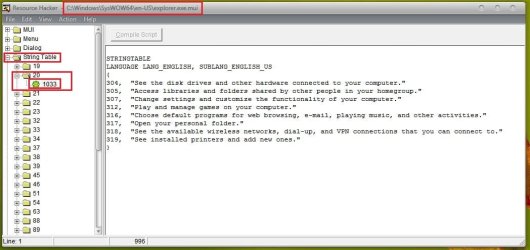
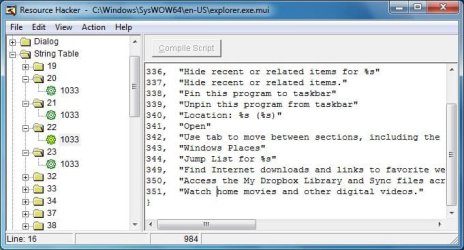
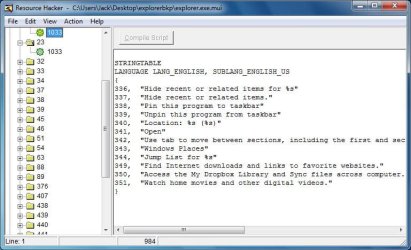
Hello all, I'm new to the forum in that I just created an account BUT, I've been here tons of times in the past finding answers to a multitude of questions. My problem is, I just created a new library and start menu link.
I looked through all the common places:
imageres.dll
explorer.dll
shell32.dll
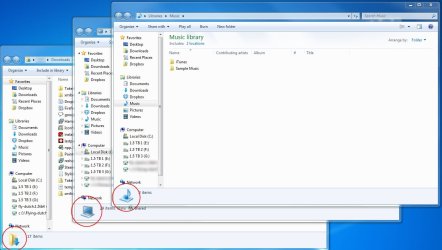
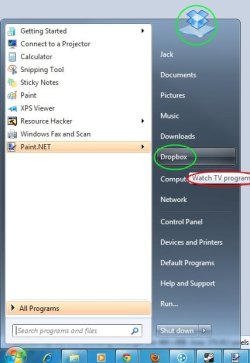
BUT, There is STILL one Icon I haven't found yet:
I am also looking for a way to change the text when I hover over the Dropbox button. Currently it says "Watch TV programs..." because I just used the recorded TV start menu link as my dropbox link. (Instructions are from another site so I won't post them, they are also not all that relevant to my current issues)
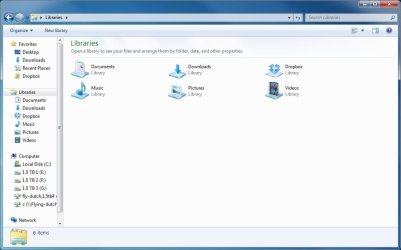
I have changed ALL the other icons used for "Recorded TV" except for that one in the bottom of the window. Any idea where to find it?
Thanks!
I looked through all the common places:
imageres.dll
explorer.dll
shell32.dll
BUT, There is STILL one Icon I haven't found yet:
I am also looking for a way to change the text when I hover over the Dropbox button. Currently it says "Watch TV programs..." because I just used the recorded TV start menu link as my dropbox link. (Instructions are from another site so I won't post them, they are also not all that relevant to my current issues)
I have changed ALL the other icons used for "Recorded TV" except for that one in the bottom of the window. Any idea where to find it?
Thanks!
Attachments
My Computer
- Computer type
- PC/Desktop
- Computer Manufacturer/Model Number
- Custom Build
- OS
- Windows 7 Pro x64
- CPU
- Intel Q6600 @ 2.4GHz
- Motherboard
- Asus P5Q-Pro
- Memory
- 4GB Corsair XMS2 DDR2 800 w/ Corsair memory cooler
- Graphics Card(s)
- MSI GTS250
- Sound Card
- Audigy 2 ZS Platinum
- Monitor(s) Displays
- 2x 20" Viewsonic | Asus 26"
- Hard Drives
- 1x 500GB Boot
2x Seagate 1.5TB
1x Seagate 1TB
- PSU
- Corsair TX 850
- Case
- Thermaltake SopranoRS
- Cooling
- Gigabyte CPU cooler | Twin Frozr GPU | 2x 120mm Chassis
- Keyboard
- Logitech wireless
- Mouse
- Microsoft intelliMouse
- Internet Speed
- Basic DSL