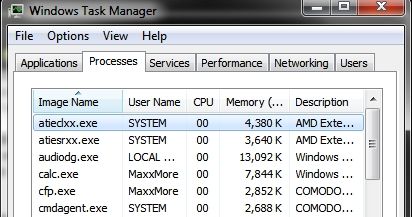
To be honest, determining what is 'eating' a fair chunk of your memory is relative to the programs you have and the amount of memory you have in your system.
The OS is going to virtualize part of it based on the available memory your system has in general.
Unless you are really in a situation where you need to reduce the amount of disk swapping going on, such as needing to use Adobe Photoshop and Illustrator at the same time or need performance more than functionality, you don't need to worry about the memory as much.
The one thing I know from experience with Windows XP given the 32 bit mem limitation is that I would hit near full memory just leaving a lot of programs running, mostly database like applications like a Feedreader, Outlook and Curse Client because of the inherent design of not properly freeing up memory allocations, most specifically Feedreader and Curse Client because they are actively checking for more stuff, where as Outlook is an MS product and most MS products tend to be coded poorly for some functions.
The thing to note is that most of the stuff in the system tray, if it doesn't serve a practical purpose for you, it is usually a fluff program you might not need and should be removed if you are THAT worried about memory. Avoid some of the companion software with HP products as that is fluff you probably won't use for the most part or rarely turn on at all. There will be items in the System tray that are MS related that you will never really be able to get rid of, like the Action Center, perhaps, Windows Defender if you haven't gotten another AV system that you prefer over the Windows provided one.
You can profile or look at the various programs running, but without knowing what you are looking for, you will do more damage to yourself trying to kill them off, but in the end the only thing that eats up memory in general is whatever programs you install and leave running. This also includes Web Browsers and the like.