MediaBrowser

So Lets get some feed Back on Media Browser


  • Total voters
    137
What is the utility that will mount ISO files when you select them ?

Does Windows 7 by default have .NET framework 3.5?

I installed the plug-in, ran the setup on one test ISO I have from AnyDVD (Ice Age)...and did the media browser config to get the meta data. I also ran the batch file to make it's own folder per movie. I see the cover to the movie in the folder and the XML file

When I start My Media, it shows a blank picture..but it does give the movie info and actors. I think I may have to install .NET 3.5, I thought it came with Windows 7.
 

My Computer

OS
Windows 7 RC
Just as a side note, the Media Info or Meta Browser tool totally jacked up my Cyberlink PowerDVD9 Ultra. Usually when I hit "info" I'll get a couple of pop-ups to choose settings, more info, blu-ray pop up menu, etc.

With that installed, I would get one info pop up, then I was unable to get my movie screen back. I would have to restart the movie and not choose any kind of contextual menu.
 

My Computer

OS
Windows 7 RC
What is the utility that will mount ISO files when you select them ?

Does Windows 7 by default have .NET framework 3.5?

I installed the plug-in, ran the setup on one test ISO I have from AnyDVD (Ice Age)...and did the media browser config to get the meta data. I also ran the batch file to make it's own folder per movie. I see the cover to the movie in the folder and the XML file

When I start My Media, it shows a blank picture..but it does give the movie info and actors. I think I may have to install .NET 3.5, I thought it came with Windows 7.
Damion tools is what most use but its not compatible wit win7. Yes 3.5 is defalt in win7. and to see the backdrop you need to go into the MB config from inside MC and choose show backdrop in compatible views and you should be set.


kc10boom said:
Just as a side note, the Media Info or Meta Browser tool totally jacked up my Cyberlink PowerDVD9 Ultra. Usually when I hit "info" I'll get a couple of pop-ups to choose settings, more info, blu-ray pop up menu, etc.

With that installed, I would get one info pop up, then I was unable to get my movie screen back. I would have to restart the movie and not choose any kind of contextual menu.
Thats very strange seeing that the info.dll is just an image pack.and the configtool isnt much more than, well a configtool. So I really dont know how to help sorry.
 

My Computer

Computer Manufacturer/Model Number
Custom Built Rig BY ME "My Baby"
OS
7 Ultimate x64
CPU
AMD Athlon 64X2 4600+ 2.51Ghz
Motherboard
ASUS M2N-E SLI
Memory
6GB DDR2 900 Kingston
Graphics Card(s)
2x BFG Nvidia 9600 GT-OC
Sound Card
SoundBlaster XF-I
Monitor(s) Displays
19"acer, 22"acer, 19"acer, 48" HITACHI HDTV
Screen Resolution
1400x900, 1680x1050, 1400x900, 1920x1080
Hard Drives
Seagate 500GB Sata
Seagate 500GB Sata
Seagate 500GB Sata
Seagate 500GB Sata
Seagate 320 Sata (Primary)
Western Digital 500GB IDE
Western Digital 300GB IDE
Maxter 720 Sata (USB)
PSU
BFG 800 Watt SLI Power Supply
Case
Game Master
Cooling
Thermotake
Keyboard
Logitech (Bluetooth)
Mouse
Logitech (Bluetooth)
Internet Speed
Turbo Cable
Other Info
ATI 650HD TV Tuner X2,
Samsung (Light scribe) DVD-R,
Sony (Dual Layer) DVD-R
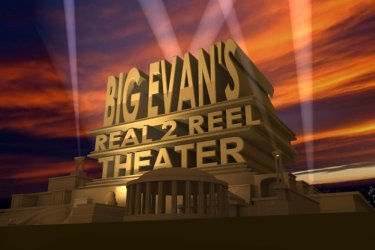
demonseed would you mind posting a zip file of the 20th century fox blender logo - the link on the AVS forum is busted. Make Your Own "FOX" Style Theater Logo - AVS Forum

Gonna give that a shot as well.
A gluten for punishment am I, but the rewards are well worth the learning curve

TYVM

nevermind I see I already downloaded your zip file with everything I need I hope - need a beer lol
 

My Computer

Computer Manufacturer/Model Number
dell optiplex - 2003
OS
windows7 7600 x86
CPU
itel pentium 4
Memory
3.00 GB
Graphics Card(s)
diamond radion x1050
Sound Card
SoundMax
Monitor(s) Displays
dell 2408wfp dell e172fp
Screen Resolution
1920 x 1200 1280 x 1024
Hard Drives
2 - 80 GB internals WD
1 - 01 TB ext
2 - 750 GB ext
1- 500 GB ext
all running on system no problems
Keyboard
old logitech cordless
Mouse
logitech wireless
Internet Speed
16 / 4
Other Info
networked into my sbs2003 server running sp1 still
it's a wonder I could even get windows 7 to connect to it
ok i rendered one bmp and it took me about 20 minutes to get it all figured out and rendered - that only took 2.5 minutes

Gonna try to animate it now - I'm assuming that as long as all the files were unzipped into the same folder as original blender file that the audio will render into the animation as well? that is what i'm not sure of. Since it takes all of 20 hours to render i wanted to check first.

Here is pic of my rendered logo - yes i did that on purpose as a play on words
 

Attachments

  • logo test.jpg
    logo test.jpg
    35.3 KB · Views: 15

My Computer

Computer Manufacturer/Model Number
dell optiplex - 2003
OS
windows7 7600 x86
CPU
itel pentium 4
Memory
3.00 GB
Graphics Card(s)
diamond radion x1050
Sound Card
SoundMax
Monitor(s) Displays
dell 2408wfp dell e172fp
Screen Resolution
1920 x 1200 1280 x 1024
Hard Drives
2 - 80 GB internals WD
1 - 01 TB ext
2 - 750 GB ext
1- 500 GB ext
all running on system no problems
Keyboard
old logitech cordless
Mouse
logitech wireless
Internet Speed
16 / 4
Other Info
networked into my sbs2003 server running sp1 still
it's a wonder I could even get windows 7 to connect to it
No that's something you have to after its done rendering. use the tutorial on the MB Forum to do the last part.

Your Screenshot looks great!

And you know I want to see a youtube also
 

My Computer

Computer Manufacturer/Model Number
Custom Built Rig BY ME "My Baby"
OS
7 Ultimate x64
CPU
AMD Athlon 64X2 4600+ 2.51Ghz
Motherboard
ASUS M2N-E SLI
Memory
6GB DDR2 900 Kingston
Graphics Card(s)
2x BFG Nvidia 9600 GT-OC
Sound Card
SoundBlaster XF-I
Monitor(s) Displays
19"acer, 22"acer, 19"acer, 48" HITACHI HDTV
Screen Resolution
1400x900, 1680x1050, 1400x900, 1920x1080
Hard Drives
Seagate 500GB Sata
Seagate 500GB Sata
Seagate 500GB Sata
Seagate 500GB Sata
Seagate 320 Sata (Primary)
Western Digital 500GB IDE
Western Digital 300GB IDE
Maxter 720 Sata (USB)
PSU
BFG 800 Watt SLI Power Supply
Case
Game Master
Cooling
Thermotake
Keyboard
Logitech (Bluetooth)
Mouse
Logitech (Bluetooth)
Internet Speed
Turbo Cable
Other Info
ATI 650HD TV Tuner X2,
Samsung (Light scribe) DVD-R,
Sony (Dual Layer) DVD-R
ok, quality issue has been solved with the MCDU utility. MCE wasn't using ffdshow but another standard from Windows 7. Guess a lot of people don't know this.

The only issue left are the VC-1 encodes? Just doesn't play with MCE... MPC just fine
 

My Computer

OS
Windows 7 RC
ok, quality issue has been solved with the MCDU utility. MCE wasn't using ffdshow but another standard from Windows 7. Guess a lot of people don't know this.

The only issue left are the VC-1 encodes? Just doesn't play with MCE... MPC just fine
I'm going to let someone else handle that as I dont even know what VC-1 is.:sarc:
 

My Computer

Computer Manufacturer/Model Number
Custom Built Rig BY ME "My Baby"
OS
7 Ultimate x64
CPU
AMD Athlon 64X2 4600+ 2.51Ghz
Motherboard
ASUS M2N-E SLI
Memory
6GB DDR2 900 Kingston
Graphics Card(s)
2x BFG Nvidia 9600 GT-OC
Sound Card
SoundBlaster XF-I
Monitor(s) Displays
19"acer, 22"acer, 19"acer, 48" HITACHI HDTV
Screen Resolution
1400x900, 1680x1050, 1400x900, 1920x1080
Hard Drives
Seagate 500GB Sata
Seagate 500GB Sata
Seagate 500GB Sata
Seagate 500GB Sata
Seagate 320 Sata (Primary)
Western Digital 500GB IDE
Western Digital 300GB IDE
Maxter 720 Sata (USB)
PSU
BFG 800 Watt SLI Power Supply
Case
Game Master
Cooling
Thermotake
Keyboard
Logitech (Bluetooth)
Mouse
Logitech (Bluetooth)
Internet Speed
Turbo Cable
Other Info
ATI 650HD TV Tuner X2,
Samsung (Light scribe) DVD-R,
Sony (Dual Layer) DVD-R
I'm going to let someone else handle that as I dont even know what VC-1 is.:sarc:

Blu-Ray's have 2 different codecs.

Video Resolution/Codec


  • 1080p/AVC MPEG-4
  • 1080p/VC-1
Usually a VC-1 will be remuxed (Untouched Video) in a MKV container.
 

My Computer

OS
Windows 7 RC
View Tyborgs Thread A MUST SEE


My Most Current Look
I have been watching Tyborgs cover overlay program grow very very fast. The most resent addition to the family of overlays is a DVD Box.

He was cool enough to let me help him work on the new style and I thought I would give you a sneak peek some of the upcoming screen shots.

do%20over.png
hard%20at%20work.png
new%20new.png
 

My Computer

Computer Manufacturer/Model Number
Custom Built Rig BY ME "My Baby"
OS
7 Ultimate x64
CPU
AMD Athlon 64X2 4600+ 2.51Ghz
Motherboard
ASUS M2N-E SLI
Memory
6GB DDR2 900 Kingston
Graphics Card(s)
2x BFG Nvidia 9600 GT-OC
Sound Card
SoundBlaster XF-I
Monitor(s) Displays
19"acer, 22"acer, 19"acer, 48" HITACHI HDTV
Screen Resolution
1400x900, 1680x1050, 1400x900, 1920x1080
Hard Drives
Seagate 500GB Sata
Seagate 500GB Sata
Seagate 500GB Sata
Seagate 500GB Sata
Seagate 320 Sata (Primary)
Western Digital 500GB IDE
Western Digital 300GB IDE
Maxter 720 Sata (USB)
PSU
BFG 800 Watt SLI Power Supply
Case
Game Master
Cooling
Thermotake
Keyboard
Logitech (Bluetooth)
Mouse
Logitech (Bluetooth)
Internet Speed
Turbo Cable
Other Info
ATI 650HD TV Tuner X2,
Samsung (Light scribe) DVD-R,
Sony (Dual Layer) DVD-R
Cool and very, very easy and fast. I did 2000+ images in 25min!
 

My Computer

Computer Manufacturer/Model Number
Custom Built Rig BY ME "My Baby"
OS
7 Ultimate x64
CPU
AMD Athlon 64X2 4600+ 2.51Ghz
Motherboard
ASUS M2N-E SLI
Memory
6GB DDR2 900 Kingston
Graphics Card(s)
2x BFG Nvidia 9600 GT-OC
Sound Card
SoundBlaster XF-I
Monitor(s) Displays
19"acer, 22"acer, 19"acer, 48" HITACHI HDTV
Screen Resolution
1400x900, 1680x1050, 1400x900, 1920x1080
Hard Drives
Seagate 500GB Sata
Seagate 500GB Sata
Seagate 500GB Sata
Seagate 500GB Sata
Seagate 320 Sata (Primary)
Western Digital 500GB IDE
Western Digital 300GB IDE
Maxter 720 Sata (USB)
PSU
BFG 800 Watt SLI Power Supply
Case
Game Master
Cooling
Thermotake
Keyboard
Logitech (Bluetooth)
Mouse
Logitech (Bluetooth)
Internet Speed
Turbo Cable
Other Info
ATI 650HD TV Tuner X2,
Samsung (Light scribe) DVD-R,
Sony (Dual Layer) DVD-R
what a great post

I have been reading all these pages. installed MB and created folders for all movies. just a few problems more than half of my movies have no thumb (or cover shown) all of these have been downloaded. example Christmas vacation shows cover but vacation and european vacation don't
all three same file types .avi what am I doing wrong!!. in MC I have no thumbs for any movies and only a few for my videos. I'm going to work on my thumb issue and will check back for my MB problem thanks
 

My Computer

Computer Manufacturer/Model Number
home built
OS
windows 7 7000
CPU
I 920
Motherboard
gygabyte ga-58-ud4p
Memory
12 gb ocz gold
Graphics Card(s)
2 4870x2
Sound Card
realtek
Monitor(s) Displays
acer 243w
Screen Resolution
1900 x 1200
Hard Drives
4 1tb driver in raid 10
2 1.5 tb in raid 1
PSU
1300w
Case
A+
Cooling
water cooled
well fixed this problem

Had to name each folder exactly. Movie title with no . or -, also renamed movie in folder. Then found Media Center Master what a great program!!
Now all movies show up :D:D NOW just need to find out how to start MB when computer starts. Trying to make media pc in family room, fixing all bugs first on office pc. Then build pc for wife and kids this weekend.
 

My Computer

Computer Manufacturer/Model Number
home built
OS
windows 7 7000
CPU
I 920
Motherboard
gygabyte ga-58-ud4p
Memory
12 gb ocz gold
Graphics Card(s)
2 4870x2
Sound Card
realtek
Monitor(s) Displays
acer 243w
Screen Resolution
1900 x 1200
Hard Drives
4 1tb driver in raid 10
2 1.5 tb in raid 1
PSU
1300w
Case
A+
Cooling
water cooled
:D:D NOW just need to find out how to start MB when computer starts.
go back to the front page and you'll find a shortcut for Media Browser.
Download it then place it in your windows start menu startup folder and then it will launch with windows.
 

My Computer

Computer Manufacturer/Model Number
Custom Built Rig BY ME "My Baby"
OS
7 Ultimate x64
CPU
AMD Athlon 64X2 4600+ 2.51Ghz
Motherboard
ASUS M2N-E SLI
Memory
6GB DDR2 900 Kingston
Graphics Card(s)
2x BFG Nvidia 9600 GT-OC
Sound Card
SoundBlaster XF-I
Monitor(s) Displays
19"acer, 22"acer, 19"acer, 48" HITACHI HDTV
Screen Resolution
1400x900, 1680x1050, 1400x900, 1920x1080
Hard Drives
Seagate 500GB Sata
Seagate 500GB Sata
Seagate 500GB Sata
Seagate 500GB Sata
Seagate 320 Sata (Primary)
Western Digital 500GB IDE
Western Digital 300GB IDE
Maxter 720 Sata (USB)
PSU
BFG 800 Watt SLI Power Supply
Case
Game Master
Cooling
Thermotake
Keyboard
Logitech (Bluetooth)
Mouse
Logitech (Bluetooth)
Internet Speed
Turbo Cable
Other Info
ATI 650HD TV Tuner X2,
Samsung (Light scribe) DVD-R,
Sony (Dual Layer) DVD-R
Demon seed

Thanks works great!

Now have some other questions. I have over 100 music video's all in mkv format. how to get them to show up in MB. They show up now but no thumbs. how can I make custom thumbs for these.
 

My Computer

Computer Manufacturer/Model Number
home built
OS
windows 7 7000
CPU
I 920
Motherboard
gygabyte ga-58-ud4p
Memory
12 gb ocz gold
Graphics Card(s)
2 4870x2
Sound Card
realtek
Monitor(s) Displays
acer 243w
Screen Resolution
1900 x 1200
Hard Drives
4 1tb driver in raid 10
2 1.5 tb in raid 1
PSU
1300w
Case
A+
Cooling
water cooled
Thats a very good question tha I dont have the answer to...yet. But I will look in to it for you but I am not home for the weekend so I will get back with you when I get back home.
 

My Computer

Computer Manufacturer/Model Number
Custom Built Rig BY ME "My Baby"
OS
7 Ultimate x64
CPU
AMD Athlon 64X2 4600+ 2.51Ghz
Motherboard
ASUS M2N-E SLI
Memory
6GB DDR2 900 Kingston
Graphics Card(s)
2x BFG Nvidia 9600 GT-OC
Sound Card
SoundBlaster XF-I
Monitor(s) Displays
19"acer, 22"acer, 19"acer, 48" HITACHI HDTV
Screen Resolution
1400x900, 1680x1050, 1400x900, 1920x1080
Hard Drives
Seagate 500GB Sata
Seagate 500GB Sata
Seagate 500GB Sata
Seagate 500GB Sata
Seagate 320 Sata (Primary)
Western Digital 500GB IDE
Western Digital 300GB IDE
Maxter 720 Sata (USB)
PSU
BFG 800 Watt SLI Power Supply
Case
Game Master
Cooling
Thermotake
Keyboard
Logitech (Bluetooth)
Mouse
Logitech (Bluetooth)
Internet Speed
Turbo Cable
Other Info
ATI 650HD TV Tuner X2,
Samsung (Light scribe) DVD-R,
Sony (Dual Layer) DVD-R
keep in mind music videos fall into a different category than traditional movies. You are going to have to manually create thumbnails for each music video. Do me a favor and post a screen shot of one of your music video folders, and maybe I can help you with an idea. What you may have to do is use album art that is related to the song that the video pertains to, then apply the cd cover as the folder.jpg.
 

My Computer

Computer Manufacturer/Model Number
Gigabyte
OS
Windows 7 Ultimate
CPU
Intel Core(TM)2 Quad- Q9550, 2.83GHz
Motherboard
G31M-ES2L
Memory
4GB
Graphics Card(s)
ATI Radeon HD4600
Sound Card
On Board:
Monitor(s) Displays
Acer AL2223W, Acer AL1916
Screen Resolution
1680 x 1050, 1280 x 1024
Hard Drives
160GB
350GB
250GB
250GB
PSU
600W
Case
Cooler Master
Keyboard
Microsoft Laser 6000
Mouse
Logitech Optical Trackman
Internet Speed
1.5MB
Other Info
I am also running a quasar gamatron flux capacitor with twin pulse tronic phasers......jk, I have no such stuff.
Zay DemonSeed

that's what I have started working on late last night and more tonight..
Used that wonderful batch program in my video folder no have all videos in there own folder.. going on the internet and finding pictures and posting them in each folder.. still have major issue with MKV thumbnails tried every fix. still no luck.. thay play fine.. only thing is my 6tb net work box will be here wednesday. then I will back up my system and try fresh install of windows 7 and also vista on duel boot see what works best. that will be the OS I will use down stairs for now. then keep using my pc to work on things..

?what do you guys think is the best software to copy dvd's.

Also if I take the time to convert all MKV to different format to fix the thumb issue is it better?? What format is the best and takes the least space.

What software can do both copy dvd and blue ray and also convert files...

Thanks
 

My Computer

Computer Manufacturer/Model Number
home built
OS
windows 7 7000
CPU
I 920
Motherboard
gygabyte ga-58-ud4p
Memory
12 gb ocz gold
Graphics Card(s)
2 4870x2
Sound Card
realtek
Monitor(s) Displays
acer 243w
Screen Resolution
1900 x 1200
Hard Drives
4 1tb driver in raid 10
2 1.5 tb in raid 1
PSU
1300w
Case
A+
Cooling
water cooled
The main difference between .mkv and .avi is that you'll have more options, as in several track of audio and subtitles if included, and better quality on less hard drive space with .mkv than with .avi, since they are nothing but containers, there is no inherent difference in quility between one type of file and another. Therefore, even if you've downloaded .avi, its the same, dont regret it, there's probably not going to be much of a difference, if the job was done correctly, between those files and their .mkv counterparts. The important thing is that the picture looks the same on .avi and .mkv at the same resolution, but because .mkv can use x264 it will be a lot smaller at the same quality. Take your regular HD H264 release at 330MB. At .avi that should come in at 500-600MB. So, basically it depends on you and what you want to achieve. For me, right now I prefer avi because I do not have a plasma or lcd tv that I can hook up to my tv so that I can run my MC directly to it. The tv that is currently connected to it shows poorly, so I just put my movies on a flash drive, then stick in my dvd player, and run them from there. Once I break down and buy a better tv, I will transition to mkv files. You can use a batch converter to convert multiple files at one time so that you don't have to convert them one at a time. Search around, there are tons of software around that can do that for you, I hope this helps.
 

My Computer

Computer Manufacturer/Model Number
Gigabyte
OS
Windows 7 Ultimate
CPU
Intel Core(TM)2 Quad- Q9550, 2.83GHz
Motherboard
G31M-ES2L
Memory
4GB
Graphics Card(s)
ATI Radeon HD4600
Sound Card
On Board:
Monitor(s) Displays
Acer AL2223W, Acer AL1916
Screen Resolution
1680 x 1050, 1280 x 1024
Hard Drives
160GB
350GB
250GB
250GB
PSU
600W
Case
Cooler Master
Keyboard
Microsoft Laser 6000
Mouse
Logitech Optical Trackman
Internet Speed
1.5MB
Other Info
I am also running a quasar gamatron flux capacitor with twin pulse tronic phasers......jk, I have no such stuff.
Back
Top