MediaBrowser

So Lets get some feed Back on Media Browser


  • Total voters
    137
My apologies if I seemed unclear, but that is how it works for me. I just repeated the same instructions I posted earlier, and it worked again, this time with the Centrality theme. The only difference is the way the options look. In the chocolate theme,the options appear as big colored round buttons in the middle of the screen, can't miss them. In the Centrality theme, they appear on the bar on top. All I did was bring up my tv season, in this case beast wars, when the main beast wars folder rose to the top to indicate that it is highlighted, I pressed my play button on my remote, and then the various play options appeared. I press my right or left buttons, depending on which option I want to select, then I press the OK button, and the series begins to play. I will camtasia it to show what I mean if anyone wants to see it in action.
Disclaimer: This is not an attempt to dispute against Demonseed. I highly respect his input and I am greatful for his contributions to this project. The guy genuinely has a passion for this plugin, and it is demonstrated in his constant posts, and works of art. I am just stating how the options work for me. Keep up the good work Demon, can't rep you, you all repped out, lol.

Edit: Here are clips showing the play options for two themes. The first is for the Centrality Theme: http://www.youtube.com/watch?v=8Ig96BUExmU
The second is for the Chocolate theme: http://www.youtube.com/watch?v=pnBqNmawkks
 
Last edited:

My Computer My Computer

Computer Manufacturer/Model Number
Gigabyte
OS
Windows 7 Ultimate
CPU
Intel Core(TM)2 Quad- Q9550, 2.83GHz
Motherboard
G31M-ES2L
Memory
4GB
Graphics Card(s)
ATI Radeon HD4600
Sound Card
On Board:
Monitor(s) Displays
Acer AL2223W, Acer AL1916
Screen Resolution
1680 x 1050, 1280 x 1024
Hard Drives
160GB
350GB
250GB
250GB
PSU
600W
Case
Cooler Master
Keyboard
Microsoft Laser 6000
Mouse
Logitech Optical Trackman
Internet Speed
1.5MB
Other Info
I am also running a quasar gamatron flux capacitor with twin pulse tronic phasers......jk, I have no such stuff.

My Computer My Computer

Computer Manufacturer/Model Number
Custom Built Rig BY ME "My Baby"
OS
7 Ultimate x64
CPU
AMD Athlon 64X2 4600+ 2.51Ghz
Motherboard
ASUS M2N-E SLI
Memory
6GB DDR2 900 Kingston
Graphics Card(s)
2x BFG Nvidia 9600 GT-OC
Sound Card
SoundBlaster XF-I
Monitor(s) Displays
19"acer, 22"acer, 19"acer, 48" HITACHI HDTV
Screen Resolution
1400x900, 1680x1050, 1400x900, 1920x1080
Hard Drives
Seagate 500GB Sata
Seagate 500GB Sata
Seagate 500GB Sata
Seagate 500GB Sata
Seagate 320 Sata (Primary)
Western Digital 500GB IDE
Western Digital 300GB IDE
Maxter 720 Sata (USB)
PSU
BFG 800 Watt SLI Power Supply
Case
Game Master
Cooling
Thermotake
Keyboard
Logitech (Bluetooth)
Mouse
Logitech (Bluetooth)
Internet Speed
Turbo Cable
Other Info
ATI 650HD TV Tuner X2,
Samsung (Light scribe) DVD-R,
Sony (Dual Layer) DVD-R
Can anyone tell me if Meta Browser is still free or are they now charging for it. If its a pay thing then where can i find the older version.

Thanks
 

My Computer My Computer

Computer Manufacturer/Model Number
Samsung R519 Notebook
OS
Windows 7 Home Premium with Service Pack 1
CPU
Intel Dual Core 2.2 GHZ
Memory
2 Gig
Graphics Card(s)
Intel
Sound Card
On board
Monitor(s) Displays
Built in
Screen Resolution
1366x768
Hard Drives
250 Gig Sata2
Mouse
Microsoft Arc Mouse
Internet Speed
15 meg down
It is still free, I just installed the latest version this morning.
 

My Computer My Computer

Computer Manufacturer/Model Number
Gigabyte
OS
Windows 7 Ultimate
CPU
Intel Core(TM)2 Quad- Q9550, 2.83GHz
Motherboard
G31M-ES2L
Memory
4GB
Graphics Card(s)
ATI Radeon HD4600
Sound Card
On Board:
Monitor(s) Displays
Acer AL2223W, Acer AL1916
Screen Resolution
1680 x 1050, 1280 x 1024
Hard Drives
160GB
350GB
250GB
250GB
PSU
600W
Case
Cooler Master
Keyboard
Microsoft Laser 6000
Mouse
Logitech Optical Trackman
Internet Speed
1.5MB
Other Info
I am also running a quasar gamatron flux capacitor with twin pulse tronic phasers......jk, I have no such stuff.
Can anyone tell me if Meta Browser is still free or are they now charging for it. If its a pay thing then where can i find the older version.

Thanks
:party: Media Browser is Now and Always will be FREE! They have promised that MB will forever be a free plugin. Hooray!! :party:
 

My Computer My Computer

Computer Manufacturer/Model Number
Custom Built Rig BY ME "My Baby"
OS
7 Ultimate x64
CPU
AMD Athlon 64X2 4600+ 2.51Ghz
Motherboard
ASUS M2N-E SLI
Memory
6GB DDR2 900 Kingston
Graphics Card(s)
2x BFG Nvidia 9600 GT-OC
Sound Card
SoundBlaster XF-I
Monitor(s) Displays
19"acer, 22"acer, 19"acer, 48" HITACHI HDTV
Screen Resolution
1400x900, 1680x1050, 1400x900, 1920x1080
Hard Drives
Seagate 500GB Sata
Seagate 500GB Sata
Seagate 500GB Sata
Seagate 500GB Sata
Seagate 320 Sata (Primary)
Western Digital 500GB IDE
Western Digital 300GB IDE
Maxter 720 Sata (USB)
PSU
BFG 800 Watt SLI Power Supply
Case
Game Master
Cooling
Thermotake
Keyboard
Logitech (Bluetooth)
Mouse
Logitech (Bluetooth)
Internet Speed
Turbo Cable
Other Info
ATI 650HD TV Tuner X2,
Samsung (Light scribe) DVD-R,
Sony (Dual Layer) DVD-R
Can anyone tell me if Meta Browser is still free or are they now charging for it. If its a pay thing then where can i find the older version.

Meta Browser went pay earlier this year or at least version 2 did, you could prob still find a copy of the old version floating around or you could try Media Center Master official website which is what I use and is try.

Media Browser (as stated above) is still free
 

My Computer My Computer

Computer Manufacturer/Model Number
Acer aspire one ZG5
OS
Windows 7 (build 7260)
CPU
Intel Aton n
Memory
1.5 GB
lol whops, I totally missed he was asking about meta. :sarc:

Yes Meta Browser2 went pay. I think it's a $30.00 app now.
 

My Computer My Computer

Computer Manufacturer/Model Number
Custom Built Rig BY ME "My Baby"
OS
7 Ultimate x64
CPU
AMD Athlon 64X2 4600+ 2.51Ghz
Motherboard
ASUS M2N-E SLI
Memory
6GB DDR2 900 Kingston
Graphics Card(s)
2x BFG Nvidia 9600 GT-OC
Sound Card
SoundBlaster XF-I
Monitor(s) Displays
19"acer, 22"acer, 19"acer, 48" HITACHI HDTV
Screen Resolution
1400x900, 1680x1050, 1400x900, 1920x1080
Hard Drives
Seagate 500GB Sata
Seagate 500GB Sata
Seagate 500GB Sata
Seagate 500GB Sata
Seagate 320 Sata (Primary)
Western Digital 500GB IDE
Western Digital 300GB IDE
Maxter 720 Sata (USB)
PSU
BFG 800 Watt SLI Power Supply
Case
Game Master
Cooling
Thermotake
Keyboard
Logitech (Bluetooth)
Mouse
Logitech (Bluetooth)
Internet Speed
Turbo Cable
Other Info
ATI 650HD TV Tuner X2,
Samsung (Light scribe) DVD-R,
Sony (Dual Layer) DVD-R
Help Please

Cant seem to turn off unwatched option in Vanilla Theme with latest MediaBrowser even though its turned off in the configuration section.
Cheers
 

My Computer My Computer

OS
Windows 7 Build 7100
Cant seem to turn off unwatched option in Vanilla Theme with latest MediaBrowser even though its turned off in the configuration section.
Cheers
Will probably need to go post that as a bug for Vanilla on the Media Browser Community Tracker so Throg the theme developer can address the issue
 

My Computer My Computer

Computer Manufacturer/Model Number
Custom Built Rig BY ME "My Baby"
OS
7 Ultimate x64
CPU
AMD Athlon 64X2 4600+ 2.51Ghz
Motherboard
ASUS M2N-E SLI
Memory
6GB DDR2 900 Kingston
Graphics Card(s)
2x BFG Nvidia 9600 GT-OC
Sound Card
SoundBlaster XF-I
Monitor(s) Displays
19"acer, 22"acer, 19"acer, 48" HITACHI HDTV
Screen Resolution
1400x900, 1680x1050, 1400x900, 1920x1080
Hard Drives
Seagate 500GB Sata
Seagate 500GB Sata
Seagate 500GB Sata
Seagate 500GB Sata
Seagate 320 Sata (Primary)
Western Digital 500GB IDE
Western Digital 300GB IDE
Maxter 720 Sata (USB)
PSU
BFG 800 Watt SLI Power Supply
Case
Game Master
Cooling
Thermotake
Keyboard
Logitech (Bluetooth)
Mouse
Logitech (Bluetooth)
Internet Speed
Turbo Cable
Other Info
ATI 650HD TV Tuner X2,
Samsung (Light scribe) DVD-R,
Sony (Dual Layer) DVD-R
Thanks DemonSeed but I decided to use the Harmony Theme which dosent have the unwatched count
 

My Computer My Computer

OS
Windows 7 Build 7100

My Computer My Computer

Computer Manufacturer/Model Number
AsRock ION330
OS
Windows 7
CPU
Atom 330
Motherboard
ASRock ION
Memory
4Gb
Graphics Card(s)
Nvidia ION
Sound Card
Nvidia ION
Monitor(s) Displays
42" Pioneer Plasma
Screen Resolution
1920 x 1080
Hard Drives
300Gb SATA internal, and 2Tb in NAS on LAN.
PSU
Standard
Case
ASRock
Cooling
ASRock
Keyboard
Basic
Mouse
Basic
Internet Speed
50 Mb/s
Other Info
6" 4"", top lip, and walks about a lot !!
Does it Play *.TS Files ?
 

My Computer My Computer

OS
Windows se7en 32bit Ultimate
Motherboard
P5VDC - X
Graphics Card(s)
NVIDIA GeForce 9400 GT
Sound Card
SoundMax Integrated HD Audio
Monitor(s) Displays
LG F700B
Screen Resolution
1024x768
Hard Drives
80GB
Mouse
A4Tech
Internet Speed
128KB/Sec

My Computer My Computer

Computer Manufacturer/Model Number
Custom Built Rig BY ME "My Baby"
OS
7 Ultimate x64
CPU
AMD Athlon 64X2 4600+ 2.51Ghz
Motherboard
ASUS M2N-E SLI
Memory
6GB DDR2 900 Kingston
Graphics Card(s)
2x BFG Nvidia 9600 GT-OC
Sound Card
SoundBlaster XF-I
Monitor(s) Displays
19"acer, 22"acer, 19"acer, 48" HITACHI HDTV
Screen Resolution
1400x900, 1680x1050, 1400x900, 1920x1080
Hard Drives
Seagate 500GB Sata
Seagate 500GB Sata
Seagate 500GB Sata
Seagate 500GB Sata
Seagate 320 Sata (Primary)
Western Digital 500GB IDE
Western Digital 300GB IDE
Maxter 720 Sata (USB)
PSU
BFG 800 Watt SLI Power Supply
Case
Game Master
Cooling
Thermotake
Keyboard
Logitech (Bluetooth)
Mouse
Logitech (Bluetooth)
Internet Speed
Turbo Cable
Other Info
ATI 650HD TV Tuner X2,
Samsung (Light scribe) DVD-R,
Sony (Dual Layer) DVD-R
lost in Media Browser

Hi people,

i would like to know what am i doing wrong.
I installed media browser and tried everything as i could read here on forum but still is something missing.


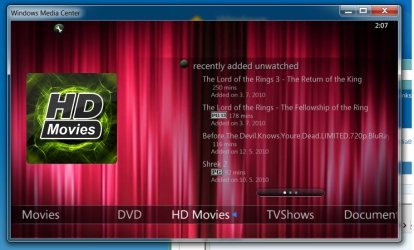
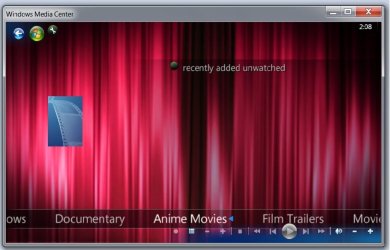
i would like to have those small icons on each of my menus... movies, HD movies, documentaries..etc...

for some of them i already manage it but for the others i am lost... i put everything as i had to but some icons are ok and the rest not.

next question is how can i put picture to each episode of some serial if i have direction to my TV show as:

D - movies - tv shovs - lost - episode1, 2, 3......


Thank you
 

Attachments

  • 1 - OK.jpg
    1 - OK.jpg
    69.5 KB · Views: 8
  • 2 - not ok.jpg
    2 - not ok.jpg
    49.3 KB · Views: 10

My Computer My Computer

OS
Win 7
Hi adis,

To your first question, All you need to do is run the cinfig tool found in the windows start menu. Then when it opens, highlight your collection, ie movies, HD movies, documentaries..etc... and then move to the right and press Change Image. Then browse to the image you want to be the icon for the listing.

On your next question, I'm not understanding what exactly your asking. Could you reword and ask again please :)
 

My Computer My Computer

Computer Manufacturer/Model Number
Custom Built Rig BY ME "My Baby"
OS
7 Ultimate x64
CPU
AMD Athlon 64X2 4600+ 2.51Ghz
Motherboard
ASUS M2N-E SLI
Memory
6GB DDR2 900 Kingston
Graphics Card(s)
2x BFG Nvidia 9600 GT-OC
Sound Card
SoundBlaster XF-I
Monitor(s) Displays
19"acer, 22"acer, 19"acer, 48" HITACHI HDTV
Screen Resolution
1400x900, 1680x1050, 1400x900, 1920x1080
Hard Drives
Seagate 500GB Sata
Seagate 500GB Sata
Seagate 500GB Sata
Seagate 500GB Sata
Seagate 320 Sata (Primary)
Western Digital 500GB IDE
Western Digital 300GB IDE
Maxter 720 Sata (USB)
PSU
BFG 800 Watt SLI Power Supply
Case
Game Master
Cooling
Thermotake
Keyboard
Logitech (Bluetooth)
Mouse
Logitech (Bluetooth)
Internet Speed
Turbo Cable
Other Info
ATI 650HD TV Tuner X2,
Samsung (Light scribe) DVD-R,
Sony (Dual Layer) DVD-R
ehm....
i didn´t get what u mena with
"cinfig tool found in the windows start menu. Then when it opens, highlight your collection, ie movies, HD movies, documentaries..etc... and then move to the right and press Change Image. Then browse to the image you want to be the icon for the listing" ...

i´ve been additing icons with program Media Browser Configuration wizard (don´t understant that some of them are ok and some aren´t : ( )

to my second question - it will be easy to put picture so here u r :)
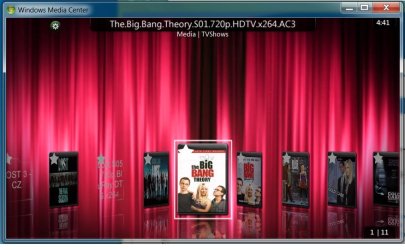
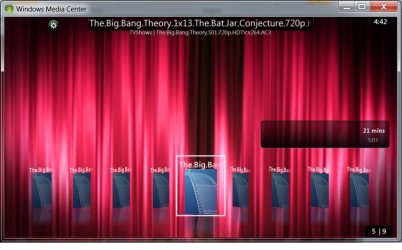
what i´d like to have is that istead those "blue" picture i will see picture from each episode of "big bang theory".

is there any video manula how to set all media browser????? it will help me a lot because i have a milion questions :)
 

Attachments

  • big bang.jpg
    big bang.jpg
    63.6 KB · Views: 4
  • big bang episode.jpg
    big bang episode.jpg
    57.2 KB · Views: 2

My Computer My Computer

OS
Win 7
Here is the link to the Media Browser Knowledge Base Media Browser Community Tracker You will find most any question you may have, has already been answered there in the countless tips and how to's.

As for your season eps, do you have internet providers turned on? If not, thats why they are all blank. MB needs to be able to connect to the net to collect all the info "metadata" for everything.
You can also use a 3rd party app to scrape for all your metadata. Media Center Master, and Yammm are the 2 leading free tools you can use to gather all your info.

Now back to the Home page icons. You said your using the configuration tool to set all the images, (thats what I was saying above) What type images are you tiring to use, jpg or png? I think ether or will work, but I'm not 100% on that. If the ones not showing are jpg, try converting them to png and see if that wont work.

If you still need any help after looking over the KB (Knowledge Base) I'll be happy to help you with any thing you may need.
 

My Computer My Computer

Computer Manufacturer/Model Number
Custom Built Rig BY ME "My Baby"
OS
7 Ultimate x64
CPU
AMD Athlon 64X2 4600+ 2.51Ghz
Motherboard
ASUS M2N-E SLI
Memory
6GB DDR2 900 Kingston
Graphics Card(s)
2x BFG Nvidia 9600 GT-OC
Sound Card
SoundBlaster XF-I
Monitor(s) Displays
19"acer, 22"acer, 19"acer, 48" HITACHI HDTV
Screen Resolution
1400x900, 1680x1050, 1400x900, 1920x1080
Hard Drives
Seagate 500GB Sata
Seagate 500GB Sata
Seagate 500GB Sata
Seagate 500GB Sata
Seagate 320 Sata (Primary)
Western Digital 500GB IDE
Western Digital 300GB IDE
Maxter 720 Sata (USB)
PSU
BFG 800 Watt SLI Power Supply
Case
Game Master
Cooling
Thermotake
Keyboard
Logitech (Bluetooth)
Mouse
Logitech (Bluetooth)
Internet Speed
Turbo Cable
Other Info
ATI 650HD TV Tuner X2,
Samsung (Light scribe) DVD-R,
Sony (Dual Layer) DVD-R
hi Demond,

i already checked the link u mentioned above ... and i will check it again.

I am on internet 24 hours per day and if u mean to have function - allow internet providers - than i allowed it.

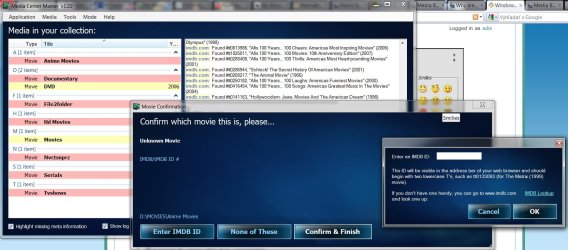
I also installed Media center Master but - it still shows some window after swich on with question to put IMDB ID .. where can i find this NO?

- and i was trying to change type of pict from jpg to png..... nothing has been changed :(

will try again and again....

btw .. i saw somewhere your scheme.... where can i find it and dowload it please?


Adn of course thank you for your hep :)
 

Attachments

  • media.jpg
    media.jpg
    149.8 KB · Views: 13

My Computer My Computer

OS
Win 7
next question is how can i put picture to each episode of some serial if i have direction to my TV show as:

D - movies - tv shovs - lost - episode1, 2, 3......


Thank you

Adis for media browser & media centre master to grab the correct meta data for you you will need to have your media set up something like this.

D:\Movies
D:\Movies\movie 1
D:\Movies\movie 1\my movie.avi
D:\Movies\movie 2
D:\Movies\movie 2\my movie.mkv
etc etc

D:\TV
D:\TV\Lost
D:\TV\Lost\Season 1
D:\TV\Lost\Season 1\lost S1E1.avi
D:\TV\Lost\Season 3\lost s01e01.mkv

don't forget to add the new TV folder (or what ever you call it) to the list of folders MB & MCM watch
 

My Computer My Computer

Computer Manufacturer/Model Number
Acer aspire one ZG5
OS
Windows 7 (build 7260)
CPU
Intel Aton n
Memory
1.5 GB
Back
Top