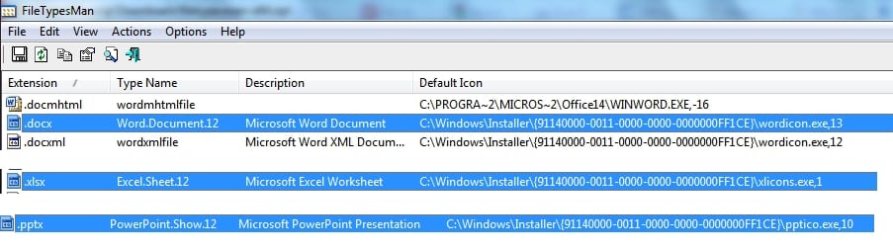
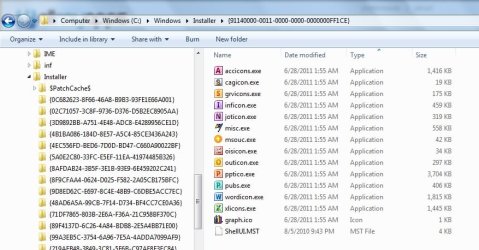
Hi rich, I have the same problem (ie: microsoft icons do not show after updating graphics card driver + monitor + ethernet switch). I tried a system restore first and it did not fix the problem.Just one of our excellent tutorials, edited by one of our Administrators, Brink, that may help you solve the problem. Depending on your particular circumstances, however, the answer may lie in alternative solutions. But I wish you the best.
http://www.sevenforums.com/tutorials/49819-icon-cache-rebuild.html?ltr=I
I truly hope that it helps.
On behalf of everyone here at 7 forum, A Very Happy and Healthy New Year.
So then I reinstalled the driver updates and it only made the problem worse.... instead of only the microsoft office icons appearing as "no icon" now skype and adobe reader icons show the same behaviour. So I ran the rebuild_icon_cache.bat file and all that did was to change the icon from the "no icon" to some other icon that looks like a default "shortcut" icon of some sort. Also, I tried to uninstall skype and that gave an error and didn't work. So I tried another system restore to undo the rebuild_icon_cache changes but that then produced an unstable reboot (ie: entire display was black, then upon restarting windows started in safemode)
edit: after shutting down from the safemode boot and rebooting again a couple of times I'm back here but still cannot uninstall skype. In the beginning only the file type icons for xlsx and docx files would not display (in explorer or from within excel open recent file pane) but the desktop ones and xlsm or xls filetype icons were ok. Along the way, each time I tried to fix something, it was like the problem only got gradually worse, so now the desktop icons and ALL filetype icons for microsoft office are displayed as "no icon".
Any suggestions????
My Computer
At a glance
Windows 7 32bitIntel core(TM)2 duo E8400 3Ghz4.00 Gb (3.5Gb usable) DDR2NVIDIA GeForce 8500 GT
- OS
- Windows 7 32bit
- CPU
- Intel core(TM)2 duo E8400 3Ghz
- Motherboard
- Gigabyte GA-EP35-DS3
- Memory
- 4.00 Gb (3.5Gb usable) DDR2
- Graphics Card(s)
- NVIDIA GeForce 8500 GT