Missing CD/DVD Drivers

Thanks so much.
 

My Computer

OS
Windows 7
CPU
Intel Core i7-950
Motherboard
ASRock X58 Extreme
Memory
6GB DDR3 1066 (PC3 8500)
Graphics Card(s)
ATI Radeon HD 4850
Hard Drives
Intel X-25M SSD
PSU
Corsair CMPSU-750TX 750W
Yes
 

My Computer

OS
Windows 7
CPU
Intel Core i7-950
Motherboard
ASRock X58 Extreme
Memory
6GB DDR3 1066 (PC3 8500)
Graphics Card(s)
ATI Radeon HD 4850
Hard Drives
Intel X-25M SSD
PSU
Corsair CMPSU-750TX 750W
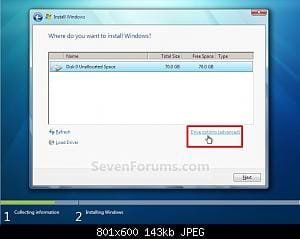
Installation never makes it that far. After I click install it goes straight to giving me the missing driver error.
 

My Computer

OS
Windows 7
CPU
Intel Core i7-950
Motherboard
ASRock X58 Extreme
Memory
6GB DDR3 1066 (PC3 8500)
Graphics Card(s)
ATI Radeon HD 4850
Hard Drives
Intel X-25M SSD
PSU
Corsair CMPSU-750TX 750W
mouse/keyboard
 

My Computer

OS
Windows 7
CPU
Intel Core i7-950
Motherboard
ASRock X58 Extreme
Memory
6GB DDR3 1066 (PC3 8500)
Graphics Card(s)
ATI Radeon HD 4850
Hard Drives
Intel X-25M SSD
PSU
Corsair CMPSU-750TX 750W
Try using a PS2 mouse and keyboard.

This is almost always a bad ISO or burn. Try burning your DVD again using ImgBurn at 4x speed as it never fails.

Check the HASH of your ISO against official Win7 HASH.

Check the jumper on your IDE DVD drive. Set to master with nothing else on cable. Change cable.

You need to unzip the HD controller drivers to stick before installer will detect drivers. Youll have to run the Storage driver .exe long enough to unzip it then copy the driver files to stick.

If the drivers will not load you may need to slipstream them into .ISO using Vlite: How To Integrate Drivers Into Windows 7 Installation Disc

Is there still an OS on the HD? Try running this: Your CD or DVD drive cannot read or write media

Have you tried installing 32 bit Win7 to see if the error replicates?

Do you have 64 bit XP or Vista which you can try installing to see if it works, then install Win7 from that?

Next try this: http://www.sevenforums.com/tutorials/91339-ssd-hdd-optimize-windows-reinstallation.html
 
Thanks Greg. I finally got the new win 7 ISO downloaded from Digital River that I mentioned in an earlier post. I burned it at 1x using ImageBurn like you suggested and it worked like a charm!

Still not sure why it wouldn't let me install from the usb stick, but all I know is it's working now.

Thanks for the help guys and sorry for the whole rigamarole

Luke

 

My Computer

OS
Windows 7
CPU
Intel Core i7-950
Motherboard
ASRock X58 Extreme
Memory
6GB DDR3 1066 (PC3 8500)
Graphics Card(s)
ATI Radeon HD 4850
Hard Drives
Intel X-25M SSD
PSU
Corsair CMPSU-750TX 750W
Thanks for the report. Glad it's working for you now.

Thanks for taking over, Greg.
 

My Computer

Computer Manufacturer/Model Number
Custom
OS
Windows 7 Professional x64
CPU
Intel i7 2600K OC'd @ 4620 MHz
Motherboard
Asus P8Z68-V Pro
Memory
16GB GSkill Sniper 2133 Mhz (4x4GB)
Graphics Card(s)
EVGA GeForce GTX 480 SuperClocked+
Sound Card
Realtek High Definition Audio
Monitor(s) Displays
2x Acer S273HLbmii 27"
Screen Resolution
2 x 1920x1080
Hard Drives
64GB Crucial M4 SSD

Storage: Hitachi 1TB 5400RPM, Samsung 1.5TB 5400RPM
PSU
Corsair HW Series 750w (modular)
Case
Cooler Master HAF 932 Advanced Blue Edition
Cooling
CM Hyper 212+ CPU cooler, 3x 230mm + 1x 140mm case fans
Keyboard
Logitech MK320 (wireless)
Mouse
Logitech MK320 (wireless)
Internet Speed
30 Mb/s : 2 Mb/s
Sometimes you have to try several methods to write to USB stick before it will work correctly.

The one which always works for me is UltraISO trial version writing ISO to stick on Boot tab.

In your case it was repeated DVD burn fail. May I ask what burner you were using. I use ImgBurn because it never fails, but am told that Win7's built in burner works as well now.
 
Back
Top