This icon normally appears when you plug in a removable device that gets a Windows drive letter assigned (e.g. external USB drive, camera or portable music player that connects in MSC mode so that it gets a drive letter or two, external card reader with an SD card installed, etc.).
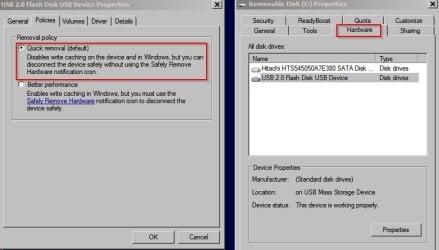
Its purpose is so that you can left or right click on it, and select the particular device you'd now like to pull the USB cable for. You need to first "safely remove hardware" because almost all of these removable devices make use of "write cache" for performance reasons, which retains data in PC memory buffers possibly still not yet flushed out to the device to reflect your final I/O operations. That's exactly what the "safely remove hardware" function does, namely flush out all of those buffers, possibly power down that USB port, and then disconnect the device so that you can pull the connecting cable out of the PC without the possibilty of losing any data or corrupting the file system on the device.
If you don't have any such removable devices currently plugged in, I wouldn't think you'd expect to see that "safely remove hardware" icon in the system tray.
Now if you do have an external USB drive currently plugged in and you're still not seeing that icon, well now something's definitely not right. I assume you've probably re-booted at least once in your attempt to sort this all out, but of course this goes without saying.
Do you have "hidden" system tray icons in your customization, so that you can only see them if you click on the small up-arrow at the right end of the task bar to display all of these "hidden" icons? If so, have you looked there for the "safely remove hardware" icon assuming you really should be expecting to see it somewhere?
NOTE: removable devices that connect in MTP mode (as opposed to MSC mode) do NOT get a Windows drive letter assigned, and thus don't trigger the "safely remove hardware" icon because they're managed differently as far as their data buffers and are thus not susceptible to the possible loss-of-data occurring when the connection cable is just pulled out. Hence no need to first "safely remove hardware" before disconnection. Certain cameras and portable music players can connect in this MTP mode, sometimes called PTP.