Solved mkv to mp4

xxxdannyxxx

Do You Believe
Guru
Gold Member
VIP
Local time
9:29 AM
Messages
2,615
Location
England
Hi Guys

Can anyone point me in the right direction for converting mkv to mp4. I don't want to alter the picture or audio just simply change the container so it will play on my Tv.

Regards Danny
 

My Computer

Computer Manufacturer/Model Number
acer aspire 5935g
OS
Windows 7 Home Premium x64 SP1
CPU
intel(R)core(TM)2 duo CPU T6600 @ 2.20GHz
Motherboard
intel gm45/gm47 revision 07
Memory
3 gb ddr3
Graphics Card(s)
ati radeon hd4570/512mb
Monitor(s) Displays
lop156wh2-tle1 15.3 flat
Screen Resolution
1366x768
Hard Drives
OCZ-Agility3 60gig ssd
320gig external hdd
500gig external hdd
Mouse
Optical
Internet Speed
30Mbps Down/30Mbps Up

My Computer

Computer type
Laptop
Computer Manufacturer/Model Number
Sony Vaio VPCEB47GM Laptop
OS
Win 7 Pro 64-bit
CPU
Intel i5 2.4 Ghz
Memory
8GB DDR3
Graphics Card(s)
Intel HD 3000
Sound Card
IDT High Definition
Monitor(s) Displays
15.6 WGXA Anti-Glare LED
Screen Resolution
1280x800
Hard Drives
640Gb 7200rpm
Antivirus
MSE
Browser
Opera (primary) with IE9 backup
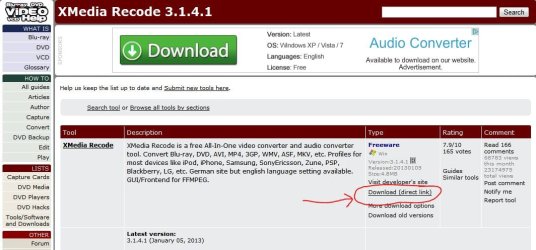
Thanks guys, the problem I was having is I'm new to this and using Handbrake or XMedia insisted on re encoding everything when all I wanted was to change the container. (Probably more my fault no setting them up right, couldn't seem to find the pass through options)
Anyway I found this - MkvToMp4 0.222 - VideoHelp.com Downloads and bingo, 9gig 1080p 5.1CH x264 mkv to mp4 in 9 minutes, and no loss to sound or picture qualitly that I can See.

Thanks Guys
 

My Computer

Computer Manufacturer/Model Number
acer aspire 5935g
OS
Windows 7 Home Premium x64 SP1
CPU
intel(R)core(TM)2 duo CPU T6600 @ 2.20GHz
Motherboard
intel gm45/gm47 revision 07
Memory
3 gb ddr3
Graphics Card(s)
ati radeon hd4570/512mb
Monitor(s) Displays
lop156wh2-tle1 15.3 flat
Screen Resolution
1366x768
Hard Drives
OCZ-Agility3 60gig ssd
320gig external hdd
500gig external hdd
Mouse
Optical
Internet Speed
30Mbps Down/30Mbps Up

My Computer

Computer type
PC/Desktop
Computer Manufacturer/Model Number
Own build
OS
Windows 7x64 Home Premium SP1
CPU
Intel i7 2600k
Motherboard
ASUS P8Z68 Deluxe
Memory
G.Skill Ripjaws (DDR3-1600) 2x4GB
Graphics Card(s)
Nvidia GeForce GTS 450; Intel HD Graphics 3000(GT2+)
Monitor(s) Displays
Dell Ultrasharp IPS panel U2311H, Samsung SyncMaster P2350
Screen Resolution
1920x1080
Hard Drives
Samsung 850 Pro SSD 256GB, Samsung SSD 840 120GB, Seagates 1TB Barracuda ST31000528AS x2
PSU
Seasonic M12II 520W
Case
Lian Li Lancool PC-K60
Cooling
Case: 1x120mm, 3x140mm CPU: Hyper 212+
Keyboard
Logitech MK520 (wireless)
Mouse
Logitech MK520
Internet Speed
6-7 Mbps
Antivirus
Norton Security Premium, Malwarebytes on 2 (MSE on 3rd PC)
Browser
FireFox
Other Info
Audio: Logitech Z523 2.1
So many choices, here's one more I use and like. Free cocktail and pineapple included. ;)
HandBrake
 

My Computer

Computer type
PC/Desktop
Computer Manufacturer/Model Number
Home Built Desktop By DataTech
OS
Windows 7 Ultimate X64 SP1
CPU
Intel i5-2550K, Differing ~4.4-4.8GHz No built in GPU
Motherboard
ASUS P8Z68-V PRO/GEN3
Memory
16GB G.Skill Sniper 1866MHz @ 2133MHz 2x8GB
Graphics Card(s)
ASUS GTX650TIB-DC2OC-2GD5, (650TI Boost)
Sound Card
Onboard Realtek 5-1
Monitor(s) Displays
Samsung P2570HD
Screen Resolution
1920x1080
Hard Drives
Samsung 840 Pro 256GB SSD for OS, 500GB Seagate Constellation (Enterprise drive) for Data
PSU
Corsair HX650W
Case
Inwin Dragon Rider
Cooling
Hyper 212 EVO w/two Noctua fans, push-pull, @1300 RPM
Keyboard
E-Z Eyes, bright yellow keys with large characters
Mouse
steelseries SENSEI Laser Pro Gaming
Internet Speed
48-51Mbs Mbs down, 11 Mbs up Xfinity Cable
Antivirus
Norton Internet Security 2013
Browser
IE 10, Opera, Pale Moon if needed
Other Info
4 case fans, LG BluRay-RE, ASUS DVD-RW, Mr. Fusion power supply, 1.21 gigawatts.
Thanks guys, the problem I was having is I'm new to this and using Handbrake or XMedia insisted on re encoding everything when all I wanted was to change the container. (Probably more my fault no setting them up right, couldn't seem to find the pass through options)
Anyway I found this - MkvToMp4 0.222 - VideoHelp.com Downloads and bingo, 9gig 1080p 5.1CH x264 mkv to mp4 in 9 minutes, and no loss to sound or picture qualitly that I can See.

Thanks Guys

Glad you found the solution, Danny. At least I was on the right track (same company, wrong product. :))
 

My Computer

Computer type
Laptop
Computer Manufacturer/Model Number
Sony Vaio VPCEB47GM Laptop
OS
Win 7 Pro 64-bit
CPU
Intel i5 2.4 Ghz
Memory
8GB DDR3
Graphics Card(s)
Intel HD 3000
Sound Card
IDT High Definition
Monitor(s) Displays
15.6 WGXA Anti-Glare LED
Screen Resolution
1280x800
Hard Drives
640Gb 7200rpm
Antivirus
MSE
Browser
Opera (primary) with IE9 backup
Here is a list to muse over. The user ratings may mean something.
Video Converters Downloads for Windows - CNET Download.com
One I've used is Any Video Converter.

Saw your comment: I don't think Handbrake will do a transcode just encode.

To be totally honest I don't know the difference:o I presume transcode just alters the container without changing the picture or audio and encode literally changes the whole file, correct me if I'm wrong.
I didn't know that about handbrake so that's why that was saying 1 hour to convert and I would guess I didn't have the settings right in the others I tried.
All this because the damned Tv won't recognise .mkv files.

Danny
 

My Computer

Computer Manufacturer/Model Number
acer aspire 5935g
OS
Windows 7 Home Premium x64 SP1
CPU
intel(R)core(TM)2 duo CPU T6600 @ 2.20GHz
Motherboard
intel gm45/gm47 revision 07
Memory
3 gb ddr3
Graphics Card(s)
ati radeon hd4570/512mb
Monitor(s) Displays
lop156wh2-tle1 15.3 flat
Screen Resolution
1366x768
Hard Drives
OCZ-Agility3 60gig ssd
320gig external hdd
500gig external hdd
Mouse
Optical
Internet Speed
30Mbps Down/30Mbps Up
I probably used the wrong terminology since you aren't changing the codecs, just the container. Still I don't think Handbrake allows you to do this. Others please correct me if I'm wrong.
 

My Computer

Computer type
PC/Desktop
Computer Manufacturer/Model Number
Own build
OS
Windows 7x64 Home Premium SP1
CPU
Intel i7 2600k
Motherboard
ASUS P8Z68 Deluxe
Memory
G.Skill Ripjaws (DDR3-1600) 2x4GB
Graphics Card(s)
Nvidia GeForce GTS 450; Intel HD Graphics 3000(GT2+)
Monitor(s) Displays
Dell Ultrasharp IPS panel U2311H, Samsung SyncMaster P2350
Screen Resolution
1920x1080
Hard Drives
Samsung 850 Pro SSD 256GB, Samsung SSD 840 120GB, Seagates 1TB Barracuda ST31000528AS x2
PSU
Seasonic M12II 520W
Case
Lian Li Lancool PC-K60
Cooling
Case: 1x120mm, 3x140mm CPU: Hyper 212+
Keyboard
Logitech MK520 (wireless)
Mouse
Logitech MK520
Internet Speed
6-7 Mbps
Antivirus
Norton Security Premium, Malwarebytes on 2 (MSE on 3rd PC)
Browser
FireFox
Other Info
Audio: Logitech Z523 2.1
Thanks guys, the problem I was having is I'm new to this and using Handbrake or XMedia insisted on re encoding everything when all I wanted was to change the container. (Probably more my fault no setting them up right, couldn't seem to find the pass through options)
Anyway I found this - MkvToMp4 0.222 - VideoHelp.com Downloads and bingo, 9gig 1080p 5.1CH x264 mkv to mp4 in 9 minutes, and no loss to sound or picture qualitly that I can See.

Thanks Guys

Glad you found the solution, Danny. At least I was on the right track (same company, wrong product. :))

It would probably do the job if I knew how to set it up lol The one I found was just idiot proof so right up my street.
 

My Computer

Computer Manufacturer/Model Number
acer aspire 5935g
OS
Windows 7 Home Premium x64 SP1
CPU
intel(R)core(TM)2 duo CPU T6600 @ 2.20GHz
Motherboard
intel gm45/gm47 revision 07
Memory
3 gb ddr3
Graphics Card(s)
ati radeon hd4570/512mb
Monitor(s) Displays
lop156wh2-tle1 15.3 flat
Screen Resolution
1366x768
Hard Drives
OCZ-Agility3 60gig ssd
320gig external hdd
500gig external hdd
Mouse
Optical
Internet Speed
30Mbps Down/30Mbps Up
I probably used the wrong terminology since you aren't changing the codecs, just the container. Still I don't think Handbrake allows you to do this. Others please correct me if I'm wrong.

From what I have read I think your right

Danny
 

My Computer

Computer Manufacturer/Model Number
acer aspire 5935g
OS
Windows 7 Home Premium x64 SP1
CPU
intel(R)core(TM)2 duo CPU T6600 @ 2.20GHz
Motherboard
intel gm45/gm47 revision 07
Memory
3 gb ddr3
Graphics Card(s)
ati radeon hd4570/512mb
Monitor(s) Displays
lop156wh2-tle1 15.3 flat
Screen Resolution
1366x768
Hard Drives
OCZ-Agility3 60gig ssd
320gig external hdd
500gig external hdd
Mouse
Optical
Internet Speed
30Mbps Down/30Mbps Up
just a thought danny, if it is a smart tv and you are connecting it to a network to see your movie folder.
then try this.
change the file extension from .mkv to .avi
see if it will play them now without having to change the container
 

My Computer

Computer Manufacturer/Model Number
Hewlett packard/p6512uk
OS
Microsoft Windows 7 Home Premium 64-bit 7600
CPU
IIx4 amd athelon 635 processor
Motherboard
FOXCONN 2AA9
Memory
2x2gb
Graphics Card(s)
ati radeon HD 5450
Sound Card
(1) Realtek High Definition Audio (2) AMD High Definition
Monitor(s) Displays
samsung lcd tv 32"
Screen Resolution
1360x 768
Hard Drives
(1) WDC WD10 01FAES-60Z2A0 SATA Disk Device (2) Maxtor OneTouch USB Device (3) ST310003 33AS USB Device (4) WD My Book 1111 USB Device
PSU
?
Cooling
air!
Keyboard
wireless hp
Mouse
wireless Hp,optical
Internet Speed
1.10mb/s
Antivirus
MSE
Browser
Firefox
I don't know encode from transcode either, sorry.:o

I had some .mkv files which my BluRay refused to play, ran them through Handbrake with mp4 as the output and they worked.
 

My Computer

Computer type
PC/Desktop
Computer Manufacturer/Model Number
Home Built Desktop By DataTech
OS
Windows 7 Ultimate X64 SP1
CPU
Intel i5-2550K, Differing ~4.4-4.8GHz No built in GPU
Motherboard
ASUS P8Z68-V PRO/GEN3
Memory
16GB G.Skill Sniper 1866MHz @ 2133MHz 2x8GB
Graphics Card(s)
ASUS GTX650TIB-DC2OC-2GD5, (650TI Boost)
Sound Card
Onboard Realtek 5-1
Monitor(s) Displays
Samsung P2570HD
Screen Resolution
1920x1080
Hard Drives
Samsung 840 Pro 256GB SSD for OS, 500GB Seagate Constellation (Enterprise drive) for Data
PSU
Corsair HX650W
Case
Inwin Dragon Rider
Cooling
Hyper 212 EVO w/two Noctua fans, push-pull, @1300 RPM
Keyboard
E-Z Eyes, bright yellow keys with large characters
Mouse
steelseries SENSEI Laser Pro Gaming
Internet Speed
48-51Mbs Mbs down, 11 Mbs up Xfinity Cable
Antivirus
Norton Internet Security 2013
Browser
IE 10, Opera, Pale Moon if needed
Other Info
4 case fans, LG BluRay-RE, ASUS DVD-RW, Mr. Fusion power supply, 1.21 gigawatts.
Running it through any encoder such as Handbrake will recoding resulting in quality loss. Not to mention time consuming.
This is fine if you want a smaller file, but to simply change from MKV to MP4 you only need to demux/remux the audio video streams which takes just seconds.

I ahve a different way which works well:
You will need two free applications for this.
1) MP4 Box MP4Box 0.5.0 - VideoHelp.com Downloads
2) YAMB (You do NOT need the Installer version) Yamb » Yet Another MP4Box UI

Both are free. You need YAMB if you do not want to use mp4box as a cmdline. Plus YAMB just makes the whole thing simpler.

Down load both.
-Unzip YAMB to a location you want it.
-Install MP4BOX

Open YAMB, and go to Settings/ Advanced
Point it to the location of the MP4box exe and choose a location for temp.

Thats it.
Now you just Open YAMB, select create MP4 and add your MKV file. And in less than a minute your have the file in a MP4 container with 0 quality loss.


As far as the terminology, if I understand it all correcly:
ENCODE/RECODE - Taking a file and completely recoding it to a new format, or the same to reduce file size or change codec formats.
TRANSCODE - Decoding and streaming in alternate format

DEMUX extracting the audio & video streams from a container into thier raw formats. Such as (MPEG,H264 AC3,DTS,AAC etc)
REMUX or MUXING taking the raw video/audio streams and putting them into a container (such as MP4, MKV, AVI) to create a useable video file.
 

My Computer

Computer Manufacturer/Model Number
Custom (Self Build)
OS
Windows 7 Home Premium 64bit
CPU
Intel Core i7 2700k
Motherboard
eVGA P67 SLI
Memory
8GB Mushkin Redline Ridgebacks @1866
Graphics Card(s)
EVGA GTX570 SC
Sound Card
XiFi Titanium HD
Monitor(s) Displays
LG W2453V
Screen Resolution
1920x1080
Hard Drives
Intel 320 80GB -- Intel X25-V 40GB --WD Black 1TB x2 -- WD Blue 640GB
PSU
Seasonic x750
Case
Corsair 600T SE White
Cooling
eVGA Superclocked CPU Cooler
Keyboard
Saitek Cyborg
Antivirus
Kaspersky
Browser
IE
Other Info
LG BD/DVD
I like your way Wishmaster, Handbrake does take about 45-60 minutes to do a 1.7GB 1080P movie and most of the time it ends up being 2GB or more.
 

My Computer

Computer type
PC/Desktop
Computer Manufacturer/Model Number
Home Built Desktop By DataTech
OS
Windows 7 Ultimate X64 SP1
CPU
Intel i5-2550K, Differing ~4.4-4.8GHz No built in GPU
Motherboard
ASUS P8Z68-V PRO/GEN3
Memory
16GB G.Skill Sniper 1866MHz @ 2133MHz 2x8GB
Graphics Card(s)
ASUS GTX650TIB-DC2OC-2GD5, (650TI Boost)
Sound Card
Onboard Realtek 5-1
Monitor(s) Displays
Samsung P2570HD
Screen Resolution
1920x1080
Hard Drives
Samsung 840 Pro 256GB SSD for OS, 500GB Seagate Constellation (Enterprise drive) for Data
PSU
Corsair HX650W
Case
Inwin Dragon Rider
Cooling
Hyper 212 EVO w/two Noctua fans, push-pull, @1300 RPM
Keyboard
E-Z Eyes, bright yellow keys with large characters
Mouse
steelseries SENSEI Laser Pro Gaming
Internet Speed
48-51Mbs Mbs down, 11 Mbs up Xfinity Cable
Antivirus
Norton Internet Security 2013
Browser
IE 10, Opera, Pale Moon if needed
Other Info
4 case fans, LG BluRay-RE, ASUS DVD-RW, Mr. Fusion power supply, 1.21 gigawatts.
Wishmaster,
the only problem I had using Yamb was that it didn't like DTS streams. Maybe I got something wrong?
Another possible way is to use Mkvextractgui to split the streams
then
using Megui to mux the streams
tools>muxer> mp4 muxer
It's even messier!

Danny,
are you sure your app gives you x264 video?
Media Info will tell you. (I use the GUI/without installer version)
 

My Computer

Computer type
PC/Desktop
Computer Manufacturer/Model Number
Own build
OS
Windows 7x64 Home Premium SP1
CPU
Intel i7 2600k
Motherboard
ASUS P8Z68 Deluxe
Memory
G.Skill Ripjaws (DDR3-1600) 2x4GB
Graphics Card(s)
Nvidia GeForce GTS 450; Intel HD Graphics 3000(GT2+)
Monitor(s) Displays
Dell Ultrasharp IPS panel U2311H, Samsung SyncMaster P2350
Screen Resolution
1920x1080
Hard Drives
Samsung 850 Pro SSD 256GB, Samsung SSD 840 120GB, Seagates 1TB Barracuda ST31000528AS x2
PSU
Seasonic M12II 520W
Case
Lian Li Lancool PC-K60
Cooling
Case: 1x120mm, 3x140mm CPU: Hyper 212+
Keyboard
Logitech MK520 (wireless)
Mouse
Logitech MK520
Internet Speed
6-7 Mbps
Antivirus
Norton Security Premium, Malwarebytes on 2 (MSE on 3rd PC)
Browser
FireFox
Other Info
Audio: Logitech Z523 2.1
Yes, MeGUI makes many audio/video projects so much easier as theres so many helpful tools there built in. Many just dont like it becasue it takes a little bit to learn at first.
Which is why I suggested YAMB. Its pretty straight forward where as with MeGUI, as you know, youd need to mess with some raw files in between. Although its not hard, I realize some would rather not go the extra steps.


I didnt think about DTS. I havent used the YAMB program in a long time, I just remember it done very well for remuxing MP4s.

I use MeGUI for pretty much everything audio/video related anymore.
Ive always just used TsMuxer, also part of MeGUI, to Demux everything. Force of habit I suppose, but MKVextract does work just as well :)

Another advantage would be, lets say you want to take a video from MKV to MP4 so you can put it on your mobile phone.
But, your phone will not accept the DTS audio for playback.
You can Demux the streams, and then use Megui to recode the audio stream only to AAC. Then remux as a MP4 so its compatible. Still just a couple minute job.

Honestly, even if you do not use it to encode stuff, all the tools right there in one convenient place is very nice :)
 

My Computer

Computer Manufacturer/Model Number
Custom (Self Build)
OS
Windows 7 Home Premium 64bit
CPU
Intel Core i7 2700k
Motherboard
eVGA P67 SLI
Memory
8GB Mushkin Redline Ridgebacks @1866
Graphics Card(s)
EVGA GTX570 SC
Sound Card
XiFi Titanium HD
Monitor(s) Displays
LG W2453V
Screen Resolution
1920x1080
Hard Drives
Intel 320 80GB -- Intel X25-V 40GB --WD Black 1TB x2 -- WD Blue 640GB
PSU
Seasonic x750
Case
Corsair 600T SE White
Cooling
eVGA Superclocked CPU Cooler
Keyboard
Saitek Cyborg
Antivirus
Kaspersky
Browser
IE
Other Info
LG BD/DVD
I'm flying by the seat of my pants here since I always use mkv and not mp4 (my excuse anyway).
The mp4muxer in MEGUI>Tools>mp4muxer doesn't accept DTS streams either! I don't even know if the mp4 container standard accepts DTS but Handbrake allows it.
Maybe you need to convert the DTS to AC3 which is a bit of a waste.

Wishmaster's the expert here.
 

My Computer

Computer type
PC/Desktop
Computer Manufacturer/Model Number
Own build
OS
Windows 7x64 Home Premium SP1
CPU
Intel i7 2600k
Motherboard
ASUS P8Z68 Deluxe
Memory
G.Skill Ripjaws (DDR3-1600) 2x4GB
Graphics Card(s)
Nvidia GeForce GTS 450; Intel HD Graphics 3000(GT2+)
Monitor(s) Displays
Dell Ultrasharp IPS panel U2311H, Samsung SyncMaster P2350
Screen Resolution
1920x1080
Hard Drives
Samsung 850 Pro SSD 256GB, Samsung SSD 840 120GB, Seagates 1TB Barracuda ST31000528AS x2
PSU
Seasonic M12II 520W
Case
Lian Li Lancool PC-K60
Cooling
Case: 1x120mm, 3x140mm CPU: Hyper 212+
Keyboard
Logitech MK520 (wireless)
Mouse
Logitech MK520
Internet Speed
6-7 Mbps
Antivirus
Norton Security Premium, Malwarebytes on 2 (MSE on 3rd PC)
Browser
FireFox
Other Info
Audio: Logitech Z523 2.1
just a thought danny, if it is a smart tv and you are connecting it to a network to see your movie folder.
then try this.
change the file extension from .mkv to .avi
see if it will play them now without having to change the container

Actually that works also booh only it wont play in windows media player without the correct codecs and also wont give me thumnails aswell.

Running it through any encoder such as Handbrake will recoding resulting in quality loss. Not to mention time consuming.
This is fine if you want a smaller file, but to simply change from MKV to MP4 you only need to demux/remux the audio video streams which takes just seconds.

I ahve a different way which works well:
You will need two free applications for this.
1) MP4 Box MP4Box 0.5.0 - VideoHelp.com Downloads
2) YAMB (You do NOT need the Installer version) Yamb » Yet Another MP4Box UI

Both are free. You need YAMB if you do not want to use mp4box as a cmdline. Plus YAMB just makes the whole thing simpler.

Down load both.
-Unzip YAMB to a location you want it.
-Install MP4BOX

Open YAMB, and go to Settings/ Advanced
Point it to the location of the MP4box exe and choose a location for temp.

Thats it.
Now you just Open YAMB, select create MP4 and add your MKV file. And in less than a minute your have the file in a MP4 container with 0 quality loss.


As far as the terminology, if I understand it all correcly:
ENCODE/RECODE - Taking a file and completely recoding it to a new format, or the same to reduce file size or change codec formats.
TRANSCODE - Decoding and streaming in alternate format

DEMUX extracting the audio & video streams from a container into thier raw formats. Such as (MPEG,H264 AC3,DTS,AAC etc)
REMUX or MUXING taking the raw video/audio streams and putting them into a container (such as MP4, MKV, AVI) to create a useable video file.

Thanks Wishmaster might have a look at those too

Wishmaster,
the only problem I had using Yamb was that it didn't like DTS streams. Maybe I got something wrong?
Another possible way is to use Mkvextractgui to split the streams
then
using Megui to mux the streams
tools>muxer> mp4 muxer
It's even messier!

Danny,
are you sure your app gives you x264 video?
Media Info will tell you. (I use the GUI/without installer version)

Not sure mjf. If Im honest I'm not sure what the x264 means. I had a look at both the mkv and the mp4 files and didn't see any mention of x264 in either using Media Info. Where would it be located.

Danny
 

My Computer

Computer Manufacturer/Model Number
acer aspire 5935g
OS
Windows 7 Home Premium x64 SP1
CPU
intel(R)core(TM)2 duo CPU T6600 @ 2.20GHz
Motherboard
intel gm45/gm47 revision 07
Memory
3 gb ddr3
Graphics Card(s)
ati radeon hd4570/512mb
Monitor(s) Displays
lop156wh2-tle1 15.3 flat
Screen Resolution
1366x768
Hard Drives
OCZ-Agility3 60gig ssd
320gig external hdd
500gig external hdd
Mouse
Optical
Internet Speed
30Mbps Down/30Mbps Up

My Computer

Computer Manufacturer/Model Number
Hewlett packard/p6512uk
OS
Microsoft Windows 7 Home Premium 64-bit 7600
CPU
IIx4 amd athelon 635 processor
Motherboard
FOXCONN 2AA9
Memory
2x2gb
Graphics Card(s)
ati radeon HD 5450
Sound Card
(1) Realtek High Definition Audio (2) AMD High Definition
Monitor(s) Displays
samsung lcd tv 32"
Screen Resolution
1360x 768
Hard Drives
(1) WDC WD10 01FAES-60Z2A0 SATA Disk Device (2) Maxtor OneTouch USB Device (3) ST310003 33AS USB Device (4) WD My Book 1111 USB Device
PSU
?
Cooling
air!
Keyboard
wireless hp
Mouse
wireless Hp,optical
Internet Speed
1.10mb/s
Antivirus
MSE
Browser
Firefox
Back
Top