
You are using an out of date browser. It may not display this or other websites correctly.
You should upgrade or use an alternative browser.
You should upgrade or use an alternative browser.
Monitor won't shut off
- Thread starter reo
- Start date

Hello Reid. Maybe a driver for your display needs update. When you tell it when to turn off, have you tried changing the times from the default of 30 to something else and then save changes? Might just be a bug or glitch, You do not say what build you are running or if this is a clean install?
My Computer
- Computer Manufacturer/Model Number
- Gateway GT5692
- OS
- Windows 7 Ulti. x64
- CPU
- AMD Phenom 8450 triple-core 2.10 ghz
- Memory
- 4GB
- Graphics Card(s)
- ATI Radion HD 3200
- Monitor(s) Displays
- Gateway FPD1775W
- Screen Resolution
- 1280x720
- Hard Drives
- 465.6613 Gibibytes
Hello Reid. Maybe a driver for your display needs update. When you tell it when to turn off, have you tried changing the times from the default of 30 to something else and then save changes?
I've tried different times, no difference. I'll try another time.
I'm running the RC, it think it's 7177, I'm not in front of the computer now. And yes, it was a clean install. I'll try to update the driver.Might just be a bug or glitch, You do not say what build you are running or if this is a clean install?
Reid
My Computer
- OS
- vista x64
Monitor doesn't turn off
this is an ongoing issue. It also wouldn't turn off in win 7 beta. I've checked my power settings, and flashed the BIOS this morning, but monitor still won't turn off.
any ideas?
Thanks,
Reid
Asus P5Q Pro
this is an ongoing issue. It also wouldn't turn off in win 7 beta. I've checked my power settings, and flashed the BIOS this morning, but monitor still won't turn off.
any ideas?
Thanks,
Reid
Asus P5Q Pro
My Computer
- OS
- vista x64
 .
.
My Computer
- Computer Manufacturer/Model Number
- HP dv5 1000EA
- OS
- Windows 7 Professional 64-bit / Vista 32-bit Home Premium Dual Boot
- CPU
- Intel Core2 Duo 2.00GHz
- Memory
- 3GB
- Graphics Card(s)
- nVidia GeForce 9200M GS
- Internet Speed
- 768kb/sec
Irunongames
New member
Weird. Did it work on Vista/XP/What ever OS you ever used? Also what is your monitors name?
My Computer
- Computer Manufacturer/Model Number
- Gateway: GM5472
- OS
- Windows 7 Home Premium 64 bit
- CPU
- AMD Athlon(tm) 64 X2 Dual Core Processor 5000+ (2 CPUs), ~2.
- Memory
- 4gb
- Graphics Card(s)
- ATI Radeon HD 3650 1GB Ram
- Monitor(s) Displays
- LG Flatron W2252TQ
Check the Motherboards manufacturer for BIOS updates
My Computer
- Computer Manufacturer/Model Number
- CustomBuiltByMe
- OS
- Windows 7 Home Premium x64 OEM
- CPU
- Q6600
- Motherboard
- GigaByte EP45-UD3R
- Memory
- 6GB 800Mz DDR2
- Graphics Card(s)
- nVidia GTX260 898MB GPU
- Sound Card
- Audigy 2 Platinum
- Monitor(s) Displays
- NEC AccuSync LCD22WMGX, NEC MultiSync LCD1770NX
- Screen Resolution
- 1680x1050, 1280x1024
- Hard Drives
- RAID 0=Fast Boot
- PSU
- Silverstone OP750 watt
- Case
- Ultra M998=Great Case
- Cooling
- Corsair Hydro Series H50, 120mm reversed flow thru Rad/Front
- Keyboard
- Logitech G15
- Mouse
- Logitech (um, a wireless one)
- Internet Speed
- Bell DSL for 10 yrs
- Other Info
- lots of, may OC soon, liking Win7 more and more....I plugged it into my 46XBR3, worked right away, on HDMI, a slider for resolution was easy to tweak, plugged it back to my NEC 22, it is like it saved the ini file somewhere, I did nothing to change the resolution on the different TV/Monitors...this is major cool, truly plug and play (well, maybe)...lol

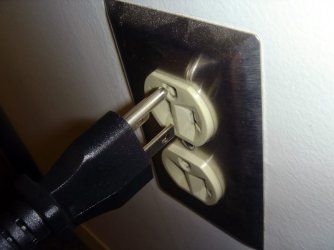
That plug is upside down.
First off, I recommend getting the RTM, not the Beta. Might be fixed if it is the bug.
Second, monitor drivers.
What type of monitor is it? VGA, or DVI?
Third, do you have that set in the power option that is active?
~Lordbob
My Computer
- Computer Manufacturer/Model Number
- Hera
- OS
- Windows 7 Ultimate x64, Mint 9
- CPU
- Intel i5-2500k
- Motherboard
- ASUS P8P67 Pro
- Memory
- 2x 4Gb Corsair VENGEANCE DDR3-1600
- Graphics Card(s)
- NVidia GeForce N260GTX Twin Frozr
- Sound Card
- Realtek HD OnBoard Audio
- Monitor(s) Displays
- ASUS 24" Monitor
- Screen Resolution
- 1920x1080
- Hard Drives
- G.SKILL Phoenix Series 60GB SATA II MLC Internal Solid State Drive (SSD)
SAMSUNG Spinpoint F3R 1TB 7200 RPM 32MB Cache SATA II
- PSU
- Cooler Master Real Power Pro 750W
- Case
- Cooler Master Haf 932
- Cooling
- Fans
- Keyboard
- Razer Tarantula
- Mouse
- Razer Lachesis
- Internet Speed
- not fast enough
First off, I recommend getting the RTM, not the Beta. Might be fixed if it is the bug.
I thought so too, but I have a retail version
Second, monitor drivers.
What type of monitor is it? VGA, or [COLOR=#0072BC ! important][COLOR=#0072BC ! important]DVI[/COLOR][/COLOR]?
I'm running dual CRTs. I've updated the driver. The first from the card manufacturer didn't install correctly. I called Gigabyte and they said to use the Nvidia driver from their site. That didn't help, but did screw up the colors, even with profiling the monitor. So, I reinstalled a different driver.
I flashed the BIOS the other too
Third, do you have that set in the power option that is active?
The power setting is set to turn off the monitor after 2 minutes, but no go.
Reid
I thought so too, but I have a retail version
Second, monitor drivers.
What type of monitor is it? VGA, or [COLOR=#0072BC ! important][COLOR=#0072BC ! important]DVI[/COLOR][/COLOR]?
I'm running dual CRTs. I've updated the driver. The first from the card manufacturer didn't install correctly. I called Gigabyte and they said to use the Nvidia driver from their site. That didn't help, but did screw up the colors, even with profiling the monitor. So, I reinstalled a different driver.
I flashed the BIOS the other too
Third, do you have that set in the power option that is active?
The power setting is set to turn off the monitor after 2 minutes, but no go.
Reid
My Computer
- OS
- vista x64

An optical mouse will cause a signal to be sent and prevent the monitor from shutting off. Set it and unplug the mouse. See what happens. If it shuts off, that was it.
Also, Windows Live Photo gallery screensaver will cause the monitor to stay on (just in case you're using that)
There are more possible causes as I have dealt with this quite a bit. Let me know if it was the mouse. It normally is. You may have to get another one or set it so it can't send that signal...
Also, Windows Live Photo gallery screensaver will cause the monitor to stay on (just in case you're using that)
There are more possible causes as I have dealt with this quite a bit. Let me know if it was the mouse. It normally is. You may have to get another one or set it so it can't send that signal...
My Computer
- Computer Manufacturer/Model Number
- Keeps changing - (Custom)
- OS
- Windows 7 Professional x64
- CPU
- Intel Core i7 860
- Motherboard
- Gigabyte GA-P55-UD4P
- Memory
- 4GB DDR3 Mushkin 1600Mhz @ 7-8-7-20
- Graphics Card(s)
- MSI GTS250 1GB DDR3 Twin Frozr
- Sound Card
- Onboard realtek
- Monitor(s) Displays
- Samsung SyncMaster 24" P2450 + Samsung 20" 2033
- Screen Resolution
- 1920 X 1080 and 1600 X 900 (#2 system 1440 X 900)
- Hard Drives
- Patriot Inferno 120GB SSD + 3 WD Blue 640GB drives
- PSU
- Corsair 750 HX Modular
- Case
- Lancool PC-K62
- Cooling
- Cooler Master TX3 CPU cooler and 4-140mm and 1-120mm case
- Keyboard
- Gigabyte USB keyboard
- Mouse
- Microsoft wireless laser mouse 5000
- Internet Speed
- 7 Mb down 1.5 up
- Other Info
- System #2: AMD Phenom II X6 1055T (Freezer 7 Pro cooler) - Gigabyte 880GMA-UD2H - WD 500GB Black - 9500GT (1GB) 500W OCZ modular PSU - Antec 200 case. System #3 (LapTop) Core 2 Duo T6670 - 320GB 7200RPM HD - 4GB DDR3 RAM.
An optical mouse will cause a signal to be sent and prevent the monitor from shutting off. Set it and unplug the mouse. See what happens. If it shuts off, that was it.
I unplugged my mouse and my Wacom tablet. Still no change.
Also, Windows Live Photo gallery screensaver will cause the monitor to stay on (just in case you're using that)
Not running it
There are more possible causes as I have dealt with this quite a bit. Let me know if it was the mouse. It normally is. You may have to get another one or set it so it can't send that signal...
could there be some power setting in the BIOS?
Thanks,
Reid
My Computer
- OS
- vista x64
There are some sleep settings in most BIOSs. However I don't think that's your problem.
Did you try unplugging the mouse? Try a different mouse also. That may tell you.
It could also be a network sending packets preventing the monitor from turning off. If your monitor NEVER turns off there is something resetting the timer. You have to find out what it is. This is a frustrating problem.
If your monitor shuts off then turns back on seemingly randomly, it's probably your mouse or network. (or other input device)
Did you try unplugging the mouse? Try a different mouse also. That may tell you.
It could also be a network sending packets preventing the monitor from turning off. If your monitor NEVER turns off there is something resetting the timer. You have to find out what it is. This is a frustrating problem.
If your monitor shuts off then turns back on seemingly randomly, it's probably your mouse or network. (or other input device)
My Computer
- Computer Manufacturer/Model Number
- Keeps changing - (Custom)
- OS
- Windows 7 Professional x64
- CPU
- Intel Core i7 860
- Motherboard
- Gigabyte GA-P55-UD4P
- Memory
- 4GB DDR3 Mushkin 1600Mhz @ 7-8-7-20
- Graphics Card(s)
- MSI GTS250 1GB DDR3 Twin Frozr
- Sound Card
- Onboard realtek
- Monitor(s) Displays
- Samsung SyncMaster 24" P2450 + Samsung 20" 2033
- Screen Resolution
- 1920 X 1080 and 1600 X 900 (#2 system 1440 X 900)
- Hard Drives
- Patriot Inferno 120GB SSD + 3 WD Blue 640GB drives
- PSU
- Corsair 750 HX Modular
- Case
- Lancool PC-K62
- Cooling
- Cooler Master TX3 CPU cooler and 4-140mm and 1-120mm case
- Keyboard
- Gigabyte USB keyboard
- Mouse
- Microsoft wireless laser mouse 5000
- Internet Speed
- 7 Mb down 1.5 up
- Other Info
- System #2: AMD Phenom II X6 1055T (Freezer 7 Pro cooler) - Gigabyte 880GMA-UD2H - WD 500GB Black - 9500GT (1GB) 500W OCZ modular PSU - Antec 200 case. System #3 (LapTop) Core 2 Duo T6670 - 320GB 7200RPM HD - 4GB DDR3 RAM.
Similar threads
- Replies
- 2
- Views
- 675
- Replies
- 4
- Views
- 2K
- Replies
- 9
- Views
- 4K

