Why bother when Win 7 has a perfectly good system already? The start menu accomplishes the same thing.
Try to put 100 entries into the start menu - shortcuts for programs, websites and folders. I am waiting for your suggestions especially for the websites and folders.
Btw - Toolbars are part of the perfect Win7 system.
True, toolbars are part of Windows (and I never said Win 7 was perfect). I should have worded what I said a bit differently, such as Win 7 already has other perfectly good systems.
I don't need 100 entries in a single menu. Not only that, the more that are in a single list, the harder it is for me to find what I'm looking for. Digging through 100 entries all the time would be a nightmare for me. That is why I have only 26 programs pinned to my start menu and have room for 10 more (even more than that since there are a few I have already pinned that I could do without; I'll probably unpin them some day when I have nothing else to do to make going through the pinned list a bit easier). Access to All Programs is only a click away. My 18 most frequently used programs are on the taskbar. Those are duplicated by being pinned on the start menu (actually, they started there and I added them to task bar later). I could eliminate those duplications and gain room for another 18 more programs on the start menu.
The notification area has eight programs pinned to it (and several more are only a click away). Coretemp has all six core temperature readings there as well. I also put a shortcut to the Recycle Bin there so I can drag stuff there instead of right clicking to delete or reducing a window size to get to the default recycle bin icon; the icon is also bigger which helps with my aim (although most of the time, now, I just select and hit Shift/Delete to avoid unnecessary writes to my SSD; when scanning illustration rich books, such as color comics, I generate a huge number of temporary files).
The task bar is locked and is set to "Combine when the taskbar is full." It's located on the left side of my desktop so it's not in the way and is always visible for quick access. If I have enough Word docs open, for example, to overflow the task bars, they will combine into one entry. All I have to do is hover over the Word icon and Aeropeek will pop open previews of each document. To select one, all I have to do is click on its preview. Easy peasy.
Same for folders and files. I use the default libraries in the start menu as shortcuts to the associated data folder (example: Documents in the start menu takes me just to My Documents). It may require a few more clicks to get where I'm going but it's still one "heckuvalot" faster than running down a long list trying to find what I want.
Many files, such as my e-books and music files (the majority of my files, btw) are accessed from within the programs that use them. I use Media Monkey to organize, access and play my music. I rarely go directly to the folders where my music is stored. I use calibre to manage my e-books. It organizes my e-books, can do searches using more criteria than can be put into a folder/file structure (and the searches can be saved), converts them from one format to another, loads them onto an SD card to use in my e-book reader, etc. Once I add books to calibre, I never even go to the folder where my e-books get stored again (in fact, doing so is highly discouraged). While I will use a library to give me a single listing of video files spread over several HDDs once I start ripping my video collection, I will probably access them most of the time from whatever player I decide on.
Of course, if I know exactly what I am looking for, I can just hit the Windows key (or click on the orb) and start typing in the name.
Websites I access from within my browser (IE10) using either the favorites bar (I have 28 there) or the drop down Favorites menu (which is organized by folders; I'm too lazy to go through and count how many are there). I use AM Deadlink every few months to see if any sites have gone down or have new addresses. I see no need to link a website anywhere else other than within a Word doc or PDF.



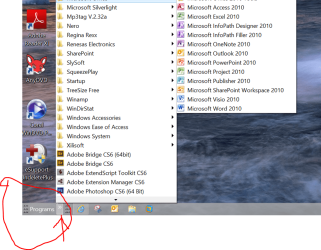
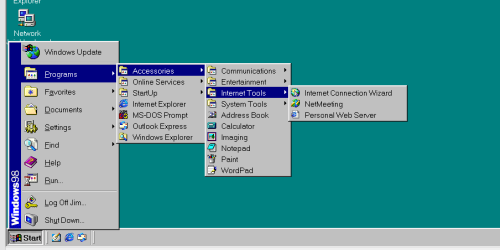


 Naaaa.... a bit too awkward when you have numerous small as well as a good number of large programs with all those extras if you have the Start set for "menu" where each program's exe, doc, etc. are sound in a folder rather then being links.
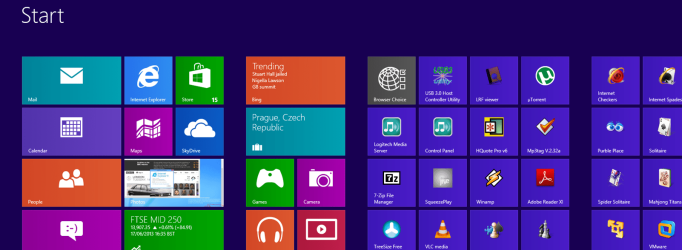

 GGrrrrr... The rest of us will simply say "Hey where's that other OS you were talking about?"!