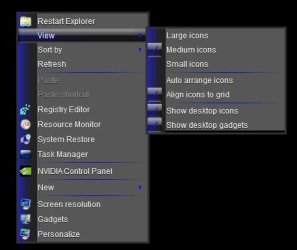
Hi can someone please help me
I have a computer running windows 7 professional 64 bit system with two user accounts one as administrator and one standard.
My problem is I have my desktop setup with a few windows side bar gadgets on the right hand side and I also have a gadget there to control my printer settings
But when the second user account is used and then I go back to the main administrator account the gadgets are all moved across the screen about the width of the sidebar.
Both user accounts have the same screen resolution.
So has anyone got any idea as to what is causing this please?
I have a computer running windows 7 professional 64 bit system with two user accounts one as administrator and one standard.
My problem is I have my desktop setup with a few windows side bar gadgets on the right hand side and I also have a gadget there to control my printer settings
But when the second user account is used and then I go back to the main administrator account the gadgets are all moved across the screen about the width of the sidebar.
Both user accounts have the same screen resolution.
So has anyone got any idea as to what is causing this please?
My Computer
At a glance
Windows 7 Professional 64 BitIntel Core I7 920 @ 2.6 GHz12 Meg Triple Channel DDR3Nvidia Gforce GTX 260
- Computer Manufacturer/Model Number
- Custom Made
- OS
- Windows 7 Professional 64 Bit
- CPU
- Intel Core I7 920 @ 2.6 GHz
- Motherboard
- Asus P6T SE
- Memory
- 12 Meg Triple Channel DDR3
- Graphics Card(s)
- Nvidia Gforce GTX 260
- Sound Card
- On Board
- Monitor(s) Displays
- DGM
- Hard Drives
- 500 gig Sata
- PSU
- Not sure
- Case
- Thermalite
- Cooling
- Standard cooling
- Keyboard
- Usb
- Mouse
- Usb
- Internet Speed
- 7meg