

OK. So I tried the custom install as suggested. Got a little farther. The drive I copied the image to is working fine. I tested it on another computer and was able to open files and navigate folders normally.
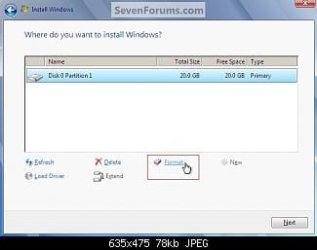
My new problem is now the install program for Windows 7 won't recognize the disk at all. What is funny is it asks me to browse for a driver to load so that it can find a hard drive. Under the choices to browse is the hard drive that I am trying to install windows to. I can open folders and browse normally, but it won't recognize it as a drive available to install windows 7 to.
I am at a loss as what to try next.
Any Ideas???
Thanks
Quick answer: Install Linux on the drive and windows will see it. Then install Windows using the whole drive. Don't bother to format to NTFS with the Linux installer, Windows7 does not like the format....just reformat with the Windows media.
My Computer
At a glance
Windows 7 Ultimate x64Q6600 @2.4ghz (G0 stepping)8 gb OCZ vista essential sli PC-6400Dual 9800gt in SLI mode
- Computer Manufacturer/Model Number
- Systemax N2000 Gaming PC
- OS
- Windows 7 Ultimate x64
- CPU
- Q6600 @2.4ghz (G0 stepping)
- Motherboard
- XFX nforce 680i LT
- Memory
- 8 gb OCZ vista essential sli PC-6400
- Graphics Card(s)
- Dual 9800gt in SLI mode
- Sound Card
- Integrated 8.1 High Definition Audio
- Monitor(s) Displays
- Dual Sceptre x246w 24 inch monitors
- Screen Resolution
- 1920 x 1200 each monitor
- Hard Drives
- 500 GB SATA II / 7500 rpm
- PSU
- Cooler Master Real Power Pro 1250W
- Case
- N2000 server tower
- Cooling
- Thermaltake Bigwater 760 is
- Keyboard
- MS Intelitype 6000 v2.0
- Mouse
- MS Intelipoint 6000
- Internet Speed
- Wi-power 1.5GB up / 512k down
- Other Info
- Windows 7 Ultimate x64, Windows 7 Pro x64, Windows Home Premium X86, Windows XP pro, Windows Home Server x86, Ubuntu 10.4 x86 and x64, Ubuntu server 10.4, SQL Server 2005, MySQL 5.0



 I guess I was too excited to even read that far.

