- Local time
- 11:43 AM
- Messages
- 892
I'm lost in trying to save a simple edit tested in the Mozilla Thunderbird email program. It seems so easy to damage something with the multiple locations and I don't see a save option to simply edit the default without going through some make process and change that..
The necessary edit is to get my email off the ISP automatically to the program when it opens.
An instruction was given from a third pary search to delete a profile line for use with my POP3
setup.
deleting the line in the default Profile of:
global-messages-db.sqlite
... seemed to solve the problem of getting new messages after I had already set that option in the program.
I tried to fix this on a backup HD myself and had to do some repair as a result of not knowing
what I was doing. Mozilla instructions on this are either roundabout or _old._ . One search
brought up a tip from 2006. I can't follow the profiles logic at all. Please do not simply redirect to
the Mozilla stuff.
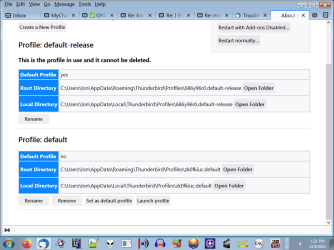
I know the instruction of getting to the Profile: START > %appdata%\Thunderbird\Profiles
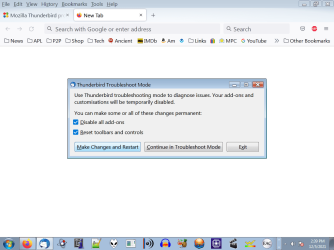
But there is a profiles manager under another sub menu which I can't handle.
Frankly I don't know how this problem emerged after years of use. I should be able to
use the Thunderbird program check box option and have done with it but that was insufficient.
- - - Updated - - -
I started to think about how this was not a problem before and wondered if reinstalling v.78 rather than 91
would revert any changes made to the new and improved T-bird.
Also I tried using Mozbackup-- a trusted program I used for years on both Firefox and T-bird to
do these Profile backups. Mozbackup only effects T-bird profiles. Attempting to test run Mozbackup
on T-bird 91 current version, the old program reports that the profile is damaged. Well that coupld mean
anything since Mozbackaup has not be uptaded for a long time.
But I remember that in using Mozbackup on old versions of T-bird I would selec out everything
in the advanced setting. I just didn't and don't need snoops and whatnot and it still ran fine
without this download to desk problem. Of note: an sql entry was in that removed group. I don't
understand any sql aside from the name series query language.
That's where I am now. On my test HD I may try a new setup with v 78. All the new stuff in v.91 changes
screen presentation and such and may be targeted to toward Win10 but I've seen no functional difference
and I have no spam or virus problems and haven't even in email that I recall.
- - - Updated - - -
Onward...
For all the global sqlite fans out there I see that 1.) It is not the problem and 2.) the global command was not removed by Mozbackup either.
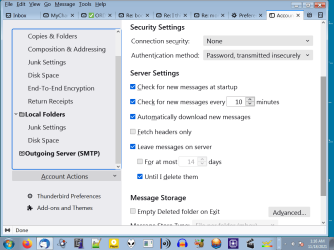
I had one remaining backup HD that had not been cloned for about a year. This turned out to be a good thing b/c Thunderbird 78.5 is on it. The program box is ticked for automatically download messages from server and keep them
on the server which is my usual settings.
If I can I want to reinstall 78.5 over v.91 and retain the Profile since that apparently does not
change much and I can go back to using Mozbackup rather than a replacement free tool I was
using.
On the other sacrifice HD with T-bird 91 I thought of moving the default Profile from 78.5 to 91 but I think that would
be asking for new trouble.
I don't know how easy it is to just overwrite 78.5 to the 91 folder but people most be able to
migrate base programs and keep their profiles else why have them stored in this obscure way?
- - - Updated - - -
Still not solved but apparently this problem has been around for a long time:
1584861 - Automatic download of emails fails with Thunderbird 68.x, but manual download still works (pop) - Fix in comment #15
But that's why I brought the problem in Sevenforums: for someone not Mozzilla with eyes on it.
The necessary edit is to get my email off the ISP automatically to the program when it opens.
An instruction was given from a third pary search to delete a profile line for use with my POP3
setup.
deleting the line in the default Profile of:
global-messages-db.sqlite
... seemed to solve the problem of getting new messages after I had already set that option in the program.
I tried to fix this on a backup HD myself and had to do some repair as a result of not knowing
what I was doing. Mozilla instructions on this are either roundabout or _old._ . One search
brought up a tip from 2006. I can't follow the profiles logic at all. Please do not simply redirect to
the Mozilla stuff.
I know the instruction of getting to the Profile: START > %appdata%\Thunderbird\Profiles
But there is a profiles manager under another sub menu which I can't handle.
Frankly I don't know how this problem emerged after years of use. I should be able to
use the Thunderbird program check box option and have done with it but that was insufficient.
- - - Updated - - -
I started to think about how this was not a problem before and wondered if reinstalling v.78 rather than 91
would revert any changes made to the new and improved T-bird.
Also I tried using Mozbackup-- a trusted program I used for years on both Firefox and T-bird to
do these Profile backups. Mozbackup only effects T-bird profiles. Attempting to test run Mozbackup
on T-bird 91 current version, the old program reports that the profile is damaged. Well that coupld mean
anything since Mozbackaup has not be uptaded for a long time.
But I remember that in using Mozbackup on old versions of T-bird I would selec out everything
in the advanced setting. I just didn't and don't need snoops and whatnot and it still ran fine
without this download to desk problem. Of note: an sql entry was in that removed group. I don't
understand any sql aside from the name series query language.
That's where I am now. On my test HD I may try a new setup with v 78. All the new stuff in v.91 changes
screen presentation and such and may be targeted to toward Win10 but I've seen no functional difference
and I have no spam or virus problems and haven't even in email that I recall.
- - - Updated - - -
Onward...
For all the global sqlite fans out there I see that 1.) It is not the problem and 2.) the global command was not removed by Mozbackup either.
I had one remaining backup HD that had not been cloned for about a year. This turned out to be a good thing b/c Thunderbird 78.5 is on it. The program box is ticked for automatically download messages from server and keep them
on the server which is my usual settings.
If I can I want to reinstall 78.5 over v.91 and retain the Profile since that apparently does not
change much and I can go back to using Mozbackup rather than a replacement free tool I was
using.
On the other sacrifice HD with T-bird 91 I thought of moving the default Profile from 78.5 to 91 but I think that would
be asking for new trouble.
I don't know how easy it is to just overwrite 78.5 to the 91 folder but people most be able to
migrate base programs and keep their profiles else why have them stored in this obscure way?
- - - Updated - - -
Still not solved but apparently this problem has been around for a long time:
1584861 - Automatic download of emails fails with Thunderbird 68.x, but manual download still works (pop) - Fix in comment #15
But that's why I brought the problem in Sevenforums: for someone not Mozzilla with eyes on it.
My Computer
At a glance
Windows 7 x64 UltimateAMD Athlon II x3 4502 GB
- Computer type
- PC/Desktop
- Computer Manufacturer/Model Number
- custom
- OS
- Windows 7 x64 Ultimate
- CPU
- AMD Athlon II x3 450
- Motherboard
- MSI 880GM
- Memory
- 2 GB
- Hard Drives
- various
- Browser
- Firefox, Opera