MSE worries

Even with all the scans in the world, they only detect known malware....
I'm not picking at your wording here - but the main point of my posts in this thread is MSE's poor heuristics. Heuristics should be preventing some unknown malware. If an unknown app* wants to replace the OS shell, the AV tool should at least ask, "do ya really wanna do this?".


*an app not flagged based on it signature.

Agreed
 

My Computer

Computer type
PC/Desktop
Computer Manufacturer/Model Number
Custom Built
OS
Windows 10 Pro
CPU
AMD Ryzen 5 2400G Processor with Radeon RX Vega 11 Graphics
Motherboard
ASRock X470 Master SLI/AC AM4 AMD Promontory X470 SATA 6Gb/s
Memory
G.SKILL Ripjaws V Series 16GB (2 x 8GB) 288-Pin DDR4 SDRAM D
Graphics Card(s)
2047MB NVIDIA GeForce GTX 1060 6GB (EVGA)
Sound Card
Motherboard Built in
Monitor(s) Displays
Acer R240HY bidx 23.8-Inch IPS HDMI DVI VGA (1920 x 1080) Wi
Screen Resolution
1920 x 1080
Hard Drives
1TB Sandisk SSD PLUS (Main drive)
500 GB Seagate 7200 RPM (Games)
500 GB Western Digital 7200 RPM (Virtual Machines)
PSU
CORSAIR TX Series TX650M 650W 80+ Gold Modular Power Supply
Case
CORSAIR CARBIDE SPEC-02 Mid-Tower Gaming Case, Red LED Fan
Cooling
220mm, two 120mm, and four 60mm fans
Keyboard
Wired Dell keyboard
Mouse
Wireless Logitech mouse
Internet Speed
250mb down, 30mb up
Antivirus
Panda Cloud Antivirus
Browser
Chrome-ish x64
Other Info
Your awesome for reading this.
Am I being ignorant here, or just naïve, or both? It appears to me that there is a fundamental aspect of MSE missing, yet it is active in almost all other security software. If it can be included in Avast, for example, which is given away free, why can it not be added to MSE? Heuristics technology cannot be so particular to one software company that it cannot be included in others'. This is where my apparent ignorance shows itself; is it not a simple matter to improve MSE? Let's face it, they can afford to.
 

My Computer

Computer type
PC/Desktop
Computer Manufacturer/Model Number
Cyberpower PC
OS
windows 7 premium home 64bit
CPU
intel core i5 2500 3.3Ghz 6mb cache OEM
Motherboard
Asus P8Z68-V LX Intel Z68 Chipset DDR3 ATX USB 3
Memory
8GB (2x4GB) PC10666 DDR3/1333mhz Dual
Graphics Card(s)
AMD ATI Radeon Powercolor HD5670 1GB passive cooled
Sound Card
Creative/Soundblaster Digital Music Premium HD/X-Fi-HD
Monitor(s) Displays
Samsung 22; Hanns.G 19
Screen Resolution
1680 x 1050
Hard Drives
SSD: 120 GB Intel 520 Series SATA III
HDD2:West Dig 1TB SATA III 32mb 6gb/s
Hot swap HDD3: 1tb Barracuda Sata 3 32mb 6gb/s
PSU
Coolermaster Elitepower 500wt
Case
NZXT Hush 2
Cooling
Coolermaster Hyper TX3
Mouse
Logitech M570 Trackball
Internet Speed
50mbs
Antivirus
Malwarebytes3. cont' below:
Browser
IE11
Other Info
Windows Firewall.
Hitman-Pro.alert3.
My understanding is MSE does use Heuristics.
The MSE GUI interface is very simple and does not include any options for controlling Heuristics.
You can Google for MSE Heuristics and find a lot of articles for this.
Here is one article that might help:
Heuristic analysis - Microsoft Community

I think it's up to each user to decide what works best for them, and how much control they want.
I don't think most everyday "Non Tech" users would know what Heuristics are, and might only get confused if they looked at a window allowing them to configure it...
 
Last edited:

My Computer

Computer type
PC/Desktop
Computer Manufacturer/Model Number
home built
OS
Multi-Boot W7_Pro_x64 W8.1_Pro_x64 W10_Pro_x64 +Linux_VMs +Chromium_VM
CPU
AMD Athlon II x4 620
Motherboard
Gigabyte GA-MA785G-UD3H
Memory
6GB GSkill DDR2 800
Graphics Card(s)
AMD 4670 GPU + AMD 4200 IGP
Sound Card
on board Realtek ALC889A
Monitor(s) Displays
RCA 40" LCD TV, Insignia 32" LCD TV, HP 15" LCD monitor
Screen Resolution
1680 x 1050
Hard Drives
OCZ Vertex 3 120GB,
Samsung F3 1TB (3),
Several others - WD, Seagate, Hitachi, ...
PSU
Corsair 500 W
Case
Rosewill mid tower
Cooling
CM 90mm rifle
Keyboard
Gyration wireless, Logitech wireless, Dell USB wired
Mouse
Gyration wireless, Logitech wireless, V7 USB wired
Internet Speed
Spectrum - 100Mbps D / 10Mbps U
Antivirus
Avast, MBAM3, EMET, WinPatrol
Browser
Pale Moon, Firefox, IE
Other Info
2 multi-boot PC's
Mainly HTPC/Office/Gen purpose (no gaming).
Trendnet USB KVM.
LG DVD burner/Blue Ray Player.
Tray system for removable SATA backup drives.

Not currently OCd, under-volted.
I use Hybrid sleep, rarely re-boot or shutdown.

Hauppauge HD-PVR, Avermedia PCIe TV Tuner, Hauppauge PCI TV Tuner.
I'm sorry, my statement was ambiguous: I know MSE uses Heuristics but the prevalent criticism is that it is inadequate, hence my suggestion if everyone else can do it why not MS. This brings us back to that statement allegedly made by Holly Stewart that suggested MS were leaving it up to 3rd parties to bridge the gap. Again, in my ignorance, I'm beginning to believe that may be true after reading the criticisms in this thread. I just can't believe such an approach would be sensible.
 

My Computer

Computer type
PC/Desktop
Computer Manufacturer/Model Number
Cyberpower PC
OS
windows 7 premium home 64bit
CPU
intel core i5 2500 3.3Ghz 6mb cache OEM
Motherboard
Asus P8Z68-V LX Intel Z68 Chipset DDR3 ATX USB 3
Memory
8GB (2x4GB) PC10666 DDR3/1333mhz Dual
Graphics Card(s)
AMD ATI Radeon Powercolor HD5670 1GB passive cooled
Sound Card
Creative/Soundblaster Digital Music Premium HD/X-Fi-HD
Monitor(s) Displays
Samsung 22; Hanns.G 19
Screen Resolution
1680 x 1050
Hard Drives
SSD: 120 GB Intel 520 Series SATA III
HDD2:West Dig 1TB SATA III 32mb 6gb/s
Hot swap HDD3: 1tb Barracuda Sata 3 32mb 6gb/s
PSU
Coolermaster Elitepower 500wt
Case
NZXT Hush 2
Cooling
Coolermaster Hyper TX3
Mouse
Logitech M570 Trackball
Internet Speed
50mbs
Antivirus
Malwarebytes3. cont' below:
Browser
IE11
Other Info
Windows Firewall.
Hitman-Pro.alert3.
Even with all of my criticism of MSE's poor level of heuristics, I still install it for a variety of reasons. One of those reasons is: MSE gets along with other software. If you glance at the BSOD threads from time to time, you will see posts like this one. And there are several reports of problems with the latest version of AVAST.

MSE is safe/conservative/lightweight at the expense of not catching some things that other av tools do.

If MSE had more aggressive heuristic rules and/or if MSE added a lot more of these rules, then MSE might slow a computer down more than it already does (which is not much). Or it might cause other programs to barf. Creating a balanced antivirus product is complicated.


For those that care, MSE still has not processed the ransomware submission that I made two days ago. That said, MS might place submissions without an e-mail address at the bottom of the pile.
 
Last edited:

My Computer

Computer type
Laptop
Computer Manufacturer/Model Number
Employer provided Dell Latitude
OS
W7 Pro SP1 64bit
CPU
i7
Memory
8GB
Graphics Card(s)
Intel HD Graphics
Hard Drives
crappy SSD
Antivirus
Employer mandated Symantec Endpoint Protection
Browser
Pale Moon 64bit, IE11 64bit & Chrome 64bit
That is something I had considered; MSE feels light on its feet and I find that rather reassuring. I've certainly never had any conflicts, in fact I sometimes have to go and look to see if its still there. KAS13 was extremely obtrusive although my latest computer was able to deal with it apart from two or three features (I forget which) that I had to disable.
It's all quite logical, isn't it?
 

My Computer

Computer type
PC/Desktop
Computer Manufacturer/Model Number
Cyberpower PC
OS
windows 7 premium home 64bit
CPU
intel core i5 2500 3.3Ghz 6mb cache OEM
Motherboard
Asus P8Z68-V LX Intel Z68 Chipset DDR3 ATX USB 3
Memory
8GB (2x4GB) PC10666 DDR3/1333mhz Dual
Graphics Card(s)
AMD ATI Radeon Powercolor HD5670 1GB passive cooled
Sound Card
Creative/Soundblaster Digital Music Premium HD/X-Fi-HD
Monitor(s) Displays
Samsung 22; Hanns.G 19
Screen Resolution
1680 x 1050
Hard Drives
SSD: 120 GB Intel 520 Series SATA III
HDD2:West Dig 1TB SATA III 32mb 6gb/s
Hot swap HDD3: 1tb Barracuda Sata 3 32mb 6gb/s
PSU
Coolermaster Elitepower 500wt
Case
NZXT Hush 2
Cooling
Coolermaster Hyper TX3
Mouse
Logitech M570 Trackball
Internet Speed
50mbs
Antivirus
Malwarebytes3. cont' below:
Browser
IE11
Other Info
Windows Firewall.
Hitman-Pro.alert3.

My Computer

Computer type
Laptop
Computer Manufacturer/Model Number
Employer provided Dell Latitude
OS
W7 Pro SP1 64bit
CPU
i7
Memory
8GB
Graphics Card(s)
Intel HD Graphics
Hard Drives
crappy SSD
Antivirus
Employer mandated Symantec Endpoint Protection
Browser
Pale Moon 64bit, IE11 64bit & Chrome 64bit
Feels like sloppy business practice, doesn't it?
 

My Computer

Computer type
PC/Desktop
Computer Manufacturer/Model Number
Cyberpower PC
OS
windows 7 premium home 64bit
CPU
intel core i5 2500 3.3Ghz 6mb cache OEM
Motherboard
Asus P8Z68-V LX Intel Z68 Chipset DDR3 ATX USB 3
Memory
8GB (2x4GB) PC10666 DDR3/1333mhz Dual
Graphics Card(s)
AMD ATI Radeon Powercolor HD5670 1GB passive cooled
Sound Card
Creative/Soundblaster Digital Music Premium HD/X-Fi-HD
Monitor(s) Displays
Samsung 22; Hanns.G 19
Screen Resolution
1680 x 1050
Hard Drives
SSD: 120 GB Intel 520 Series SATA III
HDD2:West Dig 1TB SATA III 32mb 6gb/s
Hot swap HDD3: 1tb Barracuda Sata 3 32mb 6gb/s
PSU
Coolermaster Elitepower 500wt
Case
NZXT Hush 2
Cooling
Coolermaster Hyper TX3
Mouse
Logitech M570 Trackball
Internet Speed
50mbs
Antivirus
Malwarebytes3. cont' below:
Browser
IE11
Other Info
Windows Firewall.
Hitman-Pro.alert3.
My reply ... I don't and won't do online banking. Pretty simple for me, but those who feel they're protected will certainly (can) disagree with me.
 

My Computer

Computer type
PC/Desktop
Computer Manufacturer/Model Number
Bruce ... somewhere in his 40's
OS
Windows 7 Ultimate 32bit SP1
CPU
Intel(R) Core(TM)2 Quad CPU @ 2.40GHz, 2400 MHz
Motherboard
INTEL/D975XBX2
Memory
4 GB
Graphics Card(s)
ATI Radeon HD 2600 Pro
Monitor(s) Displays
Samsung SyncMaster 914v
Screen Resolution
1280 x 1024
Hard Drives
2/500GB each ... ST3500630AS ATA Device.
One is not connected
PSU
Rocketfish 700 W
Case
G.Skill Gigabyte Chassis
Keyboard
Standard PS/2 Keyboard
Mouse
Microsoft PS/2 Mouse
Internet Speed
DSL
Antivirus
Avira Internet Security
Browser
IE 11
Other Info
ATI HDMI Audio
My reply ... I don't and won't do online banking. Pretty simple for me, but those who feel they're protected will certainly (can) disagree with me.

Where did that come from? :huh:

But since you brought it up, you might as well not bank at all and pay cash for everything. Credit/debit card transactions are transmitted over the internet, going through several parties; even checks eventually get a ride over the internet. Your financial data can be accessed from the internet whether you use it or not. If you do use online banking, at least you can check your accounts frequently, making it easier to catch irregularities quickly. That saved my bacon once when my credit card was compromised by a hack-in of a credit card clearing agency and I caught it the next day.

As long as the connection is https, your bank doesn't use Java based software (I'm amazed that some still do), you use a good password, your bank uses two factor authorization, you have a good two way firewall in place, and you bank only when on a secure connection (not a public one), online banking is actually safer than using credit/debit cards.
 
Last edited:

My Computer

Computer type
PC/Desktop
Computer Manufacturer/Model Number
Custom Build
OS
Win 7 Ultimate 64 bit
CPU
Intel i7-3930K
Motherboard
ASUS P9X79 WS
Memory
Kingston HyperX Genesis 32GB Kit (8x4GB Modules) 1600MHz DDR
Graphics Card(s)
MSI R7850 Twin Frozr 2GD5/OC Radeon HD 7850 2GB 256-bit GDDR
Sound Card
Asus Xonar Essence STX
Monitor(s) Displays
3x Asus VG248QE 24", Vizio 32" TV
Screen Resolution
1920 x 1080, ?
Hard Drives
Samsung 128GB 840 Pro SSD (1),
Samsung 4TB 850 EVO SSDs (4)
Samsung 4TB 850 EVO SSDs (16) external backup drives used in 2.5" hot swap bays in the computer.
PSU
Corsair HX750w
Case
Antec Two Hundred v2 (modified)
Cooling
Cooler Master GeminII S524 120mm (fan replaced with a 140mm)
Keyboard
Logitech G510s
Mouse
Logitech M525 (two in use)
Internet Speed
=< 32Mbps down, 8Mbps up
Antivirus
AVAST!, MBAM, SAS, Spybot S&D (all but MBAM free) Glary Util
Browser
IE11
Other Info
LSI 9211-8i HBA card (8 SATA III ports), 2.5" & 3.5" Hot Swap Bays, HooToo HT-CR001 PCI-E to USB 3.0 Internal Hub + 6 Slot Card Reader, and LG Model CH12LS28 BD-ROM Optical Drive. Also, ScanSnap S1500 ADF duplexing scanner, Canon 9000F flat bed scanner, Corsair SP2500 2.1 speakers, Samsung CLP 415nw laser color printer, Cyberpower PP2200SW UPS
My reply ... I don't and won't do online banking. Pretty simple for me, but those who feel they're protected will certainly (can) disagree with me.

Where did that come from? :huh:

But since you brought it up, you might as well not bank at all and pay cash for everything. Credit/debit card transactions are transmitted over the internet, going through several parties; even checks eventual get a ride over the internet. Your financial data can be accessed from the internet whether you use it or not. If you do use online banking, at least you can check your accounts frequently, making it easier to catch irregularities quickly. That saved my bacon once when my credit card was compromised by a hack-in of a credit card clearing agency and I caught it the next day.

As long as the connection is https, your bank doesn't use Java based software (I'm amazed that some still do), you use a good password, your bank uses two factor authorization, you have a good two way firewall in place, and you bank only when on a secure connection (not a public one), online banking is actually safer than using credit/debit cards.


:ditto:
 

My Computer

Computer type
PC/Desktop
Computer Manufacturer/Model Number
Custom Built
OS
Windows 10 Pro
CPU
AMD Ryzen 5 2400G Processor with Radeon RX Vega 11 Graphics
Motherboard
ASRock X470 Master SLI/AC AM4 AMD Promontory X470 SATA 6Gb/s
Memory
G.SKILL Ripjaws V Series 16GB (2 x 8GB) 288-Pin DDR4 SDRAM D
Graphics Card(s)
2047MB NVIDIA GeForce GTX 1060 6GB (EVGA)
Sound Card
Motherboard Built in
Monitor(s) Displays
Acer R240HY bidx 23.8-Inch IPS HDMI DVI VGA (1920 x 1080) Wi
Screen Resolution
1920 x 1080
Hard Drives
1TB Sandisk SSD PLUS (Main drive)
500 GB Seagate 7200 RPM (Games)
500 GB Western Digital 7200 RPM (Virtual Machines)
PSU
CORSAIR TX Series TX650M 650W 80+ Gold Modular Power Supply
Case
CORSAIR CARBIDE SPEC-02 Mid-Tower Gaming Case, Red LED Fan
Cooling
220mm, two 120mm, and four 60mm fans
Keyboard
Wired Dell keyboard
Mouse
Wireless Logitech mouse
Internet Speed
250mb down, 30mb up
Antivirus
Panda Cloud Antivirus
Browser
Chrome-ish x64
Other Info
Your awesome for reading this.
The subject of online banking was raised a page or two back when I described my bank's use of a screen-only second security question, and also suggested that with the increased use of mobile online banking - which has got to be an altogether easier hack - they might leave PC users alone.
 

My Computer

Computer type
PC/Desktop
Computer Manufacturer/Model Number
Cyberpower PC
OS
windows 7 premium home 64bit
CPU
intel core i5 2500 3.3Ghz 6mb cache OEM
Motherboard
Asus P8Z68-V LX Intel Z68 Chipset DDR3 ATX USB 3
Memory
8GB (2x4GB) PC10666 DDR3/1333mhz Dual
Graphics Card(s)
AMD ATI Radeon Powercolor HD5670 1GB passive cooled
Sound Card
Creative/Soundblaster Digital Music Premium HD/X-Fi-HD
Monitor(s) Displays
Samsung 22; Hanns.G 19
Screen Resolution
1680 x 1050
Hard Drives
SSD: 120 GB Intel 520 Series SATA III
HDD2:West Dig 1TB SATA III 32mb 6gb/s
Hot swap HDD3: 1tb Barracuda Sata 3 32mb 6gb/s
PSU
Coolermaster Elitepower 500wt
Case
NZXT Hush 2
Cooling
Coolermaster Hyper TX3
Mouse
Logitech M570 Trackball
Internet Speed
50mbs
Antivirus
Malwarebytes3. cont' below:
Browser
IE11
Other Info
Windows Firewall.
Hitman-Pro.alert3.
I use online banking one way; to view my account.
When I go through the password/my sisters first name ect. the bank will call me on the phone in a 2 or 3 seconds to verify its me.
 

My Computer

Computer type
PC/Desktop
Computer Manufacturer/Model Number
Home made Desktop
OS
Windows 10 Pro. 64/ version 1709 Windows 7 Pro/64
CPU
Intel i7-6800K @ 4.3
Motherboard
ASUS X-99 Deluxe II
Memory
Corsair Platinum 16 gig @2400
Graphics Card(s)
EVGA GTX 1070 OC
Monitor(s) Displays
Asus 27" LED LCD/VE278Q
Screen Resolution
1920-1080 or 1280-720 HDMI
Hard Drives
INTEL SSD 730-240 Gb Sata 3.0/
PSU
EVGA Platium 1200W
Case
Phanteks Luxe Tempered Glass 8 fans/ one radiator
Cooling
XSPC/ Water Cooled CPU
Keyboard
Das 4 Professional
Mouse
Logitech M705/MX Anywhere 2-S
Internet Speed
100 mbits
Antivirus
Microsoft Security Essentials/ Malwarebytes Premium 3.0/ SAS
Browser
I.E. 11 default/Firefox/ ISP Time Warner Cable/Spectrum
Other Info
LG BluRay Burner/
Sound system-KLipsch-THX/
Icy Dock ssd Hot Swap bays.
~~~
For those that care, MSE still has not processed the ransomware submission that I made two days ago. That said, MS might place submissions without an e-mail address at the bottom of the pile.

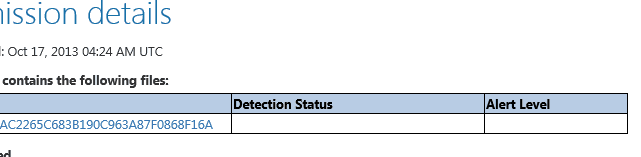
Four days now and...

View attachment 290687
The sample has not been processed yet.


Feels like sloppy business practice, doesn't it?
This stuff is complex. There is a chance that they might not process this sample. If I had given them an e-mail address, I might have been told that. The file in question is only available on the internet for a few hours. Those serving up this malware change it often. MS might know this and might not process such submissions. What appears to be a slow (or no response) might just be the norm for files like this.

I'm not doing as deep of an investigation into this file (and its versions) as I've done with past infections. I'm not keeping a copy of every file version that I can download. I have downloaded the file a few times each day for a while know and yesterday (and today) yielded a sad surprise. MSE detected yesterday's (and today's) version as a severe threat - but it failed to clean it. It also failed to prevent the ransomware from taking over the user's profile.

The infection type (and the registry key) has been known to MSE since at least April 2013:
Trojan:Win32/Urausy.E

And yet MSE cannot clean/prevent this version of this malware:

MSE1.png

MSE2.png

The process ID number shown above is the PID of the infected file that I launched from the user's desktop. Process Monitor showed the things that it did and provided me with the PID at the same time that MSE provided me with the PID that it could not clean.

So - maybe MSE does have a heuristic rule watching over this particular user level registry key. Maybe MSE just cannot handle halting the infection. The infection uses an instance of svchost to make the actual change to the registry... perhaps that is what is confusing MSE.


Each version of this file that I download, I upload to virustotal. Only ESET, Fortinet, GData and Malwarebytes have flagged today's version solely by it file signature*.

*Well, that might not entirely be true. It is possible (probably) that ESET and others flagged the behavior on computers running their antivirus app, then added the file to their signature database - thus permitting virustotal to flag the file via API interfaces to those databases. Or maybe I don't understand virustotal.

Adding ever changing files like this to an antivirus signature database would just bloat that database. Heuristics is the only answer that I see.
 

My Computer

Computer type
Laptop
Computer Manufacturer/Model Number
Employer provided Dell Latitude
OS
W7 Pro SP1 64bit
CPU
i7
Memory
8GB
Graphics Card(s)
Intel HD Graphics
Hard Drives
crappy SSD
Antivirus
Employer mandated Symantec Endpoint Protection
Browser
Pale Moon 64bit, IE11 64bit & Chrome 64bit
I should add that MSE was meant to be used in conjunction with Internet Explorer. I have to turn off IE's SmartScreen Filter in IE10 so that I can download this malware. MSE would not let yesterday's or today's version of this ransomware out of the temporary internet files (TIF) area if it was already installed*.

*Yesterday morning, the file was allowed out of the TIF area. But by yesterday afternoon's MSE update, it was not.

I turn off the SmartScreen Filter since I want to test MSE's ability to handle this file if it came in via other means/browsers.
 

My Computer

Computer type
Laptop
Computer Manufacturer/Model Number
Employer provided Dell Latitude
OS
W7 Pro SP1 64bit
CPU
i7
Memory
8GB
Graphics Card(s)
Intel HD Graphics
Hard Drives
crappy SSD
Antivirus
Employer mandated Symantec Endpoint Protection
Browser
Pale Moon 64bit, IE11 64bit & Chrome 64bit
I'm not being critical of anything you've said, UsernameIssues. I'm trying to learn more about security and malware detection and that's why I pose these questions:

1. According to your 2nd screenshot, MSE did detect the malware and placed it in quarantine. Under "recommended action" it suggests you remove the software immediately and it allows you to check mark > remove all. But it also says an error occurred and the program (MSE) could not find the malware on the computer. How could MSE categorize the malware, describe it, and then place the malware in quarantine if it couldn't find it?

2. Do you think this is a question of MSE software coding being bunged up rather than MSE not being able to detect/quarantine malware?

3. And do you think MSE is simply erring on the side of caution by NOT removing the malware and allowing the user to make that final decision?

Again, I'm just trying to become more educated in malware and malware detection/removal.
 

My Computer

Computer type
Laptop
Computer Manufacturer/Model Number
Sony Vaio VPCEB47GM Laptop
OS
Win 7 Pro 64-bit
CPU
Intel i5 2.4 Ghz
Memory
8GB DDR3
Graphics Card(s)
Intel HD 3000
Sound Card
IDT High Definition
Monitor(s) Displays
15.6 WGXA Anti-Glare LED
Screen Resolution
1280x800
Hard Drives
640Gb 7200rpm
Antivirus
MSE
Browser
Opera (primary) with IE9 backup
I'm not being critical of anything you've said, UsernameIssues. I'm trying to learn more about security and malware detection and that's why I pose these questions:...
Even if someone was critical of my amateur analysis, I'm okay with that. I'm fully aware of my ability to come to the wrong conclusions. And while I've been doing this off and on for a long time - that might only mean that I'm a slow learner :-)

I can only hope that the info below is correct. It is all coming from my memory and the infection file has changed many times. MSE's actions towards it change too. Some versions raise no flags. Other versions show what you see in the screenshots. All of the versions seem to do the same thing and yet MSE handles them differently. Tonight's version is back to not triggering any action from MSE :-(

Since we are back to a version (or versions) that raise no flags (cause no actions by MSE)... I'm wondering if MSE is using heuristics to protect that registry key. Maybe it does detect some stuff that it never tells the user about.


~~~
1. According to your 2nd screenshot, MSE did detect the malware and placed it in quarantine. Under "recommended action" it suggests you remove the software immediately and it allows you to check mark > remove all. But it also says an error occurred and the program (MSE) could not find the malware on the computer. How could MSE categorize the malware, describe it, and then place the malware in quarantine if it couldn't find it?
~~~
MSE created a popup in the notification area that said the computer was being cleaned. That popup said something like: no further action was needed. MSE never turned red. Even the popup was green. The fact that the file was still on the desktop was the first clue that something was wrong. I manually opened MSE and looked at the screen shown in that second screenshot. If the infected file had been launched from a less visible folder (maybe the downloads folder) I might never have know about MSE's failure to quarantine the file. As you see in that second screenshot, MSE does state that the threat has been quarantined. That seems to be wrong. It has not been quarantined. [I did not try to have MSE remove the file from the quarantine area since it was not in that area.]

>How could MSE categorize the malware, describe it
The detection/description could have been based on what was loaded into RAM.

>and then place the malware in quarantine if it couldn't find it? My guess is that MSE wrote the summary of its actions before it wrote the details of the error. They seem to contradict each other.

I restarted the virtual computer and went into the infected profile to give MSE a chance to prevent the shell from being replaced. (Well sort of replaced - it is actually just covered up.) MSE did not stop the infected cache.dat file from running. The very cache.dat file that is mentioned in this link: Trojan:Win32/Urausy.E

The infected file was still on the standard user's desktop, so I...
...did a ctr-alt-del
...logged that infected user off
...logged on as the built in administrator
...let the computer build the profile (since this was the first log on)
...used that same infected file
......in the same file/path location
......to infect that second profile
All while MSE was "protecting" this virtual machine.
This indicates to me that the infected file was never quarantined... that is was still fully functional.

While infecting the admin profile, MSE did that exact same thing:
told me that it found stuff
told me that I did not need to do anything
never turned red (or even orange)
gave the same error.


~~~
2. Do you think this is a question of MSE software coding being bunged up rather than MSE not being able to detect/quarantine malware?
~~~
I really don't know what to think at this point. I'll leave that for MSE to figure out. I setup MSE to share the maximum amount of info back to MS (automatic file submission and advanced MAPS). The automatic file submission might not work for files that MSE cannot find.


~~~
3. And do you think MSE is simply erring on the side of caution by NOT removing the malware and allowing the user to make that final decision?
~~~
Such does not seem to be the case. In yesterday's tests, if I have MSE installed before downloading the infected file, the file never makes it out of the temporary internet files area. The user is never given a option to complete the save to the desktop or to any other area.

 

My Computer

Computer type
Laptop
Computer Manufacturer/Model Number
Employer provided Dell Latitude
OS
W7 Pro SP1 64bit
CPU
i7
Memory
8GB
Graphics Card(s)
Intel HD Graphics
Hard Drives
crappy SSD
Antivirus
Employer mandated Symantec Endpoint Protection
Browser
Pale Moon 64bit, IE11 64bit & Chrome 64bit
I'm not being critical of anything you've said, UsernameIssues. I'm trying to learn more about security and malware detection and that's why I pose these questions:...
Even if someone was critical of my amateur analysis, I'm okay with that. I'm fully aware of my ability to come to the wrong conclusions. And while I've been doing this off and on for a long time - that might only mean that I'm a slow learner :-)

I can only hope that the info below is correct. It is all coming from my memory and the infection file has changed many times. MSE's actions towards it change too. Some versions raise no flags. Other versions show what you see in the screenshots. All of the versions seem to do the same thing and yet MSE handles them differently. Tonight's version is back to not triggering any action from MSE :-(

Since we are back to a version (or versions) that raise no flags (cause no actions by MSE)... I'm wondering if MSE is using heuristics to protect that registry key. Maybe it does detect some stuff that it never tells the user about.


~~~
1. According to your 2nd screenshot, MSE did detect the malware and placed it in quarantine. Under "recommended action" it suggests you remove the software immediately and it allows you to check mark > remove all. But it also says an error occurred and the program (MSE) could not find the malware on the computer. How could MSE categorize the malware, describe it, and then place the malware in quarantine if it couldn't find it?
~~~
MSE created a popup in the notification area that said the computer was being cleaned. That popup said something like: no further action was needed. MSE never turned red. Even the popup was green. The fact that the file was still on the desktop was the first clue that something was wrong. I manually opened MSE and looked at the screen shown in that second screenshot. If the infected file had been launched from a less visible folder (maybe the downloads folder) I might never have know about MSE's failure to quarantine the file. As you see in that second screenshot, MSE does state that the threat has been quarantined. That seems to be wrong. It has not been quarantined. [I did not try to have MSE remove the file from the quarantine area since it was not in that area.]

>How could MSE categorize the malware, describe it
The detection/description could have been based on what was loaded into RAM.

>and then place the malware in quarantine if it couldn't find it? My guess is that MSE wrote the summary of its actions before it wrote the details of the error. They seem to contradict each other.

I restarted the virtual computer and went into the infected profile to give MSE a chance to prevent the shell from being replaced. (Well sort of replaced - it is actually just covered up.) MSE did not stop the infected cache.dat file from running. The very cache.dat file that is mentioned in this link: Trojan:Win32/Urausy.E

The infected file was still on the standard user's desktop, so I...
...did a ctr-alt-del
...logged that infected user off
...logged on as the built in administrator
...let the computer build the profile (since this was the first log on)
...used that same infected file
......in the same file/path location
......to infect that second profile
All while MSE was "protecting" this virtual machine.
This indicates to me that the infected file was never quarantined... that is was still fully functional.

While infecting the admin profile, MSE did that exact same thing:
told me that it found stuff
told me that I did not need to do anything
never turned red (or even orange)
gave the same error.


~~~
2. Do you think this is a question of MSE software coding being bunged up rather than MSE not being able to detect/quarantine malware?
~~~
I really don't know what to think at this point. I'll leave that for MSE to figure out. I setup MSE to share the maximum amount of info back to MS (automatic file submission and advanced MAPS). The automatic file submission might not work for files that MSE cannot find.


~~~
3. And do you think MSE is simply erring on the side of caution by NOT removing the malware and allowing the user to make that final decision?
~~~
Such does not seem to be the case. In yesterday's tests, if I have MSE installed before downloading the infected file, the file never makes it out of the temporary internet files area. The user is never given a option to complete the save to the desktop or to any other area.

I truly appreciate the detailed information and the amount of time it took to respond to my questions. Thank you.
 

My Computer

Computer type
Laptop
Computer Manufacturer/Model Number
Sony Vaio VPCEB47GM Laptop
OS
Win 7 Pro 64-bit
CPU
Intel i5 2.4 Ghz
Memory
8GB DDR3
Graphics Card(s)
Intel HD 3000
Sound Card
IDT High Definition
Monitor(s) Displays
15.6 WGXA Anti-Glare LED
Screen Resolution
1280x800
Hard Drives
640Gb 7200rpm
Antivirus
MSE
Browser
Opera (primary) with IE9 backup
You are welcome... and thanks for reading my ramblings.


Here is more data to add to the confusion:

Process Monitor plus infection process = Explorer crash (sometimes)
(as shown in the first video)
This is something new to this evening's version of the infected file. But Explorer works fine every time if Process Monitor is not running during the infection process. I recorded the infection/detection process many times while attempting to get a video where Explorer did not crash AND the lag between infection and the ransom note appearing was not too long. It can take a minute or two before the ransom screen appears.

I had been performing an on demand scan (right click on the file and select scan) of the infected file at the start of each recording, but I failed to do so for the video that I ended up keeping/posting as the first video below. MSE did not flag the infected file as bad during my many on demand scans. But MSE did flag something during the infection process as shown in the first video. In that video, the Virtual Machine (VM) had 1GB of RAM assigned.

Around 2am, I shut down the VM and increased the RAM allocation to 4GB. I grabbed some food while the W7 VM checked for updates to the OS [there were none]. I had also told MSE to get any updates. Then I froze (took another snapshot) the VM using the 4GB setting.

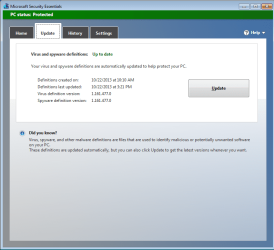
I tried for the 100th time (or so it seemed) to get a video that showed the infection without Explorer crashing. I just did not want that crash in the mix. But wait! MSE no longer flags anything during the infection process!?! I looked at the time stamps (and version numbers) on MSE's definitions and they had changed. [I had not noticed that update while I was eating.]


Now I'll start back at the beginning and document the timeline at bit:
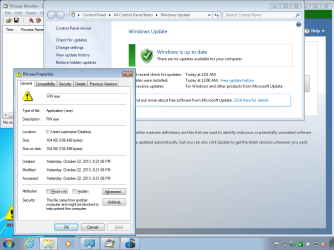
The date & time stamp on the ransomware file shows that I downloaded it on 22 Sept 2013 at 6:21pm. I froze that file into the virtual machine a few minutes later. That file has not changed throughout the info for this post

I updated the OS with the latest round of patches and installed/updated MSE. I froze that configuration around midnight. I had MSE check for updates before starting the recording that turned into the first video in this post. I did not have MSE check for updates prior to the second video in this post since I had just frozen the VM after checking for MSE updates.

The first video was taken a bit after midnight. I halted that video before it could paint the info about the ransom. The second video was taken around 3am. Again, the infected file has not changed all evening.

The timeline of events can get confusing when dealing with frozen VMs. Hopefully, I've written out enough info so that I don't have to make sense of these times several days from now.


ransomware1.png


ransomware2.png


The infected file has svchost copy it to the folder shown in the Explorer window in the second video. Earlier versions of this infected file shows the copy to be from 01 August 2013. This version is from 08 August 2013. Such dates can be altered, but it was something that I noticed.

In the second video, while I was waiting for the ransom note, I tried to show that svchost creates the copy of the infected file as well as writes info to the registry. The svchost exe seems to be legit.

Attached is the Process Monitor log file gathered during the second video. I had to remove some processes (SearchIndexer and VBoxservice) to shrink the file.

Edit:
In summary:
MSE definitions 1.161.254.0 detects the infection - but cannot clean it
MSE definitions 1.161.259.0 does not detect the infection
MSE definitions 1.161.239.0 does not detect the infection
MSE definitions 1.161.543.0 detects the infection AND cleans it!
This version of the definitions also removes the file using an on demand scan.
But before you celebrate, a new version of this infected file came out over 3 hours ago (according to virustotal) and MSE does nothing to stop it. On demand fails and the infection process is not halted.

This seems to point us to MSE handling this file based on its signature... not its behavior. For this infection type, I see no reason why MSE took this route.
 
Last edited:

My Computer

Computer type
Laptop
Computer Manufacturer/Model Number
Employer provided Dell Latitude
OS
W7 Pro SP1 64bit
CPU
i7
Memory
8GB
Graphics Card(s)
Intel HD Graphics
Hard Drives
crappy SSD
Antivirus
Employer mandated Symantec Endpoint Protection
Browser
Pale Moon 64bit, IE11 64bit & Chrome 64bit
I've been reading all of this but have the sense to keep my mouth shut because I can only skim the surface of the issue with my comprehension. If there is any more to come I will be all eyes once again; you are not forgotten in your labours and I suspect there are a lot of us wondering if the outcome is going to be positive or negative. Keep up the good work Sir, your efforts are seriously appreciated..
 

My Computer

Computer type
PC/Desktop
Computer Manufacturer/Model Number
Cyberpower PC
OS
windows 7 premium home 64bit
CPU
intel core i5 2500 3.3Ghz 6mb cache OEM
Motherboard
Asus P8Z68-V LX Intel Z68 Chipset DDR3 ATX USB 3
Memory
8GB (2x4GB) PC10666 DDR3/1333mhz Dual
Graphics Card(s)
AMD ATI Radeon Powercolor HD5670 1GB passive cooled
Sound Card
Creative/Soundblaster Digital Music Premium HD/X-Fi-HD
Monitor(s) Displays
Samsung 22; Hanns.G 19
Screen Resolution
1680 x 1050
Hard Drives
SSD: 120 GB Intel 520 Series SATA III
HDD2:West Dig 1TB SATA III 32mb 6gb/s
Hot swap HDD3: 1tb Barracuda Sata 3 32mb 6gb/s
PSU
Coolermaster Elitepower 500wt
Case
NZXT Hush 2
Cooling
Coolermaster Hyper TX3
Mouse
Logitech M570 Trackball
Internet Speed
50mbs
Antivirus
Malwarebytes3. cont' below:
Browser
IE11
Other Info
Windows Firewall.
Hitman-Pro.alert3.
Back
Top