Multi-mon Support
It comes as no surprise that many of you wrote to discuss multi-monitor support for the taskbar. This is a popular request from our enthusiasts (and our own developers) and was called out as an area of investigation in the original post.
@Justausr is very direct with this comment: “The lack of multi-monitor support is just about a crime. We've seen pictures of Bill Gate's office and his use of 3 monitors. Most developers have 2 monitors these days. Why was multi-monitor support for the taskbar missing? Once again, this is an example of the compartmentalization of the Windows team and the lack of a user orientation in defining and implementing features. The fact that this is even a "possible" and not an "of course we're going to..." shows that you folks STILL don't get it.”
At least in this particular case we tend to think we “get it”, but we also tend to think that the design of a multi-mon taskbar is not as simple as it may seem. As with many features, there is more than one way to implement this one. For example, some might suggest a unique taskbar that exists on each display and others suggest a taskbar that spans multiple displays. Let’s look at both of these approaches. While doing so also keep in mind the complexities of having monitors of different sizes, orientations, and alignments.
If one was to implement a taskbar for each display where each bar only contained windows for its respective portion of the desktop, some issues arise. Some customers will cite advantages of less mouse travel since there is always a bar at the bottom on their screen. However, such a design would now put the onus on the customer to track where windows are. Imagine looking for a browser window and instead of going to a single place, you now had to look across multiple taskbars to find the item you want. Worse yet, when you move a window from one display to another, you would have to know to look in a new place to find it. This might seem at odds with the request to rearrange taskbar buttons because customers want muscle memory of their buttons. It would be like having two remotes with dynamically different functionality for your TV. This is one of the reasons that almost every virtual desktop implementation keeps a consistent taskbar despite the desktop you are working on.
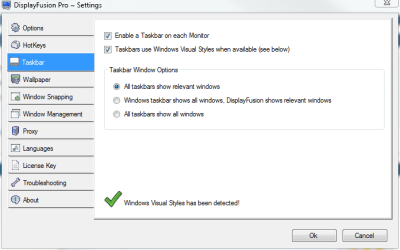
Another popular approach is a taskbar that spans multiple desktops. There are a few third-party tools that attempt to emulate this functionality for the Windows taskbar. The most obvious advantage of this approach (as well as the dual taskbar) is that there is more room offered for launching, switching and whispering. It is fairly obvious that those customers with multiple displays have more room to have more windows open simultaneously and hence, require even more room on their taskbar. Some of our advanced customers address this issue by increasing the height of the taskbar to reveal multiple rows. Others ask for a spanning taskbar. The key thing to recognize is that the problem is not necessarily that the taskbar doesn’t span, but that more room is required to show more information about windows. So, it stands to reason that we should come up with the best solution to this problem, independent of how many displays the customer has.
We thought it would be good to just offer a brief discussion on the specifics of solving this design problem as it is one we have spent considerable time on. One of the approaches in general we are working to do more of, is to change things when we know it will be a substantial improvement and not also introduce complexities that outweigh the benefits we are trying to achieve.
Once again, many thanks for your comments. We look forward to talking soon.
- Chaitanya