

klesmiley
New member
- Local time
- 10:28 AM
- Messages
- 21
I found this in an old thread
"Run either process explorer or Security Task Manager to check what folder it is loading from. iexplore.exe should run only from C:\Program Files\Internet Explorer\iexplore.exe If other path then it is a malware. "
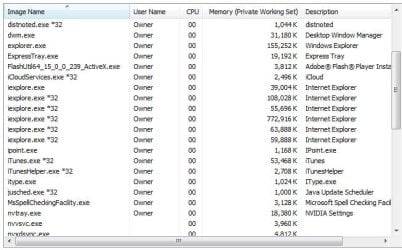
Attachment "Task Manager" shows the number of instances running.
How do I run "process explorer" or "Security Task Manager" to check what folder it is loading from?
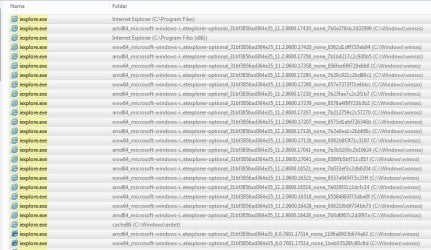
I did a search in C: drive for iexplore.exe and found 63 items! The attachment Page1.JPG shows the first page of those found. There are 2 more pages but I didn't know if would be of any benefit to upload them.
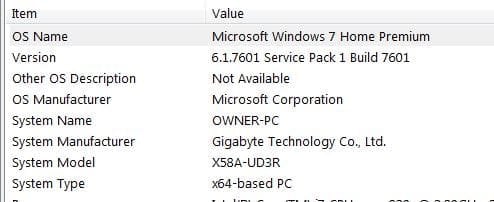
Please see attachment "System Type" for my computer details. And Internet Explorer 11.
I don't even know if this is a problem or not but it seemed unusual to me.
"Run either process explorer or Security Task Manager to check what folder it is loading from. iexplore.exe should run only from C:\Program Files\Internet Explorer\iexplore.exe If other path then it is a malware. "
Attachment "Task Manager" shows the number of instances running.
How do I run "process explorer" or "Security Task Manager" to check what folder it is loading from?
I did a search in C: drive for iexplore.exe and found 63 items! The attachment Page1.JPG shows the first page of those found. There are 2 more pages but I didn't know if would be of any benefit to upload them.
Please see attachment "System Type" for my computer details. And Internet Explorer 11.
I don't even know if this is a problem or not but it seemed unusual to me.
Attachments
Last edited:
My Computer
- OS
- windows 7

