
When I click on My Computer either on Desktop or in the Start menu folder, a screen appears as shown here. But I can access these items from the Windows explorer icon on the task bar!!
Also whenever I click on any folder or drive in My computer window, the contents open in a new window and I end up in a large number of windows opened by the time I reach a file or a folder.
How can I fix this?
Also whenever I click on any folder or drive in My computer window, the contents open in a new window and I end up in a large number of windows opened by the time I reach a file or a folder.
How can I fix this?
Attachments
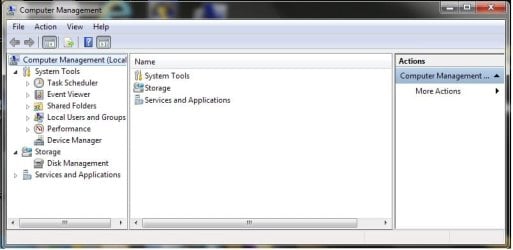

My Computer
At a glance
Windows 7 Ultimate 32bit
- OS
- Windows 7 Ultimate 32bit


