
My computer and other computers can't read the hard drive.

frustratedfalyn

New member
Local time
8:52 AM
Messages
1
I REALLY DON'T KNOW WHAT'S GOING ON. My Hard Drive can't be read by the computer but I can eject it.
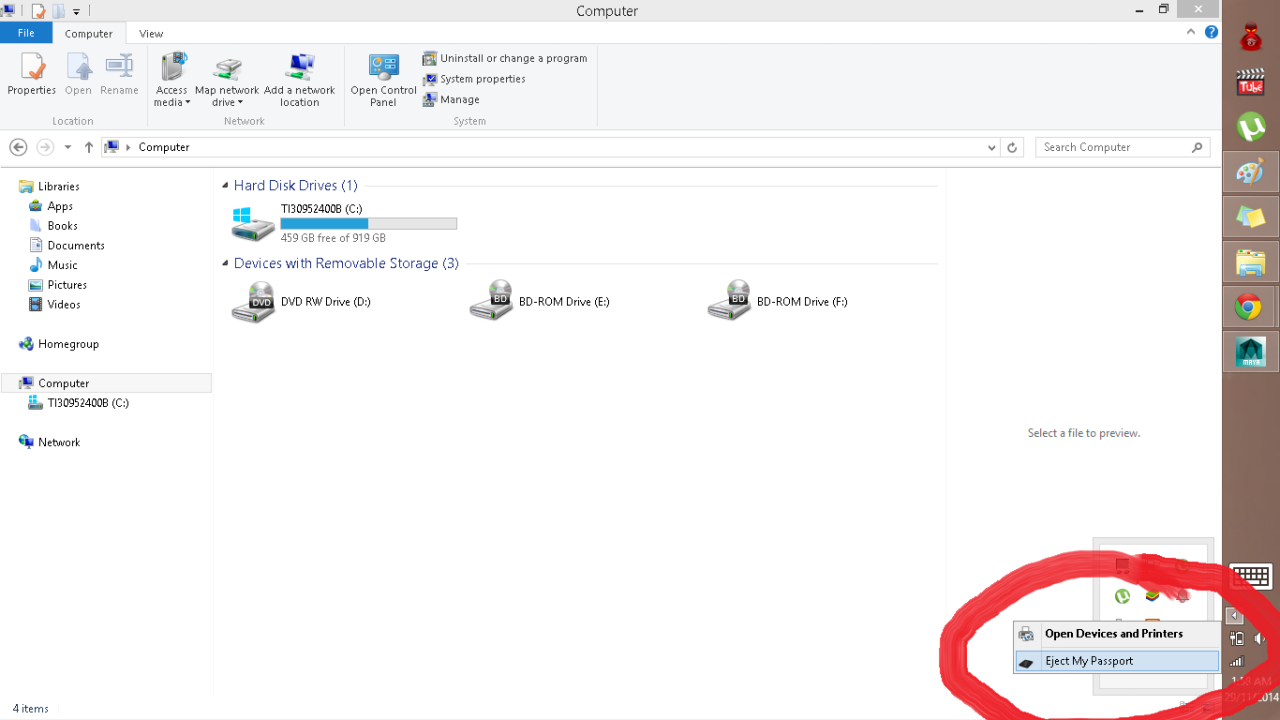
tumblr_nfrgxlQC1A1rrwbqfo1_1280.png


I tried to use the Disk Management method but no luck.
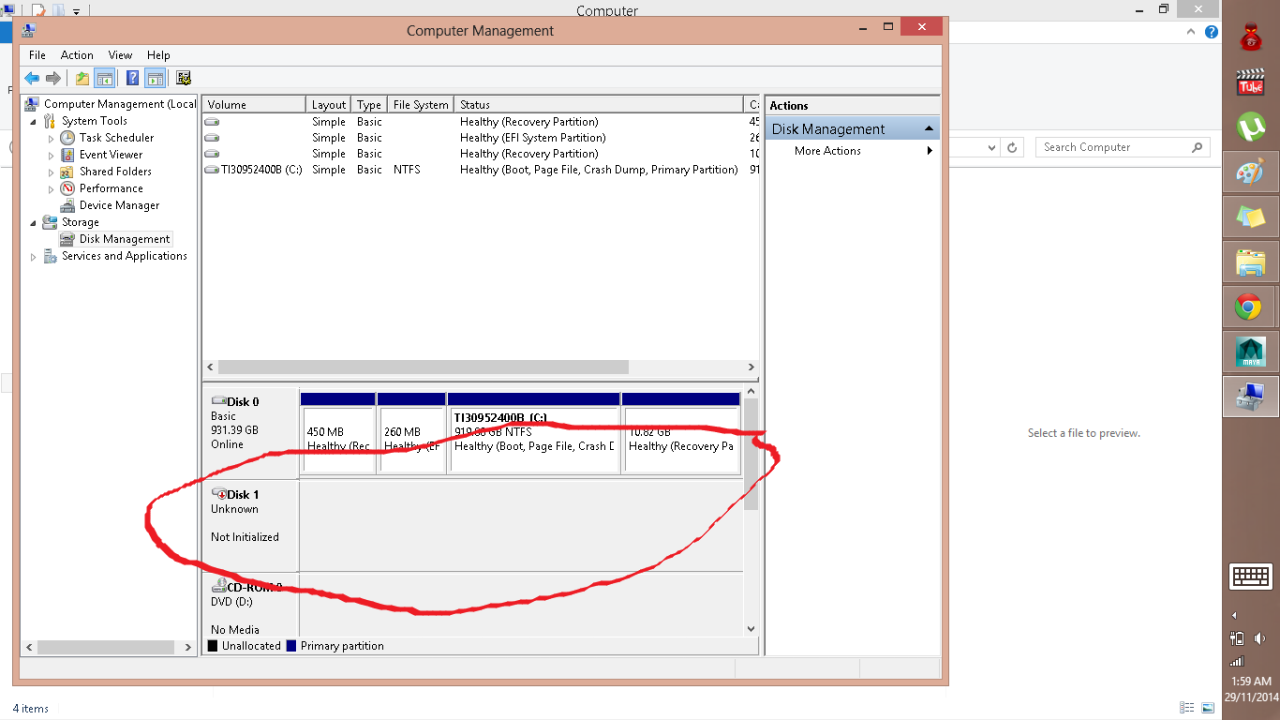
tumblr_nfrgxlQC1A1rrwbqfo2_1280.png


Please bear with me... This is the first time that's happened to my hard drive so i don't know what kind of info's to say in this forum. Do you have any solution on how to fix it? :cry:

Sorry if someone already has a post about this. I may have overlooked it.
 

My Computer My Computer

At a glance

641tb
Computer type
Laptop
Computer Manufacturer/Model Number
Toshiba
OS
64
Memory
1tb
Looks like it's not initialized correctly, or perhaps formatted with a non-Windows file system?

How large is it? It's a WD MyPassport external USB drive? If it's larger than 2TB it must be formatted with GPT. Else it should be formatted with MBR.

I'd suggest you download/install Partition Wizard. Also download/burn the PW standalone bootable CD ISO so that you can boot from it.

First, try the just-installed Windows version of the program (instead of using Disk Management), and see what PW thinks of your external drive if anything. Post a screenshot here if it's informative.

Then, try the PW standalone boot CD and again, does it see the external drive at all? If so, can you create a partition on it (to NTFS) and re-format it using PW? You right-click on the drive (if it's visible) and then select "create partition" from the popup menu, etc,

Just ideas...
 

My Computer My Computer

At a glance

Windows 7 Pro x64 (1), Win7 Pro X64 (2)i5-3350p 3.1Ghz/6MB-cache (1); E8400 3.0Ghz/6...8GB PC3-12800 DDR3 (1); 4GB PC3-10600 DDR3 (2)ATI HD7750 (1), (see TV cards); ATI R7 250 (2)
Computer type
PC/Desktop
Computer Manufacturer/Model Number
Home-built, two systems (1) and (2)
OS
Windows 7 Pro x64 (1), Win7 Pro X64 (2)
CPU
i5-3350p 3.1Ghz/6MB-cache (1); E8400 3.0Ghz/6MB-cache (2)
Motherboard
ASUS P8Z77-V Pro (1); ASUS P5Q3 (2)
Memory
8GB PC3-12800 DDR3 (1); 4GB PC3-10600 DDR3 (2)
Graphics Card(s)
ATI HD7750 (1), (see TV cards); ATI R7 250 (2)
Sound Card
Realtek ALC892 HD Audio (1); Realtek ALC1200 HD Audio (2)
Monitor(s) Displays
Eizo HD2441W LCD, Eizo S2433W (1); Eizo 24" S2433W (2)
Screen Resolution
1920x1200, 1920x1200 (1); 1920x1200 (2)
Hard Drives
(1) 1TB SATA-II (7200RPM), 2x2TB SATA-III (7200RPM), 250GB SATA-III (10000RPM) for OS; 2x2TB external USB 3.0

(2) 320GB SATA-II (7200RPM), 750GB SATA-II (7200RPM), 150GB SATA-II (10000RPM) for OS; 2TB external USB 3.0
PSU
Nesteq ECS-6001 600W (1); Nesteq ECS-5001 500W (2)
Case
Acousti-Case 360 (1) and (2)
Cooling
Noctua NH-U12P SE2 for CPU, 2x120mm case fans (1) and (2)
Keyboard
IBM PS/2 (1) and (2)
Mouse
Logitech MX Revolution wireless (1); Microsoft wired (2)
Internet Speed
100mbps down / 10mbps up
Antivirus
Microsoft Security Essentials; Malwarebyte Anti-Malware Pro
Browser
Firefox
Other Info
Ceton InfiniTV 4-tuner cablecard-enabled TV card as well as Hauppauge HVR-2250 OTA/ATSC 2-tuner TV card in (1), running under Win7 WMC
you can just right klick and initialize it.

looks like a linux disk, mac disk or a failing drive / shot filesystem.

or you might check the drive with eg seatools. or let a recovery software look at it. eg recovermyfiles
 

My Computer My Computer

At a glance

Windows 7 Ultimate x64Xeon E5-1650 v2Kingston ECCQuadro fx 580
Computer type
PC/Desktop
Computer Manufacturer/Model Number
Custom Build
OS
Windows 7 Ultimate x64
CPU
Xeon E5-1650 v2
Motherboard
Asus p9x79 ws
Memory
Kingston ECC
Graphics Card(s)
Quadro fx 580
Hard Drives
Samsung 850 pro
Corsair Force Gt
Seagate Enterprise 6TB on 3ware 9750
Antivirus
avira
Back
Top