

- Local time
- 1:30 PM
- Messages
- 5,915
I did download both of these. I dont know where I am making the misktake at. Could you please walk me though exactly what and how I am suppose to do this. Is it possible that there is a virus or something causing this? My com;puter is acting crazy. I know that before it crashed there was a virus but I didnt get the chance to try and remove it. I got a different blue screen error now. A problem has been detected and windows has been shut down to prevent damage to your compter. wimFsf.sys PAGE_FAULT_IN_NONPAGED_AREA Technical information: STOP 0x00000050 (ox83BB88F9, 0x00000000, 0x848B7339,0x00000000) wimFsf.sys - address 848B7339 base at 848B4000 Datestamp 4a5bc0a6 This is the first time I have every had this appear.
1. Unzip fjerase.zip to a folder.
2. Unzip fjdt_700.zip to the same folder.
You will see the following files in that folder. ( Read the Readme files there)
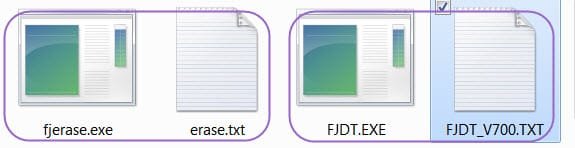
3. Create your bootable DOS pendrive as detailed in my post #16 above.
4. Copy the files fjerase.exe and FJDT.EXE to the pendrive and then it should look like this.
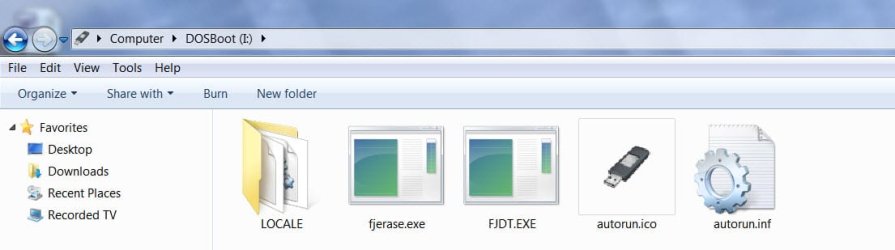
5. Plug in the pendrive to your laptop, invoke the one-time bootmenu and boot from this pendrive.
6.At the C prompt type fjerase.exe and press enter key. C:\>fjerase.exe [ENTER] . As detailed in the readme file it will proceed to find all the drives in your machine. Use the up/down arrows to highlight your Toshiba drive and hit F4 to erase it.
7.To run the drive diagnostics, at the C prompt type FJDT.EXE and press enter key. C:\>FJDT.EXE [ENTER] (Do the comprehensive test.)
( My DOS is rusted.
 Other experts may please chip in and correct if there is anything wrong. Since I do not have a Toshiba drive, I could not run these and test personally. OP may try. No harm.)
My Computer
At a glance
Windows 7 Home Premium 32 bit
- OS
- Windows 7 Home Premium 32 bit

