My Sony laptop is behaving strange

Have a look at this one. Most (not all) aftermarkets are as good if not better.

Sony Keyboard

Also once you get the new keyboard (providing that's the direction you go) be aware that there could still be an error on the motherboard and I would suggest resetting the bios to defaults once its installed (a pain I know but truly necessary).
 

My Computer My Computer

At a glance

Windows 7 Professional x64AMD Athlon II x4 3.00 GHz16GB Kingston DDR3Nvidia 8600 (dual DVI out for 2 monitors)
Computer type
PC/Desktop
Computer Manufacturer/Model Number
Custom Build MPCBS AMII
OS
Windows 7 Professional x64
CPU
AMD Athlon II x4 3.00 GHz
Motherboard
MSI GF615M-p33
Memory
16GB Kingston DDR3
Graphics Card(s)
Nvidia 8600 (dual DVI out for 2 monitors)
Sound Card
Onboard
Monitor(s) Displays
Acer H233H 23", ASUS 23"
Screen Resolution
1366 x 768
Hard Drives
(2) WD Blue 1 TB 3 partitions, (1) Seagate 7200 500GB with 2 partitions for useless and frequently deleted data Looking forward do an ssd for os soon.
PSU
Corsair 1100Watt
Case
Apevia HAF
Cooling
HAF AMD High Profile Heat sink and fan
Keyboard
wireless Logitech
Mouse
wireless Logitech
Internet Speed
16 mbps
Antivirus
eSet, AVG, Clam and Clamwin (depends on machine)
Browser
Firefox
Other Info
(9) Win 7 machines all x64 (POS Updated to Windows 7 pro YEA), (4) Linux machines x64 and x86 including a v3000 compaq lappy brought back to life with Mint 9 used to scan drives, (1) Linux Machine dual boot XP Pro (for testing and destroying), (1) Win 7 pro x64/Win 8.1 Lenovo Laptop Dual Boot.
Have a look at this one. Most (not all) aftermarkets are as good if not better.

Sony Keyboard

Also once you get the new keyboard (providing that's the direction you go) be aware that there could still be an error on the motherboard and I would suggest resetting the bios to defaults once its installed (a pain I know but truly necessary).
sorry mohavepc nice try but they keyboard you found is for my working laptop. the laptop I'm after a keyboard for is a Sony Vaio VGN-AW31XY/Q or if you read label on the rear PCG-8152M.
If you can find one for that machine please let me know.
Thanks,
Jim
 

My Computer My Computer

At a glance

Windows 7 Ultimate x648gig
Computer type
Laptop
Computer Manufacturer/Model Number
Sony PCG-8152M
OS
Windows 7 Ultimate x64
Memory
8gig
Hard Drives
500gb HDD
128gb SSD
Antivirus
AVG free
Browser
Chrome,IE 10
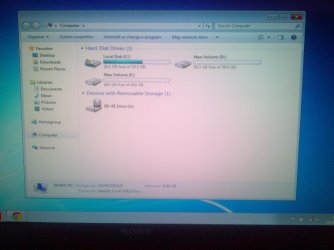
Ok I have now put the other SSD and HDD drive bk in so I can scan them and check for errors. Raid Menu came bk once put the other drives so I was able to turn off RAID0 on the other SSD that had the error. Once I did that the SSD went green and didnt say error any more so was possibly as you stated about RAID being problematic. My problem now is I cant see the other discs in My Computer only the one SSD I did the clean install is showing as C. I know from my XP days they need allocating or something similar but i cant find disc management so can you help please. If I could can I make the other 64gb SSD part of C and the 500gb HDD say D. so will then have a fast 128gb for the programs and Windows to load from. Then keep all the documents pics etc on the larger D drive
 

My Computer My Computer

At a glance

Windows 7 Ultimate x648gig
Computer type
Laptop
Computer Manufacturer/Model Number
Sony PCG-8152M
OS
Windows 7 Ultimate x64
Memory
8gig
Hard Drives
500gb HDD
128gb SSD
Antivirus
AVG free
Browser
Chrome,IE 10
Sorry about that I misread the model number from previous post. Try this one however I was not able to find one under GBP 59.95. (89.00 US).


Right click on Computer and choose "Management" There you will find disk management
 

My Computer My Computer

At a glance

Windows 7 Professional x64AMD Athlon II x4 3.00 GHz16GB Kingston DDR3Nvidia 8600 (dual DVI out for 2 monitors)
Computer type
PC/Desktop
Computer Manufacturer/Model Number
Custom Build MPCBS AMII
OS
Windows 7 Professional x64
CPU
AMD Athlon II x4 3.00 GHz
Motherboard
MSI GF615M-p33
Memory
16GB Kingston DDR3
Graphics Card(s)
Nvidia 8600 (dual DVI out for 2 monitors)
Sound Card
Onboard
Monitor(s) Displays
Acer H233H 23", ASUS 23"
Screen Resolution
1366 x 768
Hard Drives
(2) WD Blue 1 TB 3 partitions, (1) Seagate 7200 500GB with 2 partitions for useless and frequently deleted data Looking forward do an ssd for os soon.
PSU
Corsair 1100Watt
Case
Apevia HAF
Cooling
HAF AMD High Profile Heat sink and fan
Keyboard
wireless Logitech
Mouse
wireless Logitech
Internet Speed
16 mbps
Antivirus
eSet, AVG, Clam and Clamwin (depends on machine)
Browser
Firefox
Other Info
(9) Win 7 machines all x64 (POS Updated to Windows 7 pro YEA), (4) Linux machines x64 and x86 including a v3000 compaq lappy brought back to life with Mint 9 used to scan drives, (1) Linux Machine dual boot XP Pro (for testing and destroying), (1) Win 7 pro x64/Win 8.1 Lenovo Laptop Dual Boot.
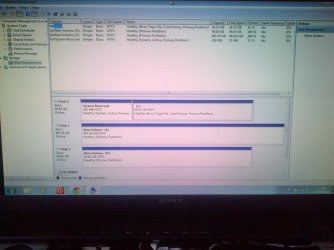
Create and format your storage drive partitions in Disk mgmt, then post back a screenshot so we can check it over for potential problems.

I spend over an hour last night searching for a keyboard for the Sony laptop in your specs. I missed where you told us in the thread that this is a different Sony, or was all our help targeted toward what you had in your specs and never updated or mentioned was different.
 
Sorry about that I misread the model number from previous post. Try this one however I was not able to find one under GBP 59.95. (89.00 US).


Right click on Computer and choose "Management" There you will find disk management
Thank you for that and no apology needed as ur trying to help me and that link you sent was for a uk based company so when I checked using ebay uk the postage was alot less. I will check with Sony parts 1st and if this supplier works out cheaper I will place an order. Thanks for ur time on this.
 

My Computer My Computer

At a glance

Windows 7 Ultimate x648gig
Computer type
Laptop
Computer Manufacturer/Model Number
Sony PCG-8152M
OS
Windows 7 Ultimate x64
Memory
8gig
Hard Drives
500gb HDD
128gb SSD
Antivirus
AVG free
Browser
Chrome,IE 10
Create and format your storage drive partitions in Disk mgmt, then post back a screenshot so we can check it over for potential problems.

I spend over an hour last night searching for a keyboard for the Sony laptop in your specs. I missed where you told us in the thread that this is a different Sony, or was all our help targeted toward what you had in your specs and never updated or mentioned was different.
Greg I would say you were looking for the right keyboard as I mentioned the spec of the laptop I was using to post on here 3 posts after you were looking.
 

My Computer My Computer

At a glance

Windows 7 Ultimate x648gig
Computer type
Laptop
Computer Manufacturer/Model Number
Sony PCG-8152M
OS
Windows 7 Ultimate x64
Memory
8gig
Hard Drives
500gb HDD
128gb SSD
Antivirus
AVG free
Browser
Chrome,IE 10
I found disc management Thanks for the pointer. I managed to make the other 2 drives simple volumes and assigned them drive letters.The 2nd 64gb is now D drive and the 500gb HDD is now E drive. I read some help files about simple volumes, dynamic volumes and extended volumes. As this is stuff I know very little about and its taking abit of grasping. My take on things is I needed to expand the 2nd SSD into C drive so they looked as 1. That option was not available but it would happily let me expand the 2nd SSD into the HDD which would have no benefit. I get the feeling its something that needed to be done at an earlier stage, but you may be able to tell me how it can be done simply.
 

My Computer My Computer

At a glance

Windows 7 Ultimate x648gig
Computer type
Laptop
Computer Manufacturer/Model Number
Sony PCG-8152M
OS
Windows 7 Ultimate x64
Memory
8gig
Hard Drives
500gb HDD
128gb SSD
Antivirus
AVG free
Browser
Chrome,IE 10
Sorry about that I misread the model number from previous post. Try this one however I was not able to find one under GBP 59.95. (89.00 US).


Right click on Computer and choose "Management" There you will find disk management
I just Tried my local Sony Centre who gave me the repair line No. and would you believe they dont supply parts they want people to send the machine in for them to repair. The man I spoke to at the sony centre said they have just had a laptop back for replacement keyboard and it was about £100.00 fitted which actually doesnt sound bad. But that doesnt mean mine would be as cheap.They gave me a premium rate No. for what they call out of service repairs but I dont think I will be using that.
 

My Computer My Computer

At a glance

Windows 7 Ultimate x648gig
Computer type
Laptop
Computer Manufacturer/Model Number
Sony PCG-8152M
OS
Windows 7 Ultimate x64
Memory
8gig
Hard Drives
500gb HDD
128gb SSD
Antivirus
AVG free
Browser
Chrome,IE 10
Create and format your storage drive partitions in Disk mgmt, then post back a screenshot so we can check it over for potential problems.

I spend over an hour last night searching for a keyboard for the Sony laptop in your specs. I missed where you told us in the thread that this is a different Sony, or was all our help targeted toward what you had in your specs and never updated or mentioned was different.


South Staffordshire-20130910-00091.jpg

South Staffordshire-20130910-00092.jpg
here are the pics you asked for from disc management
 

My Computer My Computer

At a glance

Windows 7 Ultimate x648gig
Computer type
Laptop
Computer Manufacturer/Model Number
Sony PCG-8152M
OS
Windows 7 Ultimate x64
Memory
8gig
Hard Drives
500gb HDD
128gb SSD
Antivirus
AVG free
Browser
Chrome,IE 10
You may need Boot External Device enabled to boot the flash stick. Can we also see the RAID controller settings?

You cannot boot from the external, it needs to be a USB stick with HDD set first to boot in BIOS, then trigger stick by name using Sony F12 one-time BIOS Boot Menu key.

What is this stick for? Did you write memtest to it? Using what method? It would not have said to write it to an external HD so that's just wasting time. Why not ask if in doubt?

The keyboard needs to be disabled to use a USB one. Did you try disabling in Device Manager after loading the USB keyboard's driver? Then try the USB keyboard and the on-screen keyboard to compare.

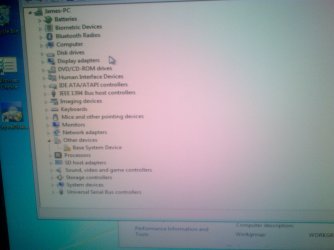
I would also want to know what the 3 devices in error in Dev Mgr are. It's possible the Fingerprint sensor sets things haywire until it is installed, so install it from the Sony Support Downloads webpage. Then trace the other two devices using http://www.sevenforums.com/tutorials/73420-hardware-identification.html to provide their drivers from the same place.

The non-genuine error can be triggered by problems with re-imaging, drive letter slippage which may be similar to RAID issues.

Is this install the one you did to the single HD after disabling RAID and the other HD? Is it at all stable. Please again describe the symptoms perfectly.

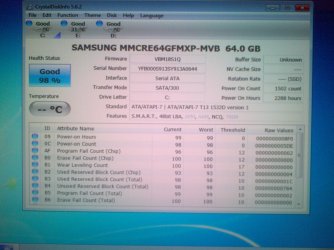
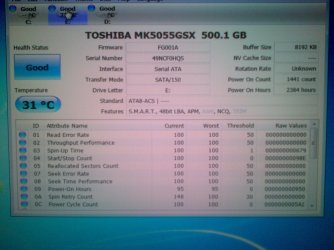
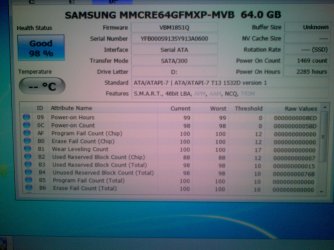
Get a reading on the HD now by installing CrystalDiskInfo - Software - Crystal Dew World. Enable the other HD to see if it reads it too showing tabs for each.

find below drives tests
South Staffordshire-20130910-00093.jpg

South Staffordshire-20130910-00094.jpg

South Staffordshire-20130910-00095.jpg
I have been struggling getting anything from sony to install on my laptop. I can download stuff it goes to extract then seems to lock up the screen then after a while disappears.Sony : VGN-AW31XY/Q updates | Download updates for VGN-AW31XY/Q. Im looking at latest downloads then windows 7. should I be looking in Preinstalled Drivers and Utilities for windows vista should I
 

My Computer My Computer

At a glance

Windows 7 Ultimate x648gig
Computer type
Laptop
Computer Manufacturer/Model Number
Sony PCG-8152M
OS
Windows 7 Ultimate x64
Memory
8gig
Hard Drives
500gb HDD
128gb SSD
Antivirus
AVG free
Browser
Chrome,IE 10
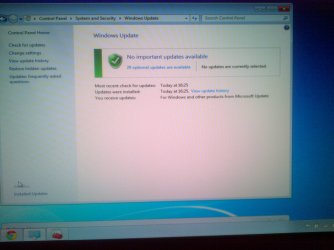
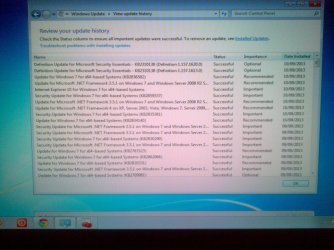
Confirm all Windows Updates are done.

Post screenshot of Device Manager.

What Sony crap are you wanting back to defeat purposd of clean reinstall.
 
Confirm all Windows Updates are done.

Post screenshot of Device Manager.

What Sony crap are you wanting back to defeat purposd of clean reinstall.
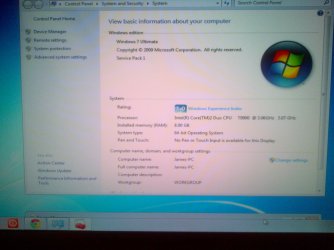
I may have misunderstood one of ur earlier posts about any missing drivers.I thought you meant from Sony. There must be something wrong as my windows experience is very low when it it used to be about 6 with all the rubbish on. Its the graphics that seem the problem.
I have only one item flagged by device manager now and I think it might be the finger print reader which was why I was on the Sony site and I thought I might need Vaio update installing for Sony's own harware.South Staffordshire-20130910-00096.jpg

South Staffordshire-20130910-00097.jpg

South Staffordshire-20130910-00098.jpg

South Staffordshire-20130910-00099.jpg
Towards the end of updating it seemed very slow to download and install
 

My Computer My Computer

At a glance

Windows 7 Ultimate x648gig
Computer type
Laptop
Computer Manufacturer/Model Number
Sony PCG-8152M
OS
Windows 7 Ultimate x64
Memory
8gig
Hard Drives
500gb HDD
128gb SSD
Antivirus
AVG free
Browser
Chrome,IE 10
Which Optional Updates are queued besides Language Packs?

Did you take notice of which group of Updates caused any slowdown? This is one of the suggestions in Clean Reinstall - Factory OEM Windows 7 to pinpoint any group of Updates or Program causing issues if possible.

If you're confident it performed better before a group of Updates then System Restore to before the problem began and reinstall the UPdates in smaller groups or singly to isolate the Update.

Have you fully tested the HD and RAM? I just got back from abroad and have several dozen cases to work on so won't have time to re-read your thread for a day or two, so please refresh my memory about whether you tested yours.
 
Which Optional Updates are queued besides Language Packs?

Did you take notice of which group of Updates caused any slowdown? This is one of the suggestions in Clean Reinstall - Factory OEM Windows 7 to pinpoint any group of Updates or Program causing issues if possible.

If you're confident it performed better before a group of Updates then System Restore to before the problem began and reinstall the UPdates in smaller groups or singly to isolate the Update.

Have you fully tested the HD and RAM? I just got back from abroad and have several dozen cases to work on so won't have time to re-read your thread for a day or two, so please refresh my memory about whether you tested yours.
since the downloads have finished and installed I would say speed is fine. I found the missing driver was for a Ricoh Memory Stick Controller, which is now installed. The windows experience score is very low which I think is due to the graphics drivers as its set up as a Standard VGA Graphics Adapter, when its actually a nVidia GeForce 9600M GT. I have downloaded the driver from nVidia but it wont replace the old Microsoft one.
 

My Computer My Computer

At a glance

Windows 7 Ultimate x648gig
Computer type
Laptop
Computer Manufacturer/Model Number
Sony PCG-8152M
OS
Windows 7 Ultimate x64
Memory
8gig
Hard Drives
500gb HDD
128gb SSD
Antivirus
AVG free
Browser
Chrome,IE 10
Standard VGA is only a placeholder driver and should not be used except as a last resort.

Are you sure you enabled Automatically deliver drivers via Windows Update (Step 3)
Then checked for UPdates to completion?

If no Display driver was delivered then you need to import it from the Support Downloads webpage for your PC. This is the driver I'm finding for VGN-AW31XY/Q:
Download, rightclick the .exe to Run as Admin.
Greg after ur post 92 I was gob smacked when the link you sent me to was the Sony site, but it did the trick and I'm bk to 5.9 on the the windows experience. I was trying to get my driver from nVidia. Yes I enabled Automatically deliver drivers via Windows Update and ive just checked and its still enabled.What I want to do now is all Users data to go to the E drive not C drive which is the current setting
 

My Computer My Computer

At a glance

Windows 7 Ultimate x648gig
Computer type
Laptop
Computer Manufacturer/Model Number
Sony PCG-8152M
OS
Windows 7 Ultimate x64
Memory
8gig
Hard Drives
500gb HDD
128gb SSD
Antivirus
AVG free
Browser
Chrome,IE 10
That's why it specifies in the tutorial to import any drivers missing after all Updates are done from the PC model's Support Downloads webpage, not the NVidia one. OEMs often modify these.
 
That's why it specifies in the tutorial to import any drivers missing after all Updates are done from the PC model's Support Downloads webpage, not the NVidia one. OEMs often modify these.
I have learned alot here and Im making use of the tutorials posted and Im going to be a regular on here. Maybe with the experience Im gaining and from the mistakes I have made I can help others. Im away this weekend so wont be able to do anything on that machine. The new keyboard should be here soon so I can see if that works ok.
 

My Computer My Computer

At a glance

Windows 7 Ultimate x648gig
Computer type
Laptop
Computer Manufacturer/Model Number
Sony PCG-8152M
OS
Windows 7 Ultimate x64
Memory
8gig
Hard Drives
500gb HDD
128gb SSD
Antivirus
AVG free
Browser
Chrome,IE 10
I have now fitted the new keyboard which has fixed the original fault. I have managed to set the user folders to go to the E drive as default instead of C drive using option 2 of the tutorial as option 1 went very wrong, but was easily solved by creating a new user profile for myself then following option 2 and finally deleting my old profile that was messed up. Yet I followed option 1 to the letter. I think it was when I copied my user folder to the E drive that it went wrong as 5 files could not be copied and I had to click ignore then followed the rest of the tutorial which failed to make E drive the default location for my user folders. Option 2 was best for me any how as I wanted any other users folders to go to the same drive, which option 2 does.
 

My Computer My Computer

At a glance

Windows 7 Ultimate x648gig
Computer type
Laptop
Computer Manufacturer/Model Number
Sony PCG-8152M
OS
Windows 7 Ultimate x64
Memory
8gig
Hard Drives
500gb HDD
128gb SSD
Antivirus
AVG free
Browser
Chrome,IE 10
Back
Top