
- Local time
- 7:30 PM
- Messages
- 63
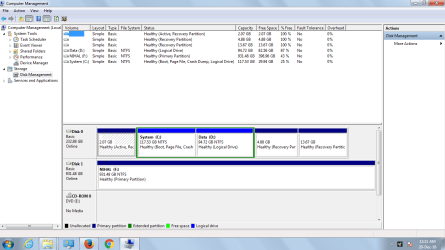
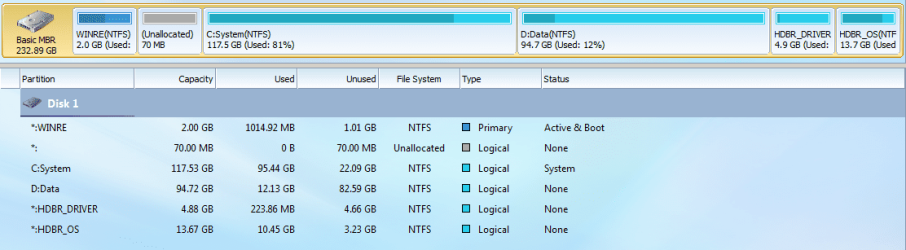
Recently I have been looking around the partitions in my laptop.Then I came across a partition in disk management which wasn't labelled any letter and the status was active recovery partition(2GB).There were another 2 recovery partitions for OS and drivers.After that I used partition wizard to see the details of the partition,In that,the partition is named as WINRE partition.I don't have much idea about this and have heard windows has a system reserved partition but that was meant to have only 100 MB, right?.Can anyone explain me the purpose of this WINRE partition.
Attachments
My Computer
- Computer type
- PC/Desktop
- Computer Manufacturer/Model Number
- Fujitsu
- OS
- Windows 7 home basics x64
- CPU
- intel core i5 2430M @2.40GHz
- Motherboard
- fujitsu
- Memory
- 4gb samsung/hynix
- Graphics Card(s)
- intel integrated hd graphics 3000
- Sound Card
- realtek HD audio
- Monitor(s) Displays
- lcd
- Hard Drives
- seagate momentus thin 250gb @5400rpm
- Cooling
- air cooling
- Keyboard
- QWERTY
- Mouse
- synaptic touchpad and wireless LOGITECH mouse
- Internet Speed
- upto 2MBps
- Antivirus
- kaspersky
- Browser
- mozilla


