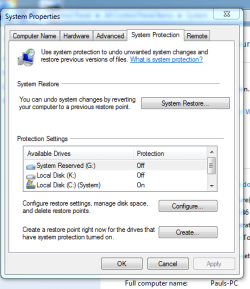
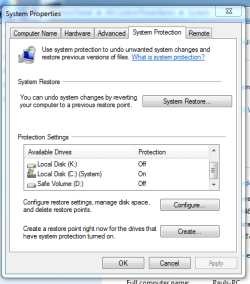
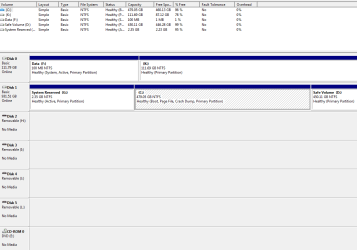
Samsung 840EVO installed using Samsung Data Migration (latest version)
Migrated from WD (c) drive . Software performed as it should, SSD installed as it should, sata connected as it should,
Entered BIOS to confirm , Boot sequence. (CD drive first then SSD) ALL drives are listed .
Booted system and received error message , to use win7 disc to repair error.
Re booted system and now have Boot manager window ,(Win7 recovery) ,hit enter and system opens as attatched.
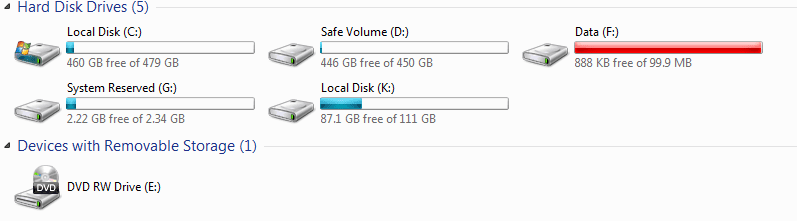
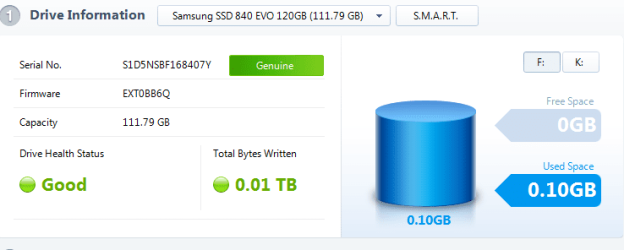
My wdhd is still listed as C drive with WIN7 and interesting that F drive has Boot manager file.???
Im still booting from my C drive partition?????
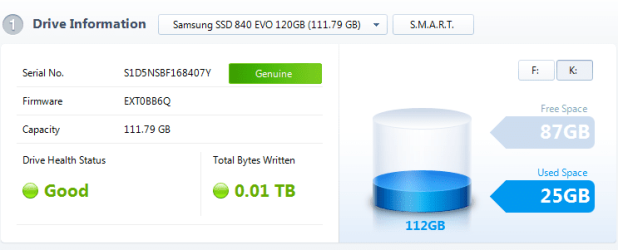
Drive K SSD has windows files loaded.????
Any help greatly appreciated.
Migrated from WD (c) drive . Software performed as it should, SSD installed as it should, sata connected as it should,
Entered BIOS to confirm , Boot sequence. (CD drive first then SSD) ALL drives are listed .
Booted system and received error message , to use win7 disc to repair error.
Re booted system and now have Boot manager window ,(Win7 recovery) ,hit enter and system opens as attatched.
My wdhd is still listed as C drive with WIN7 and interesting that F drive has Boot manager file.???
Im still booting from my C drive partition?????
Drive K SSD has windows files loaded.????
Any help greatly appreciated.
My Computer
- Computer type
- PC/Desktop
- Computer Manufacturer/Model Number
- custom build
- OS
- Windows7 home premium 32bit
- CPU
- I5-3470 Intel
- Motherboard
- Asus P8Z77-MPro
- Memory
- 4gig Corsair Vengence DDR3 1600
- Graphics Card(s)
- ATi radeon HD5670 1gig
- Sound Card
- on board
- Monitor(s) Displays
- Asus 22 inch
- Hard Drives
- WD 1tb Black caviar 64meg sata FAEX
Samsung EVO 840 120g
Seagate ext HD 1tb usb3
- PSU
- Corsair CX600 modular
- Case
- Antec 300
- Cooling
- 3 Extra case fans
- Antivirus
- AVG internet Full vers / Malwarebytes Pro/ Superantispyware
- Browser
- Firefox