I have no idea about your Flash Media question.
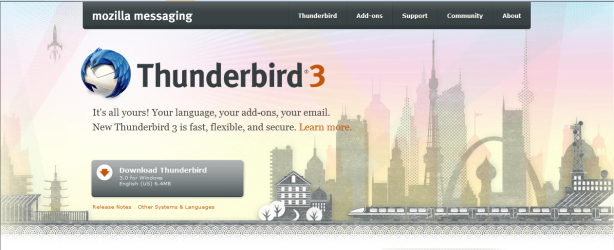
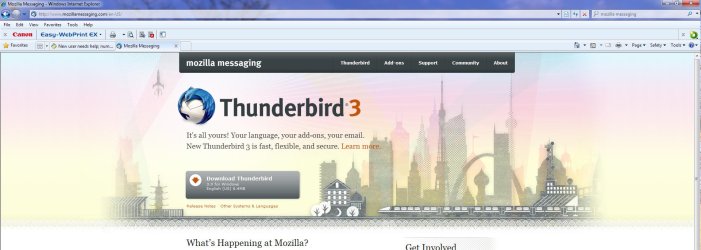
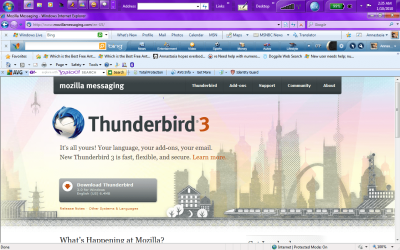
I have no idea why the screen you see at the Thunderbird site is not what I see.
I see your options at this point as (assuming you keep the machine):
Continuing to try to get to the bottom of security issues related to Thunderbird download.
Preparing to do a reinstallation. Read through your manuals looking for information about "recovery" or "restoring". It may be deliberate that you don't have disks from Lenovo. It may be that you are expected to MAKE your own discs using a partition on your hard drive.
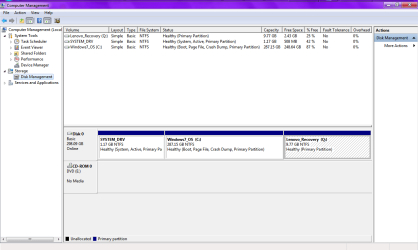
Can you go to control panel/administrative tools/computer management/disk management and take another screen shot so we can get a look at your partitions. You may well have a partition intended for recovery.
I am assuming this Lenovo has a DVD drive. If I am wrong, then you couldn't burn your own disks.
Have you recently attempted the Thunderbird download?
Have you uninstalled unneeded anti-virus and settled on just one?
If the Thunderbird site is appearing differently to me, as well as to another poster here, that makes me even more nervous that there might be a virus hijacking the site, even though it shows the exact URL you gave, which is the same one Lenovo gave me. I know there is an app for Blackberry that you can use to make the caller ID look like you are calling from any number or location you want, and is advertised as "have fun, make it look like the White House is calling your friend," but is being investigated because of possible nefarious uses like you could set it up with the name and number of someone you don't like, make a death threat to someone, and have it blamed on the person who's name and number you used. Is there a virus or program that can hijack a website and still have the URL look legitimate?
Has anyone tried actually downloading it using the the lavender download button in the past 4 days since I first got the warning? Not recommending it, just curious if anyone has, and what they experienced?
Actually, my mom paid an extra $19.95 for the backup disk.
I have a drive that plays DVDs, no clue if it records.
I posted my configuration the other day, but can barely decipher half of it:
2764CTO
2GBPC3-8500 1067MHzMem QTY - 2
320GbHardDiskDrive,7200rpm QTY - 1
FCC, Label QTY - 1
FCC-ID/Label for WWAN QTY - 1
Bluetooth Screw QTY - 1
Energy Star 4.0 Pack QTY- 1
WWAN MiscP-WWAN ReadyFull QTY -1
56k v.92 Desig. Modem QTY - 1
Base 2nd Touch for Hybrid QTY - 1
Bluetooth w/antenna QTY -1
Integ.WlessAntenna:14.1" QTY- 1
UWB Misc Parts-no card(H1 QTY - 1
St.LCDCov./Bez.14.1"w/Cam QTY - 1
ExpressCardSlot&PCCardSlot QTY -1
Cl.plateT400WLAN&BluetWWAN QTY - 1
GEOLbl.US,WLAN,Bluet. QTY - 1
Mech Misc Parts QTY- 1
New Int Lbl 2008 Core2 Duo QTY - 1
ODD SW for DVD Rec, Vista QTY - 1
AMD M82XT 256MBlbl AMT&TPM QTY - 1
MT 2764 Syst Lab (LED B/L) QTY -1
14.1WXGAw/LdB/IBtCmWWN11n QTY - 1
WLAnMiscPar-1x2half(H2) QTY - 1
MSlab.(Win.7Standard) QTY - 1
ThinkPad b/g/n QTY - 1
In.Core2DuoProcessorP880
DVDRecord.8xMaxDual,UltBay QTY - 1
14.1 WXGA TFT,w/LD Bcklt,Cm QTY - 1
Gen Win 7 Hm Pr 64 US En
Country Pack North America QTY - 1
Kyb US English
Lang.PackUSenglish QTY - 1
4 cell Li-Ion Baterry (sic) QTY - 1
UltrNav(TrackP&TouchPad)
Packaging US
Intg.Wir.WideNet upgrad. QTY - 1
AMD M82XT Hybrid 256MB
Working on the security threads to try to pick one A/V, but just getting more confused.

From some of what i have read, it sounds like maybe AVG might be the culprit behind me getting scripting errors from my Lenovo/MSN homepage today (despite the fact that I set my homepage to Dogpile, it reverted somehow) every time I tried to click a link on it (apparently AVG supposedly "breaks" homepages), and if that's the case, then I have no problem getting rid of it.
MSE's installation video says you must delete
all other A/Vs before DLing it, so I would have to delete Theatfire, Malwarebytes, and AVG. However, I had Housecall installed too, but can't find any desktop shortcut, or find it listed in any of the program files in the computer.
I am having that exact same problem Google Talk as well; no desktop icon, and not listed in program files in order to create a shortcut or to figure out how to uninstall it if needed. I tried searching the files, which found a bunch that said google talk in files that said things like user/.../AppData and user/.../roaming, but opening the user file reveals nothing useful, and can't find any files or folders labeled "AppData" or "roaming" anywhere, whatever those mean; but none were application files, and none were in any program files. So, one would assume I didn't have it, but when I restart the PC, Google Talk automatically launches, but you have to use the actual files to create a shortcut, it won't work by right-clicking the GT window, only in the computer files, where I can't find it, or Housecall. Searching for Housecall that way produces similar results to the GT search; random "roaming" and "AppData" files, but no application file. Worried that Housecall is hidng somewhere and could mess up any attempts to DL or use MSE.
Running scans with all 4, showed no threats found. Even so, is it possible to still have a virus that can do things like override your homepage setting, or disable some of the control panel functions without the user's knowledge? For example, I very specifically have the box to allow mouse pointer hovering to launch weblinks, UNchecked, and it is still unchecked when I go back and reopen the control panel, yet the function is still operating, and I have to do very careful maneuvering with the mouse pointer to avoid even grazing any links for a spilt second, or it launches the link.
This is the only entry I could find my Lenovo Troubleshooting Guide having anything to do with Recovery (nothing on Restoring):
"Diagnosing Problems using PC-Doctor from the Rescue and Recovery workspace
By using PC-Doctor from the Rescue and Recovery workspace, you can diagnose your system without starting up the operating system.
To run PC-Doctor, do as follows:
1. Turn off computer, and then turn it on again.
2. When the ThinkPad logo comes up, imediately press the ThinkVantage button. The Rescue and Recovery workspace opens.
3. Click
Diagnose hardware
For more information about PC-Doctor, see the Help for the program."
Nothing in Help can even find PC-Doctor. And there is nothing about actually doing a recovery, just diagnosing for one.
Here is the disk management snip, but I have no clue what any of it means, other than it seeming to say that all drives are healthy.