No Audio Output Devices is Installed- Sony Vaio

khoi94

New member
Local time
4:18 PM
Messages
6
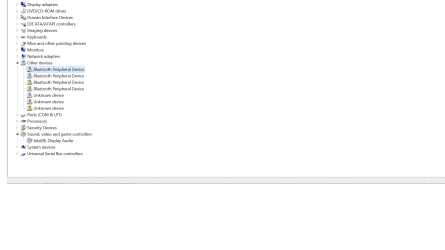
I have a bluetooth headset that already paired but it is unable to use because there is no audio services to work with. When I run the troubleshooting for my sound, it couldn't identify the problem. In my device manager, the bluetooth audio is gone (it used to be there) and i also have many unknow device that related to bluetooth. I used to played with registry when i was trying to fix something else, maybe that the cause, but when i run the Sfc /scannow, notthing seems wrong. I have been searching solution for this problem for a month and yet, notthing works. Please help, im using sony vaio Model # SVS15116FXB. I also tried to download some drivers from the sony sites, but they are useless.
 

Attachments

  • sound.png
    sound.png
    24 KB · Views: 3
  • device manager.png
    device manager.png
    25.5 KB · Views: 2

My Computer My Computer

At a glance

Window 7 Home Premium 64 Bit
Computer type
Laptop
Computer Manufacturer/Model Number
Sony
OS
Window 7 Home Premium 64 Bit
I would uninstall all the unknown and Bluetooth devices listed in the Device Manager. Leave that off until you get the basic sound going again. Restart the PC after uninstalling all the Bluetooth and unknown devices.

If the PC's sound device is enabled in the BIOS, Windows should detect it and install either the regular drivers or at least the generic, basic function, HIgh Definition Audio Drivers (Codec). If its not being detected and installed, the first thing is to check the BIOS. If its disabled in the BIOS then Windows will not see/detect it. If its enabled in the BIOS, reinstall the Intel motherboard chipset drivers. One of the things the chipset drivers do is define (identify) all the devices on the motherboard. This too affects whether the sound can be detected.
 

My Computer My Computer

At a glance

Windows 10 64 bitIntel i7 6700K16GB Corsair DominatorIntel CPU Graphics
Computer type
PC/Desktop
Computer Manufacturer/Model Number
My Own Build
OS
Windows 10 64 bit
CPU
Intel i7 6700K
Motherboard
ASUS ROG Maximus VIII Hero
Memory
16GB Corsair Dominator
Graphics Card(s)
Intel CPU Graphics
Sound Card
RealTek
Monitor(s) Displays
27" Dell S2719dgf
Screen Resolution
2560X1440
Hard Drives
1 TB Samsung 850 EVO SSD for Win 10 Pro
500GB Samsung 850 EVO SSD for Win 10 Insider
2 TB drive for backup
PSU
EVGA Supernova 750G2
Case
BeQuiet Silent Base 600
Cooling
Deepcool Captain 120EX
Keyboard
Microsoft Wireless 2000
Mouse
Microsoft wireless
Internet Speed
100 MB/sec (Cable)
Antivirus
Microsoft Defender and Malwarebytes
Browser
Edge/Firefox
Other Info
Cakewalk (Sonar) by BandLab and Studio One 4.1 Pro recording studio software. MOTU 896Mk3 Hybrid recording interface, Frontier Tranzport wireless control unit, Behringer X-Touch Control Surface.
Five USB connected optical drives for CD Audio production using Nero BurningROM
In addition to the excellent Advice above ... Select each of the unknown Devices right click select Property's / Details Tab ..Please post the Hardware ID ....
 

My Computer My Computer

At a glance

windows 7 home 64bitINTEL-CORE I716GB
Computer Manufacturer/Model Number
W530-3630QM1
OS
windows 7 home 64bit
CPU
INTEL-CORE I7
Memory
16GB
Hard Drives
750GB
Browser
Chrome
I would uninstall all the unknown and Bluetooth devices listed in the Device Manager. Leave that off until you get the basic sound going again. Restart the PC after uninstalling all the Bluetooth and unknown devices.

If the PC's sound device is enabled in the BIOS, Windows should detect it and install either the regular drivers or at least the generic, basic function, HIgh Definition Audio Drivers (Codec). If its not being detected and installed, the first thing is to check the BIOS. If its disabled in the BIOS then Windows will not see/detect it. If its enabled in the BIOS, reinstall the Intel motherboard chipset drivers. One of the things the chipset drivers do is define (identify) all the devices on the motherboard. This too affects whether the sound can be detected.

Hi, thanks for reply
i tried to uninstall the unknown driver but when i started window up again, its the same problem. My sound device is enabled in the BIOS. Can you give me the link where i can reinstall the Intel motherboard chipset drivers?, ty
 

My Computer My Computer

At a glance

Window 7 Home Premium 64 Bit
Computer type
Laptop
Computer Manufacturer/Model Number
Sony
OS
Window 7 Home Premium 64 Bit
In addition to the excellent Advice above ... Select each of the unknown Devices right click select Property's / Details Tab ..Please post the Hardware ID ....

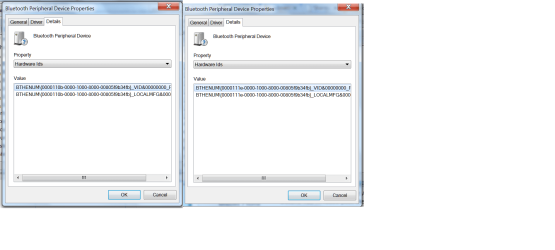
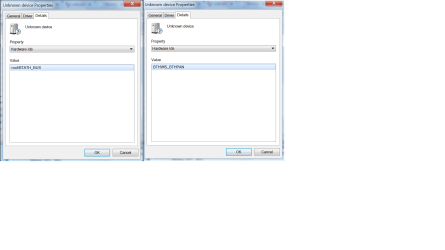
Hi,thanks for reply, these are unknown devices hardware ids, I tried to uninstall and reinstall it but the problem remain the same. And I cant update the driver for some reason, idk why.
 

Attachments

  • unknown device.png
    unknown device.png
    46.6 KB · Views: 1
  • unknown device 1.png
    unknown device 1.png
    36.9 KB · Views: 2
  • unknown device 2.png
    unknown device 2.png
    44.8 KB · Views: 0

My Computer My Computer

At a glance

Window 7 Home Premium 64 Bit
Computer type
Laptop
Computer Manufacturer/Model Number
Sony
OS
Window 7 Home Premium 64 Bit
If the Sony downloads for your PC do not list one, Go to www.intel.com Use the Intel detection program to scan your PC. It will (should) list the available chipset driver.
 

My Computer My Computer

At a glance

Windows 10 64 bitIntel i7 6700K16GB Corsair DominatorIntel CPU Graphics
Computer type
PC/Desktop
Computer Manufacturer/Model Number
My Own Build
OS
Windows 10 64 bit
CPU
Intel i7 6700K
Motherboard
ASUS ROG Maximus VIII Hero
Memory
16GB Corsair Dominator
Graphics Card(s)
Intel CPU Graphics
Sound Card
RealTek
Monitor(s) Displays
27" Dell S2719dgf
Screen Resolution
2560X1440
Hard Drives
1 TB Samsung 850 EVO SSD for Win 10 Pro
500GB Samsung 850 EVO SSD for Win 10 Insider
2 TB drive for backup
PSU
EVGA Supernova 750G2
Case
BeQuiet Silent Base 600
Cooling
Deepcool Captain 120EX
Keyboard
Microsoft Wireless 2000
Mouse
Microsoft wireless
Internet Speed
100 MB/sec (Cable)
Antivirus
Microsoft Defender and Malwarebytes
Browser
Edge/Firefox
Other Info
Cakewalk (Sonar) by BandLab and Studio One 4.1 Pro recording studio software. MOTU 896Mk3 Hybrid recording interface, Frontier Tranzport wireless control unit, Behringer X-Touch Control Surface.
Five USB connected optical drives for CD Audio production using Nero BurningROM
I tried the drivers from both site but the problem remain the same ...:(
 

My Computer My Computer

At a glance

Window 7 Home Premium 64 Bit
Computer type
Laptop
Computer Manufacturer/Model Number
Sony
OS
Window 7 Home Premium 64 Bit
Did the Driver not Install ? ....
 

My Computer My Computer

At a glance

windows 7 home 64bitINTEL-CORE I716GB
Computer Manufacturer/Model Number
W530-3630QM1
OS
windows 7 home 64bit
CPU
INTEL-CORE I7
Memory
16GB
Hard Drives
750GB
Browser
Chrome
Although a "last resort" and I don't like to suggest it, a reinstall may be in store given the problems and what "won't install".
 

My Computer My Computer

At a glance

Windows 10 64 bitIntel i7 6700K16GB Corsair DominatorIntel CPU Graphics
Computer type
PC/Desktop
Computer Manufacturer/Model Number
My Own Build
OS
Windows 10 64 bit
CPU
Intel i7 6700K
Motherboard
ASUS ROG Maximus VIII Hero
Memory
16GB Corsair Dominator
Graphics Card(s)
Intel CPU Graphics
Sound Card
RealTek
Monitor(s) Displays
27" Dell S2719dgf
Screen Resolution
2560X1440
Hard Drives
1 TB Samsung 850 EVO SSD for Win 10 Pro
500GB Samsung 850 EVO SSD for Win 10 Insider
2 TB drive for backup
PSU
EVGA Supernova 750G2
Case
BeQuiet Silent Base 600
Cooling
Deepcool Captain 120EX
Keyboard
Microsoft Wireless 2000
Mouse
Microsoft wireless
Internet Speed
100 MB/sec (Cable)
Antivirus
Microsoft Defender and Malwarebytes
Browser
Edge/Firefox
Other Info
Cakewalk (Sonar) by BandLab and Studio One 4.1 Pro recording studio software. MOTU 896Mk3 Hybrid recording interface, Frontier Tranzport wireless control unit, Behringer X-Touch Control Surface.
Five USB connected optical drives for CD Audio production using Nero BurningROM
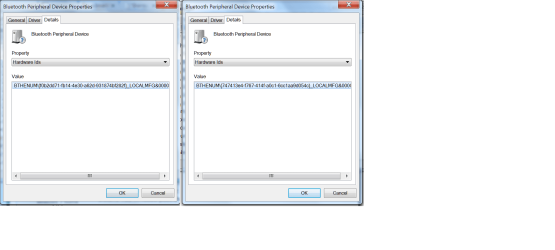
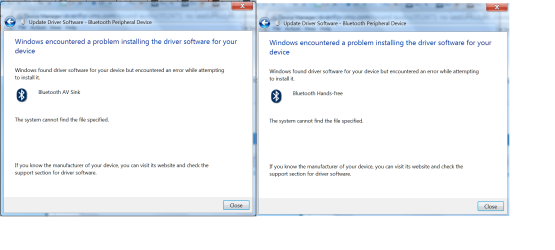
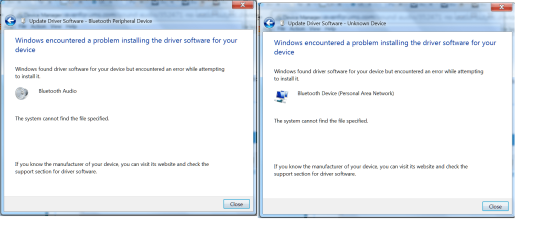
No,the driver you gave me was installed successfully, but the problem still there. Plus, these are some of the unknown devices i tried to update in Device Manager.
 

Attachments

  • unknown device.png
    unknown device.png
    61.6 KB · Views: 2
  • unknown device 1.png
    unknown device 1.png
    70.9 KB · Views: 1

My Computer My Computer

At a glance

Window 7 Home Premium 64 Bit
Computer type
Laptop
Computer Manufacturer/Model Number
Sony
OS
Window 7 Home Premium 64 Bit
Where did you try and Update the Drivers from ? ....
 

My Computer My Computer

At a glance

windows 7 home 64bitINTEL-CORE I716GB
Computer Manufacturer/Model Number
W530-3630QM1
OS
windows 7 home 64bit
CPU
INTEL-CORE I7
Memory
16GB
Hard Drives
750GB
Browser
Chrome
I chose the option "Search automatically for updated driver software"
 

My Computer My Computer

At a glance

Window 7 Home Premium 64 Bit
Computer type
Laptop
Computer Manufacturer/Model Number
Sony
OS
Window 7 Home Premium 64 Bit
hi,

whats the make and model of the bluetooth headset?
 

My Computer My Computer

At a glance

win 10
Computer type
PC/Desktop
Computer Manufacturer/Model Number
dell xps 9000
OS
win 10
Back
Top