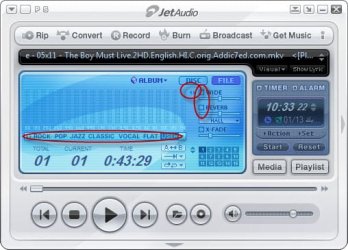
Hi,
I have a new laptop with Intel HM77 Express chipset, build in speakers and something called THX TruStudio Pro Settings.
Now I've had a few laptops and what I immediately noticed with this new one is the completely bass less sound. Listening to music, although never optimal on a laptop, is almost impossible. The sound is just too flat and "sharp".
Any ideas if it is possible to add some bass in Windows 7?
As mentioned the computer also comes with a software called THX TruStudio Pro Settings. I do not know yet what this software does (still reading about it) but I find it strange that a quality mark as THX should be associated with such a low quality sound (or speaker system if the problem lies there).
If I connect a headset to the laptop, the sound sounds fine enough.
In the Device Manager - sound section - I have two items:
Intel(R) Monitor sound (translated from Norwegian: Intel(R) Skjermlyd)
Realtek High Definition Audio
Opening the volume control I have two sound sources:
Speakers - giving the low quality sound
Realtek Digital Output - No sound at all although I can see the bar on the right going up and down indicating sound is being played there.
I have a new laptop with Intel HM77 Express chipset, build in speakers and something called THX TruStudio Pro Settings.
Now I've had a few laptops and what I immediately noticed with this new one is the completely bass less sound. Listening to music, although never optimal on a laptop, is almost impossible. The sound is just too flat and "sharp".
Any ideas if it is possible to add some bass in Windows 7?
As mentioned the computer also comes with a software called THX TruStudio Pro Settings. I do not know yet what this software does (still reading about it) but I find it strange that a quality mark as THX should be associated with such a low quality sound (or speaker system if the problem lies there).
If I connect a headset to the laptop, the sound sounds fine enough.
In the Device Manager - sound section - I have two items:
Intel(R) Monitor sound (translated from Norwegian: Intel(R) Skjermlyd)
Realtek High Definition Audio
Opening the volume control I have two sound sources:
Speakers - giving the low quality sound
Realtek Digital Output - No sound at all although I can see the bar on the right going up and down indicating sound is being played there.
Last edited:
My Computer
At a glance
Windows 7 Home premium, 64 bitIntel Core i7-3820 ProcessorCorsair Vengeance DDR3 1600MHz 16GB CL9HIS Radeon HD 7950 3GB
- OS
- Windows 7 Home premium, 64 bit
- CPU
- Intel Core i7-3820 Processor
- Motherboard
- ASUS P9X79
- Memory
- Corsair Vengeance DDR3 1600MHz 16GB CL9
- Graphics Card(s)
- HIS Radeon HD 7950 3GB
- Monitor(s) Displays
- Samsung S24B300H Monitor
- Screen Resolution
- 1920 x 1080
- Hard Drives
- Samsung SSD 830 Series 128GB 2.5"
Western Digital Caviar® Green 2TB