Solved No internet connection problem

Johnpokos

New member
Local time
4:46 PM
Messages
9
Hello.
I have a tplink extender to take access on the internet from my neighbour.The problem is that after i configured the extender all of my devices(smartphone,smart Tv ) are connected on the internet but my laptop isnt connecting.When i troubleshoot it shows a message that the DNS server is not responding.After that i tried to connect with my friend's computer and it connected.So my laptop has the problem but i dont know whats the problem.Can someone help me ?
 

My Computer

Computer type
PC/Desktop
OS
WIN7
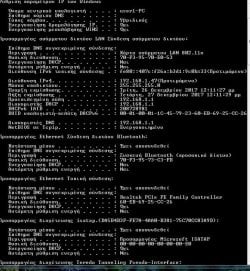
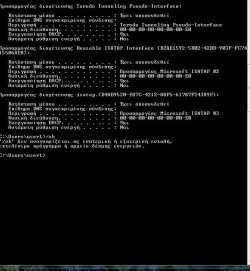
Welcome to the forum. Open a cmd prompt type ipconfig /all post results from faulty of and a working one
 

My Computer

Computer type
PC/Desktop
OS
win 8 32 bit
Cmd language is in greek :cry::cry:

It has the same structure as the english cmd have

Translated Words of the results
Ναι= Yes
Οχι= No
Εχει αποσυνδεθει= disconnected
Ενεργοποιημενο= connected
 

Attachments

  • bandicam 2017-12-26 12-38-58-815.jpg
    bandicam 2017-12-26 12-38-58-815.jpg
    159.6 KB · Views: 23
  • bandicam 2017-12-26 12-39-06-630.jpg
    bandicam 2017-12-26 12-39-06-630.jpg
    100.8 KB · Views: 23

My Computer

Computer type
PC/Desktop
OS
WIN7
If you cant help me with this, just tell me in english what do you want to watch for so i will translate it for you !!!!
 

My Computer

Computer type
PC/Desktop
OS
WIN7
It's doesn't seem to get an IP try setting it manually 192.168.1.26 IP 255.255.255.0 subnet 192.168.1.1 default gateway 208.67.220.220 & 208.67.222.222 DNS
 

My Computer

Computer type
PC/Desktop
OS
win 8 32 bit
Still the same ....Is it wrong with my computer or my neighbours has the problem (when I troubleshoot it showa "DNS is not responding".If I format the computer will it solve the problem ?
 

My Computer

Computer type
PC/Desktop
OS
WIN7
from a cmd prompt type
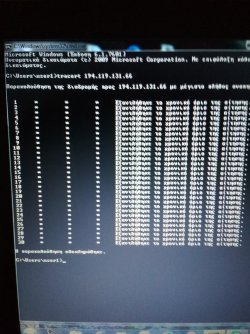
tracert 194.119.131.66 post results

Are you sure you put the ip etc in the correct place ie correct adapter?
 

My Computer

Computer type
PC/Desktop
OS
win 8 32 bit
30 packets with only " * "
 

Attachments

  • 151436812684068097291.jpg
    151436812684068097291.jpg
    2 MB · Views: 1

My Computer

Computer type
PC/Desktop
OS
WIN7
When i enter tracert 192.168.1.47 it show one packet with 1ms
 

My Computer

Computer type
PC/Desktop
OS
WIN7
What does the trace say in English is this wireless or cable?
 

My Computer

Computer type
PC/Desktop
OS
win 8 32 bit
I found the problem,by chance i had deleted a WiFi adapter(cable one)
 

My Computer

Computer type
PC/Desktop
OS
WIN7
Back
Top