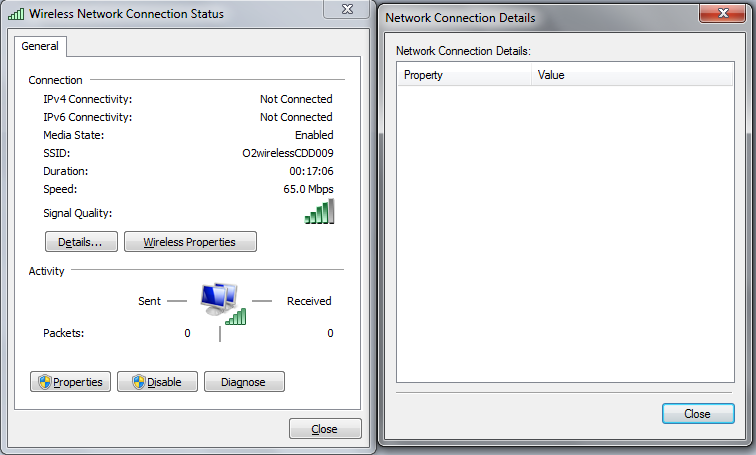
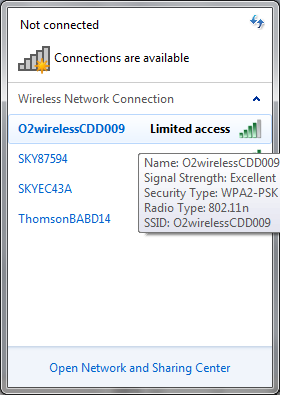
No Internet Connectivity (ipv4/ipv6)

pirzada

New member
Local time
2:23 AM
Messages
5
Hello,
My wifi was working fine a few days ago but i think the windows update has messed up my wifi adapter or connection. I did do a system restore when this happened a few days ago but since the restore is more then 1month old it is no more.

Please can some1 fix it for me or guide me.
So far i have tried the following:
restarting/rebooting router,
updating/reinstalling drivers,
and many other things but nothing seemed to work

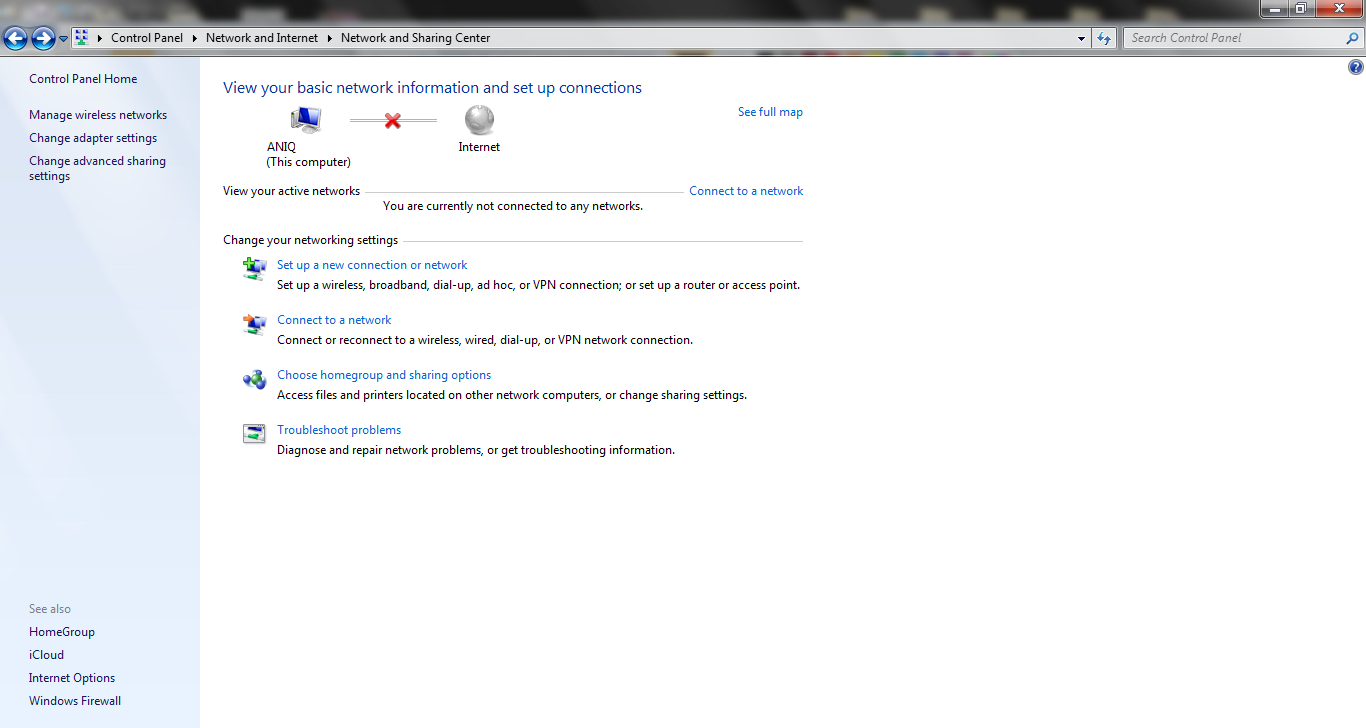
i dont understand why it is scanning for wifi but on the mapping it says adapter isnt connected.

I have shown a few pics to help you:
vjWXX.png

wpjlf.png

Z0AlF.png

0PTXn.png
thanks in advance
 

My Computer My Computer

OS
Windows 7 Home Premium
Have you tried diagnosing the connection with Windows?

I had the same problem, and got Windows to diagnose the connectivity, and then it automatically fixed it for me.

Hope this helps,

Harry
 

My Computer My Computer

Computer type
Laptop
it worked yesterday after dignosis but today its not working and iim having the same problem
 

My Computer My Computer

OS
Windows 7 Home Premium
Hi,

Check if you can connect any other computer to this network, If Yes with a Same “Limited Access” Signal then it’s an issue with the router/ modem. To resolve this Power Cycle modem for 3-4 Minutes and turn on from Modem, Router & Computer.


If the issue still persists, update Wireless card drivers using wired connection.


Else, change the advanced card properties - change Roaming Aggressiveness option. Change the wireless channels in the advanced card properties to 11 or 6 and Disable Bluetooth Collaboration.

Hope this helps
 

My Computer My Computer

OS
Windows 7 Enterprise x64
hi, thanks for reply. i can connect with all devices with other PC's/Laptops. I have updated the drivers but it seemed my driver was the latest one. what could be causing the problem?
 

My Computer My Computer

OS
Windows 7 Home Premium
Hi,

Glad to Hear from you.

Open your network connections, right click on “local area network” and click “Disable”, your wireless should identify the network now.

If the issue still persists, then try creating a New User account and check if the symptom appears in the New User account or not.

If still nothing works out, then I would suggest restoring system back to factory defaults which could fix this issue.
 

My Computer My Computer

OS
Windows 7 Enterprise x64
it still didnt work. would factory restore delete all my files and software?
 

My Computer My Computer

OS
Windows 7 Home Premium
Hi,

Sorry to hear about that. A factory restore partition will put your computer back to the state in which you bought it. I would recommend you to back up your important data before doing a factory restore.


In case you are using a Dell computer, please let me know about the model number, can suggest you few easy factory restore steps.
 

My Computer My Computer

OS
Windows 7 Enterprise x64
im using a HP Pavilion DV6 :(. ill contact Currys.co.uk first since i think i still have warrenty.
 

My Computer My Computer

OS
Windows 7 Home Premium
Hi,

Sure, give it a try and let me know if you require my help in the future. Good Luck :)
 

My Computer My Computer

OS
Windows 7 Enterprise x64
I'm having ipv4 and 6 problems (not connected) can you help!!!!!!!!!!!!!!!!!!!!
 

My Computer My Computer

Computer type
Laptop
Computer Manufacturer/Model Number
lenovo ideapad y460
OS
windows 7 32 bit
Back
Top