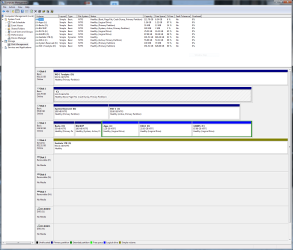
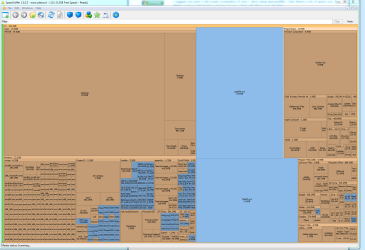
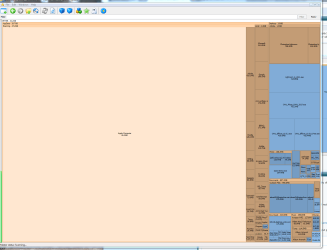
I have an SSD drive in my PC that is allocated as my C: drive. I don't remember it's exact size right now, but that may not matter b/c it's almost out of room whatever its size!
I also have two other drives: a 1TB SSD drive and a 1 TB HDD which both have lots of room.
I try to install new programs to the other 2 drives, but as you know, even if you do that, stuff still gets put on the C: drive and some programs don't give you the option of installing anywhere but the C: drive.
Is there any way to fix that without deleting programs?
Can I move things off the C?
What other options are available since if the C: gets full, what then?
Thanks!
I also have two other drives: a 1TB SSD drive and a 1 TB HDD which both have lots of room.
I try to install new programs to the other 2 drives, but as you know, even if you do that, stuff still gets put on the C: drive and some programs don't give you the option of installing anywhere but the C: drive.
Is there any way to fix that without deleting programs?
Can I move things off the C?
What other options are available since if the C: gets full, what then?
Thanks!
My Computer
- Computer type
- PC/Desktop
- Computer Manufacturer/Model Number
- Home made
- OS
- Microsoft Windows 7 Professional 64-bit 7601 Multiprocessor Free Service Pack 1
- CPU
- Intel(R) Core(TM) i7-2600 CPU @ 3.40GHz
- Motherboard
- ASUSTeK Computer INC. P8P67 EVO
- Memory
- 16.00 GB
- Graphics Card(s)
- NVIDIA GeForce GTX 560 Ti
- Sound Card
- (1) NVIDIA High Definition Audio (2) NVIDIA High Definitio
- Monitor(s) Displays
- BenQ
- Screen Resolution
- 2560 x 1440 x 32 bits (4294967296 colors) @ 59 Hz
- Hard Drives
- (1) Maxtor 6Y120P0 ATA Device (2) OCZ-AGILITY3 ATA Device (3) OCZ-VERTEX3 ATA Device (4) WDC WD1002FAEX-00Z3A0 ATA Device (5) ST310005 24AS SCSI Disk Device (6) Generic- SD/MMC/MS/MSPRO USB Device (7) Lexar CF USB_3_0 Read USB Device (
- PSU
- PC Power Silencer MkII 950W
- Case
- Corsair
- Cooling
- Corsair H60
- Keyboard
- Logitec
- Mouse
- Logitec
- Antivirus
- AVG
- Browser
- IE