
I’m working in VMware Workstation 17.6.2. In a Win7 VM, I have set up two virtual CD-ROM drives. One contains Strelec’s Win10PE ISO; the ISO in the other contains an AOMEI Backupper ADI image of a preferred Win7 installation. I used AOMEI in Strelec’s ISO to restore that preferred ADI to the VM’s virtual HDD, overwriting the basic Win7 installation that previously occupied that HDD.
Then I tried to boot the VM’s HDD. That failed. The copy of Windows File Explorer in Strelec confirms that the basic folders are there – C:\Windows and so forth.
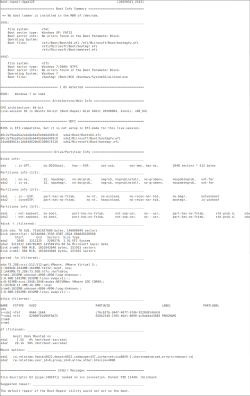
The attached report from Boot Repair Disk (booted as an ISO in the VM) says, “No boot loader is installed in the MBR of /dev/sda.” I wonder whether this is a consequence of a repair I made along the way. The overwritten Win7 installation was MBR. The newly installed Win7 installation is GPT. AOMEI’s conversion of one to the other never seems to work. So before running the AOMEI restore process, I used Strelec’s copy of MiniTool Partition Wizard to convert the target HDD to GPT.
My question: how can I get the VM to boot?
Then I tried to boot the VM’s HDD. That failed. The copy of Windows File Explorer in Strelec confirms that the basic folders are there – C:\Windows and so forth.
The attached report from Boot Repair Disk (booted as an ISO in the VM) says, “No boot loader is installed in the MBR of /dev/sda.” I wonder whether this is a consequence of a repair I made along the way. The overwritten Win7 installation was MBR. The newly installed Win7 installation is GPT. AOMEI’s conversion of one to the other never seems to work. So before running the AOMEI restore process, I used Strelec’s copy of MiniTool Partition Wizard to convert the target HDD to GPT.
My question: how can I get the VM to boot?
Attachments
My Computer
At a glance
Win7 32-bitAMD8GBNone
- Computer Manufacturer/Model Number
- Homemade
- OS
- Win7 32-bit
- CPU
- AMD
- Motherboard
- Gigabyte
- Memory
- 8GB
- Graphics Card(s)
- None
- Sound Card
- None
- Monitor(s) Displays
- Acer
- Hard Drives
- Assorted
- PSU
- Assorted
- Case
- Rosewill
- Cooling
- Stock


