- Local time
- 11:03 PM
- Messages
- 6,830
Try this
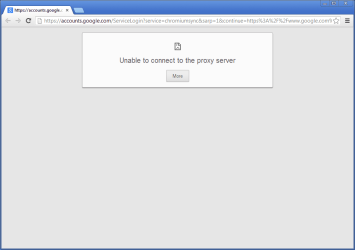
Inside Chrome click on
 on the Far right side on the toolbar
Select Settings.
Click Show advanced settings.
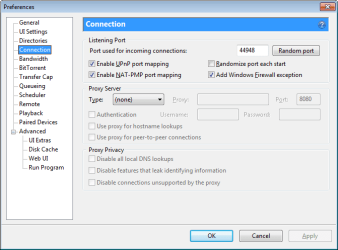
In the "Network" section, click Change proxy settings. This will open the Internet Properties dialog.
Click LAN settings .
Deselect the "Automatically detect settings" checkbox.
Inside Chrome click on
Select Settings.
Click Show advanced settings.
In the "Network" section, click Change proxy settings. This will open the Internet Properties dialog.
Click LAN settings .
Deselect the "Automatically detect settings" checkbox.
My Computer
At a glance
Windows 7 Ultimate 32-Bit & Windows 7 Ultimat...Intel Core i7 CPU 950 @ 3.07GHzOCZ 6GB (3 x 2GB) 240-Pin DDR3 SDRAM DDR3 160...ATI Radeon HD 5700 Series
- Computer Manufacturer/Model Number
- Custom Built
- OS
- Windows 7 Ultimate 32-Bit & Windows 7 Ultimate 64-Bit
- CPU
- Intel Core i7 CPU 950 @ 3.07GHz
- Motherboard
- ASUS P6T DELUXE V2
- Memory
- OCZ 6GB (3 x 2GB) 240-Pin DDR3 SDRAM DDR3 1600 OCZ3X1600R2
- Graphics Card(s)
- ATI Radeon HD 5700 Series
- Sound Card
- OnBoard
- Hard Drives
- WD6400AACS-00M3B0 (640GB SATA )
- PSU
- CORSAIR 850w
- Case
- NZXT LEXA
- Cooling
- Intel Stock Heatsink Fan
- Keyboard
- Microsoft Wireless Laser Keyboard 7000
- Mouse
- Microsoft Wireless Laser Mouse 7000