
Overclocking help?

zekramcross

New member
Local time
6:38 PM
Messages
183
I want to try to overclock my processor so that i can run more things faster how can i do that easily?
 

My Computer

Computer Manufacturer/Model Number
Dell Dimension 3000
OS
Windows 7 Home Premium 32-bit
CPU
Intel Pentium 4 Processor 2.8GHz Prescott 90mm Technology
Motherboard
Dell Computer Corp. 0F8403 (Microprocessor)
Memory
1.00GB Dual-Channel DDR @ 166MHz (2.5-3-3-7)
Graphics Card(s)
82865G Graphics Controller
Sound Card
SoundMax Integrated Digital Audio
Monitor(s) Displays
Dell E171FP
Screen Resolution
1280x1024
Hard Drives
156GB Western Digital WDC WD1600AAJB-56WRAQ ATA Device
Case
Dell Dimesion 3000 Stock Case
Keyboard
Dell RT7D20
Mouse
HP R41126
Internet Speed
8 Mbps(Downloading) 1Mbps(Uploading)

My Computer

Computer Manufacturer/Model Number
Hera
OS
Windows 7 Ultimate x64, Mint 9
CPU
Intel i5-2500k
Motherboard
ASUS P8P67 Pro
Memory
2x 4Gb Corsair VENGEANCE DDR3-1600
Graphics Card(s)
NVidia GeForce N260GTX Twin Frozr
Sound Card
Realtek HD OnBoard Audio
Monitor(s) Displays
ASUS 24" Monitor
Screen Resolution
1920x1080
Hard Drives
G.SKILL Phoenix Series 60GB SATA II MLC Internal Solid State Drive (SSD)
SAMSUNG Spinpoint F3R 1TB 7200 RPM 32MB Cache SATA II
PSU
Cooler Master Real Power Pro 750W
Case
Cooler Master Haf 932
Cooling
Fans
Keyboard
Razer Tarantula
Mouse
Razer Lachesis
Internet Speed
not fast enough
I don't get what the test results from the link mean though...

also the BIOS isn't locked I unlocked it.
 
Last edited:

My Computer

Computer Manufacturer/Model Number
Dell Dimension 3000
OS
Windows 7 Home Premium 32-bit
CPU
Intel Pentium 4 Processor 2.8GHz Prescott 90mm Technology
Motherboard
Dell Computer Corp. 0F8403 (Microprocessor)
Memory
1.00GB Dual-Channel DDR @ 166MHz (2.5-3-3-7)
Graphics Card(s)
82865G Graphics Controller
Sound Card
SoundMax Integrated Digital Audio
Monitor(s) Displays
Dell E171FP
Screen Resolution
1280x1024
Hard Drives
156GB Western Digital WDC WD1600AAJB-56WRAQ ATA Device
Case
Dell Dimesion 3000 Stock Case
Keyboard
Dell RT7D20
Mouse
HP R41126
Internet Speed
8 Mbps(Downloading) 1Mbps(Uploading)
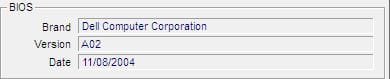
From your computer specs though from Dell, your comp can handle a 3.2 Ghz Pentium... it would be wiser to purchase a new chip that is set to run at a higher speed since these things are pretty cheap:

Intel Pentium 4 3.2 GHz Processor

Otherwise, Dell and other OEM's usually don't make it easy to overclock. But this would be a cheap solution since your current board does not support Dual core CPU's

Doc: Documentation

Before you purchase anything, be sure to verify that it is compatible. You might have to read the manual and contact Dell for help. the doc says it has to be a CPU that supports Hyperthreading.
 
Last edited:

My Computer

Computer type
Laptop
Computer Manufacturer/Model Number
ASUS G60-RBBX05
OS
Win7 Home Premium 64x
CPU
Intel Core 2 Duo P7450 / 2.13 GHz (2.29 with Extreme Turbo)
Memory
4 GB PC-6400 Hyundai (2X2) at 800Mhz
Graphics Card(s)
NVIDIA GeForce GTX 260M 1GB DDR3 VRAM
Monitor(s) Displays
16" LED Backlit
Screen Resolution
1366 x 768 on laptop 1600x1050 max res on 22" external mon
Hard Drives
OCZ Agility 3 60GB SSD / 320 GB - Serial ATA-150 - 7200 rpm
PSU
6-cell Lithium ion { lasts 1.5 hours }
Case
ASUS G60 Laptop
Keyboard
Chicklet type back-lit (white light) keyboard
Mouse
Logitech G9 Laser Mouse 3200dpi and 1000 reports per minute
Internet Speed
Comcast 8.60mb/s up - 3.11mb/s down
Antivirus
MSE
Browser
Firefox
Other Info
General mid-budget gaming Comp. Low batterylife - High FrameRates - currently overheating problems :(

2nd Rig: Case: Rosewill BLACKHAWK Gaming ATX Mid Tower Computer Case

Mobo: GIGABYTE GA-990FXA-UD3
CPU: AMD FX-6200 Zambezi 3.8GHz (4.1GHz Turbo)
Heatsink: COOLER MASTER V8 CPU Cooler
RAM: Patriot Viper 3 8GB (2 x 4GB) 240-Pin DDR3 SDRAM 1866 (PC3 15000)
GPU: SAPPHIRE Radeon HD 6850 1GB 2
I don't get what the test results from the link mean though...

also the BIOS isn't locked I unlocked it.
It was an OC done by someone else to give you an idea of what you can get out of the CPU.

As for overclocking it, have you searched for how to overclock that CPU?

I am not familiar with the BIOS you have, though it is all fairly similar.

~Lordbob
 

My Computer

Computer Manufacturer/Model Number
Hera
OS
Windows 7 Ultimate x64, Mint 9
CPU
Intel i5-2500k
Motherboard
ASUS P8P67 Pro
Memory
2x 4Gb Corsair VENGEANCE DDR3-1600
Graphics Card(s)
NVidia GeForce N260GTX Twin Frozr
Sound Card
Realtek HD OnBoard Audio
Monitor(s) Displays
ASUS 24" Monitor
Screen Resolution
1920x1080
Hard Drives
G.SKILL Phoenix Series 60GB SATA II MLC Internal Solid State Drive (SSD)
SAMSUNG Spinpoint F3R 1TB 7200 RPM 32MB Cache SATA II
PSU
Cooler Master Real Power Pro 750W
Case
Cooler Master Haf 932
Cooling
Fans
Keyboard
Razer Tarantula
Mouse
Razer Lachesis
Internet Speed
not fast enough
Otherwise, for going forward, I would get a new board, CPU and Ram. That would make the biggest difference, but thats a whole different matter....

Also, if you speed up your current chip, or go with a faster chip, you will need more cooling to keep that thing from melting (didnt mean literally, but it actually can) and a more powerful PSU (power supply) so that it is getting the appropriate amount of power....

For overclocking your current CPU, The BIOS is the way to go. I will try to find a good tutorial that explains the basics.
 

My Computer

Computer type
Laptop
Computer Manufacturer/Model Number
ASUS G60-RBBX05
OS
Win7 Home Premium 64x
CPU
Intel Core 2 Duo P7450 / 2.13 GHz (2.29 with Extreme Turbo)
Memory
4 GB PC-6400 Hyundai (2X2) at 800Mhz
Graphics Card(s)
NVIDIA GeForce GTX 260M 1GB DDR3 VRAM
Monitor(s) Displays
16" LED Backlit
Screen Resolution
1366 x 768 on laptop 1600x1050 max res on 22" external mon
Hard Drives
OCZ Agility 3 60GB SSD / 320 GB - Serial ATA-150 - 7200 rpm
PSU
6-cell Lithium ion { lasts 1.5 hours }
Case
ASUS G60 Laptop
Keyboard
Chicklet type back-lit (white light) keyboard
Mouse
Logitech G9 Laser Mouse 3200dpi and 1000 reports per minute
Internet Speed
Comcast 8.60mb/s up - 3.11mb/s down
Antivirus
MSE
Browser
Firefox
Other Info
General mid-budget gaming Comp. Low batterylife - High FrameRates - currently overheating problems :(

2nd Rig: Case: Rosewill BLACKHAWK Gaming ATX Mid Tower Computer Case

Mobo: GIGABYTE GA-990FXA-UD3
CPU: AMD FX-6200 Zambezi 3.8GHz (4.1GHz Turbo)
Heatsink: COOLER MASTER V8 CPU Cooler
RAM: Patriot Viper 3 8GB (2 x 4GB) 240-Pin DDR3 SDRAM 1866 (PC3 15000)
GPU: SAPPHIRE Radeon HD 6850 1GB 2
Iv'e tried searching for an easy way and all i can find is to increase voltage? or something like that in the BIOS at test it... i just want to find something more easier to do but that also accomplishes the same thing. OC the CPU
 

My Computer

Computer Manufacturer/Model Number
Dell Dimension 3000
OS
Windows 7 Home Premium 32-bit
CPU
Intel Pentium 4 Processor 2.8GHz Prescott 90mm Technology
Motherboard
Dell Computer Corp. 0F8403 (Microprocessor)
Memory
1.00GB Dual-Channel DDR @ 166MHz (2.5-3-3-7)
Graphics Card(s)
82865G Graphics Controller
Sound Card
SoundMax Integrated Digital Audio
Monitor(s) Displays
Dell E171FP
Screen Resolution
1280x1024
Hard Drives
156GB Western Digital WDC WD1600AAJB-56WRAQ ATA Device
Case
Dell Dimesion 3000 Stock Case
Keyboard
Dell RT7D20
Mouse
HP R41126
Internet Speed
8 Mbps(Downloading) 1Mbps(Uploading)
You could use software like clockgen, but it is not recommended to soft-clock that much. Download ClockGen 1.0.5.0 | techPowerUp

Just be very careful and take it slow. Also know the steps in place to revert from any changes you make.
 

My Computer

Computer type
Laptop
Computer Manufacturer/Model Number
ASUS G60-RBBX05
OS
Win7 Home Premium 64x
CPU
Intel Core 2 Duo P7450 / 2.13 GHz (2.29 with Extreme Turbo)
Memory
4 GB PC-6400 Hyundai (2X2) at 800Mhz
Graphics Card(s)
NVIDIA GeForce GTX 260M 1GB DDR3 VRAM
Monitor(s) Displays
16" LED Backlit
Screen Resolution
1366 x 768 on laptop 1600x1050 max res on 22" external mon
Hard Drives
OCZ Agility 3 60GB SSD / 320 GB - Serial ATA-150 - 7200 rpm
PSU
6-cell Lithium ion { lasts 1.5 hours }
Case
ASUS G60 Laptop
Keyboard
Chicklet type back-lit (white light) keyboard
Mouse
Logitech G9 Laser Mouse 3200dpi and 1000 reports per minute
Internet Speed
Comcast 8.60mb/s up - 3.11mb/s down
Antivirus
MSE
Browser
Firefox
Other Info
General mid-budget gaming Comp. Low batterylife - High FrameRates - currently overheating problems :(

2nd Rig: Case: Rosewill BLACKHAWK Gaming ATX Mid Tower Computer Case

Mobo: GIGABYTE GA-990FXA-UD3
CPU: AMD FX-6200 Zambezi 3.8GHz (4.1GHz Turbo)
Heatsink: COOLER MASTER V8 CPU Cooler
RAM: Patriot Viper 3 8GB (2 x 4GB) 240-Pin DDR3 SDRAM 1866 (PC3 15000)
GPU: SAPPHIRE Radeon HD 6850 1GB 2

My Computer

Computer type
Laptop
Computer Manufacturer/Model Number
ASUS G60-RBBX05
OS
Win7 Home Premium 64x
CPU
Intel Core 2 Duo P7450 / 2.13 GHz (2.29 with Extreme Turbo)
Memory
4 GB PC-6400 Hyundai (2X2) at 800Mhz
Graphics Card(s)
NVIDIA GeForce GTX 260M 1GB DDR3 VRAM
Monitor(s) Displays
16" LED Backlit
Screen Resolution
1366 x 768 on laptop 1600x1050 max res on 22" external mon
Hard Drives
OCZ Agility 3 60GB SSD / 320 GB - Serial ATA-150 - 7200 rpm
PSU
6-cell Lithium ion { lasts 1.5 hours }
Case
ASUS G60 Laptop
Keyboard
Chicklet type back-lit (white light) keyboard
Mouse
Logitech G9 Laser Mouse 3200dpi and 1000 reports per minute
Internet Speed
Comcast 8.60mb/s up - 3.11mb/s down
Antivirus
MSE
Browser
Firefox
Other Info
General mid-budget gaming Comp. Low batterylife - High FrameRates - currently overheating problems :(

2nd Rig: Case: Rosewill BLACKHAWK Gaming ATX Mid Tower Computer Case

Mobo: GIGABYTE GA-990FXA-UD3
CPU: AMD FX-6200 Zambezi 3.8GHz (4.1GHz Turbo)
Heatsink: COOLER MASTER V8 CPU Cooler
RAM: Patriot Viper 3 8GB (2 x 4GB) 240-Pin DDR3 SDRAM 1866 (PC3 15000)
GPU: SAPPHIRE Radeon HD 6850 1GB 2
I tried running the Real Temp App and it says that my CPU is not supported by it.
 

My Computer

Computer Manufacturer/Model Number
Dell Dimension 3000
OS
Windows 7 Home Premium 32-bit
CPU
Intel Pentium 4 Processor 2.8GHz Prescott 90mm Technology
Motherboard
Dell Computer Corp. 0F8403 (Microprocessor)
Memory
1.00GB Dual-Channel DDR @ 166MHz (2.5-3-3-7)
Graphics Card(s)
82865G Graphics Controller
Sound Card
SoundMax Integrated Digital Audio
Monitor(s) Displays
Dell E171FP
Screen Resolution
1280x1024
Hard Drives
156GB Western Digital WDC WD1600AAJB-56WRAQ ATA Device
Case
Dell Dimesion 3000 Stock Case
Keyboard
Dell RT7D20
Mouse
HP R41126
Internet Speed
8 Mbps(Downloading) 1Mbps(Uploading)

My Computer

Computer type
Laptop
Computer Manufacturer/Model Number
ASUS G60-RBBX05
OS
Win7 Home Premium 64x
CPU
Intel Core 2 Duo P7450 / 2.13 GHz (2.29 with Extreme Turbo)
Memory
4 GB PC-6400 Hyundai (2X2) at 800Mhz
Graphics Card(s)
NVIDIA GeForce GTX 260M 1GB DDR3 VRAM
Monitor(s) Displays
16" LED Backlit
Screen Resolution
1366 x 768 on laptop 1600x1050 max res on 22" external mon
Hard Drives
OCZ Agility 3 60GB SSD / 320 GB - Serial ATA-150 - 7200 rpm
PSU
6-cell Lithium ion { lasts 1.5 hours }
Case
ASUS G60 Laptop
Keyboard
Chicklet type back-lit (white light) keyboard
Mouse
Logitech G9 Laser Mouse 3200dpi and 1000 reports per minute
Internet Speed
Comcast 8.60mb/s up - 3.11mb/s down
Antivirus
MSE
Browser
Firefox
Other Info
General mid-budget gaming Comp. Low batterylife - High FrameRates - currently overheating problems :(

2nd Rig: Case: Rosewill BLACKHAWK Gaming ATX Mid Tower Computer Case

Mobo: GIGABYTE GA-990FXA-UD3
CPU: AMD FX-6200 Zambezi 3.8GHz (4.1GHz Turbo)
Heatsink: COOLER MASTER V8 CPU Cooler
RAM: Patriot Viper 3 8GB (2 x 4GB) 240-Pin DDR3 SDRAM 1866 (PC3 15000)
GPU: SAPPHIRE Radeon HD 6850 1GB 2
Most likely since they are from the same site: TechPowerUp, I don't think ClockGen will work with your CPU either then, but it is still worth a try.

I still don't think you should OC this.... even if you can... I feel like you might damage your hardware. You still need more cooling and more power than the stock cooler and stock PSU. Just my opinion.
 

My Computer

Computer type
Laptop
Computer Manufacturer/Model Number
ASUS G60-RBBX05
OS
Win7 Home Premium 64x
CPU
Intel Core 2 Duo P7450 / 2.13 GHz (2.29 with Extreme Turbo)
Memory
4 GB PC-6400 Hyundai (2X2) at 800Mhz
Graphics Card(s)
NVIDIA GeForce GTX 260M 1GB DDR3 VRAM
Monitor(s) Displays
16" LED Backlit
Screen Resolution
1366 x 768 on laptop 1600x1050 max res on 22" external mon
Hard Drives
OCZ Agility 3 60GB SSD / 320 GB - Serial ATA-150 - 7200 rpm
PSU
6-cell Lithium ion { lasts 1.5 hours }
Case
ASUS G60 Laptop
Keyboard
Chicklet type back-lit (white light) keyboard
Mouse
Logitech G9 Laser Mouse 3200dpi and 1000 reports per minute
Internet Speed
Comcast 8.60mb/s up - 3.11mb/s down
Antivirus
MSE
Browser
Firefox
Other Info
General mid-budget gaming Comp. Low batterylife - High FrameRates - currently overheating problems :(

2nd Rig: Case: Rosewill BLACKHAWK Gaming ATX Mid Tower Computer Case

Mobo: GIGABYTE GA-990FXA-UD3
CPU: AMD FX-6200 Zambezi 3.8GHz (4.1GHz Turbo)
Heatsink: COOLER MASTER V8 CPU Cooler
RAM: Patriot Viper 3 8GB (2 x 4GB) 240-Pin DDR3 SDRAM 1866 (PC3 15000)
GPU: SAPPHIRE Radeon HD 6850 1GB 2
Well i've tried both the Speedfan and the Other one and my CPU is not supported by both.
 

My Computer

Computer Manufacturer/Model Number
Dell Dimension 3000
OS
Windows 7 Home Premium 32-bit
CPU
Intel Pentium 4 Processor 2.8GHz Prescott 90mm Technology
Motherboard
Dell Computer Corp. 0F8403 (Microprocessor)
Memory
1.00GB Dual-Channel DDR @ 166MHz (2.5-3-3-7)
Graphics Card(s)
82865G Graphics Controller
Sound Card
SoundMax Integrated Digital Audio
Monitor(s) Displays
Dell E171FP
Screen Resolution
1280x1024
Hard Drives
156GB Western Digital WDC WD1600AAJB-56WRAQ ATA Device
Case
Dell Dimesion 3000 Stock Case
Keyboard
Dell RT7D20
Mouse
HP R41126
Internet Speed
8 Mbps(Downloading) 1Mbps(Uploading)
Again, this CPU is just not powerful enough to benefit from much overclocking.

However, if you still want to try it, here are basic steps:
1) Cooling: You are going to need better than stock cooling, especially if you want to hit more than 3.5GHz
2) Voltage: You want this to remain as LOW AS POSSIBLE. Higher voltage means more heat, which is bad. At some point you will need to bump the voltage up, but you want to keep it low.
3) Base Clock: This is the clock multiplier, expressed as something like x10
4) Front side bus (FSB): This is the actual speed at which the CPU runs. It will be expressed in MHz, such as 150MHz.

Now, I don't know what stock of your CPU is. You should download CPU-z and post a snip of the CPU at stock, so we can take a look.

For first steps, you will want to boot into your BIOS and find CPU settings. Unlock these (not unlocking BIOS, this is normally just changing from AUTO to MANUAL). Now, bump up the front side bus about 25 MHz. Save the settings, and boot into Windows normally. Now, you will need Prime95 to run for a few hours to test for stability. If there are no errors, and the temperatures are acceptable, then you can move the overclock up.
The clock multiplier can also be increased, but this might cause it to become unstable faster.

I recommend taking the FSB as high as it will go, and take note of the speed. Then do the same for the base clock. Then you will need to combine the FSB and multiplier (slowly) to find where that is stable. Once that become unstable, you can bump up the voltage a little until it is, and repeat.

You will need access to the inside of your case to remove the CMOS battery (to reset BIOS settings) in case of a major hardware failure.

Overclocking is not easy, nor is it trivial. Again, make sure you have adequate cooling for the CPU, and be ready to get errors and instability.

~Lordbob
 

My Computer

Computer Manufacturer/Model Number
Hera
OS
Windows 7 Ultimate x64, Mint 9
CPU
Intel i5-2500k
Motherboard
ASUS P8P67 Pro
Memory
2x 4Gb Corsair VENGEANCE DDR3-1600
Graphics Card(s)
NVidia GeForce N260GTX Twin Frozr
Sound Card
Realtek HD OnBoard Audio
Monitor(s) Displays
ASUS 24" Monitor
Screen Resolution
1920x1080
Hard Drives
G.SKILL Phoenix Series 60GB SATA II MLC Internal Solid State Drive (SSD)
SAMSUNG Spinpoint F3R 1TB 7200 RPM 32MB Cache SATA II
PSU
Cooler Master Real Power Pro 750W
Case
Cooler Master Haf 932
Cooling
Fans
Keyboard
Razer Tarantula
Mouse
Razer Lachesis
Internet Speed
not fast enough
OK here is what i got

Capture.JPG
 

My Computer

Computer Manufacturer/Model Number
Dell Dimension 3000
OS
Windows 7 Home Premium 32-bit
CPU
Intel Pentium 4 Processor 2.8GHz Prescott 90mm Technology
Motherboard
Dell Computer Corp. 0F8403 (Microprocessor)
Memory
1.00GB Dual-Channel DDR @ 166MHz (2.5-3-3-7)
Graphics Card(s)
82865G Graphics Controller
Sound Card
SoundMax Integrated Digital Audio
Monitor(s) Displays
Dell E171FP
Screen Resolution
1280x1024
Hard Drives
156GB Western Digital WDC WD1600AAJB-56WRAQ ATA Device
Case
Dell Dimesion 3000 Stock Case
Keyboard
Dell RT7D20
Mouse
HP R41126
Internet Speed
8 Mbps(Downloading) 1Mbps(Uploading)
Alright. Interestingly high clock multiplier.

I would work on getting the FSB (bus speed on that) to around 150MHz, then to 200MHz.

~Lordbob
 

My Computer

Computer Manufacturer/Model Number
Hera
OS
Windows 7 Ultimate x64, Mint 9
CPU
Intel i5-2500k
Motherboard
ASUS P8P67 Pro
Memory
2x 4Gb Corsair VENGEANCE DDR3-1600
Graphics Card(s)
NVidia GeForce N260GTX Twin Frozr
Sound Card
Realtek HD OnBoard Audio
Monitor(s) Displays
ASUS 24" Monitor
Screen Resolution
1920x1080
Hard Drives
G.SKILL Phoenix Series 60GB SATA II MLC Internal Solid State Drive (SSD)
SAMSUNG Spinpoint F3R 1TB 7200 RPM 32MB Cache SATA II
PSU
Cooler Master Real Power Pro 750W
Case
Cooler Master Haf 932
Cooling
Fans
Keyboard
Razer Tarantula
Mouse
Razer Lachesis
Internet Speed
not fast enough
How do I do that in the BIOS? Could you please tell me how to do this in simple steps?
 

My Computer

Computer Manufacturer/Model Number
Dell Dimension 3000
OS
Windows 7 Home Premium 32-bit
CPU
Intel Pentium 4 Processor 2.8GHz Prescott 90mm Technology
Motherboard
Dell Computer Corp. 0F8403 (Microprocessor)
Memory
1.00GB Dual-Channel DDR @ 166MHz (2.5-3-3-7)
Graphics Card(s)
82865G Graphics Controller
Sound Card
SoundMax Integrated Digital Audio
Monitor(s) Displays
Dell E171FP
Screen Resolution
1280x1024
Hard Drives
156GB Western Digital WDC WD1600AAJB-56WRAQ ATA Device
Case
Dell Dimesion 3000 Stock Case
Keyboard
Dell RT7D20
Mouse
HP R41126
Internet Speed
8 Mbps(Downloading) 1Mbps(Uploading)
How do I do that in the BIOS? Could you please tell me how to do this in simple steps?
I don't know what your BIOS is, or how to navigate it.

I can tell you that most of those settings (should be all) will be on one page of the BIOS. I would guess under the Advanced tab, but it might be elsewhere.

Just look through the BIOS for those settings.

~Lordbob
 

My Computer

Computer Manufacturer/Model Number
Hera
OS
Windows 7 Ultimate x64, Mint 9
CPU
Intel i5-2500k
Motherboard
ASUS P8P67 Pro
Memory
2x 4Gb Corsair VENGEANCE DDR3-1600
Graphics Card(s)
NVidia GeForce N260GTX Twin Frozr
Sound Card
Realtek HD OnBoard Audio
Monitor(s) Displays
ASUS 24" Monitor
Screen Resolution
1920x1080
Hard Drives
G.SKILL Phoenix Series 60GB SATA II MLC Internal Solid State Drive (SSD)
SAMSUNG Spinpoint F3R 1TB 7200 RPM 32MB Cache SATA II
PSU
Cooler Master Real Power Pro 750W
Case
Cooler Master Haf 932
Cooling
Fans
Keyboard
Razer Tarantula
Mouse
Razer Lachesis
Internet Speed
not fast enough
hold on does this help?

Capture2.JPG
 

My Computer

Computer Manufacturer/Model Number
Dell Dimension 3000
OS
Windows 7 Home Premium 32-bit
CPU
Intel Pentium 4 Processor 2.8GHz Prescott 90mm Technology
Motherboard
Dell Computer Corp. 0F8403 (Microprocessor)
Memory
1.00GB Dual-Channel DDR @ 166MHz (2.5-3-3-7)
Graphics Card(s)
82865G Graphics Controller
Sound Card
SoundMax Integrated Digital Audio
Monitor(s) Displays
Dell E171FP
Screen Resolution
1280x1024
Hard Drives
156GB Western Digital WDC WD1600AAJB-56WRAQ ATA Device
Case
Dell Dimesion 3000 Stock Case
Keyboard
Dell RT7D20
Mouse
HP R41126
Internet Speed
8 Mbps(Downloading) 1Mbps(Uploading)

My Computer

Computer Manufacturer/Model Number
Hera
OS
Windows 7 Ultimate x64, Mint 9
CPU
Intel i5-2500k
Motherboard
ASUS P8P67 Pro
Memory
2x 4Gb Corsair VENGEANCE DDR3-1600
Graphics Card(s)
NVidia GeForce N260GTX Twin Frozr
Sound Card
Realtek HD OnBoard Audio
Monitor(s) Displays
ASUS 24" Monitor
Screen Resolution
1920x1080
Hard Drives
G.SKILL Phoenix Series 60GB SATA II MLC Internal Solid State Drive (SSD)
SAMSUNG Spinpoint F3R 1TB 7200 RPM 32MB Cache SATA II
PSU
Cooler Master Real Power Pro 750W
Case
Cooler Master Haf 932
Cooling
Fans
Keyboard
Razer Tarantula
Mouse
Razer Lachesis
Internet Speed
not fast enough
Back
Top