Solved Persistent scam?

FrankFitz

New member
Local time
5:10 PM
Messages
28
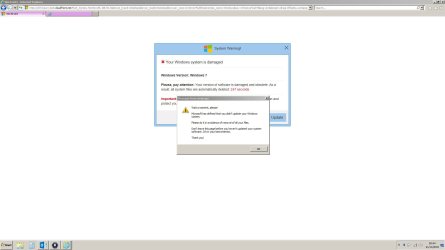
I keep getting the attached message which I assume is a scam but I am not sure which is the best software to use to get rid of it. I am aware of the usual free stuff out there so could anyone point me in the right direction?
 

Attachments

  • windows scam.JPG
    windows scam.JPG
    105.9 KB · Views: 21

My Computer

Computer type
PC/Desktop
Computer Manufacturer/Model Number
Priceless Computing
OS
Windows 10
CPU
AMD Athlon II x4 640
Motherboard
Asrock K10 N78MPro
Memory
8 Gb
Graphics Card(s)
NVIDIA GeForce8200
Sound Card
?
Monitor(s) Displays
HP w2207h
Hard Drives
C: 2 Tb SSD
PSU
?
Cooling
?
Hi FrankFitz,

From what I see in the screenshot you provided, it certainly appears to be a scam message. In looking at what is partially-shown in the address bar in your image (i.e., ...cloudfront.net...), I have a couple of questions for you:

1. Have you recently downloaded any new software, if so, from what website/webpage did you download it?

2. Does the message shown in your screenshot appear randomly, or when you are doing something specific (e.g., visiting a specific website or running a particular program)?

While awaiting feedback from other Forum members here, you might be interested in some information provided at the following link:

malware - What is cloudfront.net AdWare? - Information Security Stack Exchange

Cheers, and have a nice holiday tomorrow! :-)
 

My Computer

Computer type
PC/Desktop
Computer Manufacturer/Model Number
Dell Inspiron Desktop (refurbished)
OS
Win 7 Home Premium x64 SP1
CPU
Intel Core i3, 3.07 gHz
Motherboard
Dell
Memory
6 GB
Graphics Card(s)
ASUS VH198 (1440x900@60Hz) Intel Q965/Q963 Express Chipset F
Monitor(s) Displays
Asus
Hard Drives
Western Digital 1 TB SATA HDD (Internal)

WD 1-TB "My Passport Ultra" (external drive used for system images)
Keyboard
Azio KB505U wired, standard, large print 3-color backlit
Mouse
Logitech (wired)
Internet Speed
Download: up to 50 Mbps | Upload: 5 Mbps
Antivirus
MSE
Browser
Firefox (default) and IE11
Other Info
MBAM 3xx (lifetime license) |
SAS (on-demand) | FF w/NoScript & IE11 | uBlock Origin | POP Peeper Pro | Aeris Calendar | GWX Control Panel Monitor | CPUID
Just by looking at the screenshot it appears that your homepage has been hijacked, however it may also be that some sites keep in showing malicious popups with advertising or that kind of deceiving spam.

Have a look at your homepage settings for your browser, and try with a different one if possible.

"Software" isn't the best response agaist security problems, but proper security practices instead. But specifically concerning your actual problem, a popup blocker addin will help, as also the very important ad-locker browser plugins may help greatly here. A very unreliable way of mitigating those is also an antivirus.

 

My Computer

Computer type
Laptop
Computer Manufacturer/Model Number
Toshiba Sattelite A665-S6092
OS
Windows 7 Ultimate x64
CPU
Intel Core i7-740QM
Memory
8 GB DDR3
Graphics Card(s)
NVIDIA GeForce 330GT
Screen Resolution
1366x768
Hard Drives
Samsung 840 SSD 500GB
1TB USB3 external HD
Cooling
Coolermaster Notepal U3 notebook cooling pad
Internet Speed
3mbps ASDL
Antivirus
ClamWin 0.98.7
Browser
Opera 12.17 x86 (main), Firefox 38 (sec), IE11 (last resort)
Hi guys, thanks for the suggestions. I have now got rid of Google and am using Firefox which seems better and no sign of the pop up. I did download and unsinstall some software but cant recall which site I was on when the pop up activated. Have since blocked pop ups in Firefox.


Thanks for the helpful suggestions
 

My Computer

Computer type
PC/Desktop
Computer Manufacturer/Model Number
Priceless Computing
OS
Windows 10
CPU
AMD Athlon II x4 640
Motherboard
Asrock K10 N78MPro
Memory
8 Gb
Graphics Card(s)
NVIDIA GeForce8200
Sound Card
?
Monitor(s) Displays
HP w2207h
Hard Drives
C: 2 Tb SSD
PSU
?
Cooling
?
Back
Top