Please help, my computer is not working.

PinkRoze

New member
Local time
11:44 PM
Messages
19
Location
USA
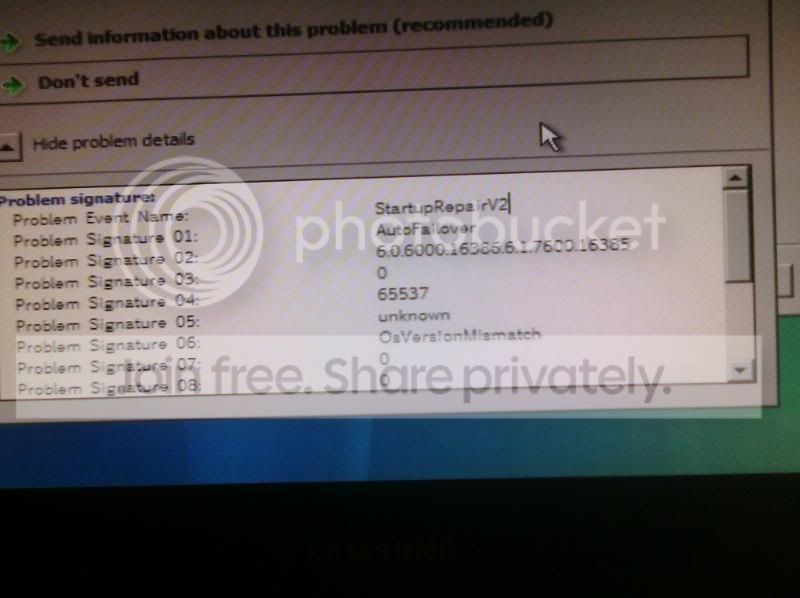
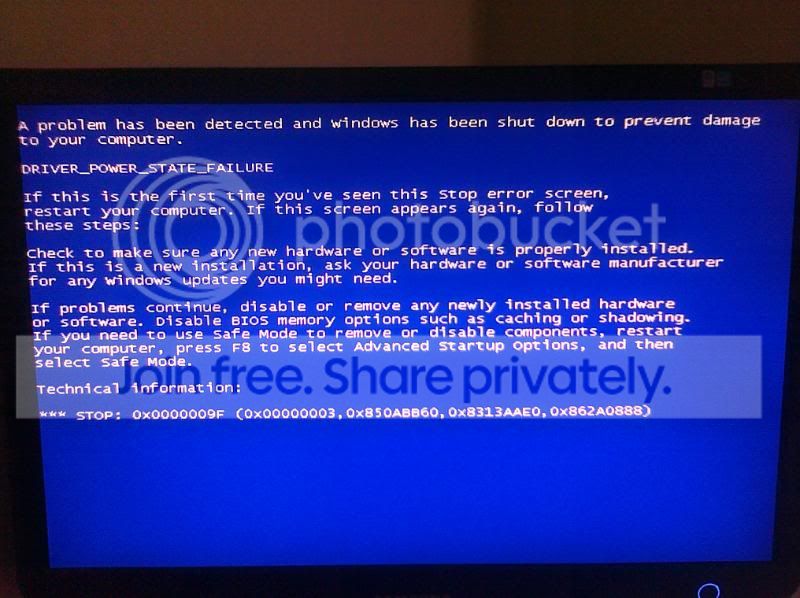
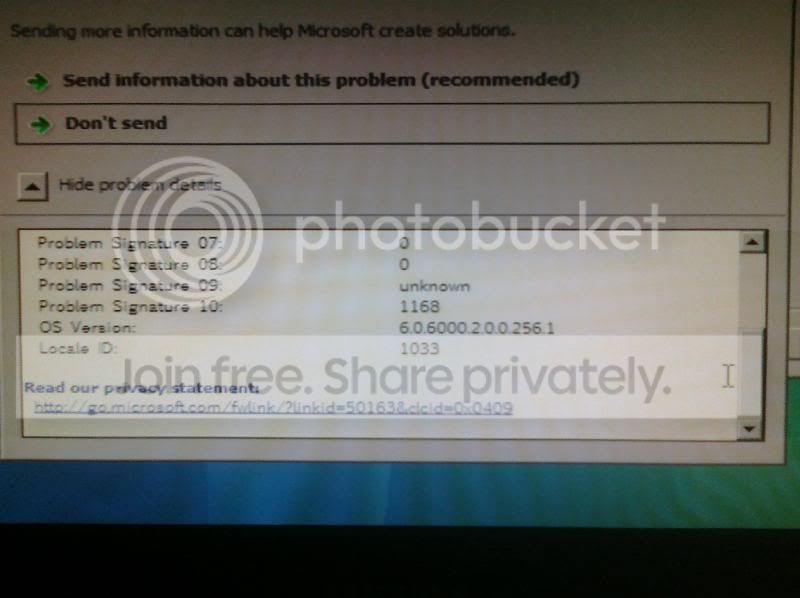
Alright so I upgraded my computer from windows Vista to windows 7 like 3 months ago so it's not too much or not too little. I had a little trouble with the installation but in the end everything is working fine with my upgrade (I'm not sure if this is relevant to my problem). SO recently my computer has been shutting down on me, it has happened like five times. As I tried to fix the problem and use start up repair it said the problem could not be fixed so I clicked on "Show more details" or whatever and it showed me Some "Signature" with numbers next to them and on signature 6 it said something like "osversionmismatch". I tried everything ! going back in time with system recovery point and also try to log in to safe mode but I cant... it either stays at the screen where is says "Windows is starting" with the logo on top or it gets past that and shows a black screen with a cursor on it. You can move the cursor around (But what good does that do on a black screen?)

I would really appreciate it if you guys could help me with my computer I really need it!


Update:
I took pictures of my sad computer

CIMG0013.jpg
CIMG0012.jpg

CIMG0016.jpg
 
Last edited:

My Computer

OS
Windows 7 Home Premium
Internet Speed
Cable
Let me know if you did an upgrad or clean install (had to reinstalll programs). If up grade, just bite the bullet and do a clean install.
 

My Computer

Computer type
PC/Desktop
Computer Manufacturer/Model Number
Dell XPS 420
OS
Windows 10, Home Clean Install
CPU
Intel Core2 processsor Q8200(2.33Ghz 1333FSB) Quad Core Tech
Motherboard
Dell
Memory
6 gb
Graphics Card(s)
ATI Radeon 256MB HD3650
Sound Card
Intergrated 7.1 Channel Audio
Monitor(s) Displays
Dell SP2009W 20"
Hard Drives
640 GB Serial ATA Hard drive
Cooling
Fan
Keyboard
Dell USB Keyboard
Mouse
Dell Premium Optical USB
Internet Speed
DSL 2.85
I did an upgrade and I dont know how to do a clean install because it wont let me log into my PC
 

My Computer

OS
Windows 7 Home Premium
Internet Speed
Cable

My Computer

Computer type
PC/Desktop
Computer Manufacturer/Model Number
Dell XPS 420
OS
Windows 10, Home Clean Install
CPU
Intel Core2 processsor Q8200(2.33Ghz 1333FSB) Quad Core Tech
Motherboard
Dell
Memory
6 gb
Graphics Card(s)
ATI Radeon 256MB HD3650
Sound Card
Intergrated 7.1 Channel Audio
Monitor(s) Displays
Dell SP2009W 20"
Hard Drives
640 GB Serial ATA Hard drive
Cooling
Fan
Keyboard
Dell USB Keyboard
Mouse
Dell Premium Optical USB
Internet Speed
DSL 2.85
I used to be able to (Like two hours ago) but not anymore, it shows me the black screen with the cursor
 

My Computer

OS
Windows 7 Home Premium
Internet Speed
Cable

My Computer

Computer type
PC/Desktop
Computer Manufacturer/Model Number
Dell XPS 420
OS
Windows 10, Home Clean Install
CPU
Intel Core2 processsor Q8200(2.33Ghz 1333FSB) Quad Core Tech
Motherboard
Dell
Memory
6 gb
Graphics Card(s)
ATI Radeon 256MB HD3650
Sound Card
Intergrated 7.1 Channel Audio
Monitor(s) Displays
Dell SP2009W 20"
Hard Drives
640 GB Serial ATA Hard drive
Cooling
Fan
Keyboard
Dell USB Keyboard
Mouse
Dell Premium Optical USB
Internet Speed
DSL 2.85
Does it matter what computer? The computer im currently using is a windows XP

And also would I lose all my files?
 

My Computer

OS
Windows 7 Home Premium
Internet Speed
Cable

My Computer

Computer type
PC/Desktop
Computer Manufacturer/Model Number
Dell XPS 420
OS
Windows 10, Home Clean Install
CPU
Intel Core2 processsor Q8200(2.33Ghz 1333FSB) Quad Core Tech
Motherboard
Dell
Memory
6 gb
Graphics Card(s)
ATI Radeon 256MB HD3650
Sound Card
Intergrated 7.1 Channel Audio
Monitor(s) Displays
Dell SP2009W 20"
Hard Drives
640 GB Serial ATA Hard drive
Cooling
Fan
Keyboard
Dell USB Keyboard
Mouse
Dell Premium Optical USB
Internet Speed
DSL 2.85
I click on the Neosmart files you need to download to make the USB and the link is not working
 

My Computer

OS
Windows 7 Home Premium
Internet Speed
Cable

My Computer

Computer type
PC/Desktop
Computer Manufacturer/Model Number
Dell XPS 420
OS
Windows 10, Home Clean Install
CPU
Intel Core2 processsor Q8200(2.33Ghz 1333FSB) Quad Core Tech
Motherboard
Dell
Memory
6 gb
Graphics Card(s)
ATI Radeon 256MB HD3650
Sound Card
Intergrated 7.1 Channel Audio
Monitor(s) Displays
Dell SP2009W 20"
Hard Drives
640 GB Serial ATA Hard drive
Cooling
Fan
Keyboard
Dell USB Keyboard
Mouse
Dell Premium Optical USB
Internet Speed
DSL 2.85
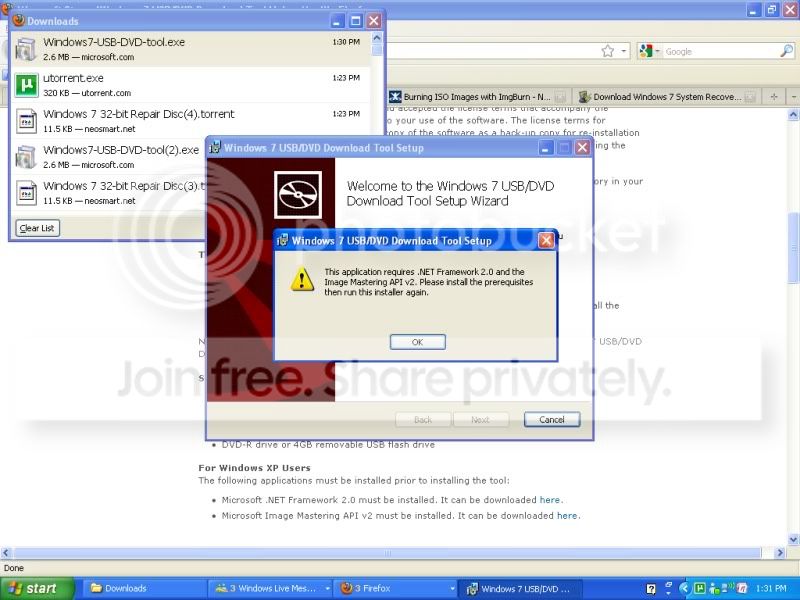
I get confused with all the links ! I downloaded the Windows 7 Recovery Disc 32-Bit (x86) Edition and it's just a weird file, I also downloaded ImgBurn but I guess I wont be using it because I want to install it into my USB, and I also downloaded something else but that thing is not working it gives me an error message.

I'm totally lost please help.
 

My Computer

OS
Windows 7 Home Premium
Internet Speed
Cable
Start over, go step by step. Post the precise problem.
 

My Computer

Computer type
PC/Desktop
Computer Manufacturer/Model Number
Dell XPS 420
OS
Windows 10, Home Clean Install
CPU
Intel Core2 processsor Q8200(2.33Ghz 1333FSB) Quad Core Tech
Motherboard
Dell
Memory
6 gb
Graphics Card(s)
ATI Radeon 256MB HD3650
Sound Card
Intergrated 7.1 Channel Audio
Monitor(s) Displays
Dell SP2009W 20"
Hard Drives
640 GB Serial ATA Hard drive
Cooling
Fan
Keyboard
Dell USB Keyboard
Mouse
Dell Premium Optical USB
Internet Speed
DSL 2.85
This is the error I get
USBERROR.jpg
 

My Computer

OS
Windows 7 Home Premium
Internet Speed
Cable

My Computer

Computer type
PC/Desktop
Computer Manufacturer/Model Number
Dell XPS 420
OS
Windows 10, Home Clean Install
CPU
Intel Core2 processsor Q8200(2.33Ghz 1333FSB) Quad Core Tech
Motherboard
Dell
Memory
6 gb
Graphics Card(s)
ATI Radeon 256MB HD3650
Sound Card
Intergrated 7.1 Channel Audio
Monitor(s) Displays
Dell SP2009W 20"
Hard Drives
640 GB Serial ATA Hard drive
Cooling
Fan
Keyboard
Dell USB Keyboard
Mouse
Dell Premium Optical USB
Internet Speed
DSL 2.85
That is the program that gives me the error :(
 

My Computer

OS
Windows 7 Home Premium
Internet Speed
Cable
If all else fails.

Take out your hard drive, and access the files on another computer. Backup all your documents and then format the disk.
Re-install your OS and all of your programs and drivers (You will need all the CDs or download them from the internet) and transfer your documents back.
 

My Computer

OS
Windows 7 Ultimate
@Kevon100 I'm not that savvy x_X; just 18 year old girl trying to get my PC fixed, I've seen the inside of a computer before but I'm too scared to mess with the insides.
 

My Computer

OS
Windows 7 Home Premium
Internet Speed
Cable
Can you get your hands on a computer with Windows 7? You said that you are on XP
 

My Computer

Computer type
PC/Desktop
Computer Manufacturer/Model Number
Dell XPS 420
OS
Windows 10, Home Clean Install
CPU
Intel Core2 processsor Q8200(2.33Ghz 1333FSB) Quad Core Tech
Motherboard
Dell
Memory
6 gb
Graphics Card(s)
ATI Radeon 256MB HD3650
Sound Card
Intergrated 7.1 Channel Audio
Monitor(s) Displays
Dell SP2009W 20"
Hard Drives
640 GB Serial ATA Hard drive
Cooling
Fan
Keyboard
Dell USB Keyboard
Mouse
Dell Premium Optical USB
Internet Speed
DSL 2.85
No, I can't this is so frustrating I really need my computer >_<;

Alright I guess I'll buy a blank DVD and use ImgBurn see if I have more luck that way.
 

My Computer

OS
Windows 7 Home Premium
Internet Speed
Cable
Well you could have someone do it for you...it's effective.
 

My Computer

OS
Windows 7 Ultimate
Back
Top